Asset Panda is a configurable asset tracking platform used by a wide range of businesses to manage equipment, IT hardware, and fixed assets. It’s known for its flexibility of custom fields, custom workflows, barcode and RFID scanning and for being easier to set up than legacy enterprise asset management tools.
That flexibility comes with a trade-off. Asset Panda follows a general-purpose configuration for you. Companies that outgrow that need something built around a specific workflow: maintenance scheduling, equipment reservations, global laptop logistics, or ITSM-grade IT operations.
Others simply want clearer pricing, deeper integrations, or reporting that doesn’t require building custom dashboards from scratch.
Why organizations look for alternatives to Asset Panda
A common pattern: a company uses Asset Panda for basic IT asset tracking, then scales into multiple countries. Suddenly they need in-country delivery, local compliance for data wiping, and retrieval logistics when employees leave. Asset Panda tracks the asset record well. It doesn’t manage the physical movement of a laptop from a warehouse in Singapore to a new hire in Berlin.
1. Other teams hit limits around automation
Asset Panda supports workflows, but building anything sophisticated conditional approvals, multi-step maintenance triggers, procurement-to-retirement handoffs takes manual configuration that a purpose-built platform handles natively.
2. Reporting is another frequent complaint
Asset Panda’s reporting is not particularly deep out of the box. Finance and compliance teams often want audit-ready reports without building them field by field.
3. Then there’s integration depth
Companies running ServiceNow, Jamf, Intune, or an ERP system want asset data to sync automatically rather than through CSV exports or middleware.
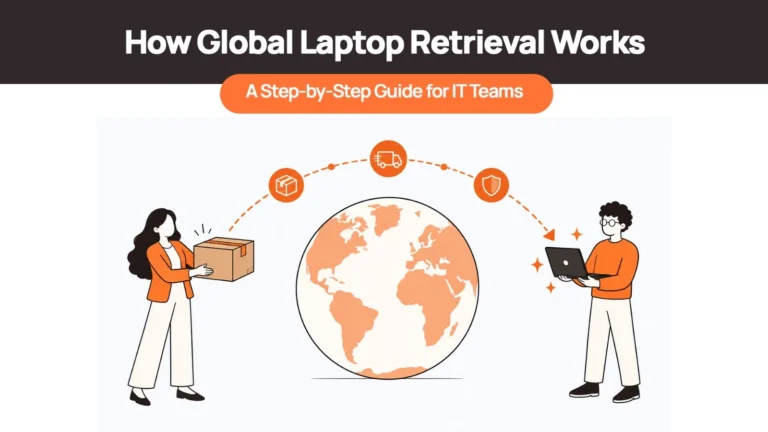
And for organizations managing a remote or hybrid workforce, device retrieval actually getting equipment back from a departed employee is a logistics problem Asset Panda was never designed to solve.
Pricing plays a role too. Asset Panda’s cost scales with asset count and doesn’t publish rates publicly, which makes budgeting harder for growing teams. None of this makes Asset Panda a bad product. It means the right tool depends heavily on what you’re actually trying to manage.
Quick comparison table
| Software | Best For | Strength | Potential Drawback | Pricing |
| Remoasset | Global laptop lifecycle management | End-to-end physical logistics (procurement to data wiping) | Narrower scope than general asset tracking | Custom pricing |
| Sortly | Small teams tracking inventory and equipment | Simple visual interface, fast setup | Weak for complex IT workflows | Free–$299/mo |
| UpKeep | Maintenance-heavy operations | Strong CMMS and work order management | Not built for IT asset tracking | $20–$55/user/mo |
| Cheqroom | Equipment checkout and reservations | Purpose-built booking and custody tracking | Limited maintenance/CMMS depth | Custom pricing (~$1,200+/yr) |
| Snipe-IT | IT teams wanting open source | Free self-hosted option, IT-specific fields | Requires technical setup and maintenance | Free (self-hosted) / from ~$40/mo hosted |
| EZOfficeInventory | Mid-size teams needing lifecycle + maintenance | Combines asset tracking with light CMMS | Pricing scales with asset volume | From ~$48/mo |
| ServiceNow | Enterprise ITSM-integrated asset management | Deep ITSM and CMDB integration | Expensive, heavy implementation | Custom pricing |
| IBM Maximo | Heavy industry and enterprise EAM | Handles complex, regulated physical assets | Overkill for standard IT asset tracking | Custom pricing |
Top 10 Asset Panda Alternatives
1. Remoasset
Remoasset is built around a specific problem: managing laptops for distributed and global teams. It covers the physical lifecycle procurement, delivery, MDM enrollment, maintenance, retrieval, secure storage, and data wiping in one connected workflow.
Why choose it over Asset Panda: Asset Panda tracks that a laptop exists and who has it. It doesn’t handle the logistics of getting that laptop procured, delivered, and later retrieved and wiped across borders. RemoAsset is designed specifically around.
Key strengths
- End-to-end laptop lifecycle
- Global delivery coordination without managing separate regional vendors
- Secure data wiping and certified retrieval for offboarding
- Centralized visibility across countries for distributed teams
Limitations: RemoAsset is focused on laptops and physical device lifecycle rather than being a general-purpose asset tracking platform.
Best for: Companies with distributed or global headcount with 20+ employees. These teams may need to procure, deploy, retrieve, and redeploy laptops across multiple countries without managing regional vendors separately. Particularly relevant for remote-first companies and IT teams supporting offboarding at scale.
Pricing: Custom pricing based on device volume and country coverage.
2. Sortly
Sortly is a visual inventory and asset tracking app aimed at small and mid-size teams. Its interface leans on photos, folders, and QR/barcode scanning rather than complex data tables, which makes it approachable for non-technical users.
Why choose it over Asset Panda: Sortly is faster to onboard for teams that don’t need custom workflows or deep IT-specific fields. If the goal is simply knowing what you own, where it is, and who has it, Sortly gets there with less setup time.
Key strengths
- Visual, photo-based item tracking
- Fast setup with minimal configuration
- Mobile barcode and QR scanning
- Low-stock alerts for consumable inventory
- Integrates with QuickBooks Online, Slack, and Excel
Limitations: Sortly isn’t built for IT-specific workflows like MDM integration, ticketing, or complex lifecycle automation. Reviewers also note that costs climb quickly as user counts and item volume grow, and higher tiers gate features that smaller teams may assume are included.
Best for: Small businesses and teams tracking general equipment, tools, or retail inventory who want something simple rather than IT-department-grade.
Pricing: Free plan available (1 user, 100 items). Paid plans start around $49/month (Advanced), scaling to roughly $149–$299/month depending on tier. Enterprise is custom-priced.
3. UpKeep
UpKeep is a CMMS, a computerized maintenance management system (and not a direct IT asset tracker). It’s built for maintenance teams managing work orders, preventive maintenance schedules, and parts inventory, primarily in manufacturing, and field service settings.
Why choose it over Asset Panda: Asset Panda can log maintenance events, but it wasn’t designed around preventive maintenance triggers, work order routing, or parts inventory the way a dedicated CMMS is. UpKeep’s mobile-first work order system is built specifically for technicians in the field.
Key strengths
- Preventive maintenance scheduling with multiple trigger types
- Mobile-first work order management, well-rated on iOS and Android
- Parts and inventory tracking tied to work orders
- Real-time maintenance analytics and downtime tracking
- Strong fit for manufacturing, facilities, and hospitality operations
Limitations: UpKeep is not built for IT asset lifecycle needs like software licensing, MDM, or device retrieval. Lower tiers cap reporting history and exclude parts inventory, and per-user pricing gets expensive for larger maintenance teams.
Best for: Facilities, manufacturing, and field service teams whose core need is maintenance scheduling and work orders rather than IT device tracking.
Pricing: Essential/Lite starts around $20/user/month, Premium around $55/user/month. Professional and Enterprise tiers require a custom quote.
4. Cheqroom
Cheqroom is built around equipment checkout and reservations, the “who has this camera right now, and when is it due back” problem. It’s popular in media production, universities, and AV departments where equipment moves between people constantly.
Why choose it over Asset Panda: If your primary need is scheduling who can reserve and check out equipment and avoiding double-bookings Cheqroom’s reservation system is more purpose-built than Asset Panda’s general checkout fields.
Key strengths
- Reservation calendar with conflict detection
- Clear custody chain for checked-out equipment
- Strong fit for AV, media, and shared equipment pools
- Centralized dashboard for asset location and usage status
- Damage and loss tracking tied to checkout history
Limitations: Cheqroom is lighter on maintenance and CMMS-style functionality, and its Android app has historically lagged behind iOS in coverage. It’s less suited to organizations managing IT hardware lifecycles or compliance-heavy asset registries.
Best for: Universities, media production teams, and AV departments managing shared equipment pools with frequent checkout and return cycles.
Pricing: Annual plans starting around $1,200/year for individuals and small teams, scaling by team size and feature tier. Enterprise is custom-priced.
5. Snipe-IT
Snipe-IT is an open-source IT asset management platform, and it’s the go-to choice for teams that want either full control over hosting or a genuinely free option. You can self-host it or use Snipe-IT’s hosted cloud version.
It was built specifically for IT departments hardware, licenses, accessories, and consumables rather than general business assets.
Why choose it over Asset Panda: Snipe-IT is free if self-hosted, which matters for budget-conscious IT teams or those with strict data residency requirements. It’s also open source, so the codebase is extensible.
Key strengths
- Free, self-hosted option with no per-asset cost
- IT-specific data model (licenses, warranties, accessories)
- Open-source codebase, auditable and customizable
- API access included even on lower tiers
- Active open-source community and plugin ecosystem
Limitations: Self-hosting requires technical setup, ongoing maintenance, and your own security hardening there’s no vendor support safety net unless you pay for hosted plans.
Best for: IT teams with in-house technical capacity who want a free or low-cost, IT-specific asset tracker and are comfortable managing their own hosting.
Pricing: Free if self-hosted. Hosted cloud plans start around $40/month depending on asset count.
6. EZOfficeInventory
EZOfficeInventory sits between a pure asset tracker and a light CMMS. It covers the full asset lifecycle procurement to retirement with maintenance scheduling, depreciation tracking, and multi-location support built in.
Why choose it over Asset Panda: EZOfficeInventory bakes lifecycle stages and depreciation calculations into the core product more explicitly than Asset Panda. It also includes maintenance scheduling as a native feature rather than a workaround.
Key strengths
- Full lifecycle tracking from procurement to retirement
- Automated depreciation calculations
- Multi-location and multi-department support
- Maintenance scheduling and work order features
- Unlimited users on most plans, with pricing tied to asset count instead
Limitations: Pricing scales with the number of tracked assets, which can get expensive for large inventories. Some maintenance functionality is gated behind add-ons or higher tiers.
Best for: Mid-size businesses that want lifecycle and light maintenance tracking together without adopting a full enterprise EAM system.
Pricing: Plans start around $48–$59/month for smaller asset counts (Essential/Advanced tiers), with Premium and Enterprise scaling by asset volume and requiring a custom quote at higher counts.
7. ServiceNow
ServiceNow is an enterprise ITSM platform, and its asset management module (ITAM) is one piece of a much larger IT operations suite that includes incident management, CMDB, and service catalogs. Companies already running ServiceNow for ticketing often extend it into asset management rather than run a separate tool.
Why choose it over Asset Panda: If your IT team already lives in ServiceNow for incidents and service requests, tying asset records directly into that CMDB avoids maintaining two systems of record.
Key strengths
- Deep integration with ITSM, CMDB, and incident workflows
- Enterprise-grade governance, audit trails, and permissions
- Strong software asset management (SAM) capabilities
- Scales to large, complex IT environments
- Extensive third-party integration ecosystem
Limitations: ServiceNow is expensive and implementation-heavy. It requires dedicated administration and is significant overkill for companies that just need to track physical devices without a broader ITSM rollout.
Best for: Enterprises already using or planning to adopt ServiceNow for IT service management, where asset tracking should live inside the same platform as tickets and configuration items.
Pricing: Custom pricing based on modules and user counts; typically a significant enterprise investment.
8. IBM Maximo
IBM Maximo is enterprise asset management (EAM) software built for industries with heavy physical infrastructure utilities, oil and gas, manufacturing plants, transportation fleets. It handles complex maintenance, regulatory compliance, and asset performance monitoring.
Why choose it over Asset Panda: If you’re managing regulated, high-value physical infrastructure pipelines, industrial equipment, fleet vehicles Maximo’s depth in predictive maintenance, compliance tracking, and asset performance management goes far beyond what Asset Panda offers.
Key strengths
- Deep predictive and preventive maintenance capabilities
- Strong regulatory compliance and audit support
- Built for complex, high-value physical infrastructure
- AI-assisted asset performance monitoring
- Proven at large industrial and utility scale
Limitations: Maximo is a heavy, complex platform that requires significant implementation time and specialized administration. It’s substantial overkill for companies tracking laptops, furniture, or general office equipment.
Best for: Utilities, manufacturing plants, and asset-intensive industries managing regulated, high-value physical infrastructure.
Pricing: Custom pricing based on modules, deployment model, and scale.
Feature comparison for Asset Panda alternatives
| Software | Lifecycle Management | Maintenance/CMMS | Checkout/Reservations | Global Logistics | Open Source |
| Remoasset | Yes (laptop-focused) | Limited | Retrieval-focused | Yes | No |
| Sortly | Basic | No | Basic | No | No |
| UpKeep | Maintenance-focused | Yes | No | No | No |
| Cheqroom | Basic | Limited | Yes | No | No |
| Snipe-IT | Yes (IT-focused) | No | No | No | Yes |
| EZOfficeInventory | Yes | Yes | Yes | No | No |
| ServiceNow | Yes (ITSM-integrated) | Limited | No | No | No |
| IBM Maximo | Yes (industrial) | Yes | No | No | No |
Choosing the Right Asset Panda Alternative
Asset Panda remains a solid choice for organizations looking for a flexible asset tracking platform. However, as IT operations get more and more complicated, many teams need software that’s built around their existing systems rather than a general-purpose asset register.
For organizations managing laptops across remote or global teams, the requirements are different. Tracking devices is only one part of the process. Procurement, deployment, retrieval, storage, refurbishment, and secure data wiping all form a part of that system as well.
That’s where Remoasset stands out. Instead of focusing only on asset records, it helps IT teams manage the complete physical lifecycle of laptops from procurement and global delivery to retrieval, secure data wiping, storage, and redeployment.
Before making a decision, evaluate where your current process creates the most friction. If your biggest challenge is maintaining visibility and control over the physical movement of laptops, RemoAsset offers a purpose-built approach that goes beyond traditional asset tracking.
Related Reads –
- Remoasset – Best Fleet Alternative
- Remoasset – Best Quipteams Alternative
- Remoasset – Best ZenAdmin Alternative
FAQ
Is Asset Panda worth it?
For companies that need a configurable, general-purpose asset tracker and are comfortable building out custom fields and workflows, Asset Panda is a solid option. It becomes less worth it once you need specialized functionality like global logistics, deep CMMS, or ITSM integration that a purpose-built tool handles natively.
Is Asset Panda good for IT asset management?
Yes, for core IT asset tracking hardware records, assignment, and basic lifecycle status. It’s less suited to IT teams needing software license management depth, automated network discovery, or ITSM-integrated configuration management.
Which Asset Panda alternative is best for remote teams?
RemoAsset, specifically because it manages the physical movement of laptops delivery and retrieval across locations, not just the data record of who has what.
Is there an open-source alternative to Asset Panda?
Snipe-IT is the primary open-source option, with a free self-hosted version and a hosted cloud plan for teams that don’t want to manage infrastructure themselves.
Which alternative is best for SMBs?
Sortly for visual, low-friction tracking, or Asset Infinity for predictable, budget-friendly pricing at a similar feature level.
Which alternative supports global laptop deployment?
RemoAsset is built specifically around this: procurement, in-country delivery, MDM enrollment, retrieval, and secure data wiping across multiple countries.