A laptop coming back from a departing employee is not the end of the device lifecycle. In many ways, it is the point where the next decision starts.
The problem is that many companies have built a reasonably good process for getting devices back but very little structure for what happens once those devices arrive. The laptop gets dropped into an IT closet or shipped somewhere. Nobody has checked its condition, nobody knows whether it is ready for another employee, and there is no clear owner for deciding what happens next. Then a new employee joins three weeks later and someone orders another laptop.
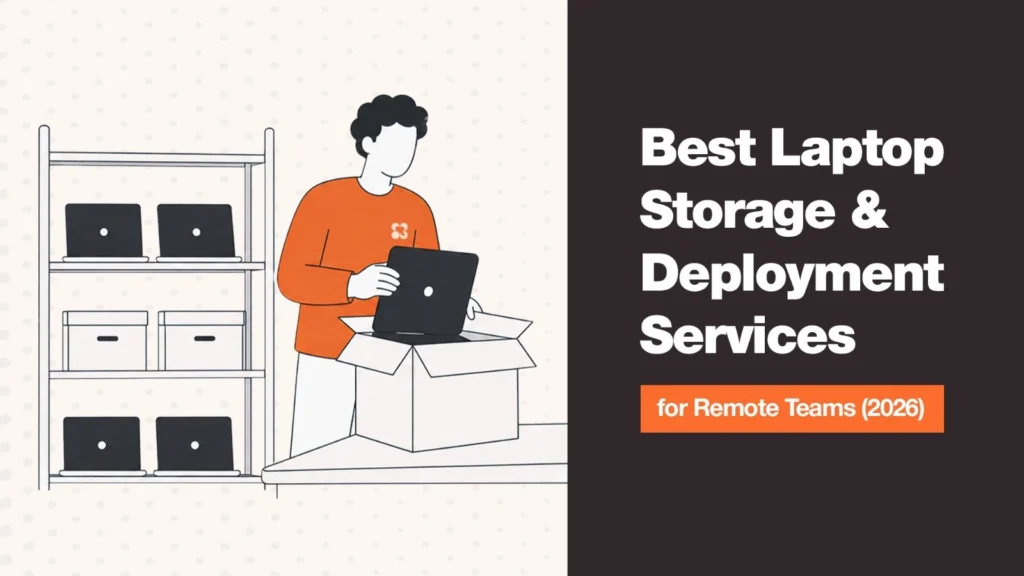
That is how companies end up buying hardware they already own. Laptop storage and redeployment services address the part of the lifecycle that sits between retrieval and the next deployment. The better providers do more than hold equipment — they receive returned devices, inspect and grade them, handle wiping and preparation, maintain inventory visibility, and make usable equipment available for the next employee.
This guide compares six providers — Remoasset, Firstbase, GroWrk, Esevel, Hello Retriever, and Net Universe — focusing specifically on storage, condition processing, and redeployment rather than treating retrieval as the main capability.
Laptop Storage & Redeployment Services at a Glance
| Provider | Best For | Geographic Footprint | Condition & Redeployment | Pricing |
| Remoasset | Global teams wanting procurement, storage and redeployment connected | 80+ countries | Inventory management, retrieval, storage and redeployment workflow | Custom |
| Firstbase | Full lifecycle with dedicated warehouse infrastructure | 50+ countries | Inspection, sanitization, grading, wiping, repair, redeployment | Custom |
| GroWrk | Distributed enterprises with broad global coverage | 150+ countries | Retrieval, inspection, wiping, redeployment, global warehouse network | Custom |
| Esevel | Storage connected to onboarding/offboarding | 88 countries (procurement), regional storage | Wiping, resetting, storage, redeployment | Custom |
| Hello Retriever | Managed warehousing and straightforward redeployment | Secure warehousing; coverage varies | Cleaning, inspection, repairs, OS provisioning, redeployment | Custom |
| Net Universe | Broader IT logistics and warehousing | 100+ countries | Storage, inventory, recovery, redeployment | Custom |
Note: Provider capabilities and coverage change. Confirm warehouse location, service level, supported device types, and pricing for your specific countries before signing an agreement.
How Laptop Storage & Redeployment Actually Works
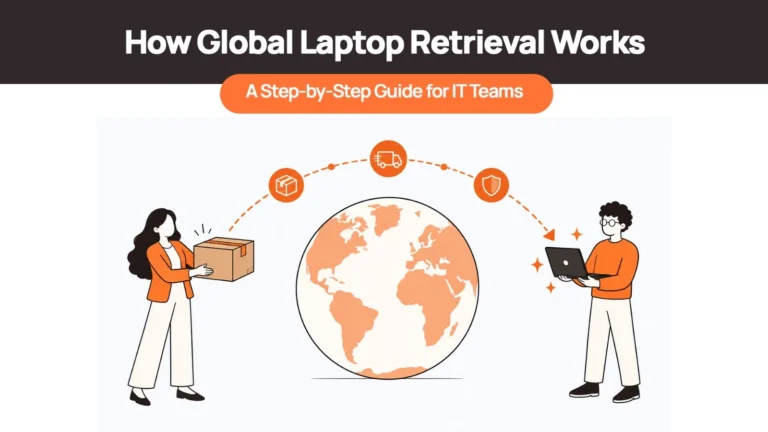
A warehouse by itself does not solve much. The real process should look like this: Retrieve → Receive → Inspect → Wipe → Grade → Store → Match → Redeploy. Each stage matters because a device that is merely sitting in a warehouse is still idle capital.
1. The device is received and logged
When a returned laptop reaches the warehouse, its serial number, assigned user, and lifecycle status should be recorded and updated in the asset record. If a laptop arrives and the only record is an email saying ‘John’s MacBook was returned,’ the organization still does not have reliable inventory. A proper workflow preserves the device’s history rather than creating a new record every time it changes hands.
2. Condition is assessed
The next question is not simply whether the laptop turns on. A useful assessment considers physical condition, battery health, display, keyboard, ports, storage, memory, processor, and warranty status — set against the requirements of the next role. This matters because redeploy versus replace is a matching decision. A laptop no longer suitable for a developer may be perfectly appropriate for a customer-support employee. The grading process needs to be consistent so that two similar devices receive similar treatment.
3. Data is securely removed
A returned laptop should not simply move from one employee to another. Before redeployment, company data must be removed according to the organization’s security requirements and the device prepared for its next user. The exact process depends on operating system, MDM configuration, security policy, and whether the device is subject to a retention or legal hold.
4. The device enters usable inventory
The laptop should no longer be treated as ‘returned equipment.’ It should be visible as an available asset that can satisfy a future requirement. Instead of: New hire → purchase laptop, the workflow becomes: New hire → check available inventory → match suitable device → redeploy. The organization still buys new hardware when necessary — it simply stops buying by default.
5. The device is matched to its next use
The best systems connect inventory availability to actual employee requirements. If a new hire needs a standard laptop and the warehouse already has suitable devices, those machines should be visible before procurement creates another order. This is where storage and procurement must connect — otherwise a company can have ten usable laptops sitting in storage while simultaneously buying ten more.
What Matters When Choosing a Laptop Storage & Redeployment Provider
1. Where are the devices actually stored?
Do not stop at ‘global coverage.’ Ask where the physical warehouses are. If your employees are concentrated in the US, Germany, India, and Singapore, you need to know whether returned devices can remain in those regions or whether they travel back to one central facility. Local storage can materially affect the economics of redeployment because the next employee may be much closer to the warehouse than to the device’s original procurement point.
2. How is condition determined?
Ask whether the provider has a documented grading process that distinguishes between: ready for redeployment; suitable after minor servicing; suitable after repair; better suited for resale; and at end of useful life. Without that distinction, ‘inventory available’ can be misleading. A laptop that technically exists in a system is not necessarily one that can ship to an employee tomorrow.
3. Does the provider actually facilitate redeployment?
Some providers can store a device. Others can store, prepare, and actively redeploy it. Those are different capabilities. The question to ask is not ‘Can you store my laptops?’ It is ‘What happens when I need one of those laptops deployed tomorrow?’
4. Is storage connected to procurement?
This may be the most important question. If your procurement team buys devices through one vendor and your retrieval provider sends returned laptops to a separate warehouse, the company still has no single operating picture. A stronger model connects procurement, deployment, retrieval, storage, and redeployment so the company can see both sides: what hardware it needs and what hardware it already owns that could meet that need.
Related Reads
For deeper context on each stage of this workflow:
- Where Do Retrieved Laptops Actually Go? Inside a Device Warehouse — the full intake, grading, and routing process once a device arrives.
- Laptop Redeployment: How to Reuse Devices Instead of Rebuying — the financial and operational case for redeployment programs.
- Laptop Retrieval Cost: What Businesses Really Pay — the full cost picture from collection through warehousing.
- Best International Laptop Retrieval Services for Remote Teams — the retrieval half of the equation.
- Laptop Lifecycle Management: The Complete Guide — the full lifecycle that storage and redeployment sit inside.
- How Many Spare Laptops Should You Keep? — sizing the redeployable spare pool so storage stays proportionate.
The Best Laptop Storage & Redeployment Services
1. Remoasset
Best for: Global teams that want procurement, retrieval, storage and redeployment connected in one workflow.
Remoasset is particularly relevant for companies that do not want storage to become a separate operation after a device has been retrieved. Its offering covers laptop procurement and retrieval across 80+ countries, with storage and inventory management designed to turn returned devices into available inventory for redeployment. The key advantage is the connection between procurement and the back end of the lifecycle — returned equipment can be stored and tracked under the same lifecycle record rather than disappearing into a separate spreadsheet.
Best fit: Companies hiring across multiple countries that want procurement, retrieval, storage, and redeployment as one lifecycle.
Watch for: Confirm specific warehouse and service availability in your highest-volume countries.
2. Firstbase
Best for: Companies looking for a mature physical operations layer alongside asset lifecycle software.
Firstbase operates global warehouse infrastructure across 50+ countries. Its lifecycle workflow includes inspection, sanitization, data wiping, OS reinstallation, and condition grading. Devices that meet the required condition move toward redeployment; lower-condition devices are routed toward repair or ITAD. It also supports data holds for organizations that need retained devices before processing — making it considerably more than passive warehouse space.
Best fit: Mid-market and enterprise teams wanting physical warehousing, inventory management, and lifecycle workflows under one provider.
Watch for: Confirm regional warehouse availability and processing SLAs for your specific countries.
3. GroWrk
Best for: Distributed companies that need broad international coverage and redeployment capability.
GroWrk covers procurement, deployment, retrieval, storage, and redeployment across 150+ countries. Its retrieval service includes inspection, data wiping, and redeployment, while the broader platform connects those activities to global warehouse operations. Particularly relevant for organizations where the challenge is managing hardware across a large number of countries rather than a single region.
Best fit: Larger distributed organizations with geographically complex fleets.
Watch for: Compare actual warehouse locations and service models in your highest-volume markets rather than relying only on the headline country count.
4. Esevel
Best for: Remote teams wanting storage and redeployment connected to employee onboarding and offboarding.
Esevel combines device procurement, onboarding, offboarding, retrieval, and storage. Procurement is available in 88 countries; its offboarding workflow includes device retrieval, secure wiping, resetting, cleaning, and preparation for redeployment or storage. The appeal is continuity — the device does not disappear into a separate warehouse process once the employee leaves.
Best fit: Remote-first companies wanting onboarding and offboarding logistics tied closely to device management.
Watch for: Verify warehouse coverage and redeployment turnaround in the countries where you expect the most frequent device movement.
5. Hello Retriever
Best for: Companies that specifically need managed laptop warehousing and straightforward redeployment.
Hello Retriever focuses on the physical post-return workflow. Its warehousing service includes condition checks, cleaning, repairs, OS provisioning, and secure storage in monitored facilities, followed by on-demand deployment. The company also provides visibility into which laptops are deployed, ready for redeployment, or in other lifecycle states. This is not passive storage — the service is built around preparing equipment so it can move back into use.
Best fit: Teams that want a dedicated retrieval, warehousing, and deployment workflow without necessarily rebuilding their entire procurement operation.
Watch for: Ask about warehouse locations and international redeployment options for your specific workforce footprint.
6. Net Universe
Best for: Companies looking for broader IT logistics, warehousing, and lifecycle support.
Net Universe approaches the problem from an IT logistics perspective. Its services include IT equipment storage, inventory management, retrieval, redeployment, and global delivery across 100+ countries. Its Provision & Collection model is designed to connect onboarding, returns, warehousing, and redeployment rather than treating those as unrelated activities — making it attractive to companies that want a managed logistics partner for the physical side of device lifecycle management.
Best fit: Organizations with complex international logistics requirements and a preference for a managed IT logistics partner.
Watch for: Clarify where devices are warehoused, what inspection and grading services are included, and how redeployment requests are initiated.
Which Service Is Right for Your Team?
| If your team… | Consider |
| Wants procurement, storage, retrieval and redeployment connected | Remoasset |
| Needs substantial physical operations and warehouse infrastructure | Firstbase |
| Operates across a very large number of countries | GroWrk |
| Wants onboarding and offboarding connected to storage | Esevel |
| Primarily needs managed laptop warehousing and deployment | Hello Retriever |
| Needs broader international IT logistics and physical operations | Net Universe |
The more important point is to evaluate the workflow, not just the warehouse. A provider can have excellent storage facilities and still leave your IT team manually deciding which laptop should go to which employee. The best solution is the one that closes that gap.
How Remoasset Simplifies Laptop Storage & Redeployment
The biggest advantage of treating storage as part of the wider device lifecycle is that a returned laptop does not become an orphaned asset. With Remoasset, the intended workflow is:
Retrieve → Store → Assess → Prepare → Redeploy
rather than:
Retrieve → Put in storage → Forget about it → Buy another laptop
Remoasset’s storage offering is designed around turning unused laptops into ready-to-use inventory, with secure global warehousing and inventory visibility across its 80+ country network. Because storage connects to the same platform used for procurement and retrieval, redeployment becomes much more useful: if an appropriate device is sitting in storage, the next hire does not necessarily require a new purchase. The existing device can be assessed, prepared, and assigned again.
That is what a good redeployment program achieves: not simply storing more laptops, but keeping more of the company’s existing hardware in productive use. Book a demo to see how the workflow operates in practice.
Frequently Asked Questions
What’s the difference between device storage and asset disposal?
Storage keeps a device within the company’s usable inventory while a decision is pending or until it can be redeployed. Disposal is the process of permanently removing a device from the active fleet through resale, recycling, destruction, or another approved end-of-life route. A laptop in storage is still an asset; a laptop that has gone through approved disposal is not.
How long can a laptop sit in storage before it should be redeployed or retired?
There is no universal number. The more useful question is whether the device remains economically and technically suitable for reuse. A laptop waiting a few weeks for a matching hire is very different from one sitting untouched for two years. Review stored devices periodically based on age, condition, warranty status, expected demand, and repair economics.
Does redeployed hardware need the same data-wiping standard as disposal?
Redeployment should never mean simply handing a device from one employee to another with the previous user’s data still present. The device should be securely sanitized, verified, and prepared for its next user before leaving controlled inventory. The exact sanitization method depends on your security policy, operating system, and applicable compliance requirements.
Can returned devices be redeployed to a different country than where they came from?
Yes, but cross-border redeployment can introduce customs, tax, import/export, keyboard-layout, power-adapter, and warranty considerations. In many cases, local or regional storage makes more sense — the next employee can be supplied from inventory within the same market, avoiding the added logistics and cost of international movement. Warehouse location should be part of your provider evaluation, not an afterthought.
How do storage and redeployment services connect to procurement?
They should be connected directly. If procurement only sees new orders while the warehouse separately sees returned inventory, the company can easily purchase devices it already owns. A connected lifecycle gives procurement visibility into available, redeployable equipment before a new order is placed — that is where the financial benefit of redeployment becomes tangible.
Is storing laptops actually cheaper than buying new ones?
It can be, but storage should not be evaluated in isolation. The real comparison is the cost of storing and preparing an existing device versus the fully loaded cost of purchasing, configuring, and delivering a new one — including procurement, shipping, setup, and configuration. The goal is not to maximize the number of laptops in warehouses. It is to maximize the number of useful devices that remain in productive circulation.
Final Takeaway
Retrieval solves one problem: getting the laptop back. Storage solves the next: keeping control of it. Redeployment solves the one that matters financially: putting the device back to work.
For remote teams, those three stages should not operate as separate processes. A returned laptop should move through a defined workflow in which its condition is known, its data is secured, its location is visible, and its next use can be identified.
That is why the strongest laptop storage and redeployment services are not selling warehouse space. They are helping companies turn returned equipment into usable inventory again — and when that inventory is connected to procurement, every successful redeployment is one less new device the company has to buy.