When Concentra Health Services paid $1,725,220 to settle potential HIPAA violations in 2014, the issue was not that the organization had never heard of encryption. OCR’s investigation found that Concentra had already identified the lack of encryption on laptops as a risk. The problem was that its efforts to address that risk were incomplete and inconsistent. An unencrypted laptop was eventually stolen from one of its facilities.
That distinction matters for healthcare IT teams. A laptop can be perfectly adequate from a hardware perspective and still be a poor procurement choice if it reaches a clinician without the security controls, access policies, asset records, and management processes the organization has decided are necessary.
HIPAA does not prescribe one specific laptop model or a universal hardware specification. Instead, the HIPAA Security Rule requires covered entities and business associates to implement reasonable and appropriate administrative, physical, and technical safeguards to protect ePHI. For distributed healthcare teams — where laptops ship directly to clinicians, therapists, care coordinators, or administrative staff working remotely — there may be no opportunity for IT to finish the configuration later. The safer approach is to make the compliance baseline part of procurement itself.
What HIPAA Actually Requires of a Healthcare Laptop
There is no single thing called a ‘HIPAA-compliant laptop.’ The Security Rule addresses administrative, physical, and technical safeguards rather than certifying individual laptop models. A device becomes part of the compliance environment based on how it is configured, managed, accessed, monitored, and eventually retired. Four areas deserve particular attention at procurement.
Encryption
HIPAA’s encryption specification is addressable rather than universally mandatory. That does not mean an organization can ignore it — the organization must determine through its risk assessment whether encryption is a reasonable and appropriate safeguard, and if not, document that decision and implement an equivalent alternative. For laptops that store or access ePHI, full-disk encryption should be treated as a standard procurement requirement wherever the organization’s risk analysis calls for it, and verified as enabled before the device reaches the user rather than left as a post-delivery task.
Access Controls and Authentication
The Security Rule requires technical policies that limit ePHI access to authorized users or software, along with unique user identification and person or entity authentication. In procurement terms, that means healthcare organizations should avoid treating a laptop as a generic shared endpoint. The device needs to enter the organization’s identity and access management environment with appropriate user and role controls already defined.
Audit Controls
Healthcare organizations need mechanisms that record and examine activity in information systems containing or using ePHI. The laptop itself may not provide the entire audit trail, but it needs to be managed as part of the systems that do — which is one reason centralized device management and a reliable asset inventory matter.
Device and Media Controls
HIPAA also addresses the movement, receipt, removal, disposal, and reuse of hardware and electronic media containing ePHI, including procedures for removing ePHI before media is made available for reuse. That means the device record created at purchase should eventually connect to what happens when that laptop is reassigned, retrieved, wiped, or retired. The data destruction and sanitization process is the other end of this lifecycle — this post covers the procurement stage; that guide covers end-of-life.
Build Compliance Into Procurement, Not After It
A conventional procurement workflow might look like this: select a model, place an order, ship it to the employee, and ask IT to configure it once it arrives. That workflow becomes harder to defend when the employee is working remotely and the device may immediately be used to access systems containing ePHI. A healthcare-oriented procurement workflow starts with the security baseline.
Start with a documented configuration baseline
Every approved laptop configuration should have a defined set of security settings rather than relying on an IT administrator to remember the required controls for every order. That baseline can include encryption, authentication requirements, endpoint protection, approved applications, security policies, update requirements, and MDM enrollment. HHS’s January 2026 cybersecurity guidance specifically discusses creating security baselines for systems such as laptops and desktops and ensuring that security measures are installed, enabled, and properly configured. The benefit is consistency: if the same laptop is purchased for ten clinicians in different locations, the organization should not end up with ten different interpretations of its security requirements.
Enroll the device in MDM before it ships
MDM gives IT a mechanism to apply and enforce policies after the laptop leaves the procurement environment. For remote healthcare teams, that matters because the employee may never physically visit an IT office. The device should be enrolled before shipment, or configured for automated enrollment, so that security policies, required applications, and management controls are established as part of the onboarding workflow. The mechanics of achieving this are covered in our zero-touch deployment readiness checklist. The goal is simple: the device should become manageable when it becomes usable.
Make verification part of the handoff
Configuration alone is not enough. Procurement teams should have a way to confirm that the expected controls were actually applied. A useful pre-shipment record can show the device serial number, assigned user or request, MDM enrollment status, encryption status, configuration baseline, and shipment information. This turns compliance from an informal checklist into an auditable process.
The Healthcare Laptop Procurement Checklist
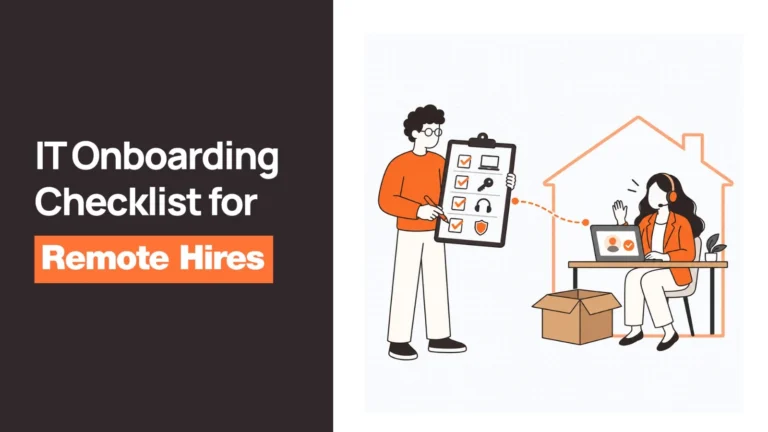
Before a laptop ships to a clinician or other healthcare employee, the procurement workflow should answer the following:
- Full-disk encryption enabled and verified? The organization should have a documented position on encryption based on its risk assessment and security requirements.
- MDM enrollment completed pre-ship? Enrollment should happen before shipment wherever the organization’s workflow supports it.
- Remote management and wipe capability verified? Remote management is particularly important when the employee works outside a controlled facility.
- Configuration baseline documented? The organization should know which security settings and applications are expected on each approved device type.
- Unique user identification in place? Shared or generic accounts should not replace the identity and authentication controls required by the organization’s security policies.
- Role-based access controls configured? The user’s access should reflect their role and need to access ePHI.
- Remote access protected? Where employees connect remotely to systems containing ePHI, appropriate transmission security and remote-access controls should be in place.
- Device recorded in asset inventory? Serial number, device status, assigned user, procurement information, and lifecycle events should be traceable.
- Offboarding process defined? The organization should know what happens to the laptop when the employee leaves, changes roles, or no longer needs the device.
- Reuse and disposal process documented? HIPAA’s device and media controls extend beyond deployment, including ePHI removal before reuse and appropriate final disposition.
These should not exist as ten separate tasks across procurement, IT, security, HR, and compliance. The more disconnected the workflow becomes, the harder it is to prove that every device received the same treatment.
Related Reads
Each stage of this compliance workflow connects to a broader operational guide:
- Zero-Touch Deployment Readiness: A Checklist Before You Buy — the pre-shipment MDM and enrollment mechanics covered in this article.
- Best Data Destruction and Device Disposal Tools — the HIPAA device and media controls that apply at end-of-life.
- Laptop Procurement Process Best Practices — building a repeatable procurement baseline for any regulated environment.
- Device Lifecycle Management: The Complete Guide — the full lifecycle that connects procurement through to disposal.
- Remote Employee Offboarding Checklist — the high-stakes retrieval and wiping process at the end of a healthcare employee’s tenure.
What Changes for Remote and Distributed Healthcare Teams
The basic HIPAA requirements do not change simply because an employee works from home. What changes is the operational environment in which those requirements have to be enforced.
An office-based IT team can physically receive a laptop, configure it, test it, and hand it to an employee. A distributed healthcare organization may instead need to send that laptop hundreds of miles away before IT ever sees the user. That makes pre-configuration much more important.
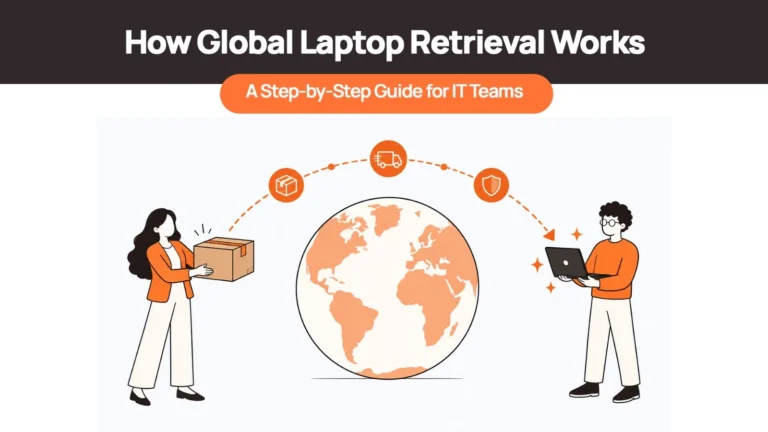
A remote-first procurement process should connect sourcing, configuration, MDM enrollment, asset assignment, and shipping rather than treating them as independent stages. The device can be purchased locally, configured against the organization’s baseline, enrolled into management, recorded against its asset record, and then shipped directly to the employee.
Remote access also deserves particular attention. A laptop that leaves the office no longer benefits from the organization’s physical network environment, so controls such as authentication, endpoint management, transmission security, and policy enforcement have to travel with the device. And offboarding carries higher stakes in a healthcare context. If a clinician leaves and a laptop containing or accessing ePHI remains at home for weeks, the organization has a compliance exposure, not simply a logistics problem. HIPAA’s device and media controls specifically require organizations to address the removal of ePHI before reuse — which is why procurement, deployment, retrieval, and eventual reuse should be designed as one lifecycle rather than separate operational functions.
How Remoasset Can Fit Into a Healthcare Procurement Workflow
For healthcare organizations, the useful question is not simply whether a laptop can be purchased quickly. It is whether the procurement process can establish the organization’s required controls before that laptop reaches the person who will use it. Remoasset‘s offering combines procurement and device lifecycle operations across 80+ countries, with capabilities including local procurement, pre-configured MDM, encrypted shipments, secure data wiping, and asset management.
Its MDM workflow can automatically enroll devices, apply security configurations and policies, and install required business applications when a device connects to the internet — giving distributed teams a way to apply their intended configuration without requiring a clinician to visit an IT office. Procurement also creates a traceable asset record that follows the device through its lifecycle, giving IT and compliance teams a much stronger starting point when they need to demonstrate how devices are being managed.
The result is a procurement process where security controls are established as part of deployment rather than added after the laptop has already reached the employee. Book a demo to see how this works across a distributed healthcare workforce.
Frequently Asked Questions
Does HIPAA require laptop encryption?
Not as an absolute requirement for every laptop. Under the current HIPAA Security Rule, encryption is an addressable implementation specification. Organizations must assess whether it is reasonable and appropriate based on their risks and, if they do not implement it, document the decision and address the risk through an appropriate alternative where required. For laptops that store or access ePHI, however, encryption is a critical control that should be explicitly addressed in the organization’s risk assessment and device security baseline.
What makes a laptop HIPAA compliant?
There is no official ‘HIPAA-compliant laptop’ certification. A laptop becomes part of a HIPAA-compliant environment when the organization has implemented appropriate safeguards around how the device is configured, accessed, managed, monitored, transported, reused, and retired.
What happens if a healthcare organization loses an unencrypted laptop?
The organization may face breach-response and notification obligations depending on the circumstances, along with potential regulatory scrutiny. OCR’s Concentra settlement ($1,725,220) and QCA settlement ($250,000) illustrate why unencrypted laptops have been a significant HIPAA enforcement area — both cases involved unencrypted laptops containing ePHI that were stolen.
What should a HIPAA-compliant device procurement checklist include?
At minimum, healthcare IT teams should address: encryption, MDM enrollment, authentication and access controls, endpoint security, remote management capability, asset tracking, configuration standards, remote-access controls, and documented offboarding, reuse, and disposal procedures. The exact controls should be determined by the organization’s HIPAA risk analysis and security policies.
Compliance Starts Before the Laptop Ships
HIPAA device compliance is often discussed as a security problem, but procurement determines whether the organization starts with a controlled device or an unfinished one. The strongest workflow is straightforward: define the baseline, configure it before shipment, enroll the device into management, record the asset, verify the required controls, and maintain that record throughout the device’s lifecycle.
For healthcare organizations with distributed teams, that approach removes one of the biggest weaknesses in traditional procurement: assuming that someone will finish the security work after the laptop arrives.
This article provides operational guidance and is not legal advice. Healthcare organizations should confirm their specific HIPAA obligations, risk assessments, policies, and contractual requirements with their compliance and legal teams.