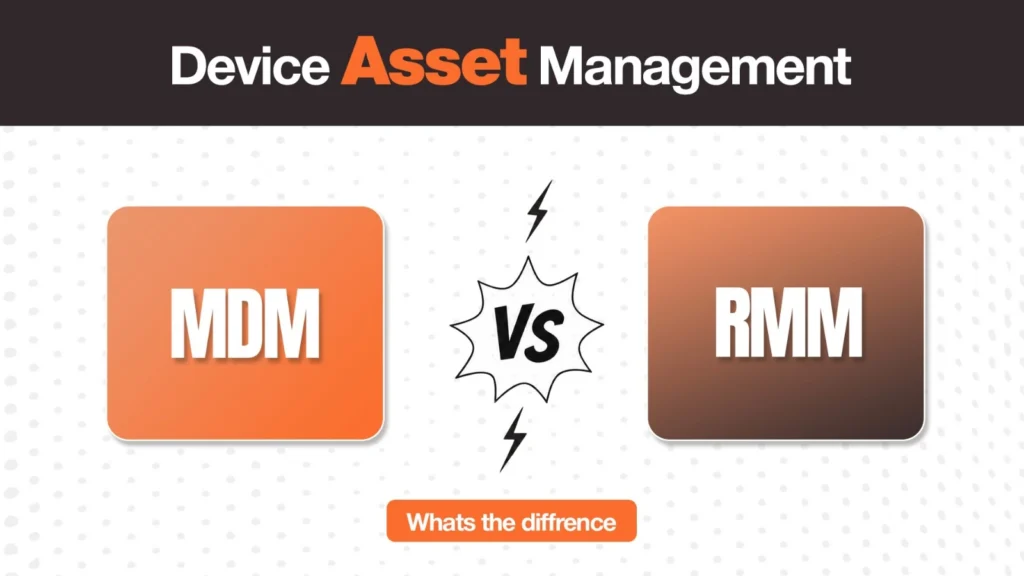
If you’re researching device asset management vs MDM vs RMM, the confusion is understandable. These three terms often appear in the same IT conversations, and modern platforms increasingly overlap in what they can monitor, manage, secure, or automate. The problem is that they do not solve the same problem.
MDM is primarily concerned with managing and securing enrolled devices. RMM focuses on monitoring, maintaining, and remotely supporting endpoints and broader IT environments. Device asset management is concerned with the physical asset itself: where it came from, who has it, where it is, what condition it is in, what it is worth, and what happens to it throughout its lifecycle.
Understanding that distinction makes it much easier to decide whether your organization needs one of these tools, two of them, or a combination of all three.
What MDM, RMM, and Device Asset Management Actually Mean
What Is Mobile Device Management (MDM)?
Mobile Device Management, or MDM, gives IT teams centralized control over enrolled devices. Despite the name, modern MDM platforms are not limited to smartphones — depending on the platform, they can manage laptops, tablets, and other endpoints across operating systems. Typical MDM capabilities include device enrollment and provisioning, security policy enforcement, configuration management, application management, encryption and security controls, remote lock and wipe, compliance policies, and device status monitoring.
What Is Remote Monitoring and Management (RMM)?
Remote Monitoring and Management, or RMM, is primarily designed to help IT teams monitor and maintain endpoints remotely. RMM platforms are particularly common in managed service provider environments, although internal IT teams also use them for device management at scale. Typical capabilities include system health monitoring, performance monitoring, patch management, alerts, remote access, script execution, software deployment, troubleshooting, and reporting. The general idea is straightforward: RMM helps IT keep systems running properly without needing physical access to each machine.
What Is Device Asset Management?
Device asset management covers a different question: what is happening to the physical company-owned device throughout its lifecycle? That includes procurement, vendor and purchase records, asset assignment, physical location tracking, serial number and asset records, warranty information, device condition, storage, repairs, retrieval, redeployment, resale, recycling, and disposal.
Imagine an employee leaves the company. Your MDM may tell you whether the laptop is enrolled and whether corporate data can be wiped. Your RMM may tell you whether the endpoint was recently online. But someone still needs to answer: Has the laptop actually been returned? Where is it physically? What condition is it in? Should it go to another employee, repair, storage, or disposal? That is the asset and lifecycle problem.
Where MDM and RMM Actually Overlap
The distinction between MDM and RMM used to be relatively straightforward. Today it is less so. Both categories can provide some form of remote device management, monitoring, automation, and security — and vendors have expanded their products, blurring the boundaries.
Both MDM and RMM are primarily software management layers. That brings us to the gap that is often missed.
What Neither MDM Nor RMM Actually Tracks
A device being visible in software does not necessarily mean the organization has complete visibility over the physical asset. Consider a company laptop assigned to an employee in another country. An MDM platform might show that the laptop is enrolled, compliant, and last connected recently. An RMM platform might show its operating system status and technical alerts. Neither necessarily answers:
- Who physically has the laptop?
- Where is it physically located?
- When was it purchased, and from which supplier?
- What warranty remains?
- What condition is it in?
- Has it been retrieved?
- Is it ready to be redeployed?
- What happened to it previously, and what should happen next?
This distinction becomes particularly important during employee offboarding. The software tells you what is happening on the device. The asset process has to deal with what happens to the device itself.
Device Asset Management vs MDM vs RMM: At a Glance
| Capability | MDM | RMM | Device Asset Management |
| Primary purpose | Configure and secure devices | Monitor and maintain systems | Manage physical assets across their lifecycle |
| Device enrollment | Yes | Often available | Can record enrollment status |
| Security policies | Strong focus | Varies | Records asset/security state |
| Remote lock/wipe | Common | May be available | Coordinates lifecycle process around it |
| Patch management | Available depending on platform | Core capability | Records maintenance history |
| Remote monitoring | Yes | Core capability | Limited to lifecycle/asset visibility |
| Procurement tracking | Usually limited | Usually limited | Core capability |
| Physical custody | Limited | Limited | Core capability |
| Physical location | Often partial/technical | Often partial/technical | Core capability |
| Warranty information | Usually secondary | Usually secondary | Core capability |
| Retrieval | May trigger or support it | Not usually the core function | Core lifecycle function |
| Redeployment | Configuration support | Technical support | Assignment and lifecycle management |
| Disposal | Security/wipe support | Technical preparation | Disposition management |
| Typical users | IT/security teams | IT teams/MSPs | IT, procurement, operations |
Note: The exact capabilities vary by vendor — treat this as a category-level framework, not a claim that every product behaves identically.
Related Reads
Each layer in the comparison above has a deeper guide if you want to go further:
- Remote Device Management: A Practical Guide — how the software management layer works for distributed IT teams.
- Best Mobile Device Management Software — comparing MDM platforms for distributed teams.
- Laptop Asset Management Software: What to Look For — what the physical tracking layer actually needs to do.
- Laptop Lifecycle Management: The Complete Guide — the full operational lifecycle asset management is designed to own.
- Laptop Inventory Management Software — tools for maintaining a reliable hardware record.
The Key Difference: MDM vs Device Asset Management
MDM answers: How do we control this device?
Asset management answers: What is this device, where is it, who has it, and what happens to it next?
Suppose an employee reports that their laptop has been stolen. MDM can potentially help IT lock the device, enforce security controls, or wipe corporate data. Asset management provides the surrounding business context: the asset ID, assigned employee, purchase information, location, replacement status, and eventual disposition. Now consider an employee leaving the company. MDM helps protect the company’s data. Asset management needs to initiate or track the return, confirm receipt, record the device’s condition, and determine whether it should be repaired, redeployed, stored, sold, or recycled. Neither replaces the other. They solve different parts of the same lifecycle.
Do You Need MDM, RMM, and Device Asset Management?
Not necessarily all three. The answer depends on the size of the environment, the types of endpoints being managed, the organization’s security requirements, and how much physical hardware operations IT is responsible for.
But once a company owns a substantial number of physical devices across employees and locations, asset management becomes a separate operational requirement. You may have an excellent MDM platform and still have no efficient process for retrieving a laptop from an employee in another country. You may have a powerful RMM platform and still be relying on spreadsheets to determine which devices are sitting unused in storage. That is the gap device asset management addresses.
Think of Them as Layers, Not Competing Tools
Before the laptop reaches the employee
Asset management is concerned with procurement, supplier information, asset records, assignment, and delivery. This is where centralized ownership records are established before MDM or RMM enter the picture.
When the employee starts using it
MDM establishes configuration, security, policies, applications, and device controls. RMM can monitor health, patches, performance, and technical issues where applicable.
While the device is in use
MDM and RMM provide the technical management layer. Asset management continues tracking ownership, assignment, lifecycle status, warranty, and physical custody.
When the employee leaves
MDM can help secure or wipe the device. Asset management coordinates the physical return and records what happens next — a structured offboarding workflow connects all three.
After the device comes back
The device may be: returned → inspected → wiped → repaired → redeployed, or: returned → assessed → resold → recycled/disposed. The technical tools alone do not manage that physical sequence — that is where laptop redeployment and corporate laptop disposal workflows make the difference.
A Simple Way to Decide What You Actually Need
If your problem is device security and configuration: Look at MDM.
If your problem is endpoint monitoring, patching, remote support, and maintenance: Look at RMM.
If your problem is knowing what hardware you own, who has it, where it is, and what happens throughout its physical lifecycle: Look at device asset management.
If you have all three problems: A layered approach may make more sense than forcing one product to do everything.
Where Remoasset Fits
Remoasset is designed to cover the physical and lifecycle layer alongside the technical management tools an organization already uses. It can sit alongside an existing MDM environment while connecting procurement, asset records, physical tracking, retrieval, storage, and redeployment into the broader device lifecycle — rather than positioning asset management as an MDM replacement.
That means a company can continue using the MDM or endpoint-management tools that make sense for its technical environment while using a separate lifecycle platform to answer the physical questions those tools do not fully address. Book a demo to see how the physical layer works alongside your existing MDM.
Frequently Asked Questions
What is the difference between MDM and asset management?
MDM focuses primarily on configuring, securing, and controlling enrolled devices. Asset management focuses on the physical and business lifecycle of those devices — procurement, assignment, location, condition, retrieval, redeployment, and disposal.
Do I need both MDM and RMM?
Not necessarily. Some organizations need both because their requirements span device configuration and security as well as monitoring, patching, and remote support. Others may find that one platform provides enough functionality. The decision should be based on your endpoint environment rather than the category names alone.
What does device asset management actually track?
It can track device ownership, asset ID, serial number, purchase information, assigned employee, physical location, condition, warranty, lifecycle stage, retrieval status, and final disposition.
Can MDM track the physical location of a laptop?
MDM can provide information about a device’s network or technical status, and some platforms may expose location-related information depending on the operating system and configuration. However, that is different from maintaining a reliable operational record of physical custody — knowing that a laptop is currently with a particular employee, awaiting repair, or ready for redeployment.
What should a remote company prioritize first?
Start by identifying the operational gap. If the immediate problem is securing and configuring employee devices, MDM may be the priority. If IT is struggling with monitoring and support, RMM may be more relevant. If devices are being lost, difficult to retrieve, poorly tracked, or repeatedly replaced despite being reusable, the missing layer is likely physical asset and lifecycle management.