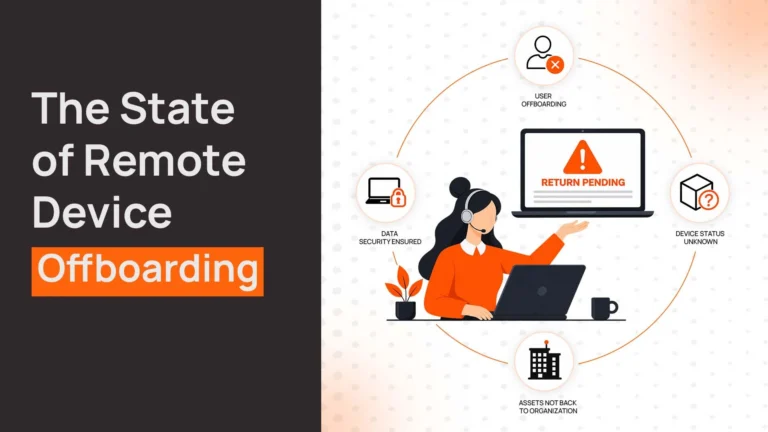
An engineer in Austin gets terminated. HR processes the paperwork. IT disables accounts. Payroll calculates final pay. The laptop? Still at his apartment three months later.
This pattern repeats constantly. According to industry data, 71% of companies report that at least one departing employee failed to return equipment. Some organizations see device return rates as low as 50%. Each unreturned laptop isn’t just hardware loss—it’s potential data exposure, compliance risk, and wasted capital sitting idle.
The problem isn’t that companies don’t care about device recovery. It’s that most laptop offboarding software doesn’t actually solve it. Tools handle HR workflows, access termination, or compliance documentation. Very few coordinate the physical logistics of getting devices back.
What Is Laptop Recovery Software for Offboarding?
Understanding what makes laptop recovery different starts with recognizing it’s not just software. It’s an operational workflow combining logistics, coordination, and tracking.
Laptop recovery software for offboarding manages the end-to-end process of physically retrieving devices from departing employees. This includes initiation, coordination, tracking, receipt confirmation, and post-recovery processing.
Many tools claim “device recovery” but only track assets in inventory systems. They don’t ship boxes, coordinate pickups, or follow up when devices aren’t returned. That’s the gap where laptop recovery actually breaks.
Related Read:
- Best Laptop Retrieval Services
- Laptop Asset Management Software
- Best Laptop as a Service (LaaS) Providers
- Best Laptop Return Services for Remote Teams
- Laptop Inventory Management Software
- Laptop Lifecycle Management: A Practical Guide for Modern IT Teams
Why Most Offboarding Software Fails at Laptop Recovery
Different tools solve different parts of offboarding, but device recovery falls through the cracks between them. Understanding what each category actually handles clarifies why dedicated laptop recovery solutions exist.
HR tools (Deel, Workday, Rippling)
Employee data management, final pay calculations, benefits continuation (COBRA), compliance documentation, and separation agreements.
What they don’t handle: Physical device retrieval logistics. HR platforms trigger IT to recover devices but don’t coordinate shipping, track packages, or follow up on unreturned equipment. They document that recovery should happen, not that it actually did.
Identity tools (Okta, OneLogin)
Account deprovisioning, access revocation, SSO termination, and application permissions removal.
What they don’t handle: Physical assets. Identity tools ensure former employees can’t log in. They don’t ensure devices come back. A terminated account doesn’t retrieve a laptop sitting in someone’s home office.
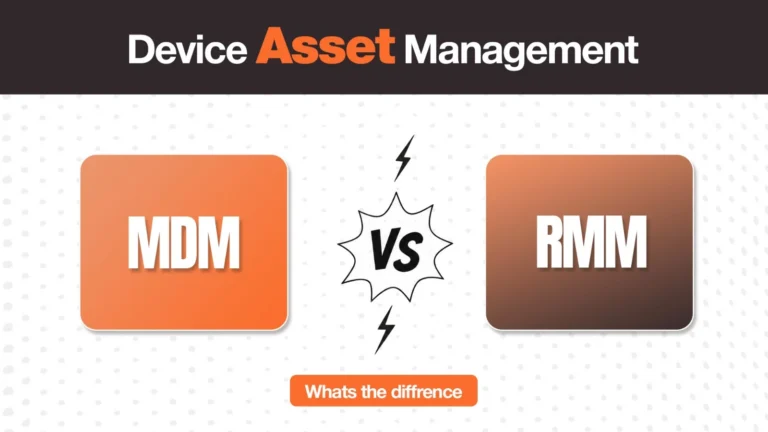
MDM tools (Intune, Jamf, Workspace ONE)
Device tracking while deployed, remote lock/wipe capabilities, security policy enforcement, and inventory visibility.
What they don’t handle: Retrieval logistics. MDM platforms can remotely wipe devices and track their last known location. They can’t generate shipping labels, coordinate pickups, or systematically recover hardware from distributed employees.
This fragmentation explains why device recovery fails even when companies use sophisticated offboarding tools. No single system owns the complete workflow from departure notification through device receipt and processing.
Types of Offboarding Software And What They Actually Do
The confusion around laptop recovery stems from mixing fundamentally different tool categories. Clarifying what each type actually solves helps identify where gaps exist.
1. HR Offboarding Software
Examples: Deel, Rippling, Workday, SixFifty
HR offboarding platforms manage the employment termination workflow—final pay timing and calculations, benefits continuation notices and COBRA compliance, state-specific separation requirements, document generation (separation letters, unemployment notices), and compliance audit trails.
What they don’t solve: These platforms excel at legal compliance and HR processes but treat device recovery as an IT task to trigger, not a workflow to manage. They document that IT should retrieve devices but don’t handle the operational logistics.
2. Access Management Tools
Examples: Okta, OneLogin, Microsoft Azure AD
Identity and access tools secure digital assets—revoking account access across all systems, disabling SSO and authentication, removing application permissions, and terminating VPN and network credentials.
What they don’t solve: Physical asset recovery. These tools protect data by eliminating access but have no mechanism for recovering the physical devices that accessed that data.
3. Laptop Recovery Solutions
Examples: RemoAsset, Retriever, Workwize, Allwhere, Firstbase
Dedicated laptop recovery platforms handle the operational workflow. This includes triggering recovery, coordinating with employees, generating prepaid shipping labels and boxes, tracking device location throughout the return process, confirming receipt and evaluating condition, performing certified data wiping, and managing storage, refurbishment, or redeployment.
These platforms focus specifically on the physical logistics gap that HR and access management tools don’t address.
Comprehensive offboarding requires all three categories working together—HR tools for compliance, access management for security, and recovery solutions for physical devices.
What to Look for in Laptop Recovery Software for Offboarding
Evaluating laptop recovery solutions requires focusing on capabilities that address the specific operational gaps causing most failures.
1. Global logistics coverage
Operates in all employee locations with local pickup services, handles customs and cross-border shipping, manages regional carrier selection, and provides country-specific packaging and documentation. Domestic-only solutions don’t work for distributed teams.
2. Employee coordination and communication
Sends automated recovery initiation emails with clear instructions, generates prepaid shipping labels and return kits, provides packing guidelines and damage prevention, sends escalating reminder sequences for delayed returns, and offers multi-channel support (email, chat, phone) for employee questions. Manual coordination doesn’t scale.
3. Real-time tracking and visibility
Shows device status from initiation through receipt, provides estimated return dates and delivery tracking, flags delays requiring intervention, integrates with asset management systems for inventory updates, and maintains chain-of-custody documentation for compliance. Spreadsheet tracking creates blind spots.
4. Certified data wiping
Performs NIST 800-88 compliant data erasure, generates certificates of destruction for audit purposes, documents completion with timestamps and methods, supports both remote wipe (for active devices) and physical wipe (for received devices), and meets GDPR, HIPAA, and other regulatory requirements. Basic deletion isn’t sufficient for compliance.
5. Post-recovery handling
Evaluates device condition and repair needs, manages refurbishment for redeployment, stores devices for future use, coordinates certified recycling for end-of-life equipment, and tracks residual value recovery. “We got it back” isn’t the end—what happens next matters for ROI.
6. Integration with offboarding workflows
Triggers automatically from HRIS termination events, coordinates with IT for access termination timing, updates asset management systems in real-time, provides status visibility to HR and IT teams, and generates reporting for compliance and cost analysis. Disconnected tools require manual coordination.
Best Laptop Recovery Software for Offboarding
When offboarding triggers device recovery, these platforms handle the operational logistics that HR and access management tools don’t address.
1. RemoAsset
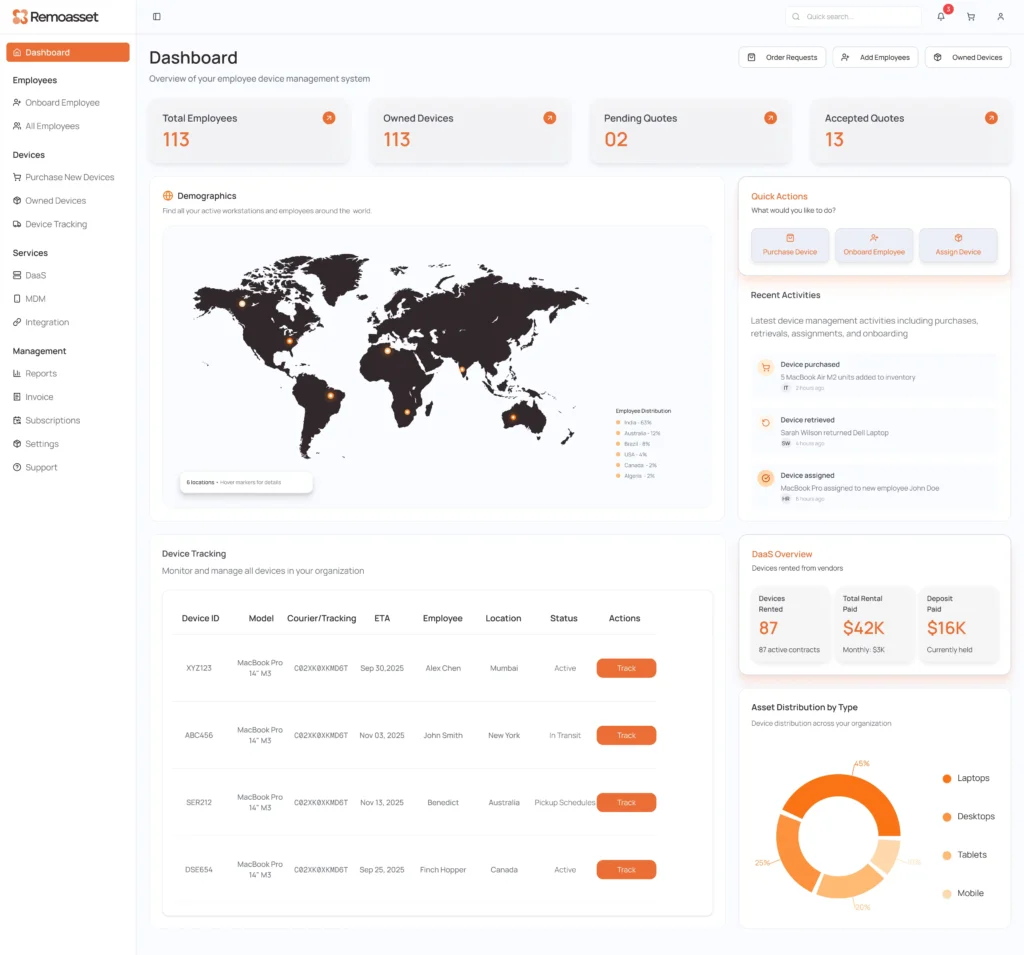
RemoAsset manages laptop recovery as part of full laptop device lifecycle management across 80+ countries. The platform connects offboarding events from HRIS systems to automated recovery workflows including global logistics coordination and device redeployment.
Key Features
- Offboarding-triggered recovery workflows via HRIS integration
- Global pickup and shipping logistics in 150+ countries
- Real-time tracking with chain-of-custody documentation
- Certified NIST 800-88 data wiping with compliance certificates
- Device evaluation, refurbishment, and redeployment infrastructure
- Storage management for retrieved inventory
Best For
Companies managing 100+ devices across multiple countries needing full lifecycle visibility from deployment through recovery and redeployment. Organizations serious about device reuse to reduce replacement costs. IT teams tired of manual coordination and lost visibility during offboarding.
Pricing
Custom pricing based on device count and lifecycle services. Contact for quote.
2. Retriever
Retriever offers straightforward laptop and monitor recovery focused on US, Canada, UK, and major EU markets. Simple web interface, fast kit delivery (24-48 hours), and pay-per-use pricing without subscription commitments.
Key Features
- Padded return boxes with prepaid shipping labels
- Automated employee reminder emails
- Real-time shipment tracking
- Optional device refurbishment or certified recycling
- Enterprise API for bulk recovery requests
Best For
US and Europe-focused companies needing reliable device recovery without full lifecycle management. Teams wanting pay-per-use pricing for occasional offboarding events rather than subscription commitments.
Pricing
Starts at $95 per laptop recovery. Here’s their Pricing page for more details.
3. Workwize
Workwize provides IT asset lifecycle management including global device recovery across 100+ countries. Subscription model covers unlimited retrievals as part of a broader asset management platform.
Key Features
- Zero-touch recovery with automated prepaid kits worldwide
- Multi-channel employee communication
- NIST 800-88 compliant data wiping with certificates
- Asset redeployment and resale support
- HRIS integrations (BambooHR, Workday, Rippling)
Best For
Mid-size to enterprise companies (100-500 employees) managing full IT asset lifecycle where offboarding is one component of broader device management needs.
Pricing
Subscription starts at $8 per seat/month plus platform fee.
Related Read: Best Workwize Alternatives & Competitors
4. Allwhere
Allwhere emphasizes employee experience during device recovery with clear communication, simple instructions, and respectful approach to the retrieval process. Global coverage with average recovery time under one week in US.
Key Features
- Employee-friendly communication and return instructions
- Global logistics with real-time tracking
- HRIS integrations (BambooHR, Okta, Justworks)
- Priority customer support for employee questions
- Custom recovery timelines for different separation types
Best For
Companies prioritizing employer brand through the offboarding process. Teams where voluntary compliance is generally high and smooth recovery processes support that cooperation.
Pricing
Custom pricing.
Related Read: Best Allwhere Alternatives
5. Firstbase
Firstbase connects to HR and IT systems automating recovery workflows when employees depart. Includes shipping, asset tracking, and condition reporting as part of equipment lifecycle platform.
Key Features
- Global laptop recovery logistics
- Real-time asset tracking and status updates
- API integration with HR and IT platforms
- Bundled per-seat pricing model
- Condition assessment and reporting
Best For
Companies already using Firstbase for equipment deployment who want consistent recovery through the same platform. Teams with high turnover needing automated workflows.
Pricing
Bundled per-seat pricing. (Contact for quote)
Comparison Table of Laptop Recovery Solutions for Offboarding
Different recovery platforms prioritize different capabilities. This table clarifies how they compare across key operational dimensions.
| Provider | Recovery Capability | Global Coverage | Lifecycle Support | Automation | Pricing Model | Best For |
| RemoAsset | Full workflow from trigger to redeployment | 150+ countries | Procurement, deployment, recovery, refurbishment, redeployment | HRIS-triggered, automated coordination | Custom (lifecycle platform) | Full lifecycle management across distributed teams |
| Retriever | Recovery and optional recycling | US, Canada, UK, EU | Recovery only | Basic automation | Per device ($95+) | Simple recovery without lifecycle complexity |
| Workwize | Integrated with full asset lifecycle | 100+ countries | Full lifecycle with redeployment | HRIS integration, automated workflows | Subscription ($8/seat/month+) | Mid-size teams wanting predictable costs |
| Allwhere | Employee-experience focused recovery | Global | Limited redeployment | Custom workflows | Custom pricing | Employer brand priority during offboarding |
| Firstbase | HR-integrated recovery | Global | Procurement, deployment, recovery | HR/IT API integration | Per-seat pricing | Already using Firstbase for deployment |
How Laptop Recovery Actually Works During Offboarding
Understanding the operational workflow clarifies what laptop recovery software actually does beyond just “getting devices back.”
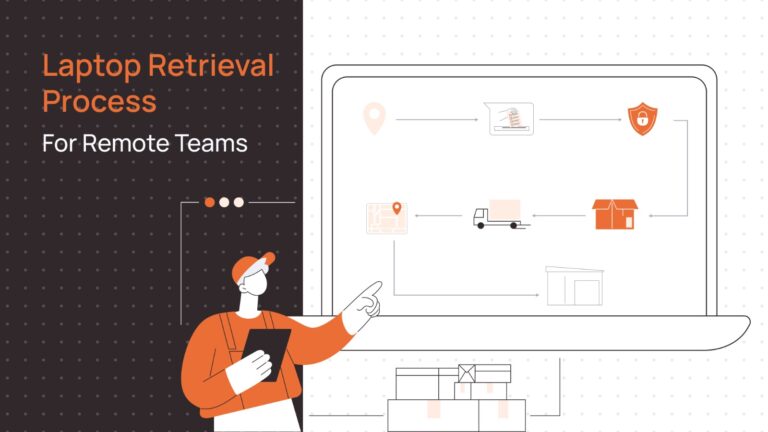
Step 1: Offboarding trigger
HR marks employees as departed in the HRIS system. If integrated, recovery platform receives automatic notification with employee details, departure date, and assigned device information.
Step 2: IT initiates recovery
Recovery request is created (automatically or manually) specifying device to recover, employee location, and urgency level (immediate for terminations, flexible for resignations with transition periods).
Step 3: Employee coordination
The Platform sends automated email to employee with return instructions, prepaid shipping label, packing guidelines, and expected return timeline. Follow-up reminders sent if device isn’t shipped within the specified period.
Step 4: Pickup and shipping
Employee packs device following provided instructions. Prepaid label covers all shipping costs. Some platforms offer pickup scheduling for international locations or bulk recoveries.
Step 5: Real-time tracking
Device location tracked from employee shipment through delivery. Status updates visible to IT and HR teams. Alerts flag delays or issues requiring intervention.
Step 6: Receipt and inspection
Upon arrival, device is inspected for damage, logged into inventory system, and condition documented for any damage claims or employee charges.
Step 7: Data wiping
Certified data erasure performed meeting NIST 800-88 or GDPR standards. Certificate of destruction generated for compliance documentation.
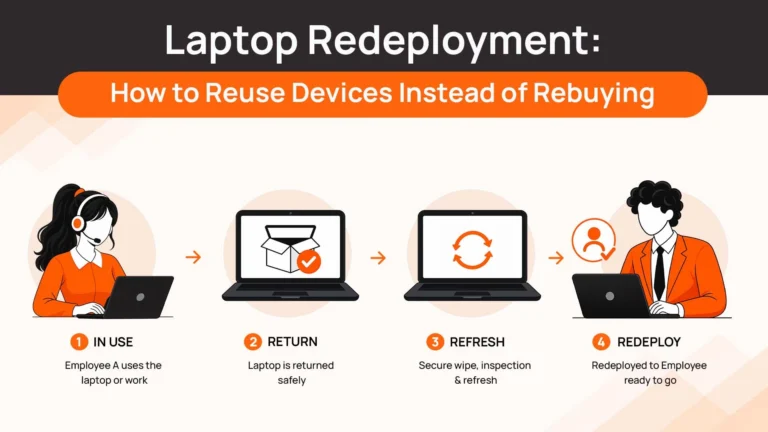
Step 8: Redeployment or disposal
Device is evaluated for reuse (refurbished and added to available inventory), resale (sold to offset costs), or recycling (certified disposal with environmental compliance).
This eight-step workflow is what differentiates actual laptop recovery from simple asset tracking. Each step requires coordination, logistics, and documentation that spreadsheets and HR tools don’t provide.
Common Mistakes Companies Make While Offboarding Employees
Even organizations using offboarding tools make predictable mistakes that undermine laptop recovery effectiveness.
1. Treating recovery as just shipping
Companies send employees a FedEx label and hope devices come back. No systematic follow-up. No escalation process. No consequences for non-compliance. Result: devices disappear.
2. No clear ownership
HR thinks IT handles recovery. IT thinks HR coordinates it. Finance tracks losses. Nobody owns the complete workflow. Coordination fails between departments.
3. Lack of real-time tracking
Spreadsheets updated manually when someone remembers. No visibility into which devices are actually in transit versus sitting unreturned. Problems discovered months later when writing off losses.
4. No follow-up process
One email sent requesting return. Employee ignores it. No escalating reminders. No manager involvement. No consequences. The device never returns and eventually gets written off.
5. Disconnected from offboarding trigger
Recovery initiated manually days or weeks after departure. By then, the employee is less responsive and more likely to ignore requests. Early coordination critical for high return rates.
6. No post-recovery process
Device arrives. Sits in storage uncatalogued. Not refurbished for reuse. Not recycled responsibly. Capital sitting idle providing no value because “we got it back” was considered success.
These failures compound across distributed workforces, turning device recovery from manageable workflow into ongoing financial drain and security risk.
How to Choose the Right Solution for Your IT Team?
Matching laptop recovery solutions to your organization’s specific needs depends on several factors beyond just feature lists.
Small teams (<20 employees, low turnover)
Use simple pay-per-use recovery services like Retriever. Subscription platforms offer more than you need. Focus on basic recovery with good employee communication. No need for complex redeployment infrastructure.
Startups (20-100 employees, growing headcount)
Use Workwize or Allwhere if recovery is your primary offboarding concern. Use RemoAsset if you’re planning full lifecycle management and want to avoid switching providers as you scale. Integration with HR systems becomes important at this stage.
Enterprises (100+ employees, multiple countries)
Use RemoAsset for full lifecycle control including recovery and redeployment. Use Workwize if you need comprehensive asset management with recovery as one component. Avoid pay-per-use vendors—subscription models and redeployment infrastructure deliver better ROI at scale.
High turnover or frequent offboarding
Prioritize automation and HRIS integration. Manual recovery doesn’t scale with frequent departures. Look for platforms with robust reminder sequences and escalation workflows to maximize return rates.
Security-sensitive or highly regulated
Use RemoAsset, Workwize, or Firstbase. You need certified data wiping with compliance documentation, chain-of-custody tracking, and audit trails. Simple recovery services may lack documentation depth required for regulatory compliance.
International/distributed teams
Global logistics coverage is non-negotiable. Verify the platform operates in all employee locations with local pickup services, not just claimed international coverage. Cross-border shipping requires customs expertise and regional carrier relationships.
Simplify Your Employee Offboarding with RemoAsset
Most offboarding software handles HR compliance, access termination, or documentation well. Very few actually recover physical devices systematically.
This gap explains why 71% of companies report unreturned equipment despite using offboarding tools. The problem isn’t awareness—it’s that device recovery requires operational logistics most platforms don’t provide.
RemoAsset solves the complete workflow. When employees depart, recovery triggers automatically through HRIS integration. Devices are tracked from pickup through data wipe to redeployment. Global logistics handles coordination across 150+ countries. Retrieved devices are refurbished and added back to available inventory.
If you’re managing 50+ devices across distributed teams and tired of chasing unreturned laptops, RemoAsset provides the systematic device recovery that offboarding software alone can’t deliver.
FAQs
What is laptop recovery software for offboarding?
Laptop recovery software manages the end-to-end operational workflow of retrieving devices from departing employees. This includes automated coordination with employees, shipping logistics, real-time tracking, data wiping, and post-recovery processing like refurbishment or redeployment. It’s distinct from asset tracking (which only records inventory) or MDM (which remotely manages devices but doesn’t physically retrieve them).
How does laptop recovery software work during employee departures?
The workflow typically starts with HRIS integration triggering automatic recovery when an employee departs. The platform coordinates with the employee via automated emails, generates prepaid shipping labels, tracks device return in real-time, confirms receipt and condition, performs certified data wiping, and manages storage, refurbishment, or redeployment. IT and HR teams maintain visibility throughout without manual coordination.
Why do devices get lost during offboarding?
Devices get lost because recovery depends on employee compliance and manual IT follow-up, and both fail consistently. Employees ignore return requests, move without forwarding addresses, or simply forget. IT teams lack systematic processes for tracking, following up, and escalating. According to industry data, 71% of companies report employees failing to return equipment. Dedicated recovery platforms solve this through automated coordination and escalation.
What features actually matter in laptop recovery software?
The critical features are global logistics coverage (operates in all employee locations), automated employee coordination (triggered reminders without manual intervention), real-time tracking and visibility, certified data wiping with compliance documentation, post-recovery handling (refurbishment, redeployment, recycling), and integration with HR/IT systems to trigger automatically. Nice-to-have features don’t solve the core problem of physically getting devices back.
How is laptop recovery different from IT asset management?
IT asset management tracks what you own. Laptop recovery manages the operational workflow of physically retrieving devices from departing employees—shipping logistics, employee coordination, tracking, data wiping, and redeployment. Both are necessary but serve different functions. Asset management answers “what do we have?” Recovery answers “how do we get it back?”