

A laptop dies on a Monday morning. The employee can’t log in, can’t join standup, and can’t work. IT checks the storage closet. There’s no spare. Now someone’s building a purchase order while a new hire sits idle, or an existing employee burns half a week waiting on a replacement.
Most companies don’t actually have an answer for how many spare laptops they should keep. They react after the fact, buy one, forget about it, and repeat the cycle six months later when it happens again.
This article gives you an actual number to start from, the factors that move it up or down, and a formula you can run against your own hiring and failure data. No guesswork required.
Why Ordering a Laptop Only When You Need One Doesn’t Work
Procurement has a lead time. Even a fast vendor needs a few days to fulfill an order. Add international shipping, customs clearance, or special configuration, and you’re looking at around one to three weeks.
A dead laptop is a major blocker for anyone. To tackle this, you need stock sitting somewhere close to the person who needs it.
Say a new hire in Manila starts Monday. The laptop ships from a central warehouse in the US. It clears customs Thursday, if nothing gets flagged. That’s a full week of paid, idle onboarding time before the person opens a single ticket.
Delayed timelines, idle new hires, and support tickets open for days are the real costs of not having buffer stock for your team.
A Simple Rule of Thumb for Spare Laptop Inventory
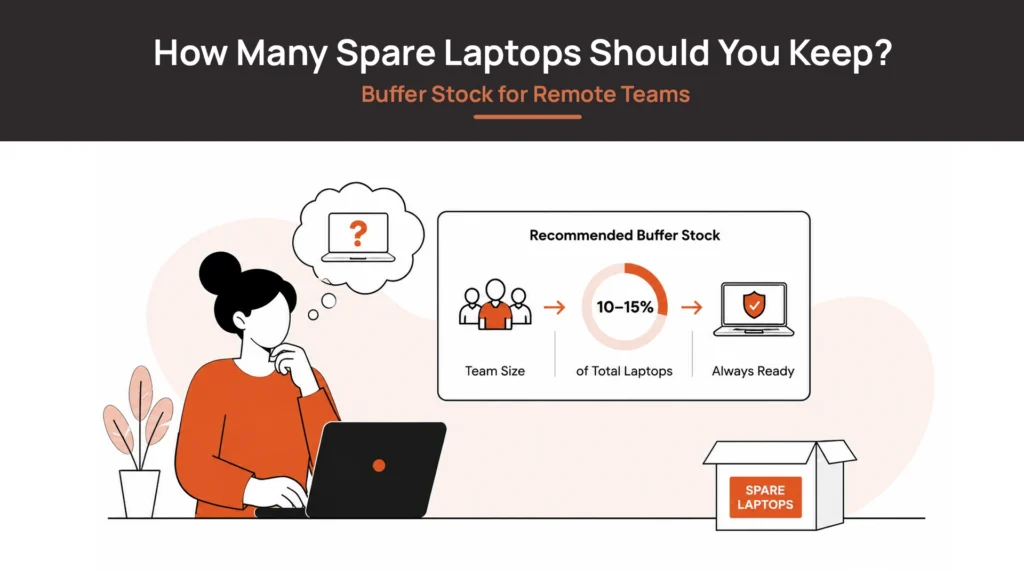
Here’s a number you can start with. Have 5–10% of your active devices as spares, then adjust from there.
That range comes from balancing two costs: the cost of idle capital sitting in unused laptops, against the cost of a blocked employee or delayed hire.
Below 5%, most teams start feeling gaps during normal hiring pace. Above 10%, you’re usually carrying more dead stock than your actual failure and hiring rate justifies.
| Fleet Size | Suggested Spare Stock |
| Under 50 devices | 2–5 spare laptops |
| 50–500 devices | Around 5–8% of fleet |
| 500+ devices | Around 3–5% of fleet, with regional buffer stock |
Smaller fleets can need a higher percentage because even one or two spares represent a meaningful chunk of total inventory. A single bad month of device issues — screen flickering, a motherboard fault — can wipe out a small buffer entirely.
Larger fleets can run leaner as a percentage. Failure and loss rates smooth out statistically across a bigger device pool, but only if that stock is actually reachable where people work, not sitting in one warehouse.
What Determines How Many Spare Laptops You Need?
Here are the major factors you should account for while planning out your buffer device stock:
1. Hiring Velocity
A team hiring five people a month needs a bigger standing buffer than one hiring five people a year, even at the same headcount. The faster your team grows, the bigger the buffer you will need. If hiring is planned quarterly, size the buffer for the current quarter and the next one.
2. Geographic Distribution
A spare sitting in a US warehouse isn’t a real buffer for someone in Jakarta. Distance and customs turn a “spare” into a multi-week delay. The more spread out your team is, the more your buffer needs to be distributed.
3. Device Failure Rate
Some hardware fleets run reliably for years. Others see recurring issues tied to a specific model or batch. Pull your own repair and replacement history if you have it — this is more reliable than any industry average. Plan your buffer around your own past data.
4. Laptop Retrieval Success
If your offboarding process reliably gets devices back, those recovered laptops become part of your usable buffer after a certified wipe and refresh. If retrieval is weak and devices go missing after people leave, your effective buffer is not as big as it looks on paper.
5. Procurement Lead Times
The slower your actual replacement cycle — not the vendor’s advertised timeline, the real one — the more buffer you need to cover that gap. This is one of the biggest factors in the entire calculation, and one of the easiest to shorten with better procurement practices.
6. Device Standardization
Teams running one or two standard configurations can pool spares across the whole company. Teams with five different laptop models per department need separate buffer stock for each, which multiplies the total spares required.
Buffer Stock Examples by Company Size
Case 1: Single-office startup — 20 to 75 employees, one office, steady hiring
A small central buffer of 2 to 4 preconfigured laptops is usually enough. A new hire starting next month needs a device waiting for them. Keep a few ready-to-deploy laptops instead of ordering only when someone joins.
Case 2: Multi-office startup — 50 to 200 employees, offices in the US, India, UAE
A single central stockpile quickly becomes inefficient. Keep small regional buffers in each office based on local hiring demand (and plans!) rather than splitting inventory equally. A laptop sitting in New York won’t help someone onboarding tomorrow in Bangalore.
Make sure your preconfigured devices cover the specs different departments actually need — sales, engineering, design — rather than one generic build.
Case 3: Fully remote company — 100 to 500 employees, distributed across multiple cities or countries
Without offices, shipping becomes the biggest bottleneck. Store regional buffer stock with logistics or lifecycle partners in your primary hiring markets. Keep roughly 5–8% spare capacity where most hiring happens. Done right, remote device management becomes friction-less.
Case 4: Hybrid company — 300 to 1,000 employees, regional offices with remote workers
Each major office or IT hub should maintain its own buffer sized to support 2–4 weeks of expected onboarding and replacement demand. This reduces cross-region shipments and excess inventory at one location.
Case 5: Global enterprise — 1,000+ employees, multiple countries, regional warehouses
At this scale, raw stock count matters less than replacement speed. Maintain a 3–5% regional buffer, backed by local fulfillment or vendor-managed inventory in each hiring region. A smaller local buffer consistently outperforms a much larger centralized stockpile that still has to cross borders before it reaches employees.
A Simple Formula for Calculating Laptop Buffer Stock
Buffer Stock ≈ (Monthly Hiring × Lead Time in Months) + Failure/Loss Margin
- Monthly Hiring: average number of new devices you need to deploy per month
- Lead Time in Months: how long it actually takes to get a replacement device into someone’s hands today, door to door, not the vendor’s quoted turnaround
- Failure/Loss Margin: a padding number based on your own repair and non-return history; estimate conservatively if you don’t track this yet
Example:
- Monthly hiring: 8 new devices
- Replacement lead time: 0.5 months (about 2 weeks, realistically)
- Failure/loss margin: 3 units per quarter, or roughly 1 per month
Buffer Stock ≈ (8 × 0.5) + 1 = 5 spare laptops
That’s a planning estimate. Recalculate it whenever hiring pace or lead times shift meaningfully. Don’t forget to review hiring cycles, department-wise needs, and any other factors specific to your setup — real-time visibility into device status makes this far less manual.
Review Your Buffer Stock Regularly
Hiring plans change. Expansion into new countries changes. The procurement process changes.
A buffer stock number calculated once and never revisited drifts out of alignment with reality fast. Review it quarterly, or immediately after any major shift in hiring pace, new market entry, or a change in procurement vendors.
Plan Buffer Stock Around Operations Efficiently
There isn’t one perfect number for how many spare laptops you should keep. Truth be told, any number set without knowing your hiring pace, geography, or failure history is just a best guess.
Start with 5–10% of your active device count. Adjust that starting point using hiring velocity, geographic spread, procurement lead times, and your own device failure and retrieval history. Recalculate it the way you’d recalculate any other operational metric — the same way you’d manage any other stage of the laptop lifecycle — not as a decision you make once and forget.
Remoasset helps distributed teams keep buffer stock closer to where people actually work, through local storage. Instead of one central pile, spare devices sit in-region, ready to deploy without waiting on international shipping.
If you are running a global team and looking to build an effective buffer store, book a demo to see how a faster replacement cycle and real-time visibility into spare stock works in practice.
Frequently Asked Questions
What is buffer stock in laptop asset management?
Buffer stock is the extra hardware — laptops, in this case — a company holds beyond what’s currently assigned, specifically to cover failures, losses, and new hires without waiting on a full procurement cycle.
Is holding spare laptops a waste of budget?
Not when it’s sized correctly. Unsized “just in case” stock is a waste. A buffer calculated against real hiring and failure rates is closer to insurance than idle spend — it protects against the much higher cost of delayed onboarding and idle employees.
Should every office keep spare laptops?
Not necessarily every office, but every major hiring hub or region should have some local buffer. A single central stockpile doesn’t help someone three time zones and a customs border away.
How often should buffer stock levels be reviewed?
Quarterly at minimum, and immediately after any significant change in hiring pace, new country expansion, or a shift in procurement lead times.
Should contractors have access to spare devices?
Generally yes, if contractors use company-provisioned hardware — but many teams size a slightly separate, smaller buffer for contractor turnover, since the usage pattern and retrieval risk differ from full-time hires.
What’s the difference between safety stock and spare inventory?
Safety stock usually refers to the calculated minimum buffer needed to avoid stockouts, based on demand and lead time variability. Spare inventory is the broader, practical term for any extra devices on hand. In laptop buffer planning, the two are effectively the same thing described with different vocabulary.
Related Reads
- Laptop Fleet Management: How to Manage Devices at Scale
- Laptop Lifecycle Management: The Complete Guide
- Device Procurement Best Practices for Distributed Teams
- Why You Shouldn’t Ship Laptops Internationally
- Laptop Depreciation: Cost, Rate, and What It Means for Your Fleet
- Remote Employee Laptop Return: A Guide for IT Teams
- Laptop Inventory Management Software: What to Look For
- Zero-Touch Deployment: How It Works for Remote Teams

































































































