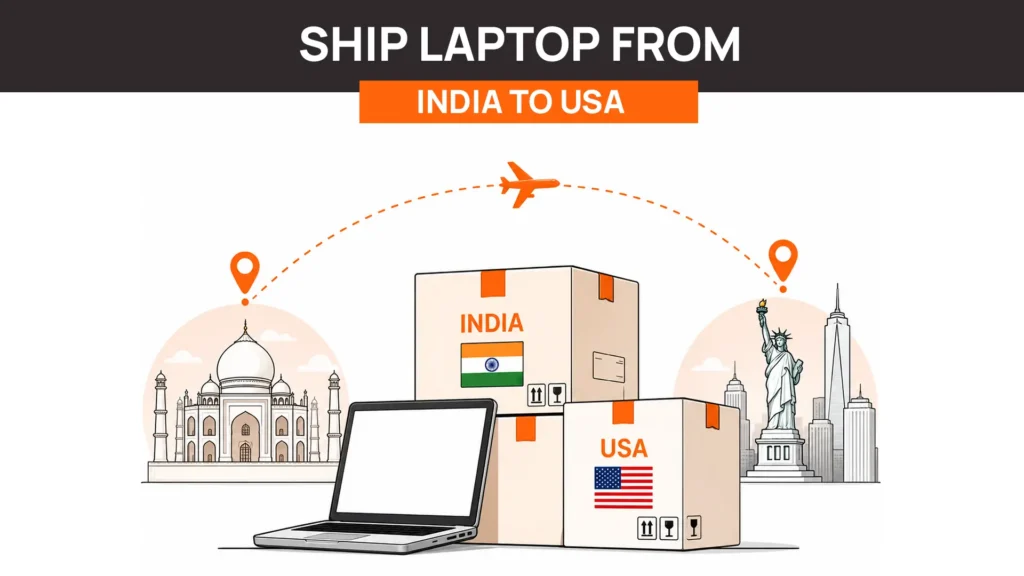
If you need to ship a laptop from India to the USA, the good news is that laptops generally enter the United States duty-free under the WTO Information Technology Agreement. The challenge in 2026 isn’t import duty. It’s the paperwork required to get the shipment through customs.
Since the United States removed the $800 de minimis exemption in August 2025, virtually every commercial shipment now requires a formal customs entry, an Importer of Record, customs documentation, and clearance through US Customs. On the Indian side, commercial exports typically require an IEC, Shipping Bill, and other export documentation.
For individuals sending a personal laptop, the process is much simpler. For businesses shipping company-owned laptops to employees, contractors, or offices in the US, operational complexity increases significantly. Many organizations now either work with lifecycle partners that manage cross-border device logistics or avoid international shipping entirely by sourcing devices locally.
If you’re shipping one personal laptop, keep reading. If you’re deploying laptops for employees, the later sections of this guide may save you considerable time and cost.
Can You Ship a Laptop From India to the USA?
Yes. You can legally ship a laptop from India to the United States using international courier services such as DHL, FedEx, UPS, and Aramex, provided the shipment complies with Indian export requirements, lithium battery transportation regulations, and US customs procedures. The process differs depending on whether you’re sending a personal laptop or shipping company-owned equipment.
Despite what many people assume, laptops are not prohibited items. Every day, individuals, businesses, universities, and multinational companies move laptops between India and the United States. The challenge lies in understanding which rules apply to your specific shipment.
Several factors determine how your shipment is processed.
Personal vs Commercial Shipment
The biggest distinction is whether you’re sending the laptop as an individual or as a business.
A personal shipment generally involves sending your own laptop to yourself, shipping it to a family member, or relocating internationally. Commercial shipments involve company-owned devices, customer deliveries, employee onboarding, or business inventory.
This distinction affects:
- Export documentation
- Customs declarations
- Applicable regulations
- Clearance procedures
- Required registrations
New vs Used Laptop
Customs authorities may request different supporting information depending on whether the laptop is new, refurbished, or previously used.
For example:
- A brand-new commercial laptop typically includes a purchase invoice.
- A used company device may require documentation proving ownership.
- A refurbished laptop may require additional product descriptions depending on the shipment purpose.
The declared condition should always match the documentation.
Lithium-Ion Battery Regulations
Virtually every modern laptop contains a lithium-ion battery.
Because lithium batteries are classified as dangerous goods for transportation, international carriers follow International Air Transport Association (IATA) packing instructions governing how laptops may travel by air.
Fortunately, laptops shipped with the battery installed inside the device generally follow simpler requirements than standalone batteries. We’ll explain the applicable battery rules later in this guide.
Declared Value
The declared value influences several parts of the shipment:
- Customs documentation
- Insurance value
- Carrier liability
- Import processing
- Potential inspections
Under-declaring a laptop’s value to reduce paperwork or perceived customs costs is rarely worthwhile and may create significant clearance delays if customs questions the shipment.
The India → USA Route Is Not the Reverse of USA → India
Many online guides assume shipping works the same in both directions. It doesn’t.
When shipping from the USA to India, the biggest challenge is usually Indian import duties and taxes.
When shipping from India to the USA, laptops generally remain duty-free, but export compliance in India and formal customs entry into the United States become the primary operational hurdles.
This distinction matters because advice written for one direction often doesn’t apply to the other. If you’re sending a device in the opposite direction, see our guide on Ship Laptop from the USA to India, where the customs process and landing costs are substantially different.
How to Ship a Laptop From India to the USA
Shipping a laptop internationally is more than handing a package to a courier. Every successful shipment follows a series of operational steps, from determining the shipment type to completing customs documentation and tracking the device until delivery.
Understanding these steps beforehand helps avoid delays, rejected shipments, and unnecessary costs.
Step 1: Determine Whether the Shipment Is Personal or Commercial
Before choosing a courier or printing a shipping label, identify the nature of the shipment. This decision influences almost every requirement that follows.
Personal Shipments
Examples include:
- Sending your own laptop after relocating
- Shipping a laptop to a family member
- Sending a personal device to yourself in the US
- Students relocating with equipment
Personal shipments generally involve fewer compliance requirements than commercial exports.
Commercial Shipments
Commercial shipments typically include:
- Company-owned laptops
- Employee onboarding
- Contractor equipment
- Corporate asset transfers
- Customer deliveries
- IT asset redistribution
These shipments usually require additional export documentation and structured customs processing.
For organizations managing employee devices, shipping is only one part of a much larger workflow that also includes procurement, asset tracking, onboarding, retrieval, refurbishment, and lifecycle management. If you’re evaluating your broader device strategy, our guide on Laptop Lifecycle Management explains how shipping fits into the complete hardware lifecycle.
Step 2: Prepare the Required Export Documentation
One of the biggest differences between India-origin shipments and many other countries is the export documentation process.
Commercial exports typically require more preparation than most first-time shippers expect.
Depending on the shipment, documentation may include:
- Commercial invoice
- Packing list
- Shipping label
- Device description
- Declared value
- Receiver information
- Export documentation filed through the courier or customs process
Businesses exporting devices regularly may also need additional registrations and export compliance documentation depending on their export model and shipping arrangements.
This is one reason many growing companies eventually move away from managing cross-border shipments internally.
Step 3: Choose the Right Courier
Several international carriers operate reliable India-to-USA shipping routes, but they differ in transit speed, customs support, tracking capabilities, and pickup services.
| Courier | Typical Transit | Tracking | Customs Support | Best For |
| DHL Express | 3–5 business days | Excellent | Strong | Time-sensitive shipments |
| FedEx International Priority | 3–6 business days | Excellent | Strong | Business shipments |
| UPS Worldwide Saver | 4–6 business days | Excellent | Strong | Commercial deliveries |
| Aramex | 5–8 business days | Good | Moderate | Cost-conscious shipments |
While price is important, it shouldn’t be the only deciding factor.
When comparing carriers, consider:
- Experience handling electronics
- Customs brokerage services
- Insurance options
- Lithium battery acceptance
- Pickup availability
- Delivery reliability
- End-to-end shipment visibility
For organizations shipping multiple laptops every month, negotiating enterprise shipping agreements often produces better long-term savings than selecting the cheapest courier for individual shipments.
Step 4: Prepare the Laptop for Shipment
Preparing the laptop properly protects both the hardware and the information stored on it.
For personal shipments, this generally involves:
- Backing up important files
- Signing out of accounts if appropriate
- Photographing the device
- Charging the battery partially before shipment
- Removing unnecessary accessories
For businesses, preparation goes further.
IT teams typically:
- Verify asset records
- Confirm device ownership
- Review security policies
- Determine whether data wiping is required
- Update inventory systems
- Record the device condition before dispatch
Companies that already use structured device lifecycle processes usually complete these steps as part of their standard operational workflow rather than treating each shipment as an isolated event.
This approach becomes especially valuable when laptops may later need to be recovered from employees, refurbished, or redeployed. Related guides that complement this process include Device Procurement Best Practices, Provide Laptops for Remote Employees, and How to Manage Company Laptops, all of which help standardize device operations across the entire lifecycle.
Do You Pay Customs Duty on a Laptop Shipped From India to the USA?
Short answer: In most cases, no. Laptops classified under HTS 8471.30.01.00 generally enter the United States duty-free under the WTO Information Technology Agreement (ITA). However, that does not mean the shipment enters the country without customs formalities. Since the removal of the US de minimis exemption in 2025, commercial shipments require formal customs processing even when the import duty is zero.
This distinction causes the most confusion.
Many online guides still suggest that laptops valued below a certain threshold enter the US with little or no paperwork. That information is outdated. While the import duty remains zero, businesses must now account for customs clearance, documentation, brokerage, and import compliance.
In other words: The tariff is no longer the expensive part. The compliance process is.
The Tariff Code for Laptops
Laptops imported into the United States are generally classified under: HTS 8471.30.01.00
This classification covers portable automatic data processing machines, commonly referred to as laptops or notebook computers.
The tariff code matters because customs authorities use it to determine:
- Applicable import duty
- Customs treatment
- Trade agreement eligibility
- Import documentation requirements
Using the correct classification reduces the likelihood of delays during customs clearance.
Why Is the Duty Zero?
The reason laptops generally enter the United States without import duty is the World Trade Organization’s Information Technology Agreement (ITA).
The agreement was introduced to encourage global trade in information technology products by eliminating customs duties on qualifying equipment, including laptops and many computer components.
As a result, businesses shipping laptops from India to the United States usually do not pay customs duty simply because the device crosses the border.
This often surprises companies that expect laptops to attract the same import duties as many other consumer products.
The De Minimis Exemption Is No Longer the Shortcut It Once Was
One of the biggest changes affecting international laptop shipments is the removal of the long-standing US de minimis exemption for these types of imports.
For years, many businesses relied on simplified import procedures for lower-value shipments. As long as the shipment remained below the applicable threshold, customs processing was relatively straightforward.
That has changed.
Today, businesses should expect formal customs processing for commercial laptop shipments, regardless of whether import duty is payable.
This is one reason many older online articles are no longer accurate. They correctly state that laptop duty is zero, but they fail to explain that the customs process itself has become significantly more involved.
Duty vs Compliance: Understanding the Difference
Many organizations mistakenly combine these into a single cost.
They’re actually very different.
| Cost Element | Applies? | Notes |
| Import duty | Usually No | Laptops generally qualify for duty-free treatment under the applicable tariff classification. |
| Customs declaration | Yes | Required for commercial shipments. |
| Customs brokerage | Often | Businesses commonly use licensed brokers to complete import formalities. |
| Documentation | Yes | Commercial invoices, shipment details, tariff classification, and supporting documents are required. |
| Insurance | Optional | Often recommended for high-value devices. |
The takeaway is simple:
Duty may be zero, but customs processing still carries operational and administrative costs.
How Much Does It Cost to Ship a Laptop From India to the USA?
There isn’t a single price because every shipment is different.
Several variables influence the final cost, including:
- Laptop value
- Shipping speed
- Courier selection
- Insurance
- Customs processing
- Pickup location
- Final delivery destination
- Commercial versus personal shipment
For businesses, shipping cost is only one component of the total landed cost.
Typical Cost Breakdown
| Cost Component | Typical Expectation |
| International courier | Largest visible shipping cost |
| Customs documentation | Varies depending on shipment type |
| Brokerage and customs processing | May apply for commercial shipments |
| Insurance | Optional but recommended for business devices |
| Import duty | Generally 0% for qualifying laptops |
| Packaging | Depends on courier and shipment requirements |
Although shipping charges receive the most attention, businesses often spend just as much time coordinating documentation, customs clearance, and shipment tracking.
The Real Cost Isn’t Just Transportation
When organizations budget for cross-border laptop shipments, they often focus on courier quotes. In reality, several additional operational costs appear before the laptop even leaves India.
For example:
- IT verifies the assigned asset.
- HR confirms the employee’s address.
- Procurement reviews hardware ownership.
- Finance approves shipment value.
- Operations coordinate pickup.
- The courier reviews documentation.
- Customs authorities process declarations.
- The receiving employee waits for delivery.
Each step consumes internal resources. For companies shipping multiple laptops every month, these operational costs frequently exceed the transportation cost itself.
The Device You Receive May Still Not Be Ideal
Successfully shipping the laptop doesn’t necessarily mean it’s the best long-term solution.
For example, an India-purchased laptop may arrive in the United States with:
- An Indian-region warranty that doesn’t include local onsite support.
- A Type D/M power plug requiring an adapter.
- Region-specific keyboard layouts or product configurations.
- Different replacement part availability.
While these issues don’t prevent the device from functioning, they can complicate future support and maintenance.
For organizations with permanent employees in the United States, sourcing devices locally is often operationally simpler than maintaining region-specific hardware across borders.
How Long Does It Take to Ship a Laptop From India to the USA?
Transit time depends on three stages:
- Collection in India
- International transportation
- US customs clearance
Most international courier services deliver considerably faster than standard postal services, but customs processing can add additional time depending on shipment documentation and inspection requirements.
| Carrier | Typical Transit | Tracking | Business Suitability |
| DHL Express | 3–5 business days | Excellent | High |
| FedEx | 3–6 business days | Excellent | High |
| UPS | 4–6 business days | Excellent | High |
| Aramex | 5–8 business days | Good | Medium |
Businesses should also allow additional time for:
- Export documentation
- Pickup scheduling
- Customs clearance
- Delivery appointments
- Employee availability
For urgent employee onboarding, these extra operational steps often matter more than the courier’s advertised transit time.
Why Company Shipments Are Harder Than Personal Shipments
Sending your own laptop to yourself is one thing.
Shipping a company-owned laptop to an employee in another country is something entirely different. Businesses don’t just move hardware.
They’re responsible for:
- Protecting company data
- Maintaining asset records
- Meeting compliance requirements
- Tracking equipment
- Recovering devices later
- Managing the complete hardware lifecycle
Consider a common scenario. An employee in Pune resigns. The company wants to send that laptop to a newly hired employee in Austin. The laptop isn’t sitting in a warehouse ready for dispatch.
Someone first has to:
- Contact the departing employee.
- Arrange retrieval.
- Verify the laptop’s condition.
- Securely wipe company data.
- Inspect the device.
- Prepare export documentation.
- Coordinate international shipping.
- Complete customs clearance.
- Deliver it to the new employee.
And then another question arises:
What laptop will the next employee hired in India use?
That single question has led many global companies to rethink whether moving laptops across borders is actually the most efficient solution. It also introduces the three approaches modern IT teams typically use: which we’ll explore in the next section.
The Three Ways Companies Actually Move a Laptop From India to the USA
By the time most IT teams reach this stage, they’ve already realized that shipping a laptop internationally isn’t just about choosing a courier.
There’s retrieval, data security, export documentation, customs clearance, tracking, delivery, and eventually another employee who may need a laptop in the original country.
That’s why most distributed companies end up following one of three approaches.
The right choice depends on how many devices you’re moving, how frequently you ship internationally, and whether the laptop itself actually needs to cross the border.
Route 1: Handle Everything Internally
Some organizations manage the entire shipment themselves.
This means coordinating every stage of the process internally, from recovering the laptop to arranging delivery in the United States.
A typical workflow looks like this:
- Retrieve the laptop from the employee in India.
- Verify the asset and inspect its condition.
- Secure company data.
- Prepare export documentation.
- Coordinate with an international courier.
- Complete export formalities.
- Arrange customs clearance in the United States.
- Deliver the device to the employee.
- Update asset records after delivery.
For companies with dedicated logistics, procurement, and IT operations teams, this approach can work well, especially when multiple laptops are being shipped together.
When shipping twenty or fifty laptops for a new office setup, many of the compliance and administrative costs are spread across the entire shipment.
However, the economics change when you’re moving just one device.
The paperwork, customs coordination, brokerage requirements, and internal effort remain almost the same regardless of whether you’re shipping one laptop or fifty.
For a single employee onboarding, the administrative overhead can easily outweigh the value of moving the existing hardware.
Route 2: Use a Device Lifecycle Partner
Many global companies still need the laptop to reach employees in the United States, but they don’t want to manage every operational step themselves.
In these situations, a device lifecycle partner coordinates the process from end to end.
Instead of asking HR, IT, procurement, and logistics teams to work across multiple vendors, the workflow becomes standardized.
A typical managed process looks like this:
- The laptop is collected from the employee in India.
- Retrieval is tracked until the device is physically recovered.
- The laptop is inspected and securely wiped where required.
- Export documentation and logistics are coordinated.
- Cross-border shipment is managed.
- Customs clearance is handled through established logistics networks.
- The device is delivered to the employee in the United States.
- Shipment status remains visible throughout the process.
This is where platforms such as Remoasset become valuable.
Rather than simply booking an international courier, Remoasset manages the broader operational workflow, including laptop retrieval, shipment coordination, device visibility, and lifecycle management. Instead of different teams managing different vendors, organizations gain a structured process from recovery through delivery.
For businesses shipping devices regularly across multiple countries, reducing internal coordination often delivers greater value than reducing shipping costs alone.
Route 3: Don’t Move the Laptop at All
This may sound counterintuitive.
Someone searches for “ship laptop from India to USA”, so why would the best answer sometimes be not shipping it?
Because the objective usually isn’t to move a laptop. The objective is to equip an employee. Those aren’t always the same thing.
Imagine this scenario.
An employee resigns in Bengaluru. Another employee joins your company in Chicago. The obvious solution is to ship the laptop from India to the US.
But consider an alternative.
Instead:
- Retrieve the laptop in India.
- Securely wipe company data.
- Inspect and refurbish the device if needed.
- Store it as available inventory.
- Redeploy it to the next employee hired in India.
- Procure or lease a laptop locally in the United States for the new hire.
Now compare the outcome. Instead of moving one laptop across continents, you’ve equipped two employees.
The new US employee receives:
- A local warranty.
- A US keyboard layout.
- The correct power adapter.
- Faster delivery.
- Local support if repairs are needed.
Meanwhile, your next hire in India already has a company laptop available without waiting for new procurement.
For many organizations, this approach reduces operational effort, shortens onboarding timelines, and avoids the complexity of international shipping altogether.
It’s one of the reasons lifecycle planning has become just as important as logistics.
Which Route Is Right for You?
| Route | Best For | Border Crossings | Internal Effort | Typical Outcome |
| DIY shipping | Large bulk office deployments | 1 | High | Suitable when compliance costs are spread across many devices. |
| Managed lifecycle partner | Regular cross-border employee shipments | 1 | Low | Standardized retrieval, shipment, tracking, and delivery. |
| Redeploy locally instead of shipping | Most remote-first companies hiring globally | 0 | Very Low | Faster onboarding, local warranty, better lifecycle utilization. |
There isn’t one correct answer for every organization.
If you’re moving dozens of laptops as part of an office relocation, international shipping may be the most practical option. If you’re shipping one laptop to one employee, the compliance effort often becomes the biggest cost.
And if your company hires continuously in multiple countries, redeploying devices locally instead of moving them internationally may deliver the best long-term operational efficiency.
Sending a Laptop to Family in the USA
Not every shipment is business-related. Many people simply want to send a laptop to a family member studying, working, or living in the United States. In these cases, the process is generally much simpler than shipping company-owned equipment.
Before sending a personal laptop:
- Confirm your courier accepts laptops with installed lithium-ion batteries.
- Declare the laptop accurately, including whether it is new or used.
- Package the device securely using protective cushioning.
- Consider purchasing shipping insurance if the laptop is valuable.
- Keep copies of invoices or proof of ownership in case customs requests additional information.
For most individuals, an international courier such as DHL, FedEx, UPS, or Aramex provides the easiest shipping experience.
If you’re shipping on behalf of a business, however, the commercial requirements discussed earlier in this guide will generally apply.
Related Reads –
Lithium Battery Rules for Laptops Leaving India
Every modern laptop contains a rechargeable lithium-ion battery, which means battery regulations apply even when you’re shipping a complete laptop.
The good news is that laptops are generally easier to ship than loose batteries.
When the battery remains installed inside the laptop, the shipment is typically classified under UN3481 (Lithium-ion batteries contained in equipment) rather than UN3480, which applies to standalone batteries.
This distinction matters because standalone lithium batteries are subject to much stricter transport restrictions.
For most laptops:
- Keep the battery installed inside the device.
- Do not remove the battery before shipping.
- Follow the carrier’s packaging requirements.
- Use strong outer packaging that prevents accidental movement or damage.
One common misconception found on online forums is that removing the battery makes shipping easier.
In reality, removing it often changes the shipment classification and can introduce additional restrictions.
For businesses shipping multiple laptops in one package, it’s also important to check the applicable marking and documentation requirements with the selected courier before dispatch.
Common Mistakes That Delay or Reject Laptop Shipments
International laptop shipments are rarely rejected because of the laptop itself. Most delays occur because of documentation or process issues.
Some of the most common mistakes include:
- Providing incomplete commercial invoices.
- Declaring an inaccurate shipment value.
- Using inconsistent product descriptions across documents.
- Choosing an incorrect tariff classification.
- Failing to meet courier packaging requirements.
- Assuming customs clearance will happen automatically.
- Waiting until the employee’s last working day to begin retrieval.
- Treating company shipments like personal courier parcels.
For businesses, many of these issues can be avoided by using standardized shipment workflows instead of coordinating each shipment independently.
The Smartest Way to Get a Laptop From India to the USA
Shipping a laptop from India to the United States is entirely possible, but it’s no longer just a courier decision. While laptops generally qualify for duty-free treatment, businesses still need to account for export documentation, customs processing, shipment coordination, and operational overhead.
For personal shipments, a reliable international courier and accurate documentation are often enough.
For organizations managing employee devices, the bigger question is whether moving the laptop is actually the most efficient option. Sometimes it is. Other times, retrieving and redeploying the device locally while sourcing hardware in the destination country delivers faster onboarding, simpler support, and lower lifecycle costs.
When companies do need to move laptops internationally, platforms such as Remoasset help standardize the entire workflow—from retrieval in India and secure data wiping to shipment visibility, cross-border coordination, and delivery so IT teams can focus on supporting employees rather than managing logistics across multiple vendors.
Ready to simplify global laptop movement? Explore how Remoasset helps distributed teams retrieve, ship, redeploy, and manage laptops across international locations with one standardized workflow.
Related Read-
Frequently Asked Questions
Do I need a US company to act as the Importer of Record?
For commercial shipments, someone must take responsibility for the import process. If your business doesn’t have a US entity, you’ll typically need to work with a customs broker or a logistics partner that can manage the import process. Many companies use lifecycle providers such as Remoasset to avoid handling these cross-border requirements internally.
Can the employee receiving the laptop be the Importer of Record?
While it may be possible in certain situations, it’s generally not recommended for company-owned devices. Making an employee responsible for customs obligations on corporate assets can create unnecessary legal and administrative complications.
Can I ship a used company laptop from India?
Yes, businesses regularly ship used company laptops internationally. However, the shipment should accurately describe the device’s condition and purpose, and all supporting documentation should be consistent with the declared shipment.
What happens if customs holds the shipment?
If customs requests additional information, the shipment may remain on hold until the required documentation is provided. Depending on the situation, additional storage charges, brokerage fees, or return shipping costs may also apply.
Is it cheaper to buy a laptop in India and ship it to the US?
Not always. While hardware pricing may sometimes appear lower, international shipping, customs compliance, warranty limitations, regional power adapters, and operational overhead can eliminate much of the perceived savings. For long-term employees in the United States, local procurement is often the more practical option.