Every corporate laptop your company purchases will eventually reach a point where it needs to be replaced, reassigned, retired, or disposed of. Yet while most organizations invest significant time in procurement, onboarding, security, and device management, laptop disposal often remains an afterthought.
That creates a problem.
Improper corporate laptop disposal doesn’t just result in cluttered storage rooms filled with outdated devices. It can expose organizations to security breaches, compliance violations, financial losses, and environmental risks. A retired laptop may still contain customer records, employee information, intellectual property, financial data, or cached login credentials. If that information falls into the wrong hands, the consequences can be far more expensive than the device itself.
At the same time, many organizations dispose of laptops too early. Devices that could be redeployed internally, refurbished, resold, or donated often end up recycled prematurely, leaving valuable asset recovery opportunities on the table.
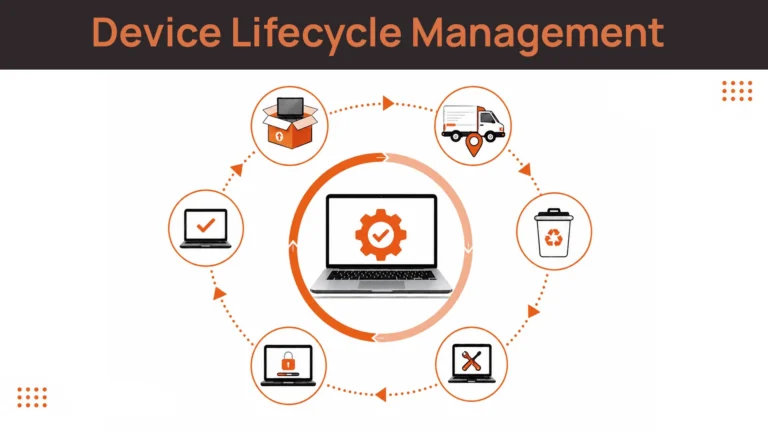
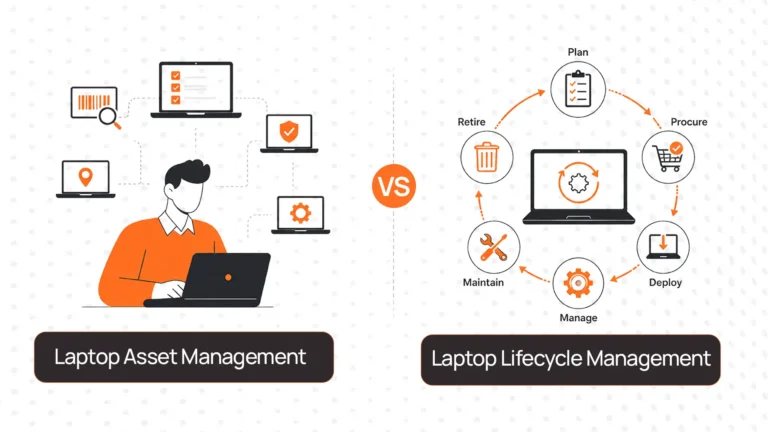
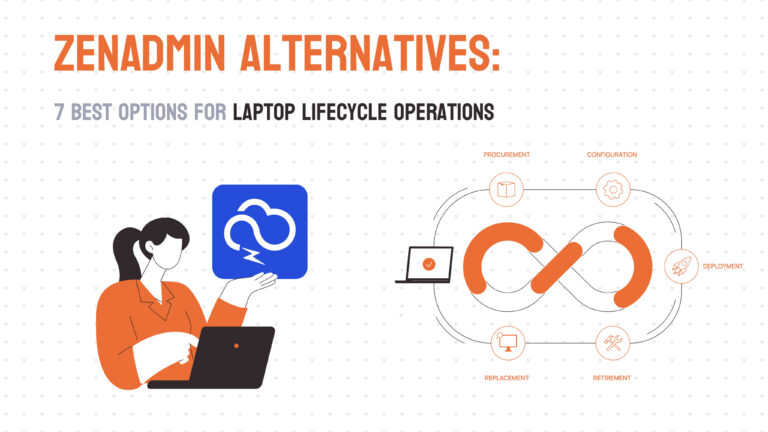
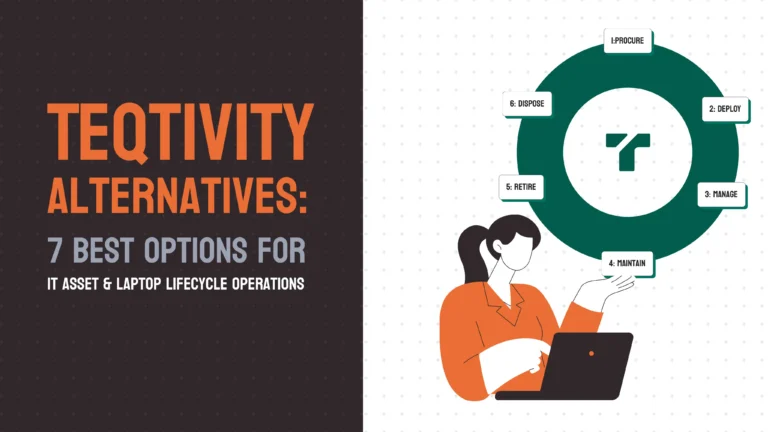
Forward-thinking organizations are taking a different approach. Instead of treating disposal as a one-time IT task, they view it as the final stage of a broader laptop lifecycle strategy. This lifecycle includes procurement, deployment, tracking, retrieval, recovery, redeployment, and eventually disposal.
In this guide, we’ll explore how modern companies handle corporate laptop disposal, the risks of getting it wrong, the disposal options available, and how organizations can build a scalable process that improves compliance, recovers value, and supports sustainability goals.
What Is Corporate Laptop Disposal?
Corporate laptop disposal refers to the process of securely retiring company-owned laptops once they are no longer required by the business. Contrary to what the term suggests, disposal doesn’t automatically mean destroying or recycling a device.
In reality, modern organizations have multiple options available before a laptop reaches its true end of life.
A retired laptop might be:
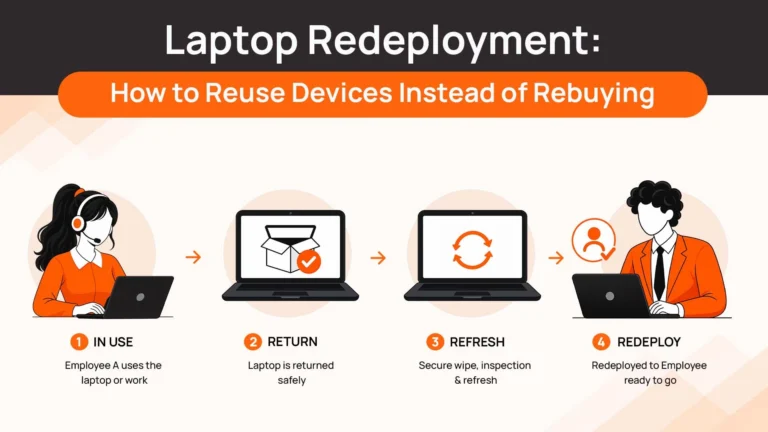
- Redeployed to another employee
- Refurbished and upgraded
- Sold through an IT asset disposition (ITAD) partner
- Purchased by an employee
- Donated to a nonprofit organization
- Recycled through a certified e-waste provider
- Physically destroyed if security requirements demand it
The most mature organizations view disposal as part of a broader laptop lifecycle rather than an isolated activity.
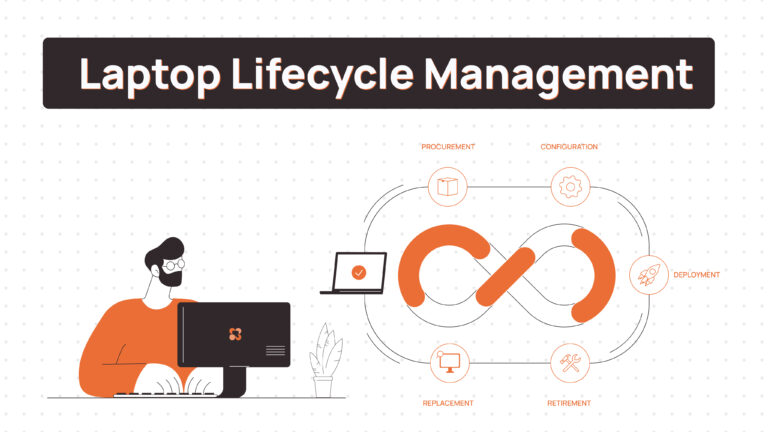
A device typically moves through several stages:
Procurement → Deployment → Usage → Tracking → Retrieval → Assessment → Redeployment / Resale / Recycling
This shift in thinking is important because it changes the question from:
“How do we get rid of old laptops?”
to:
“How do we maximize security, value, and sustainability throughout the laptop lifecycle?”
Organizations that manage disposal strategically often reduce hardware spending, improve compliance readiness, and recover more value from existing assets than those treating disposal as a one-time event.
For businesses already exploring broader lifecycle strategies, understanding the principles of Laptop Lifecycle Management can help create a more structured approach to retirement and disposal.
Related Read: Laptop Depreciation Cost Explained: Complete Guide for Businesses
Why Proper Laptop Disposal Matters
Data Security Risks
Data security is one of the biggest reasons organizations invest in structured laptop disposal programs.
Many people assume deleting files or performing a factory reset is enough to protect sensitive information. Unfortunately, that isn’t always true.
Corporate laptops often contain:
- Customer records
- Employee personal information
- Financial documents
- Intellectual property
- Internal communications
- Browser session data
- Cached credentials
- Source code repositories
Even after files appear deleted, information can sometimes be recovered if the storage media has not been properly sanitized.
This is why organizations frequently follow guidance from the U.S. National Institute of Standards and Technology (NIST SP 800-88), which outlines recognized methods for media sanitization. Depending on the sensitivity of the information involved, organizations may choose to:
- Clear the data
- Purge the storage media
- Physically destroy the device
The challenge becomes even greater for distributed organizations. When laptops are used by employees across multiple countries, maintaining visibility into retrieval, wiping, storage, and disposal activities becomes significantly more difficult.
Without documented processes and chain-of-custody records, organizations may struggle to demonstrate that sensitive information was handled appropriately.
Compliance Risks
Laptop disposal has become increasingly important from a compliance perspective.
Regulations and frameworks such as:
- International Organization for Standardization ISO 27001
- GDPR
- HIPAA
- SOC 2
all place significant emphasis on data protection and asset control.
Auditors increasingly expect organizations to demonstrate:
- Where devices are located
- Who used them
- When they were retrieved
- How they were sanitized
- How they were disposed of
A missing laptop without proper documentation can create serious audit concerns.
For organizations operating across multiple regions, disposal policies often need to align with local privacy and environmental regulations as well.
This is one reason many companies now maintain detailed lifecycle records throughout a device’s entire journey rather than only documenting disposal activities.
Financial Risks
One of the most overlooked aspects of laptop disposal is the financial impact.
Many organizations dispose of devices based purely on age.
For example, a company may replace all laptops every three years regardless of condition. While this simplifies procurement planning, it can also lead to significant waste.
A three-year-old laptop may still be perfectly suitable for:
- Customer support teams
- Temporary contractors
- Interns
- Operations staff
- Training environments
Likewise, many devices retain resale value even after they are no longer suitable for internal use.
Organizations that immediately recycle devices often miss opportunities to:
- Redeploy assets internally
- Refurbish devices
- Recover residual value through resale
- Reduce future procurement costs
When viewed across hundreds or thousands of devices, these decisions can have a substantial impact on IT budgets.
Sustainability Risks
Electronic waste continues to be one of the fastest-growing waste streams globally.
Laptops contain materials that require specialized handling, including:
- Lithium-ion batteries
- Rare earth elements
- Metals
- Plastics
- Electronic components
Improper disposal contributes to environmental damage while increasing waste.
At the same time, investors, customers, and regulators increasingly expect organizations to demonstrate sustainable practices.
Many organizations now include metrics related to:
- Device reuse
- Refurbishment
- Recycling rates
- Carbon reduction
- E-waste diversion
within their broader ESG initiatives.
As a result, laptop disposal is no longer just an IT issue. It has become part of larger sustainability and corporate responsibility conversations.
The Hidden Costs of Poor Laptop Disposal
Most organizations recognize the importance of secure data wiping. Far fewer recognize the operational costs that poor disposal processes create.
Lost Devices
Remote employees don’t always return company equipment on time. Some devices are forgotten, some are damaged, and others disappear entirely.
Without structured retrieval workflows, organizations may lose visibility into valuable assets.
This is one reason many companies invest in dedicated Laptop Retrieval Services rather than relying on ad-hoc shipping arrangements.
Duplicate Purchases
When organizations lack visibility into existing inventory, they often purchase new devices unnecessarily.
Meanwhile, perfectly usable laptops may sit in storage awaiting assessment or redeployment.
Vendor Fragmentation
Many organizations use separate vendors for:
- Retrieval
- Storage
- Data destruction
- Resale
- Recycling
This fragmentation increases complexity and reduces visibility.
Compliance Exposure
Missing certificates, incomplete chain-of-custody records, and inconsistent disposal procedures can create audit risks.
Higher Total Cost of Ownership
Every laptop that could have been reused but instead gets replaced increases procurement costs.
Poor disposal often creates expenses far earlier in the lifecycle than organizations realize.
The 6 Corporate Laptop Disposal Options
1. Redeployment
Redeployment is often the highest-value disposal strategy available.
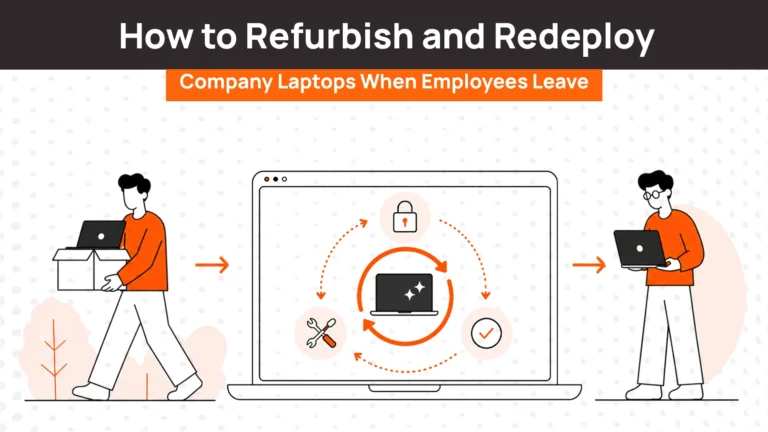
Instead of retiring a laptop entirely, organizations reassign it to another employee after inspection, refurbishment, and data sanitization.
This approach extends asset life while reducing procurement costs.
Pros
- Maximizes asset utilization
- Delays replacement spending
- Supports sustainability goals
- Reduces procurement requirements
Cons
- Requires testing and refurbishment
- Not suitable for all device types
- Performance limitations may exist
Best For: Devices that remain functional and can support another employee role.
2. Refurbishment
Refurbishment involves upgrading or repairing devices before placing them back into service.
Common examples include:
- Battery replacement
- SSD upgrades
- Memory upgrades
- Cosmetic repairs
Organizations increasingly use refurbishment as a way to extend useful life without purchasing new hardware.
3. Employee Buyback Programs
Some organizations allow employees to purchase retired devices at fair market value.
This approach can reduce retrieval costs while creating a positive employee experience.
However, strict data sanitization procedures must be followed before ownership transfers.
4. Resale Through ITAD Partners
IT asset disposition providers specialize in assessing, refurbishing, and reselling devices.
This allows organizations to recover residual value while ensuring proper handling.
5. Donation
Many organizations donate retired laptops to:
- Schools
- Nonprofits
- Community organizations
Donation programs can support corporate social responsibility goals while extending device usefulness.
6. Certified Recycling & Destruction
When devices can no longer be reused or sold, recycling becomes the final option.
Certified recycling providers ensure proper handling of electronic waste while providing documentation to support compliance requirements.
Corporate Laptop Disposal Checklist
| Step | Action | Why It Matters |
| 1 | Inventory devices | Establish asset accountability |
| 2 | Retrieve laptops | Maintain chain of custody |
| 3 | Assess device condition | Determine recovery options |
| 4 | Back up required data | Prevent data loss |
| 5 | Perform certified data destruction | Reduce security risk |
| 6 | Select disposal path | Maximize value recovery |
| 7 | Document outcomes | Support audits and compliance |
This process becomes significantly easier when organizations already maintain accurate inventory records through systems such as Laptop Inventory Management Software and Laptop Asset Management Software
How Leading Companies Handle Laptop Disposal Today
Historically, laptop disposal followed a simple model:
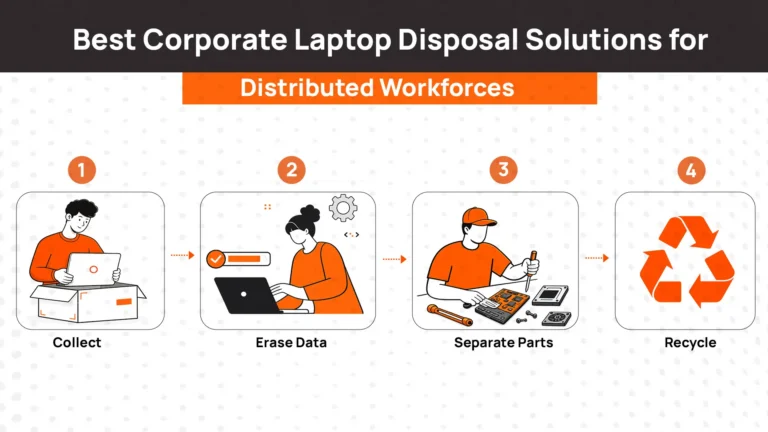
Retrieve → Wipe → Recycle
While straightforward, this approach often leaves substantial value unrecovered.
Today’s leading organizations use a more sophisticated model:
Retrieve → Assess → Refurbish → Redeploy → Resell → Recycle
The goal is to maximize asset value before destruction becomes necessary.
Organizations are increasingly prioritizing recovery and reuse because replacement costs continue to rise while sustainability goals become more important.
This shift reflects a broader movement toward lifecycle management rather than standalone disposal processes.
Learn More:
- Global Laptop Retrieval for Distributed
- Laptop Inventory Management & Storage for Global Teams
- Certified Data Wiping & Secure Device Erasure
Common Challenges in Corporate Laptop Disposal
Remote Employee Retrieval
Retrieving laptops from remote employees remains one of the most difficult aspects of disposal.
Companies often struggle with:
- Delayed returns
- Lost devices
- International shipping complexity
Organizations managing distributed teams frequently require dedicated retrieval processes before disposal can even begin.
Related Read:
- Complete Guide to Remote Employees Laptop Return
- Best International Laptop Retrieval Services for Remote Teams
- Best Laptop Retrieval Services
Global Logistics
Cross-border returns introduce challenges such as:
- Customs regulations
- Shipping costs
- Import restrictions
These challenges become increasingly significant as organizations hire globally.
Chain of Custody
Without documented handoffs, proving what happened to a device becomes difficult. Chain-of-custody records are now considered essential for many compliance programs.
Data Destruction Verification
Auditors often require evidence that devices were sanitized correctly. Certificates of destruction and documented wiping processes are increasingly expected.
E-Waste Regulations
Different regions impose different requirements for handling electronic waste. Global organizations must navigate multiple regulatory frameworks simultaneously.
How Device Lifecycle Platforms Simplify Laptop Disposal
Many organizations discover that disposal challenges actually begin much earlier in the laptop lifecycle.
Missing inventory records, poor retrieval processes, fragmented vendor relationships, and weak asset visibility often create problems long before a device reaches retirement.
This is where lifecycle platforms become valuable. Rather than focusing solely on disposal, platforms such as RemoAsset help organizations manage:
- Procurement
- Delivery
- Asset tracking
- Retrieval
- Storage
- Redeployment
- Recovery
Because every lifecycle stage is documented, organizations gain a complete chain of custody that simplifies disposal decisions later.
Instead of asking, “Where did this laptop come from?” or “Who last used it?” teams already have that information available.
Building a Sustainable Corporate Laptop Disposal Strategy
Corporate laptop disposal is no longer just an IT responsibility.
- Security teams care about data protection.
- Compliance teams focus on audit readiness.
- Procurement leaders want to maximize asset value.
- Operations teams need efficient retrieval processes.
- Sustainability leaders want to reduce electronic waste.
The organizations achieving the best results are those that stop treating disposal as a standalone event and start viewing it as part of a broader laptop lifecycle strategy.
When procurement, deployment, tracking, retrieval, refurbishment, resale, and recycling are connected, companies gain:
- Better compliance outcomes
- Stronger security controls
- Lower hardware costs
- Higher asset recovery rates
- Reduced environmental impact
The future of corporate laptop disposal isn’t simply about getting rid of devices. It’s about maximizing value throughout the entire laptop lifecycle and ensuring every asset reaches the most appropriate end-of-life outcome.
Frequently Asked Questions About Corporate Laptop Disposal
What is corporate laptop disposal?
Corporate laptop disposal is the process of securely retiring company-owned laptops through redeployment, refurbishment, resale, donation, recycling, or certified destruction. Modern organizations treat disposal as the final stage of a broader laptop lifecycle rather than simply discarding old devices.
Why is proper laptop disposal important for businesses?
Proper disposal helps organizations protect sensitive data, maintain compliance with regulations, recover residual asset value, and reduce environmental impact. Improper disposal can lead to data breaches, audit failures, and unnecessary hardware costs.
How should companies erase data before disposing of laptops?
Companies should follow recognized data sanitization standards such as NIST SP 800-88. Depending on security requirements, this may include secure wiping, cryptographic erasure, degaussing, or physical destruction of storage media. Simply deleting files or performing a factory reset is often not sufficient.
What is the safest way to dispose of corporate laptops?
The safest approach combines certified data destruction, documented chain-of-custody procedures, and disposal through a reputable IT Asset Disposition (ITAD) provider. This ensures both security and compliance requirements are met.
Can businesses recover value from old laptops?
Yes. Many retired laptops still retain significant value. Organizations can redeploy devices internally, refurbish them, sell them through ITAD partners, or offer employee buyback programs before considering recycling.
What happens to company laptops when employees leave?
Leading organizations follow a structured process that includes device retrieval, condition assessment, secure data wiping, and either redeployment, resale, or recycling. Effective offboarding workflows help reduce device loss and improve asset recovery rates.
How do remote companies manage laptop disposal?
Remote-first companies typically use retrieval services, asset tracking systems, and lifecycle management platforms to coordinate device returns across multiple locations. This helps maintain visibility and chain-of-custody throughout the disposal process.
What is the difference between laptop disposal and IT asset disposition (ITAD)?
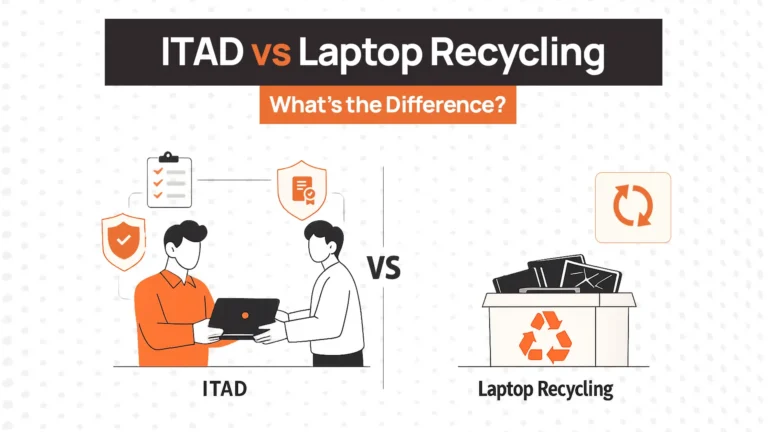
Laptop disposal refers broadly to retiring devices from service. IT Asset Disposition (ITAD) is a specialized process that includes secure data destruction, asset recovery, resale, recycling, compliance documentation, and environmental reporting.
How often should businesses replace and dispose of laptops?
Most organizations refresh laptops every three to five years, depending on performance requirements, warranty coverage, and employee needs. However, replacement decisions should be based on device condition and business requirements rather than age alone.
How can companies make laptop disposal more sustainable?
Organizations can improve sustainability by prioritizing reuse, refurbishment, resale, and donation before recycling. Extending device life reduces electronic waste and improves overall asset utilization.