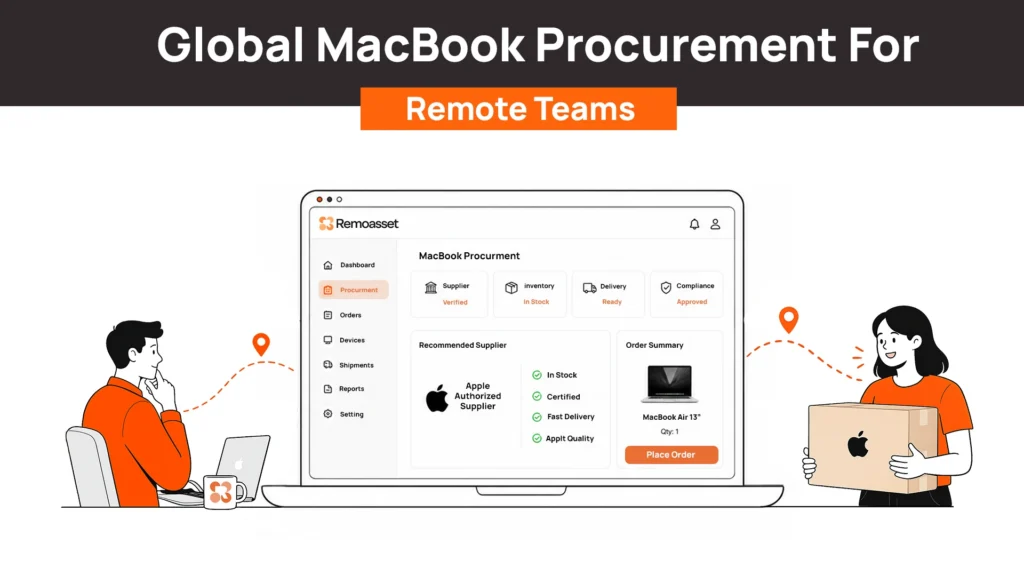
More companies are standardizing on MacBooks for developers, designers, product teams, and senior leadership. In many hiring conversations today, candidates don’t ask whether they’ll receive a laptop. They ask whether they’ll receive a MacBook.
Most advice on buying MacBooks for business assumes you’re purchasing devices for one office, from one Apple Store, in one country.
That isn’t how modern companies operate.
A startup might hire a developer in Poland, a designer in Brazil, a product manager in Singapore, and an engineering lead in Canada within the same month. Procuring MacBooks for each of them quickly becomes far more complicated than choosing between a MacBook Air and a MacBook Pro.
The real challenge isn’t Apple’s hardware.
It’s sourcing devices locally, ensuring Apple Business Manager enrollment, avoiding cross-border shipping delays, and keeping every Mac managed through one consistent process regardless of where employees work.
At Remoasset, we’ve seen this challenge across distributed IT operations. Whether the device runs macOS or Windows, the logistics behind global procurement remain remarkably similar. The difference is that Apple’s ecosystem introduces a few additional requirements that many procurement guides barely mention.
This guide explains what makes global MacBook procurement different, where Apple Business Manager fits into the process, and how growing companies can build a procurement workflow that scales without creating a separate process for every country.
Why Companies Are Standardizing on Mac for Remote Teams
MacBooks have steadily become a preferred choice for many remote-first organizations, particularly those hiring software engineers, designers, product managers, and creative professionals.
Several factors drive this trend.
Candidate Expectations Have Changed
In many technology companies, receiving a MacBook has become the default expectation rather than a special request.
Developers often build within Unix-based environments. Design teams rely heavily on Apple-optimized creative software.
Leadership teams frequently work across iPhones, iPads, and Macs, making ecosystem continuity an operational advantage rather than simply a personal preference.
Offering MacBooks also strengthens employer branding during recruitment, particularly in competitive hiring markets.
Security and Reliability Matter
Apple’s security architecture has made Macs increasingly attractive for enterprise deployment.
Features such as:
- FileVault encryption
- Secure Enclave
- Activation Lock
- Built-in malware protections
- Regular operating system updates
reduce the amount of manual security configuration required before a device reaches an employee.
While Windows devices can absolutely achieve enterprise-grade security, Apple’s tightly controlled hardware and software ecosystem simplifies consistency across a distributed fleet.
Lower Support Over Time
Although MacBooks generally cost more upfront, many organizations report lower long-term support requirements.
Mac devices typically have:
- Longer useful lifespans
- Strong resale value
- Lower hardware failure rates
- Longer operating system support cycles
When procurement teams evaluate total cost of ownership instead of purchase price alone, Macs often become easier to justify for specific employee roles.
The decision isn’t whether Macs are universally better than Windows laptops.
It’s whether the productivity gains, employee satisfaction, and lifecycle value outweigh the higher initial investment for the roles that actually need them.
What’s Actually Different About Procuring Macs vs PCs?
Buying a laptop shouldn’t be difficult.
Buying hundreds of laptops across multiple countries while maintaining security, compliance, and consistent deployment is where things become operationally complex.
Mac procurement follows many of the same principles as PC procurement, but Apple’s ecosystem introduces several important differences that IT teams need to account for.
Apple Business Manager Changes Everything
The biggest difference is Apple Business Manager (ABM).
Unlike traditional laptop purchases, Macs intended for business use should ideally be enrolled into Apple Business Manager at the point of purchase.
This enables Automated Device Enrollment (ADE), allowing a MacBook to configure itself automatically the first time an employee powers it on.
Instead of IT manually preparing every device, employees simply connect to Wi-Fi and receive:
- Company applications
- Security policies
- User accounts
- Device restrictions
- Configuration profiles
without anyone physically touching the laptop.
This zero-touch experience only works correctly when procurement and enrollment are planned together.
Many companies discover this too late, after devices have already been purchased through retail channels that don’t support automated enrollment.
Apple Offers Fewer Hardware Choices
Windows procurement often involves dozens of manufacturers, hundreds of models, and nearly endless hardware configurations.
Apple takes a different approach.
Instead of choosing between countless combinations, most organizations standardize around a small number of MacBook models.
For example:
| Role | Recommended Device |
| Sales, HR, Operations | MacBook Air |
| Product Managers | MacBook Air (higher RAM) |
| Software Engineers | MacBook Pro |
| Designers & Video Teams | MacBook Pro (higher specifications) |
Having fewer hardware options actually simplifies procurement.
IT teams spend less time evaluating configurations and more time standardizing device policies.
Mac Management Uses a Different Toolset
A Windows-first organization can’t simply purchase Macs and expect existing deployment processes to work automatically.
macOS uses its own management ecosystem.
Organizations commonly deploy Macs using solutions such as:
- Jamf
- Kandji
- Mosyle
- Microsoft Intune (with macOS support)
These platforms integrate with Apple Business Manager to automate enrollment, security policies, software installation, compliance monitoring, and device management.
While many companies already manage Windows devices through Microsoft Intune, supporting macOS effectively still requires planning for Apple’s enrollment workflow and management framework.
Total Cost of Ownership Looks Different
MacBooks often appear expensive during procurement discussions because the purchase price is higher than many comparable Windows laptops.
However, procurement decisions rarely end at purchase price.
Organizations should also evaluate:
- Device lifespan
- Employee productivity
- Support costs
- Failure rates
- Resale value
- Refresh cycles
MacBooks typically retain more value at the end of their lifecycle than many PC models, making recovery and redeployment particularly worthwhile.
For distributed organizations with structured retrieval processes, recovering a MacBook during employee offboarding can significantly reduce future procurement costs.
None of These Differences Are Actually the Hard Part
Apple Business Manager isn’t difficult. Automated Device Enrollment isn’t difficult. Choosing a MacBook configuration isn’t difficult.
Each individual step is straightforward.
The challenge begins when these activities happen independently across multiple countries.
One employee receives a MacBook purchased directly from Apple. Another receives one through a local reseller. A third receives a retail purchase from an online marketplace.
Some devices appear in Apple Business Manager. Others don’t. Some arrive ready for zero-touch deployment.
Others require manual setup.
Some countries have authorized Apple resellers that integrate directly with Apple Business Manager. Others require additional coordination.
Before long, IT teams aren’t managing Macs. They’re managing exceptions. And exceptions don’t scale.
The Global Sourcing Problem Nobody’s Solving
This is where most Mac procurement advice stops. You’ll find countless articles explaining:
- Apple Business Manager
- Automated Device Enrollment
- Jamf configuration
- Device security
- MDM policies
Very few explain what happens before any of those steps.
Specifically:
How do you actually buy MacBooks for employees spread across fifteen different countries?
Many organizations initially choose one of two approaches.
Option One: Ship Everything from Headquarters
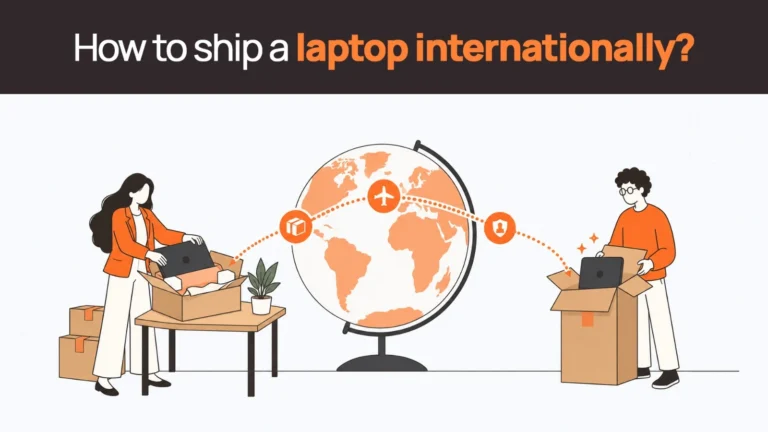
A company purchases every MacBook from one central office. The device is then shipped internationally to each employee.
On paper, this sounds simple. In reality, it introduces:
- Customs delays
- Import duties
- Higher shipping costs
- Longer onboarding timelines
- Regional warranty limitations
- Cross-border logistics management
The laptop may spend more time travelling than the employee spends onboarding. For global hiring, this quickly becomes unsustainable.
Option Two: Find a Local Reseller Every Time
Some organizations avoid international shipping by purchasing devices locally. While this solves customs challenges, it creates a different operational problem.
Now IT teams must coordinate:
- Different vendors
- Different pricing
- Different procurement processes
- Different invoicing
- Different delivery timelines
- Different Apple Business Manager workflows
Every country becomes its own procurement project. Neither approach scales particularly well.
The real challenge isn’t finding someone who can sell you a MacBook.
It’s building one procurement process that works whether your next employee joins from Berlin, Mexico City, Tokyo, or Sydney. That’s where global device procurement shifts from purchasing hardware to managing an operational system.
Buying Direct vs. Reseller vs. a Global Device Procurement Platform
There isn’t a single “right” way to buy MacBooks for a distributed workforce.
The best approach depends on where you’re hiring, how frequently you’re onboarding employees, and how much operational work your IT team is willing to own.
Many growing companies start by ordering directly from Apple. As hiring expands internationally, they begin working with local resellers. Eventually, they realize the real challenge isn’t finding a seller. It’s creating one procurement process that works consistently across every country.
Here’s how the three approaches compare.
| Approach | Advantages | Limitations | Best For |
| Apple Direct / Local Apple Reseller | Genuine Apple hardware, access to Apple Business Manager through authorized partners, reliable support | You still manage vendors, logistics, country-specific procurement, shipping, and lifecycle operations yourself | Companies hiring within one or two countries |
| Amazon Business / Retail Stores | Fast for individual purchases, convenient for one-off requirements | No guaranteed Apple Business Manager enrollment, inconsistent business workflows, no lifecycle support, no standardized procurement | Emergency or occasional purchases |
| Global Device Procurement Platform | Local sourcing, Apple Business Manager enrollment, one procurement workflow, shipment visibility, lifecycle management, retrieval, and offboarding | Better suited for organizations managing distributed teams rather than occasional purchases | Companies hiring across multiple countries |
The comparison highlights something important. Most procurement discussions focus on where to buy the MacBook.
Large distributed organizations care far more about how every MacBook enters the company ecosystem.
Questions like these become far more important than the purchase itself:
- Was the device enrolled into Apple Business Manager?
- Can IT see shipment status?
- Is the device already registered before it reaches the employee?
- Can it be retrieved during offboarding?
- Will procurement follow the same workflow in Germany, India, Canada, and Australia?
These questions determine whether Mac procurement scales as the company grows.
This is where Remoasset naturally fits into the workflow.
Instead of treating Macs as a completely separate procurement process, Remoasset enables organizations to source MacBooks locally, enroll them into Apple Business Manager where applicable, and manage them alongside Windows devices from the same operational workflow. IT teams don’t have to create one process for Apple devices and another for everything else.
A Simple Way to Think About Mac Procurement at Scale
Many organizations overcomplicate Mac procurement because they focus entirely on the purchase.
In reality, successful global Mac deployment consists of three connected stages. If one stage breaks down, the entire employee experience suffers.
1. Sourcing
Everything begins with where the MacBook is purchased. Many organizations assume buying centrally saves money.
However, shipping every device internationally often introduces:
- Customs delays
- Higher freight costs
- Import taxes
- Longer onboarding times
- Regional warranty limitations
For most distributed companies, sourcing MacBooks within the employee’s country is usually the more sustainable long-term strategy.
Local sourcing reduces border crossings while improving delivery speed and support availability.
2. Enrollment
This is the stage most companies underestimate. Apple Business Manager isn’t something you “set up later.”
Enrollment works best when it’s planned during procurement.
If the device isn’t correctly associated with Apple Business Manager through an authorized purchasing workflow, zero-touch deployment becomes significantly more difficult later.
That’s why procurement and IT operations should never function independently. The purchasing decision directly affects the deployment experience.
3. Lifecycle Management
Receiving the MacBook is only the beginning. Once the employee starts working, IT still needs to manage:
- Security policies
- Software deployment
- Compliance monitoring
- Repairs
- Refresh cycles
- Device recovery
- Secure data wiping
- Redeployment
MacBooks generally retain their value longer than many other business laptops. That makes retrieval especially valuable.
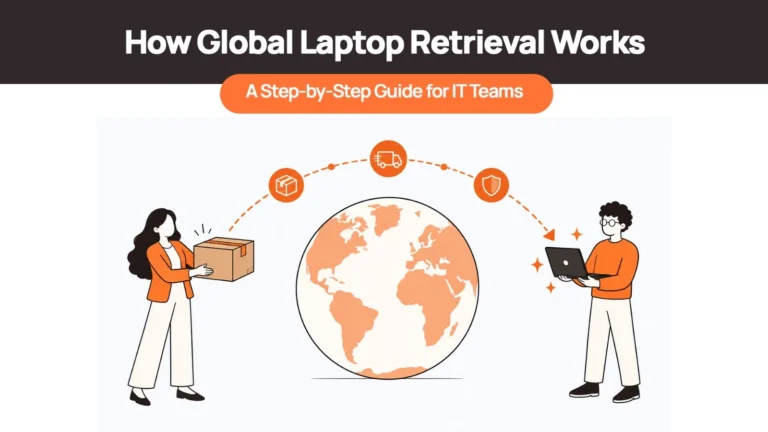
Recovering a MacBook after employee offboarding often allows organizations to redeploy the same device to another employee instead of purchasing new hardware.
When procurement, deployment, management, and retrieval operate as one connected process, MacBooks become significantly easier to manage across multiple countries.
Related Read –
Practical Steps for Rolling Out Macs to a Distributed Team
Whether you’re deploying ten Macs or several hundred, a little planning prevents many of the operational challenges companies face later. Here are several practical recommendations.
Decide Your Apple Business Manager Strategy Before Buying the First Device
Many IT teams discover Apple Business Manager after employees already have their laptops. At that point, onboarding becomes significantly more complicated.
Instead, determine:
- Which reseller will support Apple Business Manager
- How devices will be assigned
- Which teams require automated enrollment
before procurement begins.
Standardize Hardware by Role
Giving every employee complete freedom to choose their own Mac configuration sounds flexible. Operationally, it creates unnecessary complexity.
Instead, create one or two approved configurations for each department.
For example:
| Department | Standard Device |
| HR & Operations | MacBook Air |
| Sales | MacBook Air |
| Product | MacBook Air (Higher RAM) |
| Engineering | MacBook Pro |
| Creative & Design | MacBook Pro (Higher Specifications) |
Standardization simplifies:
- Procurement
- Inventory planning
- Support
- Repairs
- Refresh cycles
Confirm Your Device Management Platform Supports macOS Properly
Managing Macs shouldn’t become an afterthought.
Before scaling your Mac fleet, confirm that your chosen management platform supports:
- Automated enrollment
- Software deployment
- Security compliance
- Remote locking
- Device inventory
- Operating system updates
The earlier this is planned, the smoother future deployments become.
Build Offboarding Into Procurement
Most procurement discussions end when the laptop reaches the employee. Successful lifecycle management starts by asking another question:
How will we get this MacBook back?
MacBooks retain strong resale and redeployment value.
Recovering them efficiently helps reduce future procurement costs while maintaining accurate asset records.
Having retrieval planned from day one prevents expensive recovery projects later.
Final Take
Buying a MacBook is straightforward. Deploying MacBooks consistently across a distributed workforce is not.
The real challenge isn’t choosing between a MacBook Air and a MacBook Pro. It’s building a procurement process that works equally well for employees joining from London, Bengaluru, São Paulo, or Singapore while keeping Apple Business Manager enrollment, deployment, and lifecycle management consistent.
The companies that scale successfully don’t create separate workflows for every device type. They build one operational process that covers sourcing, enrollment, deployment, management, retrieval, and refresh regardless of whether the employee receives a MacBook or a Windows laptop.
That’s exactly how Remoasset approaches global device operations. MacBooks are sourced locally wherever possible, enrolled into Apple Business Manager as part of the procurement workflow, and managed alongside the rest of your device fleet through a single platform. The result is a simpler procurement process, consistent onboarding, and complete lifecycle visibility from deployment to retrieval.
Looking to simplify global MacBook procurement for your remote workforce? Book a demo with Remoasset to see how you can source, deploy, manage, and recover Apple devices through one standardized global workflow.