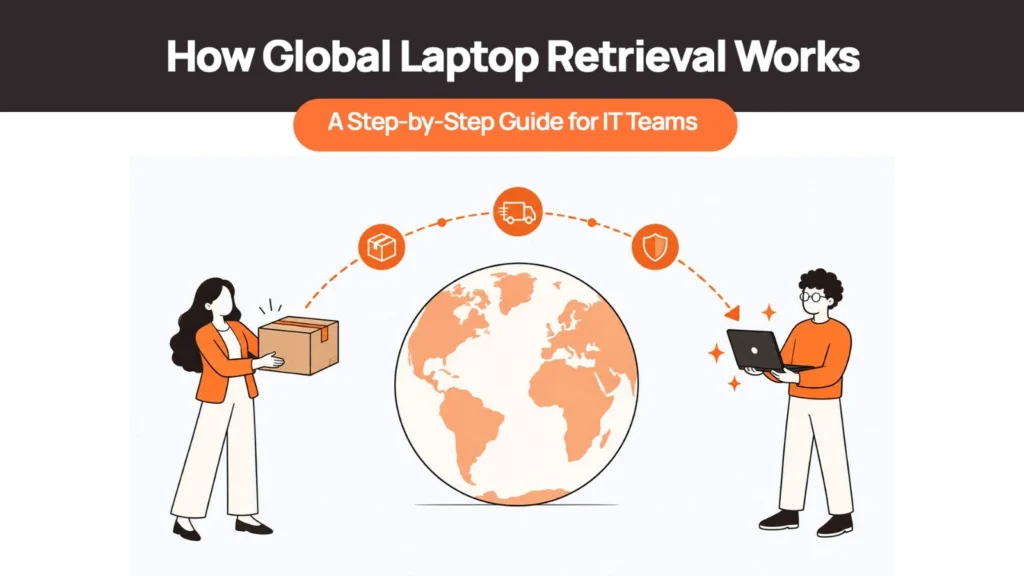
Global laptop retrieval is the process of recovering a company laptop from an employee in a different country than headquarters: trigger the retrieval, secure access, arrange the local return, track every handoff, receive and verify the device, wipe it, and decide where it goes next. Domestic retrieval mostly fails on communication.
Cross-border retrieval fails on logistics, paperwork, and decisions nobody made in advance.
What Changes When the Laptop Is in Another Country
A domestic return is a courier, a label, and a deadline. A cross-border one adds variables that don’t exist at home: the carrier network covering the employee’s address may not be the one you use for domestic shipments, pickup coverage varies by country and sometimes by region within it, and the return trip needs export and import paperwork the way the original shipment did. Lithium batteries carry transport rules that apply regardless of direction.
Local employment and data protection law can affect what you’re allowed to do with the device and its contents. And the whole process runs across time zones that don’t line up with your working hours.
| Related Reads |
| → Remote Device Offboarding Checklist The full checklist for closing out a device — access, return, wipe, and asset record. |
| → Laptop Lifecycle Management How retrieval fits into the broader device lifecycle from procurement to disposal. |
| → Corporate Laptop Disposal What certified disposal looks like for devices that aren’t worth redeploying. |
| → Laptop Procurement How local procurement in the employee’s country reduces the need for cross-border shipments. |
| → Spare Laptops and Buffer Stock Keeping a regional buffer means a retrieved device can be replaced locally without waiting for a shipment. |
The Global Laptop Retrieval Process, Step by Step
Step 1: Trigger Retrieval the Moment the Exit Is Confirmed
Retrieval should start the day an exit is logged in the HRIS, not after the employee’s last day. At this point, freeze the asset list assigned to that employee and confirm their current country and address against what’s on file, since a hire who relocated mid-employment and never updated HR is a common, avoidable source of delay later. This is also the point to decide who owns the case: a defined owner for international device retrieval prevents it from sitting unassigned between HR and IT.
What typically goes wrong: the address on file is stale, or the exit gets logged days after the actual departure, both of which push every downstream step back.
Step 2: Secure Access Before the Device Moves
Revoke SSO and VPN access, trigger an MDM lock if the device is enrolled and reachable, and confirm disk encryption is active. This runs in parallel with the physical retrieval, not before or after it, since the data risk and the hardware risk are separate problems with separate timelines.
What typically goes wrong: a device that’s been offline for weeks doesn’t receive the lock command until it reconnects, so the window between “access revoked on paper” and “access actually cut” can be longer across borders than people assume.
Step 3: Decide Where the Laptop Should End Up
This decision changes everything downstream, so make it before arranging the physical return, not after. The options are: ship it back to headquarters, keep it in-country in storage, redeploy it locally to another employee, or dispose of it locally. A device staying in the same country it’s already in avoids the entire return-customs problem covered in Step 5. One shipping back to headquarters doesn’t.
Step 4: Arrange the Return in the Employee’s Country
Three options exist: a prepaid return kit the employee ships themselves, a courier pickup scheduled directly with them, or a local drop-off point. Local, in-country pickup arranged through a partner in that country avoids customs entirely when the device is staying in-country per Step 3’s decision, since nothing crosses a border at all.
What typically goes wrong: the employee is asked to source their own box and figure out an unfamiliar international shipping process, which is where most cross-border returns actually stall — not at the point of willingness but at the point of logistics.
Step 5: Handle Paperwork If the Laptop Crosses a Border
In the US, a laptop that’s genuinely US-origin and unaltered can qualify for duty-free re-entry under HTS subheading 9801.00.10, American Goods Returned, using CBP Form 3311. Most laptops aren’t actually manufactured in the US even when sold by a US brand, so this relief often doesn’t apply the way people assume — foreign-origin goods have a separate, narrower three-year window under a different subheading. In the UK, Returned Goods Relief works similarly: the goods must return unaltered, within three years, and the person re-importing must be the same one who originally exported them to claim VAT relief specifically.
What typically goes wrong: paperwork that describes the shipment as a standard commercial export rather than a returned-goods movement, which can trigger full duty assessment on a device that should have qualified for relief. This is the same underlying reason routing every device through international shipping creates friction — the paperwork burden runs in both directions, not just on the way out.
Step 6: Track Every Handoff and Keep Chain of Custody
Each stage — kit dispatched or pickup scheduled, carrier first scan, customs clearance if applicable, delivery to the receiving facility — should generate a timestamped record. This matters for two reasons: it tells IT where a stalled device actually is rather than leaving it as a guess, and it creates the documentation trail that matters if the device or its data ever becomes a dispute.
Step 7: Receive, Verify, and Wipe
On arrival, match the serial number against the asset record, document physical condition, and confirm accessories against what was originally issued. Data sanitization should follow NIST SP 800-88 Revision 2, the current standard as of September 2025, which replaced the 2014 edition and shifted the guidance toward running a documented sanitization program rather than a single wipe-and-done step.
Certified data wiping with a retained certificate is what actually closes this step — a wipe that isn’t documented is hard to prove happened at all if it’s ever questioned later.
Step 8: Redeploy, Store, or Retire — and Close the Record
The destination decided in Step 3 plays out here: redeployment to the next hire in the same region, continued storage, or certified disposal. What actually happens to a retrieved device from this point depends on its condition and whether local demand exists for it.
Ship It Back to HQ or Keep It In-Country?
| Option | Best when | Cost and risk | Typical use |
|---|---|---|---|
| Ship to HQ | Device needs centralized refurbishment or the model isn’t used elsewhere | Highest: return shipping, customs paperwork, transit risk, possible duty if returned-goods relief doesn’t apply | Low-volume regions, specialized hardware |
| Store in-country | More hires expected in that country soon | Low shipping cost; ongoing storage cost until redeployed | Growing regional headcount |
| Redeploy locally | A new hire in the same country needs a device soon | Lowest overall; no cross-border shipment at all | Regions with steady hiring |
| Dispose locally | Device is end-of-life or not worth retrieving further | Certified disposal cost only, no shipping | Old or damaged hardware |
Shipping back to headquarters is usually the most expensive and slowest option once customs and duty exposure are counted, which is why the cost comparison rarely favors it for a single device.
How Customs and Battery Rules Affect the Return Leg
| Country | Common friction point | What to prepare |
|---|---|---|
| United States | Returned-goods relief under HTS 9801.00.10 only applies cleanly to genuinely US-origin goods | CBP Form 3311, proof of prior export, accurate origin documentation |
| United Kingdom | Returned Goods Relief requires the same person to have both exported and now be re-importing the goods | Original export declaration or equivalent evidence, claimed within 3 years |
| Brazil | Courier-channel returns are typically assessed under Brazil’s simplified courier tax regime, which can apply a flat rate regardless of the device’s actual duty-free classification | Accurate declared value, recipient’s CPF/CNPJ on file |
| Mexico | Since August 2025, courier shipments not qualifying as genuine USMCA-origin face a substantially higher flat rate than before | Confirm origin documentation before assuming a lower rate applies |
None of these are universal — a laptop crossing the same two countries twice under different circumstances can land in different outcomes depending on value, origin, and which import channel it travels through.
Remote Wipe vs Legal Hold for International Employees
| Wipe and Legal Hold Are Opposite Instructions A remote wipe destroys data. A legal hold exists to preserve it. Sending both at once means there’s nothing left to hold. If there’s any live dispute, investigation, or reasonable expectation of one involving that employee, hold takes priority over the standard offboarding wipe until the hold is formally lifted. This isn’t legal advice — involve counsel before making this call on a case with any real sensitivity. |
Local data protection law varies by country in ways that can affect both what you’re permitted to access remotely and how long you can retain data afterward. Decide which instruction applies — wipe or hold — before triggering either command.
How Long Global Laptop Retrieval Takes
There’s no single number that covers this honestly, since the process runs through several distinct stages with very different drivers:
- Employee response time: depends on how clear the instructions were and how motivated the employee is to engage — the single biggest lever IT actually controls.
- Pickup or handoff time: depends on local carrier or partner coverage in that specific country.
- Transit time: standard freight physics.
- Customs time: the least predictable stage and the one most likely to blow out a schedule if documentation isn’t right the first time.
- Receipt, verification, and wipe time: mostly a function of your own internal queue and staffing.
Where the Laptop Ends Up Decides Everything Else
The single decision that determines how a cross-border retrieval actually goes is where the laptop ends up: back at headquarters, or staying in the country it’s already in. Everything else — which paperwork applies, how long it takes, what it costs — follows from that choice, which is why it’s worth making deliberately rather than defaulting to “ship it home” out of habit.
A practical place to start this week: pick a default destination per country before your next international exit, rather than deciding case by case under time pressure.
That default is what Remoasset runs operationally, not just one option among several. Retrieval is arranged through local logistics partners in the employee’s own country, so most devices never reach the customs and returned-goods questions covered in Steps 5 and 6 at all. From there, the device is verified, wiped to a documented standard, and either redeployed locally, stored, or retired — the same destination decision from Step 3, handled as infrastructure rather than something re-decided for every departing employee.
Frequently Asked Questions
How long does international laptop retrieval take?
It depends on employee responsiveness, local pickup coverage, and whether the device crosses a border. A device staying in-country skips the customs stage entirely and is generally faster than one shipped back to headquarters.
Who pays customs on a returned laptop?
Usually the company, as the importer of record on the receiving end, though this depends on the shipping terms used and which country the device is returning to.
Should you ship retrieved laptops back to HQ?
Not by default. Shipping back is usually the most expensive and slowest option once customs and potential duty are factored in. In-country storage or local redeployment is typically cheaper when the device stays useful where it already is.
What is the chain of custody for returned laptops?
A timestamped record of every handoff — pickup, carrier scan, customs clearance, and receipt — from the moment retrieval is triggered to final disposition. It matters both for tracking a stalled device and for any later dispute over what happened to it.
Should IT wipe a laptop before it’s returned?
Generally after receipt and verification, following a documented standard like NIST SP 800-88 Rev. 2 — not before, since a device under any kind of legal hold should never be wiped until that hold is lifted.
What if the employee has moved to another country after leaving?
Confirm their current address before arranging anything, since retrieval logistics, carrier coverage, and customs treatment are all tied to where the device actually is, not where it was originally shipped.