If you’re reading this, you’re probably the person who gets pinged at 9 PM because someone in accounting can’t find the laptop they swore they returned six months ago. Or finance just asked you for a complete asset inventory by the end of week and you’re staring at three conflicting spreadsheets. Or your CFO wants to know why you’re spending $180,000 on new laptops when “we should have plenty in storage.”
This isn’t a vendor brochure. It’s a decision guide written by someone who’s been where you are. By the end, you’ll know which type of tool matches your operational reality, when you don’t need software at all, and how to avoid buying the wrong thing.
Why Laptop Asset Management Becomes a Problem
IT managers like you face these scenarios constantly:
The ghost inventory problem: Your finance system says you own 347 laptops. Your spreadsheet says 298. Actual devices you can physically account for? Maybe 260. The gap represents $130,000 in assets you can’t locate. Some are with employees who left two years ago. Some disappeared during office moves. You’re depreciating assets that might not exist.
The compliance audit nightmare: Security needs a complete device inventory with serial numbers, assigned users, deployment dates, and data wipe confirmations. You have some of this in a spreadsheet. Some in your MDM. The auditor gives you 48 hours. You spend 40 of them manually reconciling data sources that don’t agree with each other.
The refresh cycle blindness: Your devices are aging out but you don’t know which ones to replace first. One team is working on laptops from 2019. Another team got upgrades last quarter. You’re making procurement decisions based on whoever complains loudest instead of actual device age, usage patterns, or warranty status.
The international retrieval mess: An employee in Singapore quits. You ship them a return box. It sits in customs for three weeks. When it finally clears, the employee has moved. The forwarding address goes to their old apartment. The landlord ships it to the wrong office. Two months later it shows up damaged. Total cost: the hardware value, the shipping costs, the hours spent tracking it, and the environmental waste.
The storage room mystery: You have 40 laptops sitting in a storage room. Nobody knows which ones work. Nobody knows if they’ve been wiped. Nobody knows if they’re missing components. An employee needs a device urgently. Instead of checking storage, you order a new one because it’s faster than figuring out what you already have. Those 40 devices represent $60,000 in assets you’re ignoring because you lack visibility.
The common thread? Lost visibility and zero accountability. You’re reacting to crises instead of preventing them.
The Laptop Asset Maturity Curve
Most IT leaders move through these phases as their company scales. Knowing where you are determines what you need.
Phase 1 – Manual Tracking (<10 devices)
Spreadsheets actually work here. Don’t let anyone tell you otherwise.
You have one person who knows where everything is. When someone joins, you order a laptop, track the shipment in Google Sheets, log the serial number. When they leave, you send a FedEx label, confirm receipt, mark it returned. The spreadsheet has maybe 15 rows.
Don’t buy software yet. Use a well-structured spreadsheet with columns for device type, serial number, assigned to, purchase date, assigned date, warranty expiration, and status. Set a calendar reminder to review it monthly. That’s all you need.
Phase 2 – Early Automation (10–50 devices)
This is where spreadsheets start breaking in ways that hurt.
Multiple people need access. Devices slip through. An employee leaves, nobody remembers to retrieve the laptop, it sits in their apartment for eight months. You find out when finance asks why the asset count doesn’t match. You’re spending hours updating the spreadsheet instead of doing actual IT work.
This is when simple inventory trackers make sense. You need a centralized database where multiple people can work simultaneously. You need audit logs showing who changed what. You need basic automation like warranty expiration reminders. You don’t need full lifecycle management yet.
Phase 3 – Distributed & Compliance Pressure (50–100+ devices)
Now you have real operational problems that software must solve.
Employees across multiple states or countries. Security audits demanding complete asset inventories with data wipe verification. Finance requires depreciation tracking tied to actual device age. Devices getting lost because retrieval isn’t automated—someone leaves, you send an email asking for the laptop back, they ignore it, you escalate three weeks later, repeat.
Spreadsheets are actively hurting you now. Manual processes can’t scale to this complexity. You need software that integrates with your HRIS so offboarding triggers retrieval automatically. You need warranty tracking so you’re not paying for out-of-warranty repairs. You need visibility into what’s deployed, what’s in storage, what’s in transit, and what’s been written off.
Phase 4 – Global Lifecycle Control
You’re managing thousands of devices across dozens of countries. This is enterprise-scale complexity.
International logistics involve customs regulations, regional suppliers, local labor laws affecting device recovery. You’re not just tracking assets—you’re managing procurement approval workflows, vendor relationships, deployment coordination, employee self-service portals, multi-country retrieval, refurbishment partnerships, redeployment decisions, and certified e-waste disposal. Security and compliance requirements demand verified data wiping, detailed audit trails, and executive reporting.
You need a lifecycle platform handling everything from purchase requisition to disposal certificate. Endpoint management suites are built for on-premise infrastructure, not distributed workforce logistics. You need procurement integration, international shipping partnerships, refurbishment coordination, and the ability to redeploy recovered devices.
What Laptop Asset Management Software Actually Solves
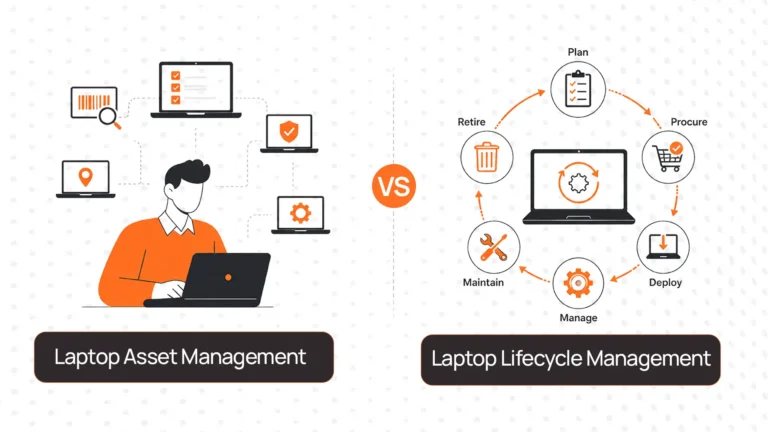
Let’s be clear about what you’re buying. Asset management software creates two things: visibility and accountability.
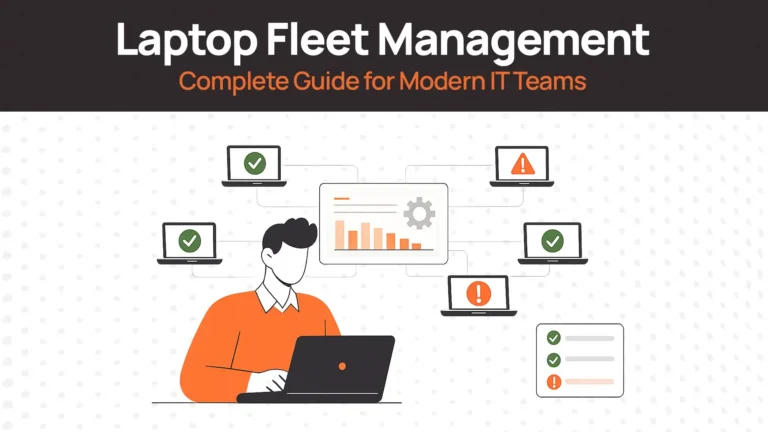
Visibility means answering questions in seconds instead of hours. Where is device XYZ? Who has it? When was it deployed? What’s the warranty status? What software is installed? When does it need replacement? Without visibility, you’re guessing. With visibility, you’re making data-driven decisions.
Accountability means workflows enforce compliance automatically. Employee termination date hits → retrieval request triggers without manual intervention. Warranty about to expire → notification sent to procurement. Device sitting in storage for six months → system flags it for redeployment or disposal. Someone requests a new device → approval workflow enforces budget controls.
The outcomes: reduced asset loss, lower procurement costs through device reuse, compliance documentation ready for audits, security enforcement through verified wiping, eliminated admin burden on your team.
Software prevents the problems that make you need tracking in the first place.
Categories of Tools (Choose the Right Type First)
Before comparing specific vendors, understand which category matches your needs. Buying the wrong type of tool wastes more money than buying the wrong vendor within the right type.
| Tool Category | What It Does | Best For | Fails When | Examples |
| Simple Inventory Trackers | Centralized database for tracking devices. Add assets, assign to people, log status changes, run basic reports. Some offer warranty tracking as well | Phase 2 companies (10-50 devices) who need organized tracking without complex workflows. | You need procurement automation, deployment workflows, international logistics support, refurbishment tracking, or deep compliance reporting. | Zoho IT Asset Tracker, Snipe-IT |
| Endpoint / ITAM Suites | Comprehensive IT asset management bundled with endpoint management. Automated software inventory scanning, license compliance, extensive reporting. | Companies where endpoint security, software license compliance, and network visibility are primary concerns. | Your focus is the laptop lifecycle for remote employees. Weak on international logistics and physical device redeployment workflows. | ManageEngine Endpoint Central |
| Lifecycle-Focused Platforms | Full device lifecycle management—procurement, deployment, tracking, retrieval, refurbishment, redeployment, disposal. HRIS integration for automated workflows. International logistics coordination. | Phase 3-4 companies managing distributed teams across multiple regions. Organizations serious about device reuse and cost recovery. | You’re small (under 10 devices), single location, or have simple operational needs. | RemoAsset |
How to use this table: Find your company in the “Best For” column. If multiple categories seem to fit, read the “Fails When” column—it tells you which situations disqualify each option. This saves you from evaluating 20 tools when only 3-5 are actually viable for your situation.
How to Choose Laptop Asset Management Software
Work through these questions in order. Each one narrows your options.
Question 1: How many devices are you managing?
- Under 10: Stick with spreadsheets or Snipe-IT if you want something free and better organized
- 10-50: Simple inventory trackers (Zoho, Snipe-IT)
- 50-100: ITAM suites if on-premise focused, lifecycle platforms if distributed workforce focused
- 100+: Lifecycle platforms unless your needs are purely endpoint management
Question 2: Where are your employees?
- Single country, straightforward domestic shipping: Inventory trackers handle this
- Multiple countries with customs complexity: You need lifecycle platforms with international logistics partnerships
Question 3: Do you plan to reuse recovered devices?
- Writing off every returned laptop: Basic retrieval tracking is sufficient
- Refurbishing and redeploying to reduce procurement costs: You need refurbishment workflows, storage management, and redeployment tracking
Question 4: What are your security and compliance requirements?
- Basic tracking for internal purposes: Inventory trackers work
- Compliance audits requiring verified data wiping, detailed audit trails, and executive reporting: ITAM suites or lifecycle platforms
Question 5: What systems must this integrate with?
- Operating standalone: Any tool works
- Must integrate with HRIS for automated offboarding: Lifecycle platforms
- Must integrate with MDM, finance systems, procurement tools: Prioritize platforms with strong APIs and pre-built integrations
Question 6: What’s your implementation capacity?
- Small team, tight budget, technical ability to self-host: Snipe-IT
- Medium team, want managed solution: Cloud inventory trackers or ITAM suites
- Dedicated implementation resources, solving enterprise complexity: Lifecycle platforms
These questions filter vendors faster than reading 50 feature lists.
Best Laptop Asset Management Software (Honest Comparison)
No single tool is best for everyone. Your choice depends on company size, operational complexity, and what problems you’re actually trying to solve. Here’s what each vendor is genuinely good at and where they fall short.
Zoho IT Asset Tracker
Best for: Small to mid-size companies (10-100 devices) already using Zoho products who need inventory tracking that integrates with their existing ecosystem.
Why companies choose it: You’re already paying for Zoho. The asset tracker integrates with Zoho Desk, Zoho People, Zoho Books. Data flows between products without custom integrations. Customizable fields let you track what matters to your business. Low cost compared to standalone ITAM tools.
Where it struggles: Limited operational depth for complex workflows. Basic automation—you’ll get reminders for warranty expirations, but don’t expect sophisticated retrieval workflows or procurement approval routing. Weak international logistics support. No refurbishment or redeployment tracking. If you’re managing distributed teams across multiple countries or planning device reuse at scale, Zoho won’t grow with you. It’s tracking software, not lifecycle management.
Snipe-IT
Best for: Budget-conscious teams (50-300 devices) with technical resources who want free, open-source asset tracking and are comfortable with self-hosting or managing cloud deployments.
Why companies choose it: Completely free if you self-host. No ongoing licensing costs eating into the IT budget. Active open-source community means bugs get fixed and features get added. Customizable—you’re not locked into someone else’s workflow design. REST API enables custom integrations if you have development resources. Strong basic inventory features without vendor lock-in. IT managers choose Snipe-IT when budget is constrained but technical ability isn’t.
Where it struggles: Self-hosting requires Linux expertise, database management, security patching, backup management. Cloud hosting is available through Snipe-IT’s official service but adds cost, reducing the “free” advantage. Limited out-of-the-box automation—you’ll build custom workflows via API or accept manual processes. No procurement workflows. No international logistics support. Reporting is functional but not executive-ready. Support means community forums, not a support team. If you need hand-holding, extensive support, or deep operational workflows, Snipe-IT’s DIY nature becomes friction instead of freedom.
ManageEngine Endpoint Central
Best for: IT departments managing significant on-premise infrastructure (servers, network devices, employee endpoints) who need unified endpoint management, software license compliance, patch management, and asset tracking in one platform.
Why companies choose it: Comprehensive feature set solves multiple IT problems simultaneously. Automated software inventory scanning discovers everything on your network without manual entry. Strong compliance reporting for software license audits. Excellent patch management keeps systems secure. Deep visibility into endpoint configurations. Robust if your primary concerns are security, compliance, and controlling what’s on the network. IT teams choose ManageEngine when they’re managing complex on-premise environments and want one platform handling multiple responsibilities.
Where it struggles: Complexity is high. Implementation takes months, not weeks. Training required for your team to use it effectively. Overbuilt if your primary need is laptop lifecycle management for remote employees. Weak on international logistics—the tool is designed for assets on your network, not assets in transit between countries. Limited physical device workflows like retrieval, storage management, and redeployment. ManageEngine shines when you’re managing what’s connected to the network. It’s not optimized for operational teams coordinating distributed device lifecycles, employee offboarding across countries, or refurbishment programs.
RemoAsset
Best for: Companies managing 100+ devices across distributed teams (Phase 3-4) who need full lifecycle control—procurement, deployment, tracking, retrieval, refurbishment, redeployment—in one platform.
Why companies choose it: Built specifically for the operational challenges IT managers like you face with distributed workforces. HRIS integration means when HR marks someone as terminated in BambooHR or Workday, RemoAsset triggers retrieval automatically—no manual tracking, no devices slipping through. Handles international logistics including customs, regional shipping partners, local regulations. Tracks devices through storage and refurbishment so you can redeploy recovered laptops instead of buying new ones every time. Real-time visibility into where every device is—deployed, in transit, in storage, being refurbished, awaiting redeployment. Companies choose RemoAsset when they’re tired of managing assets reactively and want systematic control preventing problems instead of reacting to them.
Where it struggles: Overkill for small companies with simple needs. If you’re managing 50 devices in one location with low turnover, you’re paying for depth you don’t need. Higher cost than inventory trackers because you’re getting full lifecycle management, not just tracking. Implementation requires integration setup with your HRIS, MDM, and potentially finance systems—this takes time and coordination across teams. RemoAsset makes sense when operational complexity justifies the investment: you’re scaling, managing international teams, dealing with compliance pressure, or prioritizing device reuse to reduce procurement costs.
Decision Matrix
Use this to eliminate options that don’t fit your situation:
| Your Situation | Start Here | Also Consider | Avoid |
| <50 devices, single location, low turnover, tight budget | Well-organized spreadsheet | Snipe-IT (if you want something free and more robust) | Everything else—implementation overhead exceeds operational pain |
| 50-150 devices, basic tracking needs, already using Zoho | Zoho IT Asset Tracker | Snipe-IT (if budget is primary concern) | ManageEngine (overbuilt), Lifecycle platforms (premature) |
| 50-150 devices, technical team, want free solution | Snipe-IT | Zoho (if you want managed service) | ManageEngine, RemoAsset |
| 150-500 devices, distributed teams, compliance pressure | RemoAsset | ManageEngine (if on-premise focused) | Inventory trackers (insufficient depth) |
| 500+ devices, global operations, device reuse priority | RemoAsset | — | Inventory trackers, endpoint-only suites |
| Primarily on-premise infrastructure, security/compliance focus | ManageEngine Endpoint Central | — | Lifecycle platforms built for remote work |
| Distributed workforce, operational efficiency priority, device reuse | RemoAsset | — | ITAM suites built for on-premise |
Common Mistakes Companies Make
IT managers like you make these mistakes constantly. Learn from their pain.
Mistake 1: Buying based on feature lists instead of operational pain
You evaluate 12 tools. Each one has 50+ features. You create a spreadsheet comparing features. The tool with the most checkmarks wins. Six months later, you’re not using 80% of those features and your actual problems remain unsolved.
Why this happens: Vendors market features because features are easy to list. Your actual problem—devices getting lost during offboarding—isn’t solved by “customizable reporting dashboards.” It’s solved by HRIS integration triggering automated retrieval workflows.
Do this instead: Write down your top three operational problems. Rank vendors on how directly they solve those specific problems. A tool solving your actual problems with 20 features beats a tool with 100 features solving problems you don’t have.
Mistake 2: Underestimating integration requirements
You buy asset management software. It’s great. You log in daily to check device status. But when employees leave, you still manually create retrieval requests because the tool doesn’t integrate with your HRIS. When devices return, you still manually update finance because there’s no export to your accounting system. You’ve digitized the spreadsheet but not automated the workflow.
Why this happens: You evaluated the tool in isolation. The demo showed how it works when someone uses it. But nobody demonstrated how it connects to your other systems—or whether it even can.
Do this instead: Before evaluating any tool, list every system it needs to integrate with: HRIS, MDM, finance/accounting, procurement, ticketing. Ask vendors for specific integration documentation and customer references who actually use those integrations. Integration capabilities matter more than feature counts.
Mistake 3: Ignoring implementation overhead
The sales demo takes 30 minutes. Implementation takes six months. You didn’t budget for the project manager needed to coordinate across IT, HR, and finance. You didn’t account for the training required for five different teams. You didn’t plan for the data cleanup necessary before migration. The tool works great but you’re three months behind and $40,000 over budget.
Why this happens: Vendors optimize demos to look simple. They don’t walk you through the painful parts of implementation because it doesn’t sell software.
Do this instead: Ask vendors for typical implementation timelines for companies your size. Request project plans from recent implementations. Talk to customer references about what surprised them during rollout. Match tool complexity to your implementation capacity. A simpler tool you can deploy in three weeks beats a sophisticated platform that takes eight months.
Mistake 4: Buying for future state instead of current reality
You have 80 devices today. You plan to grow to 500 devices over three years. You buy enterprise software designed for companies with 5,000 devices because “we’re planning ahead.” You pay enterprise prices. Implementation complexity overwhelms your small team. Features designed for global operations confuse your employees. You never get full value from the investment.
Why this happens: Growth ambitions are real. But buying software for a future state that might not materialize wastes money today.
Do this instead: Buy for where you are now with clear understanding of migration path when you outgrow it. Most good vendors offer upgrade paths. It’s better to use a simple tool effectively for two years then migrate than struggle with an enterprise platform for five years while operating at 30% utilization.
Mistake 5: Assuming tracking solves the problem
You buy asset management software. You diligently log every device. You know exactly where everything is. But devices still get lost because employees ignore retrieval requests. Laptops still sit in storage because nobody’s making redeployment decisions. Procurement costs stay high because you’re not systematically reusing recovered devices, which makes managing company laptops difficult.
Why this happens: Visibility feels like progress. Knowing where devices are is better than not knowing. But visibility without accountability doesn’t prevent problems.
Do this instead: Prioritize tools that automate workflows and enforce compliance. Retrieval requests that trigger automatically when someone’s terminated. Escalating reminders that don’t require your team to manually chase people. Storage alerts flagging devices sitting idle for 90 days. Approval workflows enforcing procurement policies. Choose tools that change behavior, not just record it.
When You’re Ready to Move Beyond Tracking
You’ll know you’ve outgrown inventory tracking when these things start happening regularly:
Someone asks “where is this device” and finding the answer takes an hour of searching through multiple systems. An employee leaves and two months later you realize nobody retrieved their laptop. These are symptoms. The underlying problem is that you need lifecycle management, not just inventory tracking.
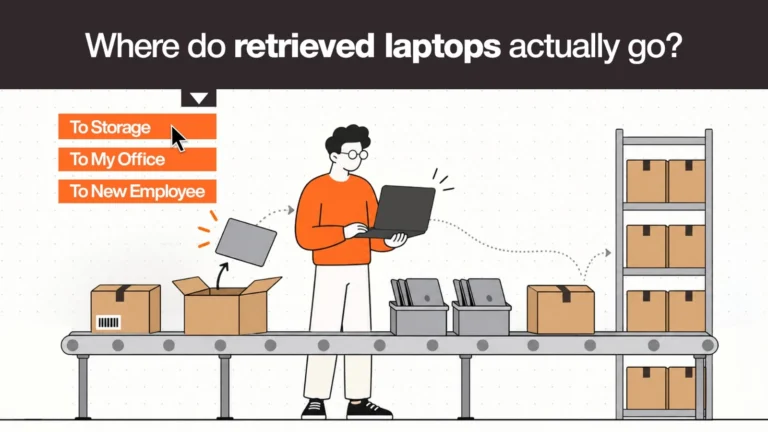
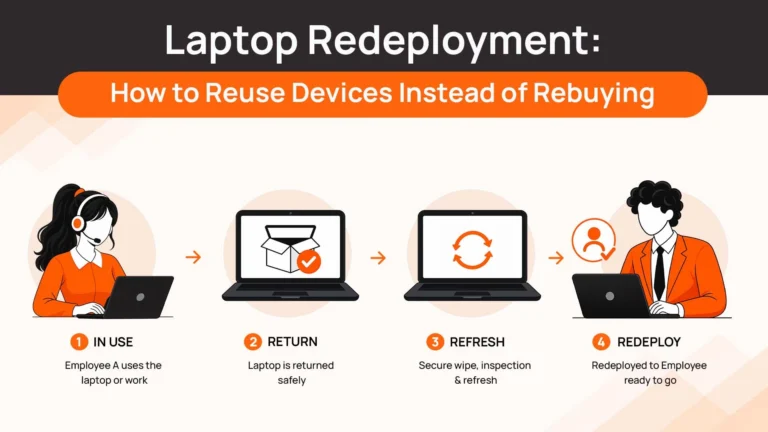
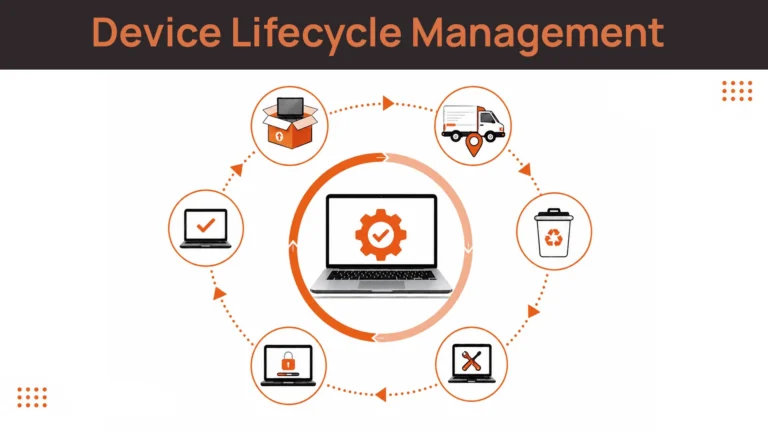
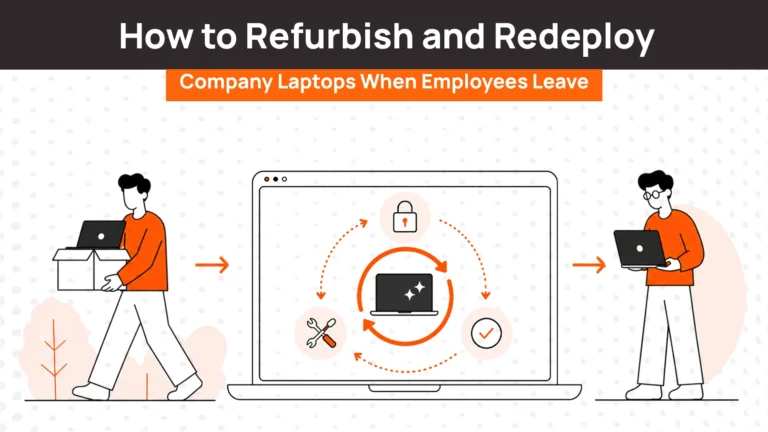
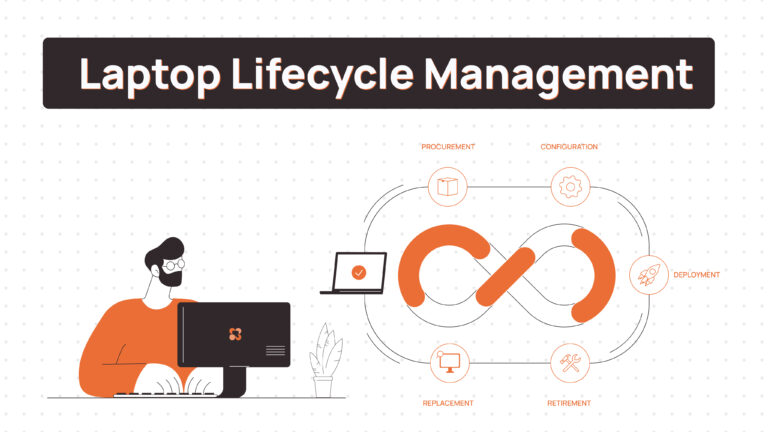
Lifecycle platforms like RemoAsset handle procurement coordination, deployment tracking, employee self-service, automated retrieval, refurbishment management, redeployment workflows, and disposal documentation in one system. When someone’s termination date hits in your HRIS, retrieval triggers without your team doing anything. When a device returns, it gets triaged automatically—refurbishable and worth redeploying, or end-of-life and ready for disposal. You see real-time data on what’s deployed, what’s in transit, what’s in storage awaiting refurbishment, and what’s available for immediate redeployment.
Asset management isn’t just about knowing where things are. It’s about preventing the chaos that makes tracking necessary in the first place.