Remote and hybrid work stopped being a temporary arrangement several years ago. What has changed more recently is who the buying problem belongs to. Choosing a laptop used to be a procurement question — specs, budget, vendor. For a distributed team it is now an operations question, because the same decision determines how the device gets configured, how it gets to someone in another country, who fixes it when it breaks, and what happens to it on their last day.
This guide covers both halves: what to specify, and which models earn their place in 2026. It is written for IT and People Ops teams buying for other people, not for individuals buying for themselves. Where the buying decision runs into the wider laptop lifecycle, we say so rather than pretending the purchase is where it ends.
Which laptop features are essential for remote work?
Five things decide whether a laptop holds up for remote work: sustained performance under video calls plus everything else running behind them, battery life measured in real use rather than vendor claims, build durability that survives being carried daily, hardware-level security you can attest to an auditor, and manageability — whether the device can be enrolled and controlled remotely. Most buyers over-index on the first and ignore the last, which is the one that actually costs money at scale.
Performance
The floor has moved. A video call now runs alongside a browser holding thirty tabs, a chat client, a password manager and whatever else the role requires. Underspecifying here is not a small saving — it converts into support tickets.
- CPU: Intel Core Ultra 5, AMD Ryzen AI 5 PRO or Apple M-series as a baseline. Move to Core Ultra 7, Ryzen AI 7 PRO or above for engineers, analysts and anyone running local builds.
- RAM: 16GB is the working minimum in 2026. 32GB for developers and data roles. Check whether the memory is soldered — on many thin business models it is, which means you cannot upgrade later and have to buy right the first time.
- Storage: 512GB NVMe SSD. 256GB is survivable only for locked-down, cloud-only roles.
- NPU: Increasingly standard, and worth having if your organisation is deploying local AI tooling. Not worth paying up for if it is not.
Portability and battery life
Under 1.4 kg is the comfortable threshold for daily carry. On battery, treat vendor figures as a ceiling rather than an estimate — Apple rates the MacBook Air M5 at up to eighteen hours, and independent testing puts mixed real-world use closer to sixteen. That gap is normal and applies to every manufacturer. Specify against the tested figure, not the marketing one.
Durability and reliability
Business-grade chassis, MIL-STD-810H testing, spill-resistant keyboards and — more important than any of those — a support tier that includes next-business-day on-site repair. Entry-tier business lines save meaningfully per seat but usually drop on-site response, and a single out-of-warranty depot repair in month fourteen wipes out the saving. For a distributed fleet, the support contract is part of the specification, not an add-on. If you want the full arithmetic, we broke it down in laptop total cost of ownership.
Security features
The baseline for a business device: TPM 2.0, a hardware root of trust, self-healing firmware, biometric authentication, full-disk encryption enabled by policy rather than by the user, and a physical webcam shutter. These are the features that let you answer an auditor’s questions about a laptop sitting in someone’s flat three time zones away.
Manageability as a buying criterion
This is the criterion most buying guides skip and the one that separates a laptop programme that scales from one that does not. Before a model goes on your approved list, check three things: whether it supports zero-touch enrolment in your MDM (Apple Business Manager and Automated Device Enrolment for Mac, Windows Autopilot for PC), whether the vendor or reseller will register the serial numbers to your organisation at the point of purchase, and whether the device supports remote lock and wipe.
If the answer to the second one is no, zero-touch does not work, regardless of what the spec sheet says — the device has to be claimed by your tenant before it ships. That single detail causes more failed deployments than any hardware limitation. We covered the full pre-purchase check in the zero-touch deployment readiness checklist, and the difference between the categories of tooling involved in device asset management vs MDM vs RMM.
Work from home laptop requirements: minimum versus recommended
A specification worth writing down, so procurement is not renegotiated with every hiring manager. Adjust the recommended column upward for engineering and creative roles.
| Component | Minimum | Recommended | Why it matters |
|---|---|---|---|
| CPU | Intel Core Ultra 5 / Ryzen AI 5 PRO / Apple M-series | Core Ultra 7 / Ryzen AI 7 PRO / M-series Pro | Sustained load during calls plus background apps |
| RAM | 16GB | 32GB for technical roles | Often soldered — cannot be fixed later |
| Storage | 512GB NVMe SSD | 1TB for creative and data roles | Local caches fill faster than people expect |
| Battery (tested) | 10 hours mixed use | 14+ hours mixed use | Vendor claims run 15–25% above tested figures |
| Weight | Under 1.6 kg | Under 1.3 kg | Daily carry and cabin baggage |
| Display | 14″ FHD+, 300 nits, matte | 14″ 2.8K OLED or 400+ nits | Outdoor and window-lit home working |
| Webcam | 1080p with privacy shutter | 5MP+ with AI framing | Calls are the primary workload |
| Security | TPM 2.0, biometrics, encryption | vPro or Ryzen PRO, self-healing BIOS | Remote attestation and fleet policy |
| Manageability | MDM-enrollable | Zero-touch enrolment, serials registered to your tenant | Determines whether deployment scales |
| Support | 1-year return-to-base | 3-year next-business-day on-site, multi-country | The single most underrated line item |
Which processors balance performance and energy efficiency?
Three architectures compete for a remote fleet in 2026, and they fail in different places. The honest summary: Apple Silicon still leads on performance-per-watt, Arm-based Windows has closed most of the gap and now makes business sense, and x86 remains the safest choice when application compatibility is non-negotiable.
| Platform | Efficiency | Best fit | Watch out for |
|---|---|---|---|
| Apple M-series (M5) | Class-leading. Fanless in the Air, silent under normal load | Any team already on macOS; design, video, mobile development | macOS-only tooling; per-device cost sits higher |
| Qualcomm Snapdragon X (Arm/Windows) | Very strong — the EliteBook 6 G1q reached 19h 35m in lab testing | Travel-heavy roles, sales, field staff, long-call days | Verify every line-of-business app runs natively or emulates acceptably before committing a fleet |
| Intel Core Ultra (x86) | Good, improving generation on generation | Broadest compatibility; vPro fleet management | Efficiency varies widely between U-series and H-series — check which one you are actually buying |
| AMD Ryzen AI PRO (x86) | Strong multi-core efficiency; leading NPU throughput | Local AI workloads, engineering, mixed general use | Enterprise availability is thinner in some regions than Intel |
Practical rule: if the role spends most of the day in a browser and a video client, an efficiency-first chip is the better buy and the battery gain is immediately noticeable. If the role compiles, renders or runs virtual machines, buy the performance tier and accept the shorter runtime.
Best laptops for remote work in 2026
Organised by the situation you are buying for rather than by price bracket, because that is how the decision actually gets made. Configurations vary by region and reseller — treat the figures below as a starting point and confirm against a live quote.
Best all-round business laptops
Lenovo ThinkPad T14 Gen 7
- Intel Core Ultra or AMD Ryzen AI PRO · 16–64GB · 512GB–2TB SSD · 14″ · approx. 1.3 kg
- Battery: full working day in mixed use
- Security: TPM 2.0, ThinkShield, optional vPro or Ryzen PRO, IR camera, privacy shutter
- The default fleet answer. Serviceable, consistently available across regions, and the tier where next-business-day on-site support genuinely starts.
HP EliteBook 8 G1i 14″
- Intel Core Ultra 5 225U through Core Ultra 7 265H · up to 64GB DDR5 in two user-accessible SODIMM slots · 14″
- Notable for user-upgradable memory, which is rare at this weight and extends usable fleet life
- Security: HP Wolf firmware protection, TPM 2.0, presence detection
- Choose this over the ThinkPad if you want to refresh memory mid-life instead of replacing devices.
Dell Pro 14
- Intel Core Ultra · 16–32GB · 14″ · vPro configurations available
- Note the naming change: Dell’s commercial range is now Dell Pro, replacing Latitude. If your asset register still lists Latitude models, the successor line is Dell Pro.
- Strong choice where you already have Dell ProSupport in place across multiple countries.
Best for battery life and frequent travel
If someone is on a plane most weeks, battery and weight outrank raw performance. Ranked by tested runtime rather than vendor claims:
| Model | Tested battery | Weight | Note |
|---|---|---|---|
| HP EliteBook 6 G1q (Snapdragon X Plus) | 19h 35m | approx. 1.44 kg | The Arm option that finally makes business sense. Verify app compatibility first. |
| Apple MacBook Air 13″ M5 | approx. 16h mixed use (18h rated) | approx. 1.24 kg | Fanless and silent. 53.8Wh battery. |
| Lenovo ThinkPad X1 Carbon Gen 13 | approx. 15h | approx. 1.09 kg | Lightest full business ultralight with the complete enterprise feature set. |
| Dell Pro 14 Premium | Full day plus | approx. 1.15 kg | Magnesium chassis, tandem OLED, 8MP camera. The executive-travel machine. |
For frequent flyers specifically, three things matter that spec sheets do not cover:
- Multi-country warranty. A three-year on-site warranty is worth little if it only covers the country of purchase. Confirm international coverage before you standardise — this is where fleets bought through a single-country reseller come unstuck.
- Charger standards. USB-C Power Delivery across the fleet means one charger works everywhere and a lost charger is a commodity replacement rather than a shipment.
- Battery capacity and cabin rules. Business ultralights sit well within airline limits, but batteries above 100Wh need airline approval. Check before issuing a mobile workstation to someone who flies weekly.
Best laptops for executives handling sensitive data
For board members, finance leads and anyone carrying material non-public information, the specification changes. You are buying against shoulder-surfing in an airport lounge and against the device being lost, not against benchmark scores.
- Dell Pro 14 Premium — integrated privacy screen options, 8MP camera with presence detection that locks on walk-away, magnesium chassis, vPro Enterprise for out-of-band management.
- Lenovo ThinkPad X1 Carbon Gen 13 — ThinkShield with self-healing BIOS, PrivacyGuard display option, physical camera shutter, and a hardware root of trust you can attest against.
- HP EliteBook X G1a — HP Sure View integrated privacy, Sure Start firmware recovery, and the strongest multi-core performance in this class on Ryzen AI 9 HX 375 with a 55 TOPS NPU.
Specify these three things alongside the hardware: full-disk encryption enforced by MDM policy rather than left to the user, remote lock and wipe tested before issue, and a documented certified data wiping process for when the device is retired. An executive laptop that cannot be wiped to a verifiable standard on the day it comes back is a compliance exposure, not just an IT one.
Best laptops for video calls and client-facing roles
If someone spends six hours a day on camera, the camera and the thermals matter more than the processor. Most buying guides list “1080p webcam” and move on, which misses what actually degrades a call.
- Camera: 5MP or higher with auto-framing. The jump from 1080p to a 5MP–8MP sensor is visible to everyone on the call, particularly in poorly lit home offices.
- Microphones: A dual or triple array with AI noise suppression. This is what removes the neighbour’s building work, not the headset.
- Sustained thermals: A laptop that throttles after ninety minutes of video makes the fourth call of the day worse than the first. Thin fanless designs trade this away — check reviews for sustained-load behaviour rather than peak benchmarks.
- Strong picks: Dell Pro 14 Premium (8MP), HP EliteBook X Flip G1i, MacBook Pro 14″ M5 (12MP Center Stage).
Best Dell laptops for hybrid workers
Hybrid staff have a specific problem: the machine has to work undocked on a train and docked at two different desks. Port range and dock compatibility matter more than they do for either fully remote or fully office-based roles. Dell’s commercial line was renamed from Latitude to Dell Pro, so if you are refreshing an older Latitude fleet these are the successors.
- Dell Pro 14 — the mainstream hybrid pick. Full port complement, consistent docking behaviour across the WD-series docks, vPro available.
- Dell Pro 14 Premium — for hybrid staff who also travel and are client-facing. Lighter, better display, better camera; fewer legacy ports.
- Dell Pro Rugged 14 — only if the role involves field work. MIL-STD-810H, IP53, and an 1,100-nit display for outdoor use. Heavier, and overkill for a desk-and-home rotation.
Best for creative and heavy workloads
- Apple MacBook Pro 14″ M5 — still the reference for video, motion and audio work. Liquid Retina XDR display, sustained performance without thermal collapse, and long battery under real creative load. If you are standardising on Mac across borders, global MacBook procurement has its own set of problems worth reading before you commit.
- Dell Pro Precision — mobile workstation tier. Core Ultra HX or Xeon W, up to 128GB ECC memory, discrete RTX or Arc Pro graphics, and ISV certification for CAD and AEC workloads.
- HP EliteBook X G1a — the strongest 14-inch AMD machine in this class, with a 55 TOPS NPU for teams running local AI tooling.
Best value picks
Entry-tier business lines — Lenovo ThinkPad E14 Gen 7, Dell Pro 3, HP ProBook — save real money per seat. The trade-off is specific and worth stating plainly: at equivalent configurations they usually lack next-business-day on-site support. For a co-located team with an IT person in the building, that is a reasonable trade. For someone in another country with no local IT, it is not, because the recovery path for a failed device is a shipment rather than a visit.
If budget is genuinely the constraint for a distributed team, the better lever is usually the acquisition model rather than the hardware tier. Buying a cheaper laptop with worse support for a remote worker tends to cost more over three years, not less.
What justifies paying more for a business laptop?
Set aside the badge. Four things reliably justify a higher specification for a distributed team, and none of them appear in a benchmark table.
- Support tier and geography. Multi-country next-business-day on-site cover is the single largest driver of real-world availability. It is also the thing most commonly cut to hit a budget, and the thing most commonly regretted.
- Chassis and hinge quality. The failure mode for a carried laptop is mechanical, not electrical. MIL-STD-810H testing and a metal chassis buy you a lower failure rate, which for a remote fleet converts directly into fewer shipments.
- Manageability. vPro, Ryzen PRO and Apple Business Manager support are what let you deploy and recover a device without touching it. On a fleet of any size this is the difference between a process and a series of individual rescues.
- Residual value. Business-grade devices hold value better at refresh, which matters if you redeploy or resell rather than scrapping. See laptop depreciation for how that plays out on the books.
What does not justify the premium: a higher-resolution display for a role that lives in a spreadsheet, discrete graphics for a role that never renders, or a top-tier processor for someone whose heaviest workload is a browser. Those are the places to save.
How SMBs should prioritise laptop features
Most laptop buying advice assumes a dedicated IT function. Under about fifty people that usually does not exist — laptop decisions land on an office manager, a founder, or whoever is nearest. The priority order changes accordingly.
| Priority | What to buy for | Why |
|---|---|---|
| 1 | Support and warranty | With no internal IT, the vendor’s support contract is your IT department. Buy the longest on-site cover you can. |
| 2 | Standardisation | One or two models, not eight. Every additional model multiplies the support surface for someone whose actual job is something else. |
| 3 | Manageability | Even a small team benefits from MDM. It is what makes an unexpected departure an afternoon rather than a fortnight. |
| 4 | Battery and build | The failures that cost an SMB time are mechanical and battery-related, not performance-related. |
| 5 | Raw performance | Genuinely last, unless the role is technical. Underspecifying RAM is the exception — that one bites. |
The most common SMB mistake is issuing consumer laptops bought individually from retail. They work until the first failure, at which point there is no asset record, no warranty tracking, no way to enrol the device, and nobody sure who has what. We wrote about this pattern specifically for startups and small teams.
Consumer versus business laptops: why it matters
A short direct answer: a business laptop costs more because it comes with fleet management support, a longer serviceable life, on-site warranty options and hardware security features that a consumer machine does not have. For one person, a consumer laptop is often fine. For a distributed team, the differences compound into cost.
| Factor | Consumer laptop | Business laptop |
|---|---|---|
| Serviceable life | 2–3 years, limited parts availability | 4–5 years, parts stocked for the model’s lifetime |
| Support | General consumer helpdesk, return-to-base | Business support line, next-business-day on-site available |
| Manageability | No zero-touch enrolment, limited MDM support | Zero-touch enrolment, vPro or Ryzen PRO, serials registrable to your tenant |
| Security | TPM and basic encryption | Self-healing firmware, hardware root of trust, privacy displays, presence detection |
| Availability | Model discontinued within months | Same configuration orderable for years |
| Residual value | Falls quickly | Holds value; viable for redeployment or resale |
The availability row is the one people discover late. Ordering fifty of a consumer model today and fifty more in eighteen months means two different machines, two images and two support paths.
Where to buy secure business laptops for distributed teams
Choosing the model is the easy half. Getting it to someone in another country, configured and enrolled, is where remote laptop programmes actually fail. There are three routes, and they suit different situations.
1. Ship from headquarters
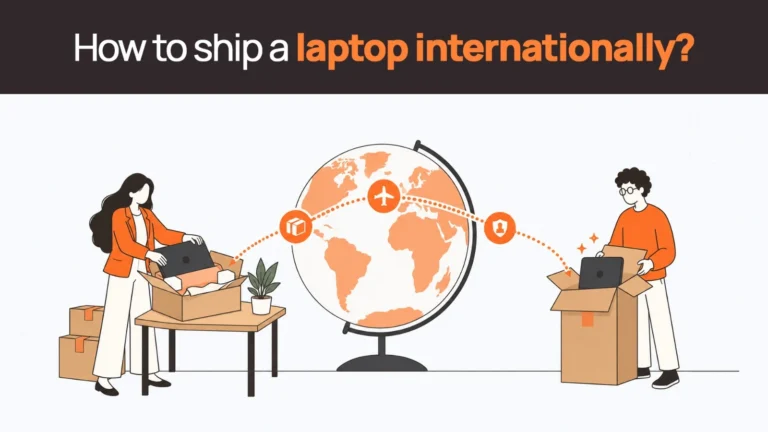
Buy centrally, configure in-house, ship out. Full control over the image, and it works well domestically. Across borders it runs into customs duties, import documentation, lithium-battery shipping rules and delays that routinely exceed the notice period on a new hire. We set out the specifics in why shipping laptops internationally hurts remote teams.
2. Buy locally in each country
Faster delivery, local warranty, no customs. The cost is fragmentation: different resellers, inconsistent models, warranty terms that vary by market, and no single asset record. Workable at two or three countries, painful beyond that.
3. Managed global procurement
A single vendor sources locally in each market, configures and enrols the device before it ships, delivers in-country, and handles support and retrieval on the same contract. This is the route most distributed teams end up on past roughly fifty people across more than three countries. It is what Remoasset does, across 80+ countries.
If you are weighing these against each other, laptop sourcing: ship, source locally, or use a stipend compares all three including the stipend model, and the global laptop procurement checklist covers the twelve stages end to end.
| Buying in specific countries
Availability, warranty terms and lead times differ meaningfully by market — a model that ships in three days in Germany may take three weeks in Nigeria, and warranty cover often does not follow the device across a border. Rather than list every market here, our country coverage pages set out local sourcing, delivery and retrieval for each of the 80+ countries we operate in. |
Related reads
- Business Laptop Procurement: How Businesses Actually Buy Laptops for Employees — the decision that comes before buy-versus-lease: where the laptops physically come from.
- Laptop Sourcing: Should You Ship, Source Locally, or Use a Stipend? — the three sourcing models compared, with the failure mode of each.
- Laptop Total Cost of Ownership: The Full Lifecycle Math — why the purchase price is usually under half of what a device actually costs.
- Zero-Touch Deployment Readiness: A Checklist Before You Buy — the pre-purchase checks that determine whether zero-touch will work at all.
- Laptop Fleet Management: Complete Guide for Modern Remote Teams — what happens after the devices are deployed, across the whole fleet.
- Global MacBook Procurement for Remote Teams — Apple-specific sourcing, Apple Business Manager and regional availability.
Should businesses buy or lease laptops for remote teams?
Buying suits organisations with stable headcount, long refresh cycles and available capital. Leasing or a subscription model suits teams that are growing, shrinking or spread across borders, because it converts a capital outlay into a predictable operating cost and moves the logistics onto someone else’s contract.
| Buying | Leasing / subscription | |
|---|---|---|
| Cost profile | Capital expenditure, front-loaded | Operating expenditure, predictable monthly |
| Scaling down | You own devices you no longer need | Return them |
| Refresh | A budget event every three to four years | Built into the term |
| Configuration | Your team images and enrols each device | Arrives pre-configured and enrolled |
| Failure handling | Your problem, wherever the employee is | Covered by the service agreement |
| End of life | You arrange wiping and disposal | Handled as part of retrieval |
Neither is universally right. Laptop leasing versus purchasing for remote teams works through the decision in detail, CapEx versus OpEx in remote device management covers the accounting treatment, and laptop as a service providers compares the vendors if you are going down that route.
Managing laptops once they are deployed
Issuing the device is the start of the commitment, not the end of it. Four things need an owner from day one, and the absence of any of them is what turns a fleet into a spreadsheet nobody trusts.
- An asset record that is actually maintained. Serial number, assigned user, location, warranty end date, current status. Laptop inventory management software covers what this needs to hold.
- A repair and replacement path per country. Decide in advance what happens when a device fails in a market where you have no presence. Spare laptop buffer stock covers how many spares to hold and where.
- A refresh plan. Devices reaching end of warranty should be scheduled, not discovered. Options at that point include redeployment to a new hire rather than a fresh purchase.
- A retrieval process. The device has to come back, be wiped to a certified standard and be recorded as recovered. This is the stage most teams have no process for at all — see the remote device offboarding checklist.
For the full picture across all four, laptop fleet management and how to manage company laptops go deeper than we can here.
How Remoasset fits into this
Remoasset handles the operational half of the decision this guide has been describing — the part that starts once you have chosen a model.
- Local sourcing in 80+ countries, so devices are bought in-market rather than shipped across borders. See country coverage.
- Pre-configuration and MDM enrolment before dispatch, with integrations for Miradore, Kandji, Hexnode, Intune and Jamf, so the device is enrolled when it arrives rather than after.
- Maintenance, repairs and replacement coordinated locally through our support network, with 24/7 Total Care+ and a written three-day replacement guarantee.
- Retrieval, storage and certified wiping at offboarding — laptop retrieval and NIST 800-88 certified data wiping, with documentation you can hand an auditor.
- Pay-as-you-go or annual subscription, with no high device minimums. Pricing.
If you want to see how that compares against the alternatives, our comparison pages set it out vendor by vendor.
Conclusion
Pick the model on five criteria — sustained performance, tested battery life, build quality, hardware security and manageability — and weight the last one more heavily than most guides do. For a general fleet the ThinkPad T14 Gen 7, HP EliteBook 8 G1i and Dell Pro 14 are all defensible standards. For travel-heavy roles, buy on tested battery figures rather than vendor claims. For executives handling sensitive data, buy for privacy and recoverability.
Then spend at least as much time on the part that comes after the purchase order. A well-chosen laptop that takes three weeks to reach a new hire in Manila, cannot be enrolled remotely, and cannot be recovered when they leave is a worse outcome than a middling laptop inside a process that works.
Frequently asked questions
What are the best laptops for remote work in 2026?
For general business use, the Lenovo ThinkPad T14 Gen 7, HP EliteBook 8 G1i and Dell Pro 14 are the strongest fleet standards — all three offer next-business-day on-site support, multi-year availability and full MDM manageability. For travel-heavy roles, the HP EliteBook 6 G1q on Snapdragon leads on tested battery life. For macOS teams, the MacBook Air M5.
Which laptop features are essential for remote work?
Five: sustained performance under video calls plus background applications, tested battery life of ten hours or more, a durable business-grade chassis with on-site warranty, hardware security including TPM 2.0 and full-disk encryption, and manageability — the ability to enrol the device in your MDM before it reaches the employee. The last one is the most commonly overlooked and the most expensive to get wrong at scale.
What are the minimum work from home laptop requirements?
As a floor: Intel Core Ultra 5, AMD Ryzen AI 5 PRO or Apple M-series; 16GB RAM; a 512GB NVMe SSD; ten hours of tested battery life; a 1080p webcam with a privacy shutter; and TPM 2.0 with biometric sign-in. Recommended for technical roles: 32GB RAM, 1TB storage and a Core Ultra 7 or equivalent.
Which laptop processors offer the best balance of performance and energy efficiency?
Apple Silicon still leads on performance-per-watt. Qualcomm Snapdragon X has closed most of the gap on Windows and now delivers close to twenty hours in lab testing, though application compatibility should be verified before a fleet commitment. Intel Core Ultra and AMD Ryzen AI PRO remain the safest x86 choices where compatibility is non-negotiable.
What are the best laptops for battery life for employees who travel frequently?
By tested runtime: the HP EliteBook 6 G1q at roughly 19 hours 35 minutes, the MacBook Air M5 at around 16 hours of mixed use, and the ThinkPad X1 Carbon Gen 13 at around 15 hours. For frequent flyers, also confirm multi-country warranty cover and standardise on USB-C Power Delivery charging.
What’s the best laptop for remote executives handling sensitive data?
The Dell Pro 14 Premium, ThinkPad X1 Carbon Gen 13 and HP EliteBook X G1a all offer integrated privacy displays, self-healing firmware and presence detection that locks the device on walk-away. Alongside the hardware, enforce full-disk encryption by MDM policy, test remote wipe before issuing the device, and have a documented certified erasure process for retirement.
Which features should SMBs prioritise when choosing a laptop for remote work?
In this order: support and warranty cover first, since with no internal IT the vendor’s support contract is your IT department; then standardisation on one or two models; then manageability; then battery and build quality; then raw performance. The exception is RAM — underspecifying memory causes problems that no support contract fixes.
What features justify a higher price in laptops for remote work?
Multi-country on-site support, chassis and hinge durability, fleet manageability such as vPro or Apple Business Manager support, and stronger residual value at refresh. What does not justify it: a high-resolution display for spreadsheet work, discrete graphics for roles that never render, or a top-tier processor for browser-based work.
Where can I buy secure business laptops for distributed teams?
Three routes: ship from headquarters, which gives full control but hits customs and delays across borders; buy locally in each country, which is fast but fragments your asset record and warranty terms; or use a managed global procurement partner that sources locally, pre-configures and enrols the device, and handles support and retrieval on one contract. The third becomes the practical option past roughly fifty people across more than three countries.
Should we buy or lease laptops for a remote team?
Buy if headcount is stable, refresh cycles are long and capital is available. Lease or subscribe if the team is growing, shrinking or distributed, because it converts capital outlay into a predictable operating cost and moves configuration, support and retrieval onto the vendor’s contract.