Every organization that issues company laptops eventually faces the same challenge: getting those devices back when employees leave. Whether it’s a planned resignation, an unexpected termination, or the end of a contractor agreement, laptop retrieval becomes one of the most important and often underestimated—parts of the employee offboarding process.
Many companies assume laptop retrieval cost begins and ends with a courier fee. In reality, transportation is only one piece of a much larger operational puzzle. The real expense often comes from coordinating pickups across multiple stakeholders, following up with former employees, replacing unrecovered devices, delaying laptop redeployment, and exposing the business to unnecessary security and compliance risks.
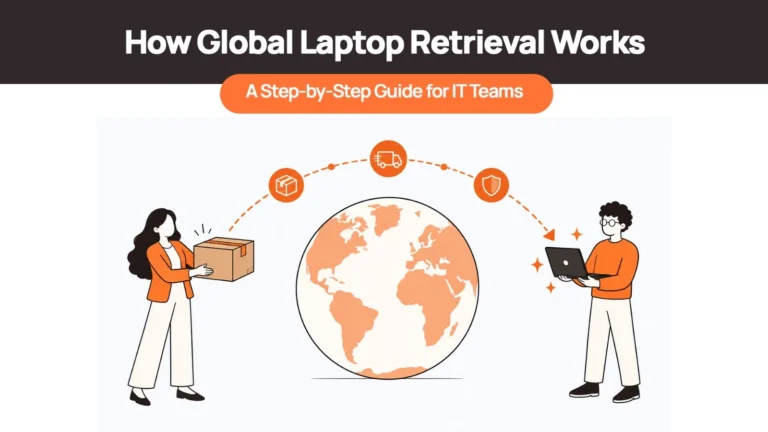
For organizations managing remote or globally distributed teams, these costs increase even further. International shipping, customs documentation, local pickup coordination, and cross-border logistics can turn what seems like a straightforward return into a weeks-long operational project.
This guide breaks down laptop retrieval costs from a business operations perspective rather than just a logistics perspective. Drawing on IT asset lifecycle best practices and real-world remote workforce challenges, we’ll explore what actually drives retrieval costs, the hidden expenses many companies fail to measure, how to calculate the true financial impact of laptop recovery, and when outsourcing retrieval becomes the more cost-effective option.
If you’re responsible for IT operations, procurement, finance, or employee offboarding, understanding the full cost picture can help you recover more assets, reduce unnecessary hardware purchases, and build a more scalable laptop lifecycle strategy.
Related resources: Before diving deeper, you may also find our guides on
- Laptop Lifecycle Management
- Remote Employees Laptop Return for IT Teams
- Device Procurement Best Practices
What Is Laptop Retrieval?
Laptop retrieval is the structured process of recovering company-owned laptops and other IT equipment from employees after their employment ends, when hardware needs to be reassigned, or when devices require repair, refurbishment, or secure disposal.
Although many organizations think of laptop retrieval as “sending a return label,” the reality is considerably more complex. A successful retrieval process involves multiple coordinated activities across HR, IT, operations, procurement, logistics providers, and often the employee themselves.
For distributed organizations, retrieval is one of the most operationally demanding phases of the laptop lifecycle because devices are no longer sitting in a central office—they’re spread across homes, coworking spaces, and different countries.
Laptop Retrieval Is More Than Shipping
Shipping is simply one step within the retrieval process.
A complete retrieval workflow typically includes:
| Retrieval Stage | Purpose |
| Offboarding trigger | HR or People Ops notifies IT that an employee is leaving. |
| Device verification | IT confirms which laptop and accessories need to be recovered. |
| Employee communication | Return instructions, timelines, and shipping details are shared. |
| Pickup scheduling | Courier pickup or local collection is arranged. |
| Device transportation | Hardware moves back to a warehouse, office, or refurbishment center. |
| Inspection & verification | Equipment condition is documented upon arrival. |
| Inventory updates | Asset records are updated to reflect the device’s status. |
| Data wiping & next steps | The laptop is wiped, refurbished, redeployed, resold, or recycled. |
Each of these stages introduces its own costs, coordination requirements, and operational risks.
For example, scheduling a courier pickup sounds simple until an employee has relocated, moved internationally, missed multiple pickup appointments, or no longer responds to company communications. Suddenly, a retrieval that looked inexpensive on paper becomes a time-intensive project involving HR, IT, managers, finance teams, and external logistics providers.
Why Retrieval Matters in the Device Lifecycle
Laptop retrieval isn’t just about recovering hardware. It’s also the point where organizations decide what happens next.
Depending on the device’s condition, recovered laptops may be:
- Redeployed to another employee
- Refurbished to extend their useful life
- Stored as backup inventory
- Resold to recover residual value
- Donated
- Securely recycled or disposed of
Without a structured retrieval process, organizations lose visibility into these opportunities and often default to purchasing new hardware unnecessarily.
This is one reason modern organizations increasingly view retrieval as an operational workflow rather than a standalone logistics task. It’s the bridge between employee offboarding and the next stage of the laptop lifecycle.
How Much Does Laptop Retrieval Cost?
One of the most common questions IT and operations teams ask is:
“How much does laptop retrieval actually cost?”
The honest answer is that there is no single fixed price.
Unlike standard parcel shipping, laptop retrieval involves several variables that influence the total cost. Two companies recovering identical laptops may spend very different amounts depending on where employees are located, how retrieval is coordinated, how many follow-up attempts are required, and whether devices need to cross international borders.
For this reason, focusing only on courier pricing can be misleading. Shipping may represent only a fraction of the total operational expense.
Instead of thinking in terms of a single price, it’s more useful to understand the cost drivers behind each retrieval.
Typical Factors That Influence Retrieval Costs
| Cost Driver | Impact on Overall Cost |
| Employee location | Remote or rural locations generally require more coordination than major cities. |
| Domestic vs international retrieval | Cross-border shipments involve customs documentation, additional transit time, and higher logistics costs. |
| Pickup method | Home pickups, office collections, drop-off points, and managed retrieval services all have different cost structures. |
| Courier selection | Express services cost more than economy options but may reduce delays and improve recovery rates. |
| Device value | Higher-value laptops often require additional insurance and secure handling. |
| Number of retrieval attempts | Multiple missed pickups increase both administrative effort and transportation costs. |
| Retrieval volume | Organizations recovering dozens or hundreds of devices often achieve lower per-device costs through standardized workflows. |
These factors explain why quoting a universal retrieval price is rarely helpful.
A laptop returned from downtown Toronto through a scheduled courier pickup may involve minimal coordination. Recovering the same device from a remote employee in another country, who has relocated since leaving the company, is an entirely different operational exercise.
Domestic vs International Retrieval
The biggest pricing difference usually comes down to geography.
Domestic Retrieval
Recovering laptops within the same country generally involves:
- Shorter shipping distances
- Simpler documentation
- Faster delivery
- Lower courier costs
- Fewer customs requirements
Organizations with centralized workforces often find domestic retrieval relatively straightforward, particularly when standardized offboarding processes are already in place.
International Retrieval
International recovery introduces significantly more complexity.
Additional considerations may include:
- Customs declarations
- Country-specific shipping regulations
- Import/export documentation
- Local pickup coordination
- Longer transit times
- Currency fluctuations
- Different courier networks
For globally distributed organizations, these operational factors often have a greater impact on total retrieval cost than shipping fees alone.
This is one reason many multinational businesses rely on local retrieval partners or lifecycle management providers rather than coordinating every international return independently.
7 Factors That Influence Laptop Retrieval Cost
Understanding what drives laptop retrieval costs makes it easier to improve budgeting and identify opportunities to reduce operational expenses.
While every organization is different, these seven factors have the greatest influence on the overall cost of recovering company devices.
1. Employee Location
Where an employee lives has a direct impact on retrieval complexity.
Recovering a laptop from someone located near a major metropolitan area is usually faster and less expensive than arranging a pickup from a remote location with limited courier coverage.
For globally distributed teams, regional infrastructure differences also influence delivery times, available logistics providers, and pickup reliability.
The farther a device is from established courier networks, the more coordination is typically required.
2. Country and Customs Complexity
International retrieval isn’t simply domestic shipping with a longer transit time.
Each country has its own customs regulations, documentation requirements, import restrictions, and tax considerations. Incorrect paperwork can delay shipments, create unexpected costs, or even result in devices being held by customs authorities.
Organizations retrieving laptops across multiple countries often spend considerable time navigating these administrative requirements.
This is why many businesses eventually move toward local retrieval workflows that minimize cross-border transportation wherever possible.
3. Shipping Distance and Delivery Method
Longer shipping distances naturally increase transportation costs, but the chosen delivery method also affects the final expense.
Factors include:
- Economy vs express services
- Home pickup vs drop-off
- Direct delivery vs consolidated shipments
- Standard vs insured transportation
Balancing speed, reliability, and cost becomes especially important when recovering large numbers of devices each month.
4. Pickup Scheduling and Employee Coordination
One of the most underestimated contributors to laptop retrieval cost is coordination.
Employees may need to:
- Confirm availability
- Prepare the laptop
- Package equipment correctly
- Coordinate pickup times
- Respond to follow-up communications
If appointments are missed or communication breaks down, retrieval timelines and costs increase quickly.
Unlike courier fees, these coordination costs are rarely visible in financial reports but consume substantial IT and HR time.
5. Device Value and Insurance
Higher-value laptops often require additional insurance coverage during transportation. Premium devices may also require:
- Secure packaging
- Signature confirmation
- Chain-of-custody documentation
- Enhanced tracking
These measures help reduce financial risk but also increase the overall retrieval cost.
6. Number of Retrieval Attempts
Successful first-attempt recoveries are significantly less expensive than repeated follow-ups. Every additional attempt may involve:
- New courier bookings
- Additional HR communication
- Manager involvement
- IT follow-up
- Administrative tracking
Organizations with standardized offboarding processes typically achieve higher first-attempt recovery rates, reducing these operational costs.
7. Retrieval Volume
Scale changes economics. Companies retrieving only a handful of laptops each year often coordinate each return manually.
By contrast, organizations managing hundreds of recoveries annually usually benefit from:
- Standardized workflows
- Preferred logistics partners
- Automated communication
- Centralized tracking
- Lower per-device operational costs
As retrieval volumes increase, process efficiency becomes more important than courier pricing alone.
The Hidden Costs Most Companies Never Calculate
When businesses estimate laptop retrieval cost, they usually focus on the most visible expense: shipping. A courier quote arrives, finance approves the payment, and the retrieval appears complete.
In reality, shipping is often one of the smallest costs involved.
The larger expense usually comes from everything happening before and after the laptop moves. HR teams coordinate with departing employees, IT tracks device ownership, managers answer follow-up questions, procurement waits for inventory to return, and security teams assess whether sensitive company data is still protected.
These activities rarely appear on a shipping invoice, but together they can exceed the transportation cost itself.
For organizations managing dozens—or even hundreds—of offboardings each year, these hidden operational costs quickly become one of the largest contributors to overall laptop retrieval spend.
1. IT Coordination Time
Every retrieval creates work for the IT team.
Someone has to verify which laptop belongs to the employee, confirm accessory details, generate return instructions, coordinate with logistics providers, update inventory records, monitor shipment status, and inspect the device once it arrives.
If the laptop isn’t returned on time, additional tasks often include disabling user accounts, initiating remote security actions, escalating the issue internally, and arranging alternative recovery methods.
Individually these tasks may seem small. Across hundreds of employees, however, they consume a significant amount of IT capacity that could otherwise be spent on strategic projects or supporting active employees.
Many organizations underestimate this internal labour because it isn’t recorded as a direct retrieval expense.
2. HR and People Operations Follow-ups
Laptop retrieval isn’t solely an IT responsibility.
HR or People Operations teams frequently become involved in reminding departing employees about return deadlines, answering questions about shipping, arranging collection windows, and confirming when equipment has been received.
If an employee relocates after leaving the company or delays communication, HR often becomes the primary coordinator between the employee, IT, and external logistics providers.
These follow-up conversations can stretch over several days—or even weeks—particularly for international employees.
Although each interaction appears minor, the cumulative administrative effort can become substantial as hiring and employee turnover increase.
3. Manager Involvement
Managers are often pulled into retrieval situations when employees stop responding or when equipment remains outstanding after multiple reminders.
Their involvement may include:
- confirming the employee’s contact information
- explaining return obligations
- helping resolve misunderstandings
- escalating unresolved cases
This creates another hidden cost that organizations rarely include when calculating retrieval expenses.
Leadership time is valuable, and every hour spent resolving equipment returns is time unavailable for managing active projects or supporting current team members.
4. Delayed Laptop Redeployment
A recovered laptop isn’t immediately available for another employee.
It typically needs to be:
- inspected
- inventoried
- securely wiped
- repaired if necessary
- reimaged
- quality checked
- reassigned
If retrieval itself is delayed by several weeks, the entire redeployment process shifts accordingly.
For growing organizations hiring frequently, this delay often forces procurement teams to purchase additional laptops simply because existing devices haven’t returned in time.
What appears to be a retrieval delay therefore becomes a procurement cost.
5. Replacement Purchases
One unrecovered laptop can create a chain reaction.
Instead of redeploying existing hardware, organizations must:
- purchase replacement equipment
- configure new devices
- ship additional laptops
- increase inventory levels
- absorb depreciation on unrecovered assets
The replacement cost almost always exceeds the original retrieval expense.
For this reason, improving recovery rates often delivers a better financial return than continually expanding hardware budgets.
6. Inventory Inaccuracies
Every missing laptop reduces confidence in inventory data.
When devices remain listed as “assigned” long after an employee leaves or disappear from tracking altogether, IT teams lose visibility into:
- available inventory
- refresh planning
- warranty status
- depreciation schedules
- procurement forecasting
These inaccuracies often lead organizations to over-purchase hardware because they simply don’t know which laptops remain recoverable.
7. Security and Compliance Exposure
Perhaps the largest hidden cost has nothing to do with hardware. Company laptops frequently contain:
- customer information
- financial records
- intellectual property
- confidential communications
- internal documentation
- employee data
If a laptop isn’t recovered promptly, organizations may face increased security exposure until access is revoked or data is securely removed.
Where devices aren’t enrolled in MDM or fail to reconnect to the internet, remote wipe capabilities may also be limited.
For regulated industries, delayed retrieval can increase compliance risk under frameworks such as ISO 27001, SOC 2, HIPAA, or GDPR depending on the nature of the information stored.
The financial consequences of a data incident often exceed the value of the laptop itself.
Related reading: Our guide on Best Data Destruction & Device Disposal Tools explains how secure wiping and certified disposal reduce security and compliance risks after laptops are recovered.
Core Insight
The biggest retrieval costs usually aren’t transportation costs. They’re operational costs.
Organizations that only compare courier pricing often overlook dozens of hours of internal coordination, delayed hardware availability, replacement purchases, and security exposure.
This is why mature IT teams increasingly evaluate retrieval as a business process rather than a shipping activity.
Laptop Retrieval vs Laptop Replacement
When a company laptop isn’t returned, many organizations eventually face a difficult question:
Should we continue trying to recover the device or simply replace it?
At first glance, replacing the laptop may appear quicker and easier. However, focusing only on hardware cost ignores the broader operational and financial impact.
The comparison below highlights why retrieval often delivers greater long-term value.
| Factor | Laptop Retrieval | Laptop Replacement |
| Hardware investment | Existing asset retained | New purchase required |
| Procurement cost | Usually avoided | Additional capital expenditure |
| Employee onboarding | Existing laptop can often be redeployed | New device must be sourced and configured |
| Security | Existing company data can be removed securely | Lost device may still contain company information |
| Inventory accuracy | Asset remains tracked | Missing device reduces inventory visibility |
| Sustainability | Extends device lifecycle | Generates additional electronic waste |
| Operational efficiency | Supports reuse and refurbishment | Creates duplicate procurement effort |
Retrieval Preserves Existing Investments
Modern business laptops are designed to remain productive for several years when maintained properly.
Recovering, refurbishing, and redeploying those devices often provides significantly greater return on investment than purchasing replacements every time an employee leaves.
Organizations with structured retrieval processes frequently recover hundreds of reusable laptops each year, reducing procurement budgets while supporting sustainability initiatives.
Replacement Doesn’t Eliminate Operational Work
Buying another laptop doesn’t solve the original retrieval problem. IT teams still need to:
- update asset records
- investigate the missing device
- assess security exposure
- disable company access
- potentially continue recovery efforts
Replacement therefore adds procurement costs without necessarily reducing operational workload.
Security Risk Doesn’t Disappear
The financial value of the hardware is only one consideration. An unrecovered laptop may continue to store:
- cached credentials
- locally downloaded documents
- browser sessions
- confidential files
Recovering or securely wiping that device remains important even if a replacement laptop has already been issued.
DIY Laptop Retrieval vs Managed Retrieval
Organizations generally recover laptops using one of two approaches. Some coordinate every retrieval internally through IT and HR.
Others standardize the process through specialized retrieval partners or lifecycle management providers. The differences become more noticeable as employee numbers and geographic coverage increase.
| Internal Process | Managed Retrieval |
| IT coordinates every return individually | Centralized retrieval workflow |
| Multiple emails between HR, IT, employee, and courier | Automated communication and scheduling |
| Different procedures for different countries | Standardized process across supported regions |
| Manual spreadsheet tracking | Centralized retrieval dashboard |
| Multiple logistics vendors | Single operational partner |
| Internal teams resolve exceptions | Retrieval provider coordinates follow-ups |
| Limited visibility into recovery status | Real-time tracking and chain-of-custody updates |
Internal Retrieval Works Up to a Point
For organizations recovering only a handful of laptops each year, internal coordination may be perfectly reasonable.
The overhead remains manageable because the number of employees, devices, and retrieval requests is relatively small. As hiring expands internationally, however, the administrative workload grows much faster than most teams expect.
Different countries introduce different couriers, customs requirements, languages, pickup processes, and employee communication challenges.
Eventually, coordinating retrieval internally begins consuming more time than the shipping itself.
Managed Retrieval Focuses on Process Standardization
A managed retrieval model doesn’t simply outsource transportation.
Instead, it standardizes the entire workflow:
- employee communication
- pickup scheduling
- logistics coordination
- shipment tracking
- chain-of-custody documentation
- inventory updates
This consistency reduces variation between countries while allowing HR and IT teams to focus on higher-value work.
For organizations operating across multiple regions, platforms such as RemoAsset help coordinate local laptop pickups, employee communication, and retrieval workflows as part of a broader laptop lifecycle strategy rather than treating each return as an isolated logistics project.
The Total Retrieval Cost Model™
One reason organizations underestimate laptop retrieval cost is that they calculate only what they can easily see.
To evaluate retrieval accurately, we recommend using a broader operational framework.
Total Retrieval Cost = Logistics + Coordination + Recovery Risk + Redeployment Cost
Rather than viewing retrieval as a shipping expense, this model captures the four major categories that determine its true financial impact.
| Cost Component | What It Includes | Why It Matters |
| Logistics Cost | Courier fees, packaging, insurance, transportation | The visible cost most companies already measure. |
| Coordination Cost | HR follow-ups, IT administration, manager involvement, scheduling | Often exceeds shipping costs in distributed organizations. |
| Recovery Risk | Failed pickups, lost devices, security exposure, compliance issues | Increases when retrieval processes are inconsistent or delayed. |
| Redeployment Cost | Inspection, wiping, refurbishment, inventory updates, reassignment | Determines how quickly recovered laptops return to productive use. |
Why This Framework Matters
Organizations that evaluate retrieval using only logistics costs often underestimate the true investment required to recover hardware.
By measuring all four components together, finance, IT, and operations teams gain a more realistic understanding of where costs originate and where process improvements can generate the greatest return.
This framework also shifts the conversation away from “How much does shipping cost?” toward the more useful question:
“How much does our current retrieval process actually cost the business?”
The Cost of NOT Retrieving Company Laptops
When companies evaluate laptop retrieval cost, they usually ask:
“How much will it cost us to recover this device?”
A more valuable question is:
“How much will it cost if we don’t recover it?”
This shift in perspective often changes how organizations think about laptop retrieval entirely.
A missing laptop isn’t simply a lost hardware asset. It can trigger additional procurement costs, reduce inventory accuracy, delay new employee onboarding, create security risks, and weaken lifecycle efficiency across the organization.
For companies managing dozens—or hundreds—of employee devices, these downstream effects can quickly outweigh the original retrieval expense.
Lost Hardware Value
Every unrecovered laptop represents an asset that can no longer generate value for the business. Even if the device isn’t brand new, it often retains significant operational value. Many business laptops remain suitable for redeployment after secure data wiping and refurbishment.
Without retrieval, organizations lose the opportunity to:
- Extend device lifespan
- Delay new hardware purchases
- Improve hardware utilization
- Recover resale value
- Support sustainability initiatives
Across hundreds of employees, these lost opportunities can translate into substantial additional hardware expenditure over time.
Procurement Costs Increase
One unrecovered laptop usually means one additional purchase.
Instead of assigning an existing device to a new employee, procurement teams must source another laptop, negotiate with suppliers, wait for delivery, and manage another onboarding cycle. This creates costs that extend well beyond the original hardware purchase.
For organizations hiring continuously, poor retrieval rates gradually inflate procurement budgets because reusable devices never return to inventory.
If you’re planning procurement at scale, our guide on Device Procurement Best Practices explains how recovery and reuse significantly reduce long-term hardware spending.
Delayed Employee Onboarding
Every laptop that isn’t recovered limits available inventory for future hires. When spare devices are unavailable, onboarding depends entirely on purchasing new hardware.
That can introduce delays caused by:
- supplier availability
- configuration time
- shipping schedules
- customs clearance (for international deliveries)
- internal approvals
As a result, new employees may wait days or even weeks for the equipment they need to begin productive work.
Many organizations discover that retrieval efficiency directly affects onboarding efficiency.
Data Security Exposure
An unrecovered laptop may still contain:
- company documents
- cached credentials
- downloaded customer information
- browser sessions
- locally stored files
- confidential communications
Even when corporate accounts have been disabled, sensitive information may remain stored on the device until it is securely wiped.
For regulated organizations, delayed recovery also increases compliance risk because IT teams lose physical control over company-owned hardware.
This is why many security teams consider recovering the device just as important as disabling user access.
Poor Inventory Visibility
Every missing laptop reduces confidence in asset records. If IT cannot accurately determine:
- who owns a device,
- where it is,
- whether it has been returned,
- or whether it can be redeployed,
inventory planning becomes increasingly unreliable.
Organizations often compensate by purchasing additional laptops “just in case,” creating unnecessary hardware expenditure while still lacking accurate lifecycle visibility.
If improving inventory accuracy is one of your priorities, our guide on Laptop Inventory Management Software explores how centralized asset visibility supports better lifecycle decisions.
Reduced Sustainability
Corporate sustainability initiatives increasingly focus on extending the useful life of IT hardware. Recovering laptops enables organizations to:
- refurbish devices
- redeploy equipment internally
- resell usable assets
- recycle responsibly at end of life
Every unrecovered laptop shortens this lifecycle and increases electronic waste. Recovering hardware therefore delivers both financial and environmental benefits.
How to Reduce Laptop Retrieval Costs
Reducing retrieval costs isn’t simply about negotiating lower courier rates. The most effective organizations improve the process itself.
Standardized workflows reduce manual effort, improve recovery rates, and make retrieval more predictable regardless of where employees are located.
1. Trigger Retrieval as Soon as Offboarding Begins
One of the most common reasons laptops aren’t returned promptly is that retrieval starts too late.
Waiting until an employee’s final working day or after access has already been removed—often creates unnecessary delays.
Instead, retrieval planning should begin as soon as resignation or termination is confirmed.
Early communication gives employees enough time to prepare equipment while allowing IT and HR to coordinate pickups before contact becomes more difficult.
Integrating retrieval into the offboarding workflow also reduces the likelihood of devices being forgotten entirely.
Our guide on Best Tools to Automate Laptop Onboarding & Offboarding explores how workflow automation improves both employee experience and hardware recovery.
2. Standardize the Retrieval Process
Many organizations accidentally create different retrieval procedures for every employee. Some receive return labels. Others schedule courier pickups.
International employees receive entirely different instructions. This inconsistency increases administrative work while making reporting more difficult.
Instead, create one documented retrieval workflow that covers:
- employee communication
- pickup scheduling
- packaging instructions
- shipment tracking
- asset verification
- inventory updates
Standardization improves efficiency regardless of company size.
3. Reduce Manual Coordination
Email chains between HR, IT, managers, employees, and logistics providers quickly become difficult to manage.
Automation can eliminate many repetitive tasks, including:
- reminder emails
- pickup scheduling
- status updates
- inventory synchronization
- workflow approvals
Reducing manual coordination often delivers larger cost savings than reducing shipping costs.
4. Use Local Pickup Partners
International retrieval introduces customs delays, higher shipping costs, and additional documentation requirements.
Where possible, coordinating local pickups within the employee’s country is usually more efficient than requiring devices to travel internationally before entering the recovery process.
This approach simplifies logistics while improving recovery rates.
Our article on Best International Laptop Retrieval Services for Remote Teams explains why many distributed organizations now prioritize local recovery over cross-border returns.
5. Reuse Recovered Devices
Retrieval creates maximum value only when laptops return to productive use. Recovered devices should move through a standardized refurbishment process that includes:
- inspection
- certified data wiping
- repairs where necessary
- software reinstallation
- quality assurance
- reassignment
Extending device lifespan reduces future procurement costs while improving hardware utilization.
6. Maintain Accurate Lifecycle Visibility
Knowing where a laptop is today isn’t enough. IT teams also need visibility into:
- retrieval status
- refurbishment progress
- redeployment readiness
- retirement planning
Connecting retrieval with broader lifecycle management allows organizations to make better procurement and budgeting decisions over time.
When Does Outsourcing Laptop Retrieval Make Financial Sense?
Not every organization needs a dedicated retrieval partner. Companies recovering only a handful of laptops each year may manage the process internally without significant operational overhead.
However, as workforces become larger and more geographically distributed, internal coordination often becomes more expensive than expected.
Outsourcing retrieval tends to make financial sense when organizations:
- Hire employees across multiple countries.
- Recover dozens of laptops each year.
- Operate remote-first or hybrid workforces.
- Want consistent retrieval workflows across regions.
- Need better visibility into recovery status.
- Struggle with delayed laptop returns.
- Spend significant IT and HR time coordinating pickups manually.
In these situations, the biggest savings usually come from reducing administrative effort rather than lowering shipping costs.
Platforms such as RemoAsset simplify retrieval by coordinating local pickups, managing employee communication, maintaining chain-of-custody records, and integrating laptop recovery into the broader device lifecycle. Instead of treating every retrieval as a new logistics project, organizations can follow a repeatable process that scales as hiring expands across different regions.
For readers exploring broader retrieval strategies, our guides on Remote Employees Laptop Return for IT Teams and Laptop Retrieval Services provide additional operational best practices.
Final Take: Understanding the True Cost of Laptop Retrieval
Laptop retrieval is often viewed as a shipping expense, but the reality is much broader. Every retrieval involves coordination between HR, IT, managers, logistics providers, and departing employees, making it an operational workflow rather than a single transportation event.
Organizations that standardize retrieval processes recover more laptops, improve inventory accuracy, reduce unnecessary hardware purchases, and strengthen data security. Just as importantly, they create opportunities to refurbish and redeploy existing devices, extending hardware lifespan and lowering long-term procurement costs.
As remote and globally distributed workforces continue to grow, retrieval becomes increasingly difficult to manage through manual processes alone. Coordinating pickups across multiple countries, maintaining visibility, and ensuring secure recovery requires consistent workflows rather than ad hoc communication.
If your biggest challenges involve recovering laptops across different locations while reducing administrative overhead, lifecycle-focused platforms such as Remoasset can help simplify the operational side of global laptop retrieval by connecting recovery with procurement, asset tracking, refurbishment, and redeployment—creating a more efficient device lifecycle from start to finish.
Want to simplify laptop retrieval across global teams? Book a demo with Remoasset to see how standardized retrieval workflows can improve recovery rates while reducing operational effort.
Frequently Asked Questions
How much does laptop retrieval cost?
There isn’t a single standard price. Laptop retrieval costs vary depending on factors such as employee location, domestic versus international shipping, pickup method, courier selection, insurance requirements, and the amount of coordination needed. For many organizations, operational costs like IT administration and HR follow-ups exceed the transportation cost itself.
Why does laptop retrieval pricing vary so much?
Every retrieval is different. Recovering a laptop from a nearby employee is far simpler than coordinating an international pickup involving customs documentation, multiple follow-ups, and cross-border logistics. Company size, retrieval volume, and process maturity also influence overall costs.
Can laptop retrieval be handled internationally?
Yes. Many organizations recover laptops from employees located in different countries using local pickup partners, international courier networks, or lifecycle management providers that coordinate retrieval across multiple regions. Local collection is often more efficient than relying solely on cross-border shipping.
Who usually pays for return shipping?
For company-owned laptops, employers typically arrange and pay for return shipping as part of the employee offboarding process. Many organizations provide prepaid shipping labels or organize courier pickups to reduce friction and improve recovery rates.
How long does laptop retrieval usually take?
Retrieval timelines depend on employee responsiveness, location, courier availability, and customs requirements. Domestic recoveries may take only a few days, while international retrievals can require additional time for documentation and cross-border transportation.
What happens if an employee doesn’t respond?
Most organizations begin with reminder emails and follow-up communication. If the employee remains unresponsive, IT may remotely secure the device if it’s enrolled in MDM, while HR or legal teams determine appropriate next steps based on employment agreements and local regulations.
Is laptop retrieval cheaper than replacing a laptop?
In many situations, yes. Recovering, refurbishing, and redeploying an existing laptop is often more cost-effective than purchasing new hardware, particularly when procurement costs, onboarding delays, and sustainability goals are considered.
How can companies improve laptop recovery rates?
Organizations typically improve recovery rates by standardizing offboarding workflows, initiating retrieval as soon as employment ends, providing prepaid return options, maintaining accurate asset records, automating employee communication, and using local retrieval partners for international employees. These practices reduce delays while improving both operational efficiency and hardware utilization.