

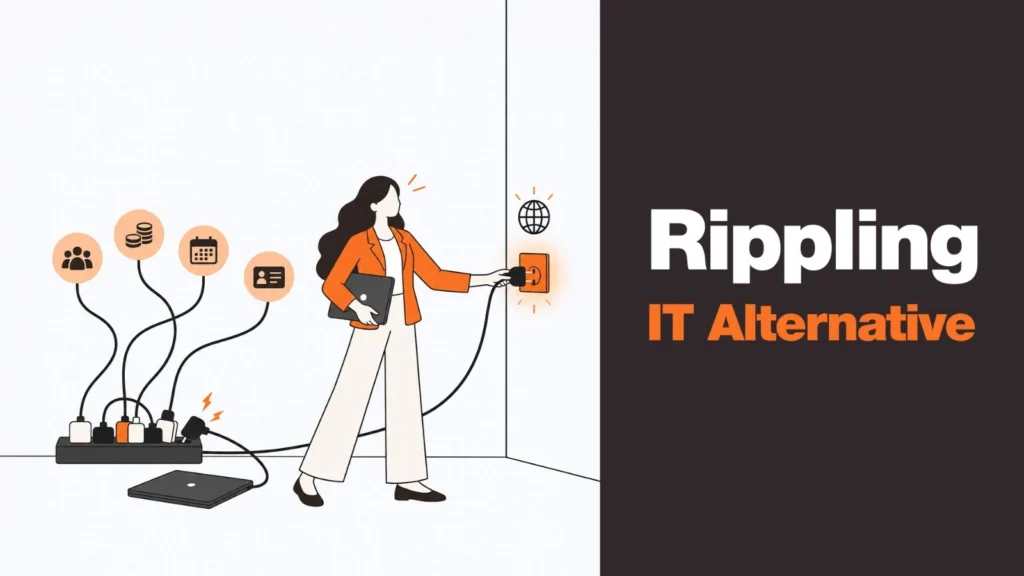
Rippling IT solves a useful problem.
When an employee joins the company, IT can use information from the employee lifecycle to help provision devices, manage access and apply the right policies. For organizations already using Rippling for HR and payroll, connecting employee information with IT workflows can remove a lot of repetitive administration.
But eventually, a different question comes up:
What happens when the laptop itself has to come from another country?
That is where the search for a Rippling IT alternative can become slightly misleading.
If your frustration is with device enrollment, access policies or endpoint management, you may genuinely need a different IT management tool.
If your problem is that an employee in Singapore needs a laptop sourced and delivered locally, or that a departing employee in Germany needs to return a device, switching MDM platforms may not solve it. The distinction is important because Rippling IT and a device lifecycle platform operate at different layers of the device journey.
One manages the technology environment around the employee and their device. The other manages the physical device itself, from sourcing through retrieval. For global teams, you may need both.
What Does Rippling IT Actually Do?
Rippling IT connects IT workflows with employee information.
The basic idea is straightforward. When someone joins, changes roles or leaves, information from the employee lifecycle can trigger actions in the IT environment. Depending on the organization’s setup, this can include device provisioning, application access, policy enforcement and other IT administration tasks.
That automation can be particularly useful when HR and IT already operate through Rippling. Independent comparisons place Rippling IT alongside tools such as Jamf, Microsoft Intune and JumpCloud when evaluating IT and device management capabilities.
That is an important distinction. Rippling IT is useful for managing the IT environment around a device. It is not primarily a hardware sourcing and logistics operation. The difference becomes much clearer when you follow a laptop through its entire lifecycle.
The Real Gap for Global Teams
Imagine a company hiring 100 employees across ten countries.
Rippling can help the company know that those employees have joined, determine what access they should receive and automate parts of the IT provisioning process. But the IT team still has to answer some very physical questions.
- Where does each employee’s laptop come from?
- Who purchases it?
- Is it sourced locally or shipped internationally?
- Who prepares it?
- Who delivers it to the employee?
- What happens if the employee moves to another country?
- And when that employee leaves, who gets the laptop back?
These questions sit outside the core problem that an HR-triggered IT management layer is designed to solve. That is why simply searching for another MDM or UEM tool can lead you in the wrong direction.
If your problem is device policy, look at device management. If your problem is physical hardware operations across countries, you need to look at device lifecycle management. For a broader explanation of how these categories differ, see our guide to DAM vs MDM vs RMM.
📚 Related Reads
- Device Lifecycle Management Guide — The full picture of what lifecycle management covers beyond what MDM tools handle
- Remote Device Offboarding Guide — Exactly what happens to the physical device when an employee leaves a distributed team
- Laptop Asset Management Software — How asset tracking connects procurement, deployment, and retrieval in one view
- Zero-Touch Deployment Guide — How device configuration can happen before the laptop reaches the employee
Rippling IT Doesn’t Need to Be the Problem
It is tempting to frame any alternative article as a replacement exercise. That is not necessarily the right approach here.
A company may already like Rippling for HR, payroll, identity and employee lifecycle automation. Those systems may be deeply integrated into how the organization operates. Replacing the entire platform because the IT team has a hardware logistics problem would create a much bigger project than necessary.
The better question is: What capability is missing?
If Rippling is already doing the HR-triggered automation well, keep it. Then add a system that handles the physical device lifecycle. This creates a more practical division of responsibilities:
- Rippling can remain the source of employee and HR information
- The device lifecycle platform can manage the physical laptop journey
- The MDM or endpoint management layer can continue handling device policies, security and management
The systems can work alongside each other rather than forcing one platform to handle every part of the process.
What Should You Look for in a Rippling IT Alternative?
If the actual problem is physical device operations, don’t evaluate alternatives purely on MDM features. Instead, look at the capabilities that happen before the laptop reaches the employee and after it leaves them.
1. Local Hardware Sourcing
A global workforce creates a simple procurement problem that is surprisingly difficult to solve consistently.
- An employee in the US may need a laptop sourced from the US
- An employee in India may need a locally available configuration
- An employee in France may require a different purchasing and delivery process
A global device lifecycle provider should handle these local requirements without forcing the internal IT team to establish a completely separate vendor relationship in every market. Local sourcing can also reduce unnecessary cross-border shipping, which introduces customs, duties, taxes and lithium battery shipping considerations.
2. Device Preparation and Enrollment
Physical sourcing is only one part of the process. Once the laptop has been purchased, it needs to become an organizational device. That can include:
- Operating system configuration
- MDM enrollment
- Security software and encryption
- Required applications and role-based configuration
- Asset registration
This is where a device lifecycle platform needs to work alongside your existing IT stack. If you are keeping Rippling IT, the new platform should fit around that environment. The objective is simple: the laptop should arrive ready for the employee without requiring the internal IT team to manually finish every setup step.
3. Delivery to the Employee
Global remote work creates another layer of complexity. The device needs to reach the right person, at the right address, at the right time. This becomes particularly important for companies with frequent hiring across different time zones and countries.
A lifecycle platform can take responsibility for that physical handoff while the organization’s existing HR and IT systems continue managing the employee and device policies. When shipping laptops internationally is involved, having a platform that handles the customs and logistics burden makes this even more important.
4. Retrieval When Someone Leaves
This is one of the biggest differences between managing a device and managing its lifecycle. Provisioning a laptop is only the beginning. When an employee leaves, the organization needs to know:
- Which device they have
- Where the device is located
- How to contact the employee
- How to arrange collection
- Where the device should go
- What happens after it is returned
If those steps are handled through emails, spreadsheets and local courier relationships, the process becomes difficult to scale. A lifecycle platform makes retrieval part of the same operational model as deployment — particularly important for distributed teams where there may be no office for an employee to drop the laptop at.
5. Redeployment
Retrieving the laptop should not automatically mean disposing of it. A returned device may still have useful life remaining. Depending on its condition and the organization’s policies, it can potentially be securely wiped, stored and redeployed to another employee.
This creates a connection between offboarding and future procurement. Instead of automatically buying another laptop for the next hire, the organization can determine whether an existing device is suitable for redeployment — reducing unnecessary hardware purchases and improving utilization across the fleet.
Rippling IT vs. a Device Lifecycle Platform
The easiest way to understand the difference is to compare what each system is designed to manage.
| Capability | Rippling IT | Device Lifecycle Platform (e.g. Remoasset) |
| Employee-triggered IT workflows | Strong | Can integrate with HR workflows |
| Device enrollment | Yes | Can support as part of deployment |
| Device policies & endpoint management | Yes | Works alongside MDM |
| Application & access management | Yes | Usually not the primary focus |
| Local laptop sourcing | Not the core function | Core capability |
| Physical delivery to employees | Not the core function | Core capability |
| Cross-border hardware logistics | Not the core function | Core capability |
| Asset tracking | Supported within IT workflows | Central to lifecycle management |
| Device retrieval at offboarding | Limited vs. dedicated logistics model | Core capability |
| Redeployment of returned devices | Not the primary function | Core capability |
| Best use | Connecting employee lifecycle with IT administration | Managing the physical device lifecycle |
The two columns should not be read as a winner-takes-all comparison. They address different operational problems.
Can You Use Rippling IT With a Device Lifecycle Platform?
In many cases, this is the more practical model for a distributed company. Consider a remote employee joining the company:
- The HR system records the new hire
- Rippling can trigger the relevant employee and IT workflows
- The device lifecycle provider sources the laptop locally, prepares it according to the organization’s requirements and arranges delivery
- The laptop is enrolled into the organization’s device management environment
- The employee receives the device and begins working
Several months later, the employee leaves:
- The employee lifecycle workflow triggers the offboarding process
- The device lifecycle provider arranges retrieval
- The device is returned, its condition is assessed and, where appropriate, it can be securely wiped and prepared for redeployment
Each system is doing the job it is designed to do. That is often more practical than expecting an HR and IT platform to become a global hardware logistics operation.
When Should You Look for a Rippling IT Alternative?
The answer depends on what is actually causing the problem.
If your problem is device management
You may need to evaluate dedicated MDM or endpoint management tools. The relevant comparison could include platforms such as Microsoft Intune, Jamf or other UEM/MDM solutions depending on your operating systems and security requirements.
If your problem is employee access
Look at identity and access management capabilities. This is a different problem from hardware logistics.
If your problem is buying and delivering laptops globally
This is where a device lifecycle platform becomes relevant. Changing from Rippling IT to another MDM will not automatically give your organization a local laptop supplier in every country.
If your problem is retrieving devices
The solution is physical lifecycle management. The laptop has to be located, collected, transported, assessed and potentially redeployed. That requires logistics in addition to software — see our guide on remote device offboarding for what this looks like in practice.
What a Global Team Should Evaluate
Before choosing a Rippling IT alternative, write down the exact gaps in your current process. Then evaluate providers against those gaps.
Geographic coverage
Where can the provider actually source and deliver hardware? Evaluate your real hiring markets rather than relying only on a generic global coverage claim.
Integration
Can the provider work with the HR, MDM and identity systems you already use? Replacing functioning systems simply to solve a hardware problem creates unnecessary disruption.
Procurement
Can employees receive locally sourced devices without your internal IT team negotiating with a new supplier in every country?
Deployment
Can devices arrive configured according to your existing security and management requirements?
Retrieval
What happens when an employee leaves? Who communicates with them? Who arranges collection? See our device offboarding guide for the operational steps this requires.
Redeployment
Can returned devices be securely processed and made available for another employee? Our laptop redeployment guide covers what this workflow looks like end to end.
Asset visibility
Can your team see where devices are, who has them and what stage of the lifecycle they are in? Laptop asset management software that maintains this visibility across the full fleet is what makes the rest of the lifecycle manageable.
Rippling IT Alternative: Think Complement, Not Replacement
For a company already using Rippling, the decision does not have to be Rippling versus another platform.
The more useful question is whether Rippling is solving the problem you actually have.
If you need HR-triggered IT automation, access management and device policies, Rippling IT can play that role. If your challenge is sourcing laptops across multiple countries, delivering them to remote employees and retrieving them when those employees leave, you have a physical device lifecycle problem.
That is where a dedicated lifecycle platform can complement the existing stack. Remoasset focuses on the physical side of that lifecycle, including local laptop sourcing, delivery, asset tracking, retrieval and redeployment across distributed teams. It can work alongside the HR, identity and device-management systems an organization already has rather than requiring the company to replace them.
You do not necessarily need to replace a system that works. You may simply need to add the layer that handles everything that happens to the physical laptop around it.
Book a Demo with Remoasset to see how global sourcing, delivery and retrieval can work alongside your existing HR and IT stack.
FAQs
What is Rippling IT used for?
Rippling IT connects IT workflows with employee lifecycle information. It can automate device provisioning, access management and policy enforcement based on events such as someone joining, changing roles or leaving the company. It is particularly useful for organizations already using Rippling for HR and payroll.
Is Rippling IT the same as an MDM?
Rippling IT includes device management capabilities and is positioned in the same category as tools like Jamf and Microsoft Intune in independent comparisons. However, it sits within a broader HR and IT platform, which means it may behave differently from a dedicated standalone MDM tool.
Can you use Rippling IT without the rest of Rippling?
Rippling IT is part of the Rippling platform. The extent to which individual modules can be used standalone depends on Rippling’s current product offerings. If you are evaluating Rippling for device management only, it is worth checking whether the IT module fits your requirements independently of the rest of the suite.
What are the limitations of Rippling IT for global teams?
Rippling IT manages the IT environment around devices — policies, access, and provisioning workflows. It does not source hardware locally in each country, handle cross-border device logistics, or manage physical device retrieval at offboarding. For global teams with employees in many countries, those physical operations typically require a dedicated device lifecycle platform working alongside Rippling.

































































































