From procurement to retrieval, here’s what Device Lifecycle Management actually means, why it has become critical for distributed organizations, and how to build a lifecycle strategy that scales with your business.
A decade ago, managing company devices was relatively straightforward. Employees worked from a central office, laptops were purchased in bulk, IT teams could physically configure hardware, and retrieving devices during employee exits was usually a matter of walking to someone’s desk.
Today’s workplace looks very different.
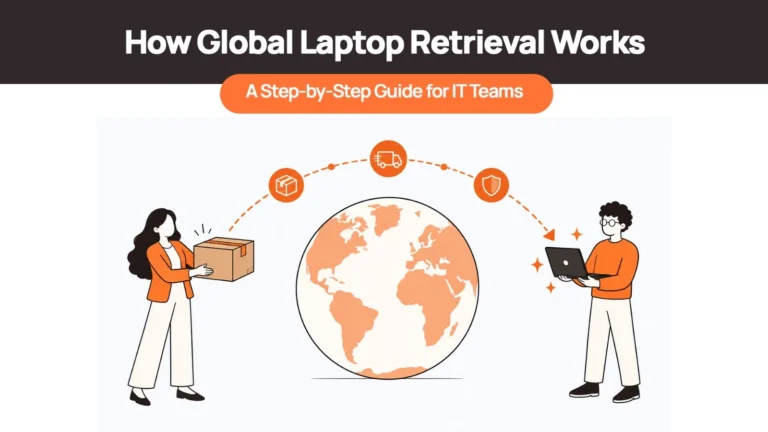
Organizations now hire across cities, countries, and continents. A single IT team may be responsible for procuring laptops in Germany, deploying devices in Singapore, replacing hardware in Canada, retrieving assets from Brazil, and securely disposing of retired equipment in Australia.
The challenge is no longer buying devices.
It’s managing everything that happens before, during, and after an employee uses them.
This is where Device Lifecycle Management (DLM) has evolved from an operational best practice into a strategic business capability.
Without a structured lifecycle process, organizations often encounter familiar challenges:
- Procurement delays that slow employee onboarding
- Limited visibility into where company devices actually are
- Inconsistent deployment processes across regions
- Unreturned devices after employee offboarding
- Higher hardware costs due to poor redeployment planning
- Increased security risks when retired devices aren’t properly sanitized
As hybrid and remote work continue to reshape enterprise IT, organizations are increasingly looking beyond traditional asset tracking tools toward lifecycle strategies that connect procurement, deployment, management, retrieval, and disposal into one coordinated process.
This guide explains Device Lifecycle Management, how it differs from IT Asset Management (ITAM) and Mobile Device Management (MDM), the different approaches organizations use, the operational challenges distributed companies face, and practical strategies for building a lifecycle program that scales globally.
What Is Device Lifecycle Management?
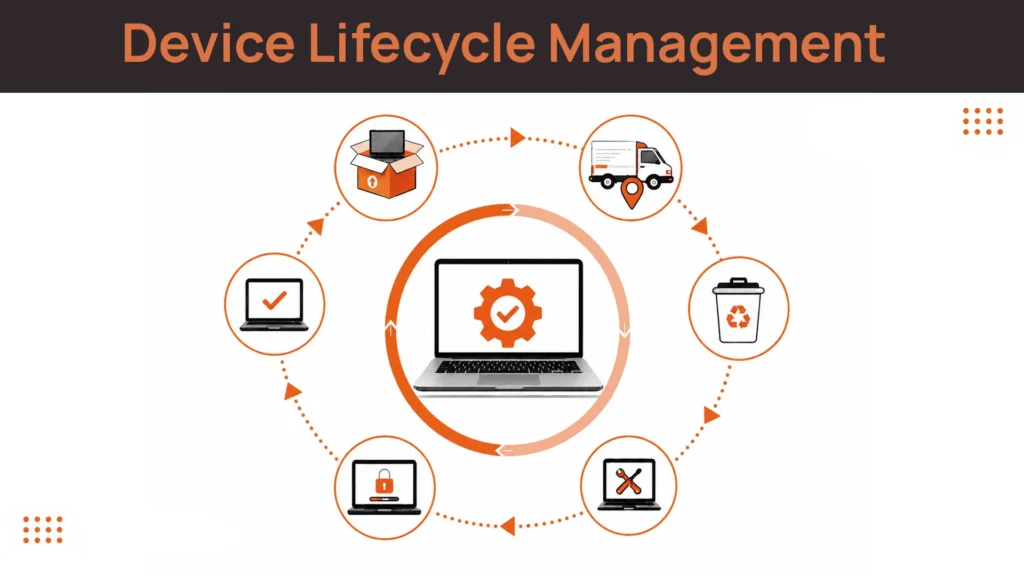
Device Lifecycle Management (DLM) is the process of managing a business device throughout its entire lifespan—from planning and procurement to deployment, maintenance, refresh, retrieval, and secure disposal.
Unlike traditional asset tracking, Device Lifecycle Management focuses on every operational step required to ensure devices remain secure, productive, compliant, and cost-effective throughout their useful life.
For most organizations, this lifecycle includes:
- Planning hardware requirements
- Procuring the right devices
- Configuring and deploying them to employees
- Managing updates, repairs, and warranties
- Refreshing or redeploying aging hardware
- Retrieving devices during offboarding
- Securely sanitizing and disposing of retired equipment
Think of Device Lifecycle Management as the operational framework behind every company-issued laptop, smartphone, or tablet.
Without it, every stage becomes a separate process managed by different teams using different tools.
With a structured lifecycle strategy, procurement, IT, HR, finance, and security all operate from the same playbook, reducing delays, improving visibility, and extending the value of every device.
As organizations embrace hybrid work and distributed hiring, lifecycle management has become an essential capability within modern endpoint management architectures rather than simply an operational best practice.
DLM vs ITAM vs MDM: The Distinction That Actually Matters
One of the biggest misconceptions in endpoint management is assuming Device Lifecycle Management (DLM), IT Asset Management (ITAM), and Mobile Device Management (MDM) all solve the same problem.
They don’t.
In reality, they address different parts of the device ecosystem and work best when used together.
| Capability | IT Asset Management (ITAM) | Mobile Device Management (MDM) | Device Lifecycle Management (DLM) |
| Primary Focus | Asset ownership, financial records, licensing, depreciation | Device configuration, security policies, remote management | End-to-end management of the physical device throughout its lifecycle |
| Typical Scope | Asset inventory, procurement records, audits, software licenses | Device enrollment, application deployment, remote lock and wipe, compliance | Planning, procurement, deployment, maintenance, refresh, retrieval, redeployment, disposal |
| Physical Operations | Tracks assets but doesn’t move them | Controls devices but doesn’t manage logistics | Includes procurement, delivery, repairs, retrieval, certified sanitization, and responsible disposal |
Here’s a simple way to think about it.
ITAM answers:
What assets do we own?
MDM answers:
How do we manage and secure those devices?
Device Lifecycle Management answers:
How does the device move through our business from purchase to retirement?
That distinction becomes especially important for distributed organizations.
An MDM platform can tell you that a laptop should be assigned to a new employee.
It cannot procure that laptop locally, coordinate international delivery, retrieve it after offboarding, or arrange certified disposal when it reaches the end of its life.
Similarly, an ITAM platform can record that a laptop exists in inventory, but it doesn’t ensure the device actually reaches the right employee on time or comes back when that employee leaves.
Modern Device Lifecycle Management brings these operational pieces together, connecting digital visibility with the physical movement of hardware.
Types of Device Lifecycle Management Approaches
Not every organization manages device lifecycles in the same way.
While most articles describe Device Lifecycle Management as a single process, companies actually operate using very different models depending on their size, geographic footprint, and internal IT resources.
Understanding these approaches helps determine which model fits your organization today and which one you’ll likely need as you grow.
In-House Device Lifecycle Management
In this model, the internal IT team manages every stage of the lifecycle.
That includes:
- Purchasing devices
- Configuring hardware
- Shipping laptops
- Tracking inventory
- Managing repairs
- Coordinating employee returns
- Disposing of retired equipment
For organizations operating from a single office or managing a relatively small fleet, this approach often works well.
Processes remain straightforward because devices rarely cross borders, and employees can easily collect or return equipment in person.
However, once hiring expands across multiple countries, internal IT teams often find themselves spending more time coordinating logistics than supporting employees.
Software-First Device Lifecycle Management
Many organizations invest in platforms that provide excellent visibility into their device estate.
These solutions help with:
- Asset inventories
- Device enrollment
- Compliance monitoring
- Software deployment
- Warranty tracking
- Automated workflows
They’re exceptionally strong at managing the digital side of endpoints.
What they generally don’t manage is the physical movement of hardware.
The software can indicate that a laptop needs to be delivered, repaired, or returned.
It doesn’t arrange local procurement, coordinate international shipments, schedule pickups, or oversee certified disposal.
For globally distributed teams, that operational gap becomes increasingly difficult to ignore.
Full-Service Device Lifecycle Management
A growing number of organizations separate strategic oversight from operational execution.
Internal IT continues to define security policies, device standards, and compliance requirements, while a specialist partner manages the physical lifecycle.
This typically includes:
- Local procurement
- Device deployment
- Cross-border logistics
- Retrieval during offboarding
- Secure data sanitization
- Redeployment or disposal
The result is one consistent lifecycle process regardless of where employees are located.
Instead of becoming experts in global logistics, IT teams remain focused on supporting the business.
Hybrid Device Lifecycle Management
Many mid-sized organizations adopt a hybrid approach.
Headquarters and domestic offices continue using internal IT processes, while international employees are supported through external partners.
This model allows businesses to retain direct control where practical while simplifying operations in regions where procurement, customs, and retrieval become more complex.
The primary challenge is maintaining consistency.
Policies, security standards, and employee experiences should remain the same regardless of whether the device is managed internally or externally.
Without careful governance, organizations often end up running two separate lifecycle programs instead of one integrated strategy.
Related Reads –
The 5 Stages of Device Lifecycle Management
Every business device follows a journey.
From the moment someone approves a purchase to the day that device is securely retired, every decision affects cost, security, employee productivity, and operational efficiency.
While the exact process varies between organizations, a mature Device Lifecycle Management program consists of five core stages.
The difference between organizations that struggle with endpoint operations and those that scale successfully isn’t whether they perform these stages. It’s how consistently they execute them, especially across distributed teams.
Stage 1: Planning and Procurement
Everything begins long before a laptop reaches an employee.
Planning determines what devices employees actually need, when they should be replaced, how they’ll be purchased, and how procurement aligns with company growth.
A well-managed planning phase typically includes:
- Defining standard devices by role
- Forecasting hardware budgets
- Choosing procurement partners
- Deciding between purchasing, leasing, or Device-as-a-Service (DaaS)
- Establishing refresh cycles
- Planning inventory for future hiring
For example, instead of allowing every employee to choose any laptop, organizations often standardize configurations.
| Role | Standard Device |
| HR & Operations | Lightweight business laptop |
| Sales | Business laptop with extended battery life |
| Software Engineering | High-performance workstation |
| Creative Teams | Graphics-capable laptop or MacBook |
Standardization simplifies procurement, support, and future refresh cycles.
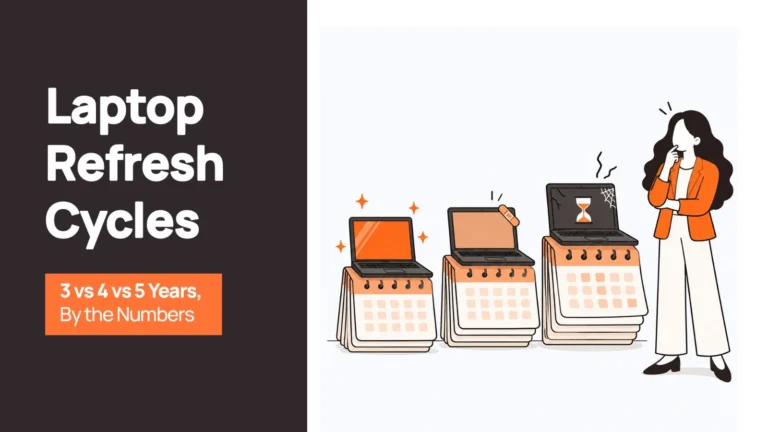
Many organizations also replace laptops every three to four years, balancing employee productivity, security requirements, warranty coverage, and maintenance costs rather than waiting for devices to fail unexpectedly.
Where This Breaks for Distributed Teams
Planning becomes significantly more complex when employees are spread across multiple countries.
IT teams suddenly have to consider:
- Regional pricing differences
- Local taxes and import regulations
- Warranty availability
- Approved local suppliers
- Currency fluctuations
- Delivery timelines
A procurement strategy that works perfectly for employees in one country often becomes expensive and difficult to replicate globally.
Instead of working with one supplier, IT may end up coordinating dozens of regional vendors, each with different purchasing processes and service levels.
Stage 2: Deployment and Provisioning
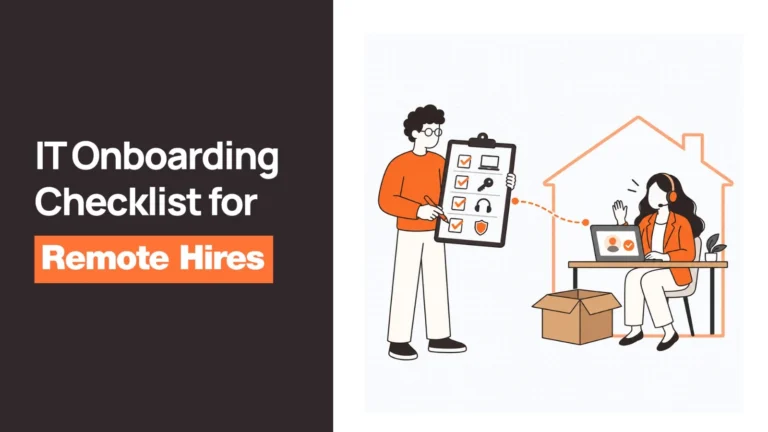
Once a device is purchased, it needs to reach the employee securely and be ready for work from day one.
Modern deployment aims for a zero-touch experience, where employees receive a preconfigured device without IT needing physical access.
A mature deployment process includes:
- Operating system configuration
- MDM enrollment
- Identity integration
- Security policy enforcement
- Required software installation
- User authentication setup
- Device testing before shipment
Ideally, an employee signs in, connects to the internet, and starts working within minutes.
This significantly improves onboarding while reducing manual work for IT teams.
Where This Breaks for Distributed Teams
Deployment is often where physical operations become more important than technology.
Challenges include:
- International shipping delays
- Customs clearance
- Incomplete documentation
- Regional import requirements
- Local courier limitations
- Delivery scheduling across time zones
A laptop may be fully configured and marked as “ready” inside an IT dashboard while still sitting in customs waiting for documentation.
For new hires, even a few days’ delay can postpone onboarding, reduce productivity, and create a poor first impression of the organization.
That’s why many global companies increasingly prefer sourcing devices within the employee’s country rather than shipping every laptop internationally whenever possible.
Stage 3: Active Management and Maintenance
After deployment, the longest stage of the lifecycle begins.
Throughout daily use, IT teams are responsible for keeping devices secure, compliant, and productive.
This includes:
- Security updates
- Operating system upgrades
- Patch management
- Software deployment
- Warranty tracking
- Battery health monitoring
- Repair coordination
- Compliance reporting
- Asset inventory updates
Rather than reacting to problems after they occur, mature organizations continuously monitor device health and resolve issues before they affect employees.
The goal isn’t simply maintaining laptops. It’s ensuring employees can work without interruption.
Where This Breaks for Distributed Teams
Software provides visibility but only for devices connected to the management ecosystem.
Challenges emerge when devices are:
- Never enrolled into MDM
- Offline for extended periods
- Assigned incorrectly
- Replaced without inventory updates
- Located in regions with limited local support
The result is incomplete visibility.
IT may know what devices should exist but not necessarily which ones are actively being used, repaired, or sitting unused in someone’s home office.
For distributed organizations, maintaining accurate lifecycle data requires operational discipline alongside technical management.
Stage 4: Refresh and Redeployment
No business device lasts forever.
As hardware ages, organizations need a structured approach to replacing devices before performance, reliability, or security become issues.
Instead of waiting for failures, mature lifecycle programs establish predictable refresh policies based on:
- Device age
- Warranty expiration
- Repair frequency
- Performance metrics
- Employee role
- Business requirements
However, replacing a laptop doesn’t necessarily mean disposing of it. Many devices remain perfectly suitable for employees with less demanding workloads.
A structured refresh program therefore evaluates every returned device for:
- Redeployment
- Refurbishment
- Resale
- Donation
- Recycling
This circular approach extends hardware value while reducing unnecessary procurement.
Where This Breaks for Distributed Teams
Distributed organizations often skip the evaluation stage altogether. When one employee leaves, procurement simply orders another laptop for the next hire.
Meanwhile, perfectly usable devices remain:
- Unreturned
- Sitting in storage
- Waiting for manual inspection
- Written off before being assessed
Without a structured redeployment process, companies purchase new hardware more frequently than necessary, increasing costs while shortening the useful life of existing assets.
For organizations with global hiring plans, every successfully redeployed laptop can reduce procurement costs and shorten onboarding timelines.
Stage 5: Retrieval, Decommissioning, and Secure Disposal
The final stage is often the most overlooked—but arguably the most important.
When an employee leaves, changes roles, or receives a replacement device, organizations need to recover company-owned hardware promptly and securely.
A mature retrieval process includes:
- Automated offboarding triggers
- Pickup scheduling
- Return shipping coordination
- Device inspection
- Secure data sanitization
- Inventory updates
- Redeployment or certified disposal
Secure data erasure should follow recognized industry guidance, such as NIST SP 800-88 for media sanitization, ensuring sensitive company information cannot be recovered before devices are reused or retired.
Where This Breaks for Distributed Teams
This is where many Device Lifecycle Management programs fail. Tracking a laptop in software isn’t the same as physically recovering it.
For international employees, retrieval often requires:
- Local courier coordination
- Return packaging
- Customs documentation
- Regional logistics partners
- Repair assessments
- Secure disposal providers
Without a structured retrieval process, laptops remain with former employees, storage rooms fill with unused hardware, and organizations lose both valuable assets and visibility.
The longer a device remains outside the organization’s control, the greater the financial and security risk becomes.
The Common Thread Across Every Stage
Notice a pattern?
None of these stages fail because IT teams don’t understand technology.
They fail because physical operations become increasingly difficult as organizations scale across locations.
- Planning depends on local procurement.
- Deployment depends on reliable logistics.
- Maintenance depends on accurate visibility.
- Refresh depends on structured evaluation.
- Retrieval depends on coordinated execution.
This is why modern Device Lifecycle Management is no longer just about managing devices through software. It’s about connecting digital visibility with real-world operations so every device follows a consistent lifecycle from the day it’s purchased until the day it’s securely retired.
The next question is obvious: What tangible business value does a mature Device Lifecycle Management program actually deliver?
Benefits of Device Lifecycle Management
A well-designed Device Lifecycle Management (DLM) program does far more than keep track of laptops and smartphones.
It helps organizations reduce hardware costs, strengthen security, improve employee experience, simplify IT operations, and make better long-term investment decisions.
The value becomes even greater for distributed organizations, where every device moves through multiple locations, vendors, and operational teams during its lifetime.
Here are the business outcomes that matter most.
Lower Costs Throughout the Device Lifecycle
The most obvious benefit of Device Lifecycle Management is cost reduction, but not in the way many organizations expect.
Most savings don’t come from negotiating lower hardware prices. They come from making better use of the hardware you already own.
A structured lifecycle program helps organizations:
- Standardize devices to simplify procurement
- Extend hardware lifespan through preventive maintenance
- Redeploy returned devices instead of purchasing new ones
- Reduce emergency purchases caused by unexpected failures
- Improve residual value through timely refresh programs
- Minimize shipping costs through local sourcing where possible
For example, imagine an employee leaves the company after two years.
Without a lifecycle process, IT may simply purchase a new laptop for the next hire.
With Device Lifecycle Management, that returned laptop is inspected, securely sanitized, and redeployed if it’s still fit for purpose.
Across hundreds or thousands of devices, these decisions significantly reduce long-term hardware spend.
Instead of viewing every returned laptop as old equipment, mature organizations view it as inventory with remaining business value.
Stronger Security and Compliance
Every unmanaged device represents potential risk.
A laptop that isn’t properly enrolled, monitored, or securely erased before disposal can expose sensitive company information.
Device Lifecycle Management helps reduce these risks by ensuring every stage follows a consistent security process.
This includes:
- Device enrollment before employees receive hardware
- Continuous security policy enforcement
- Patch and update management
- Secure device retrieval during offboarding
- Certified data sanitization before redeployment or disposal
Industry guidance such as NIST SP 800-88 recommends structured media sanitization processes to ensure storage devices cannot be recovered once they leave organizational control.
This becomes especially important as organizations navigate stricter privacy regulations, customer security requirements, and compliance audits.
A secure lifecycle isn’t just about protecting hardware.
It’s about protecting the information stored on that hardware.
Operational Efficiency That Scales With Growth
One of the biggest advantages of Device Lifecycle Management is something that rarely appears on financial reports:
time.
Without a structured lifecycle process, IT teams spend countless hours coordinating operational tasks such as:
- Comparing vendors
- Tracking shipments
- Following up on deliveries
- Scheduling repairs
- Chasing device returns
- Updating spreadsheets
- Responding to procurement requests
None of these activities directly improve security or employee productivity.
They simply consume valuable IT resources.
As organizations grow, manual coordination becomes increasingly difficult.
Processes that worked perfectly for fifty employees become unsustainable at five hundred.
A mature DLM strategy replaces reactive coordination with standardized workflows, automation, and clearly defined responsibilities, allowing IT teams to focus on strategic initiatives rather than administrative tasks.
A Better Employee Experience
Employees rarely think about Device Lifecycle Management.
They simply expect technology to work. Their experience begins the moment they accept a job offer.
Did their laptop arrive before their first day?
Was it already configured?
Could they start working immediately?
If the answer is yes, onboarding feels seamless.
If not, frustration begins before meaningful work even starts.
A structured Device Lifecycle Management program improves employee experience by ensuring:
- Devices arrive on time
- Hardware matches the employee’s role
- Required applications are preinstalled
- Security policies are already configured
- Replacement devices are delivered quickly when needed
For remote employees, this consistency matters even more because they can’t simply walk to an IT desk for assistance.
Reliable lifecycle operations create confidence in IT while helping new hires become productive faster.
More Sustainable IT Operations
Sustainability has become an increasingly important consideration in enterprise technology decisions.
Replacing every laptop after a fixed period, regardless of condition, creates unnecessary electronic waste and increases procurement costs.
Device Lifecycle Management encourages organizations to evaluate every device before retirement.
Many laptops can be:
- Refurbished
- Redeployed internally
- Resold
- Donated
- Responsibly recycled
This approach supports circular IT practices by extending device life wherever practical before disposal becomes necessary.
It also provides organizations with a more structured way to document responsible asset handling, an area receiving increasing attention from customers, investors, and regulators alike.
Challenges With Device Lifecycle Management
If Device Lifecycle Management offers so many advantages, why do so many organizations still struggle with it?
The answer is simple. Most challenges aren’t technical. They’re operational.
Organizations rarely fail because they don’t have endpoint management software.
They struggle because multiple departments, vendors, and processes need to work together across the entire lifecycle.
As businesses expand into new regions, these operational gaps become increasingly difficult to manage.
Fragmented Ownership Across Departments
A device touches almost every business function.
- HR initiates onboarding and offboarding.
- Procurement purchases the hardware.
- Finance manages budgets and depreciation.
- IT configures and supports devices.
- Security defines compliance requirements.
- Workplace Operations may coordinate shipping and storage.
Yet no single team typically owns the complete lifecycle.
The result is fragmented accountability. When ownership is divided, delays become inevitable.
A laptop may be ordered late because procurement wasn’t informed of a new hire. An employee may leave before IT receives an offboarding notification.
Returned devices may remain in storage because nobody owns redeployment.
Successful Device Lifecycle Management begins by treating the lifecycle as one connected business process rather than a series of departmental tasks.
Demonstrating Business Value
Investing in Device Lifecycle Management isn’t always an easy conversation. The costs are visible.
Organizations see software subscriptions, logistics expenses, repair services, and procurement contracts.
The savings, however, are often indirect.
How do you measure:
- A security incident that never happened?
- A laptop successfully redeployed instead of replaced?
- Time saved through automated workflows?
- Productivity gained from faster onboarding?
Because these benefits accumulate gradually, lifecycle improvements are sometimes underestimated despite delivering measurable long-term operational value.
Organizations that evaluate Device Lifecycle Management using total cost of ownership rather than purchase price alone are generally better positioned to justify investment.
The Software–Physical Operations Gap
This is where many organizations experience the greatest disconnect. Software platforms provide visibility.
They show:
- Device inventory
- Compliance status
- Security policies
- Assigned users
- Warranty information
What they don’t do is physically move devices.
A dashboard may indicate that a laptop is ready for deployment.
In reality, it could still be waiting with a courier, delayed at customs, or sitting in a warehouse awaiting shipment.
Similarly, an offboarding workflow may mark a device as “pending return.”
Someone still has to:
- Contact the employee
- Arrange pickup
- Coordinate logistics
- Receive the device
- Inspect it
- Sanitize it
- Prepare it for redeployment
Software tracks these activities. People and operational processes complete them.
For distributed organizations, closing this gap is often the difference between an effective Device Lifecycle Management program and one that only looks organized on paper.
Cross-Border Complexity
Every new country introduces additional operational considerations.
Organizations may encounter:
- Different import regulations
- Local taxes
- Regional warranty limitations
- Vendor availability
- Currency fluctuations
- Shipping restrictions
- Local repair networks
A centralized procurement strategy that works well domestically can quickly become expensive and time-consuming when replicated internationally.
Many global organizations therefore shift toward local sourcing with centralized management, reducing logistics complexity while maintaining consistent lifecycle policies.
Retrieval Is a Logistics Operation
Retrieving company devices sounds straightforward until employees begin working across multiple cities and countries.
For distributed teams, retrieval often requires:
- Scheduling collections
- Coordinating local courier services
- Managing international returns
- Tracking shipments
- Confirming receipt
- Performing secure data sanitization
- Updating inventory records
Without a structured retrieval process, devices remain with former employees, hardware investments are lost, and sensitive company information stays outside organizational control longer than necessary.
Retrieval isn’t simply the final stage of the lifecycle. It’s the stage that determines whether the lifecycle actually comes full circle.
By this point, one thing becomes clear.
The biggest challenges in Device Lifecycle Management aren’t solved by purchasing another dashboard or adding another software platform.
They’re solved by designing operational processes that connect procurement, deployment, management, retrieval, and disposal into one coordinated system.
Strategies for Effective Device Lifecycle Management
By now, a clear pattern has emerged.
Most Device Lifecycle Management challenges don’t stem from a lack of software. They stem from disconnected processes.
Organizations may have an IT Asset Management platform, an MDM solution, an HRIS, and a procurement system. Yet devices still arrive late, disappear during offboarding, or sit unused in storage because those systems don’t coordinate the physical lifecycle.
An effective DLM strategy closes that gap by connecting technology, operations, and ownership.
Here are the practices that consistently separate mature lifecycle programs from reactive ones.
Centralize Ownership, Distribute Execution
One of the biggest reasons DLM initiatives fail is that no single team owns the entire lifecycle.
- Procurement purchases devices.
- HR initiates onboarding and offboarding.
- IT configures and supports endpoints.
- Finance tracks depreciation.
- Security defines compliance policies.
Each department performs its own role well, but the lifecycle between those handoffs often breaks down.
Instead, assign one team or individual, typically within IT Operations or Endpoint Management, to own the complete lifecycle.
That doesn’t mean they perform every task themselves.
Execution can still be distributed across regional IT teams, local suppliers, logistics providers, and external partners.
The important part is that accountability remains centralized.
When one team owns the lifecycle, decisions become faster, processes remain consistent, and employees experience fewer delays.
Automate Lifecycle Triggers Through Your HR System
Many lifecycle events still rely on someone remembering to send an email.
A hiring manager informs IT about a new employee. HR manually requests laptop retrieval after an employee resigns.
Procurement receives hardware requests through spreadsheets or chat messages. These manual processes inevitably create delays.
Instead, lifecycle workflows should begin automatically from systems the business already uses.
For example:
New Hire Created
↓
Device procurement begins
↓
Deployment workflow starts
↓
Employee receives laptop before Day One
Similarly:
Employee Offboarding Initiated
↓
Retrieval request automatically created
↓
Courier scheduled
↓
Device inspected
↓
Secure wipe completed
↓
Ready for redeployment
Automating these triggers reduces administrative work while ensuring important lifecycle steps aren’t overlooked.
Source Locally, Manage Globally
One of the biggest operational improvements global organizations can make is separating where devices are purchased from how devices are managed.
Many companies still buy every laptop from headquarters before shipping them internationally.
This creates unnecessary complexity.
Instead, a more scalable approach looks like this:
- Purchase devices within the employee’s country whenever possible.
- Maintain standardized device policies globally.
- Manage every endpoint through centralized management tools.
- Track lifecycle activities through one operational workflow.
Local sourcing offers several advantages:
- Faster employee onboarding
- Lower shipping costs
- Fewer customs delays
- Better warranty support
- Easier repairs
- Simpler regional compliance
Employees receive devices more quickly while IT maintains consistent standards regardless of location.
Treat Retrieval as a Logistics Function, Not an Email Task
Many organizations spend enormous effort delivering laptops.
Far fewer invest the same attention in getting them back.
Retrieval often becomes a series of reminders.
- “Have you shipped your laptop yet?”
- “Can you send the tracking number?”
- “Did someone collect the charger?”
This approach doesn’t scale. Instead, retrieval should follow the same structured process as deployment.
That means:
- Scheduling collections automatically
- Providing prepaid return instructions
- Coordinating local courier pickups
- Tracking return status
- Inspecting returned hardware
- Updating inventory immediately
For international employees, in-country collection is often significantly simpler than asking employees to arrange international shipping themselves.
Retrieval isn’t an employee responsibility.
It’s an operational process.
Enroll Devices Before Employees Receive Them
Device management begins long before an employee signs in.
Every laptop should enter the organization already enrolled in the appropriate management platform.
This enables:
- Security policies
- Encryption
- Software deployment
- Compliance monitoring
- Remote support
- Asset visibility
from the first day of use.
Waiting days or weeks before enrolling a device creates unnecessary blind spots.
Employees may install unauthorized software, security settings may remain inconsistent, and IT loses visibility into the endpoint.
A mature lifecycle program ensures enrollment is built directly into the deployment process rather than treated as a separate task afterward.
Build Circularity Into Every Refresh Decision
Replacing a laptop shouldn’t automatically trigger disposal.
Every returned device deserves evaluation before retirement.
Questions worth asking include:
- Can this device be redeployed internally?
- Would a battery replacement extend its useful life?
- Is refurbishment more economical than replacement?
- Could another department continue using it?
- Does resale create greater value than storage?
This circular approach helps organizations:
- Reduce hardware expenditure
- Minimize electronic waste
- Extend device utilization
- Improve sustainability reporting
- Maximize return on technology investments
Instead of viewing every refresh as a replacement project, mature organizations treat it as an inventory optimization exercise.
Closing the Physical Operations Gap With Remoasset
Every strategy above relies on two equally important layers.
The first is the software layer, which provides visibility through MDM, ITAM, HRIS, and IT service management platforms.
The second is the physical operations layer, where devices are actually procured, shipped, deployed, repaired, retrieved, and retired.
Most organizations already have software that tells them what should happen.
The challenge is ensuring it actually happens across different countries, vendors, and logistics networks.
This is where platforms like Remoasset complement existing IT ecosystems.
Rather than replacing your MDM or ITAM solution, Remoasset supports the physical side of Device Lifecycle Management through capabilities such as:
- Local device procurement across multiple countries
- Global deployment coordination
- HRIS-driven lifecycle workflows
- Structured retrieval during employee offboarding
- Secure data sanitization before redeployment or disposal
- A unified operational workflow for both Windows and Apple devices
The result is a lifecycle program where software visibility and physical execution work together instead of operating as separate processes.
The Future of Device Lifecycle Management
Device Lifecycle Management continues to evolve alongside the modern workplace.
What began as an IT operations function is becoming a strategic capability that influences employee experience, cybersecurity, sustainability, and financial performance.
Several trends are shaping the next generation of lifecycle management.
AI Will Make Lifecycle Decisions More Predictive
Artificial intelligence is gradually moving beyond help desks and chatbots into endpoint operations.
Organizations are beginning to use AI-assisted analytics to identify:
- Devices approaching hardware failure
- Battery degradation trends
- Unusual support patterns
- Refresh recommendations
- Procurement forecasting based on hiring plans
Rather than replacing devices after a fixed number of years, organizations will increasingly make replacement decisions based on actual device health and usage patterns.
Sustainability Will Become a Business Requirement
Sustainability is no longer just a corporate initiative.
Customers, investors, and regulators increasingly expect organizations to demonstrate responsible management of technology assets.
This places greater emphasis on:
- Extending device lifespan
- Redeployment before replacement
- Certified recycling
- Responsible e-waste disposal
- Transparent reporting of hardware lifecycle practices
Device Lifecycle Management will play an increasingly important role in helping organizations document these activities.
Device Experience Will Matter as Much as Device Management
The focus is gradually shifting from simply managing hardware to managing the employee’s experience with that hardware.
Employees remember:
- Whether their laptop arrived before Day One.
- Whether replacements were delivered quickly.
- Whether repairs were simple.
- Whether returning equipment was straightforward.
In other words, employees experience the lifecycle and not the management software behind it.
Organizations that treat Device Lifecycle Management as both an IT function and an employee experience function are likely to build more resilient and scalable operations.
How to Choose the Right Device Lifecycle Management Approach
Not every organization needs the same Device Lifecycle Management model. The right approach depends on three practical questions.
What Types of Devices Do You Manage?
If you’re primarily managing laptops and smartphones, most modern DLM strategies will meet your needs.
Organizations with specialized hardware, field equipment, or IoT devices may require additional provisioning, maintenance, and replacement workflows because those assets often remain in service much longer than traditional endpoint devices.
How Large Is Your Device Fleet?
A company’s lifecycle needs to change as it grows.
Under 100 devices
Basic MDM, documented processes, and internal IT coordination are often sufficient.
100–500 devices
Dedicated lifecycle software and standardized procurement become increasingly valuable as manual processes begin consuming more IT time.
More than 500 devices
Physical operations become just as important as software visibility. Procurement, deployment, retrieval, repairs, and disposal often require structured workflows or specialist partners to maintain consistency at scale.
Where Are Your Employees Located?
Geography often determines which lifecycle model works best.
- Single office: In-house lifecycle management is usually sufficient.
- Multiple offices within one country: Centralized software with domestic logistics often works well.
- Distributed across multiple countries: A hybrid or full-service lifecycle approach typically provides greater consistency by combining centralized governance with local execution.
As organizations expand internationally, the operational complexity grows much faster than the number of devices themselves.
Choosing the right model early helps prevent lifecycle processes from becoming increasingly fragmented as the business scales.
Building a Device Lifecycle Strategy That Scales With Your Business
Device Lifecycle Management isn’t simply about keeping an inventory of company devices.
It’s about ensuring every laptop, smartphone, and endpoint moves through a structured journey from planning and procurement to deployment, maintenance, refresh, retrieval, and secure retirement.
As organizations become more distributed, lifecycle management also becomes more operational. Success depends not only on software visibility but on the ability to execute consistently across countries, vendors, logistics providers, and internal teams.
The most effective Device Lifecycle Management programs combine standardized processes, automation, local execution, and centralized oversight. They reduce unnecessary costs, strengthen security, improve employee experience, and help organizations extract more value from every device they purchase.
For companies managing distributed workforces, platforms like Remoasset help bridge the gap between lifecycle visibility and lifecycle execution by supporting local procurement, global deployment, structured retrieval, and secure end-of-life operations alongside the tools IT teams already use.
If you’re looking to simplify Device Lifecycle Management across your global workforce, explore how Remoasset can help you build a scalable lifecycle strategy that grows with your business.
FAQ
Q: What is device lifecycle management?
A: Device lifecycle management is the end-to-end process of handling a work device from the moment it’s requested to the moment it’s retired, procurement, configuration, delivery, tracking while it’s in use, maintenance, and recovery when the employee leaves. The goal is that every stage is handled consistently and that the device has one complete record through all of it. Most teams do parts of this adequately and improvise the rest; the problems almost always appear at the handoffs between stages, not inside them.
Q: How is device lifecycle management different from MDM?
A: MDM, mobile device management, handles the software layer: enrolling devices, enforcing security settings, pushing updates, remote wipe. It’s excellent at what it does and doesn’t do the rest. Device lifecycle management covers the physical layer: sourcing the device locally, getting it to the employee, tracking it through its working life, coordinating repairs, recovering it when the employee exits, and wiping it to a certified standard. Both are necessary; they solve different problems, and one doesn’t substitute for the other.
Q: What are the stages of a device lifecycle?
A: Five, in sequence: procurement and sourcing (selecting and obtaining the device locally in the employee’s country); deployment and provisioning (configuring it and delivering it ready to use); active management (tracking it, enforcing security, handling support and repairs while it’s in service); refresh and redeployment (assessing whether the device has life left at the end of a cycle); and retrieval and disposal (recovering it when the employee leaves, erasing it to a certified standard, and routing it to storage, reuse, or responsible disposal). Most lifecycle failures happen at the transitions between these stages rather than within any single one.
Q: Who owns device lifecycle management, IT or People Ops?
A: Both, and the split is usually cleaner than it sounds. People Ops or HR own the employee events that drive the lifecycle: a new hire, a role change, an exit. IT owns the standards: what device that person gets, how it’s secured, what happens to it when it comes back. Device lifecycle management sits between them, the HR event triggers the workflow, the IT standard determines what gets built. The most common failure is neither department thinking the other is handling the handoff; automation through an HRIS integration removes that gap entirely.
Q: What is the most common failure point in the device lifecycle?
A: Retrieval. Procurement and deployment get attention because they’re visible, a new hire who doesn’t have a laptop on day one is immediately obvious. A device that was never recovered after someone left three months ago is invisible until an auditor asks about it or someone notices the serial number is still in the field. Most teams underinvest in the back end of the lifecycle precisely because the failures are quiet rather than urgent.
Q: When does device lifecycle management become necessary?
A: It’s always necessary, the question is how much of it you’re currently improvising. A team of ten people in one office can get away with informal processes. A team of fifty spread across five countries cannot, because the volume of events (hires, moves, repairs, exits) and the geographic complexity make informal tracking unsustainable. If you can’t answer “what devices do we own and who has them” today without a project, the lifecycle is already costing you more than a structured approach would.
Q: Can we manage device lifecycle across countries from one system?
A: Yes, and this is the main reason to use a purpose-built platform rather than stitching together local vendors. A single system should show every device regardless of which country it’s in, trigger the same workflow for a hire in Toronto and a hire in Tokyo, and produce one inventory record that doesn’t require manual reconciliation across regions. Remoasset operates across 80+ countries on a single process, adding a country means telling the system where you’re hiring, not sourcing a new vendor or building a new workflow.
Q: How does connecting our HR system improve device lifecycle management?
A: It removes the dependency on someone remembering to act. Without an HRIS connection, device workflows start when someone raises a ticket or sends an email, which means they’re only as reliable as the person whose job it is that week. With a connection, a new-hire record automatically triggers procurement and delivery, and an exit record automatically triggers retrieval and access revocation. The events that drive the lifecycle are already happening in the HR system; the integration means device management follows automatically rather than requiring a separate manual step.