

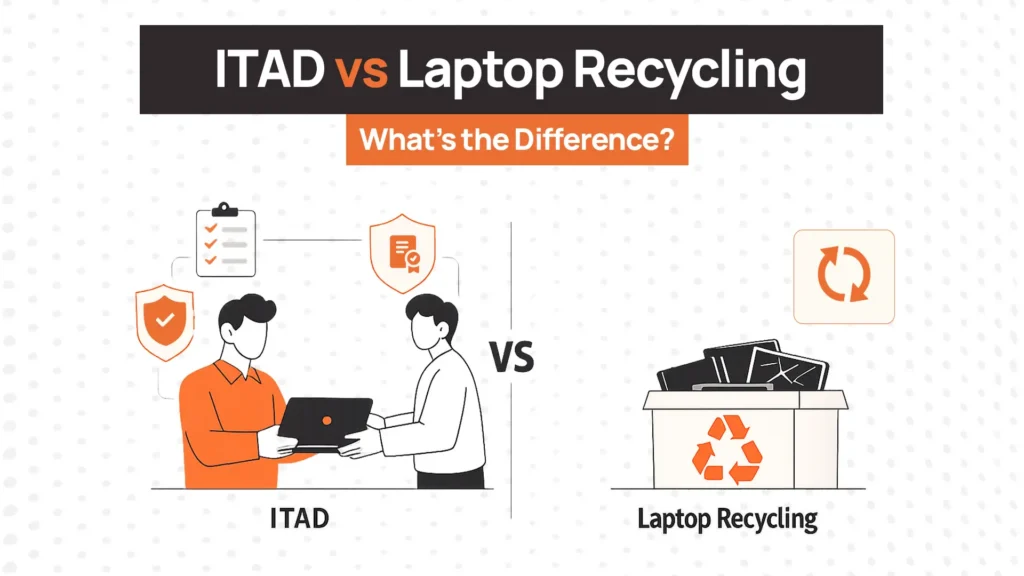
An employee leaves. Their two-year-old laptop arrives back at your office. It still works. The battery holds charge. The screen is fine. There’s company data on it.
You now have two options: route it through recycling or process it through ITAD.
Most people assume these are the same thing. They’re not. One recovers value and protects your business. The other just disposes of hardware. Choosing wrong costs you money, exposes data, or both.
Here’s how to tell them apart, and when to use each.
ITAD vs Recycling at a Glance
While the terms are often used interchangeably, they solve fundamentally different problems.
| Category | ITAD | Electronics Recycling |
| Primary Goal | Recover value, protect data, ensure compliance | Break down materials for responsible disposal |
| Data Security | Certified destruction (NIST 800-88), documented | Minimal. Physical shredding only |
| Asset Tracking | Serial-level tracking from pickup to final disposition | Little to none |
| Resale Potential | Yes — remarketing is a core component | No |
| Redeployment Potential | Yes — refurbishment and internal reuse supported | No |
| Compliance Documentation | Full audit trail, certificates of data destruction | Limited |
| Chain of Custody | Documented at every stage | Rarely provided |
| Environmental Impact | Prefers reuse first, recycles what can’t be reused | Focused on material recovery only |
| Best For | Devices with usable life, data, or compliance requirements | Physically broken or fully obsolete equipment with no remaining value |
The distinction becomes clearer when you think about what happens to the device. ITAD asks: can this device be reused, resold, or redeployed and how do we protect the data on it? Recycling asks: how do we break this down responsibly?
Most business-owned IT assets should go through ITAD first. Recycling handles whatever can’t be recovered.
What Is ITAD?
Before choosing between the two, it’s worth being precise about what ITAD actually includes.
IT Asset Disposition (ITAD) is a structured process for retiring IT equipment like laptops, desktops, servers, monitors, mobile devices in a way that protects data, recovers value, and creates an auditable record.
A proper ITAD process includes:
- Secure data destruction: certified erasure (NIST 800-88) or physical destruction, with documentation
- Asset tracking: serial-level records showing where every device went and what happened to it
- Resale and remarketing: functional devices evaluated and sold to recover residual value
- Redeployment: usable devices returned to inventory for internal reuse
- Responsible recycling: as the final step for devices with no remaining value
ITAD isn’t just disposal. It’s a value recovery management process with compliance documentation built in.
What Is Electronics Recycling for Laptops?
Recycling serves a different purpose, and understanding that purpose helps you use it correctly.
Electronics recycling breaks down end-of-life hardware into raw materials: metals, plastics, glass, and other components. The goal is keeping hazardous materials out of landfills and recovering commodity value from scrap.
The process typically includes:
- Physical shredding and material separation
- Extraction of metals (gold, copper, aluminum) and recyclable components
- Proper handling of hazardous materials
Recycling doesn’t evaluate device condition. It doesn’t wipe data. It doesn’t track individual assets or generate compliance documentation. It exists to handle equipment that has no remaining productive life.
That’s a narrow and specific use case, not a catch-all solution for retiring IT assets.
When Should Businesses Choose ITAD?
The answer to this question changes when you look at what most business devices actually contain.
1. Devices still have usable life
A two-year-old laptop that still works is worth $300-600 on the secondary market. Sending it straight to recycling means losing that value entirely. ITAD evaluates condition, refurbishes if needed, and recovers what the device is still worth.
2. Devices contain company data
Almost every business device contains sensitive information. Employee records, customer data, financial files, credentials. Recycling facilities aren’t equipped to handle data securely. ITAD provides certified data destruction with documentation you can show during audits.
3. Assets can be redeployed internally
Retrieved devices don’t have to leave your organization. ITAD processes can evaluate condition, wipe and refurbish devices, and return them to available inventory for the next hire. Buying new when refurbished inventory exists is unnecessary spend.
4. Compliance requirements exist
HIPAA, GDPR, SOC 2, and most data protection frameworks require documented proof of how data was handled on retired devices. ITAD provides chain-of-custody records and certificates of destruction. Recycling alone doesn’t.
Bottom line: If a device contains data, has remaining value, or your organization has compliance requirements, then ITAD is the right choice. That describes most business IT equipment.
When Does Recycling Make More Sense?
Recycling has a legitimate role, but it’s narrower than most people assume.
1. Physically damaged devices
A laptop with a cracked motherboard, shattered screen beyond economical repair, or liquid damage has no realistic resale value. Once data is securely handled, recycling is the appropriate disposal path.
2. Equipment beyond useful life
Devices more than 6-7 years old often have no secondary market. Processing them through full ITAD adds cost without recovering value. Responsible recycling handles these efficiently.
3. Components that cannot be reused
Peripheral cables, broken monitors, outdated networking equipment, and non-functional components have no refurbishment path. Recycling handles material recovery for these responsibly.
Recycling isn’t wrong. It’s just the wrong first step for most devices.
The Best IT Asset Strategy Uses Both
The right question isn’t “ITAD or recycling?.” It’s “ITAD first, then recycling for what’s left.”
Mature IT asset programs work this way:
- Devices come back from departing employees or end-of-refresh cycles
- Condition is evaluated can the device be redeployed, resold, or refurbished?
- Data is wiped on all devices regardless of next step
- Viable devices go to remarketing or internal redeployment
- Non-viable devices go to certified recycling
This sequence recovers maximum value from every device while ensuring nothing gets recycled without data being properly handled first. It’s not choosing one over the other. It’s using each at the right stage.
How RemoAsset Helps Businesses Manage Assets Before Disposal
Before you can decide whether to pursue ITAD or recycling for any device, you need to know where the device is, who has it, what condition it’s in, and whether it’s already been retrieved or is still sitting at a former employee’s home.
Without that visibility, devices fall through the cracks entirely — never reaching ITAD or recycling because nobody knows they exist.
RemoAsset provides the asset tracking and retrieval infrastructure that makes end-of-life decisions possible. When an employee leaves, retrieval workflows trigger automatically. Devices are tracked from the employee’s location through return and intake.
Condition is assessed on arrival. Redeployment-ready devices go back into inventory. Devices that need ITAD processing or recycling are identified with full context, like age, condition, data classification so the right decision gets made every time.
Good end-of-life outcomes start with knowing where your devices are. RemoAsset handles that foundation.
FAQs
Is ITAD the same as electronics recycling?
No. Electronics recycling focuses on material recovery and responsible disposal. ITAD includes data destruction, asset tracking, resale, redeployment, compliance documentation, and recycling as a final step. Recycling is one component of ITAD, not a substitute for it.
Can laptops be reused instead of recycled?
Yes. And for most business laptops under 4-5 years old, reuse should be the first consideration. Refurbished devices can be redeployed internally to new hires or sold on the secondary market, recovering $200-600 in residual value per device.
Does ITAD include data destruction?
Yes. Certified data destruction is a core component of ITAD. This typically means NIST 800-88 compliant erasure for functional devices and physical destruction for storage media that can’t be wiped. A certificate of data destruction is provided for compliance documentation.
What happens to devices that cannot be resold?
Devices with no resale value are routed to certified recycling as the final step in the ITAD process. This ensures they’re handled responsibly after data has been properly addressed.
Is ITAD more expensive than recycling?
ITAD typically costs more upfront than basic recycling. But for devices with resale value, the recovery often offsets or exceeds the cost. For devices with no value, costs are comparable. The hidden cost of recycling without data protection, like a breach, far exceeds any processing savings.
Can businesses recover value from old laptops?
Yes. Laptops 2-4 years old often recover $200-600 at resale through ITAD providers. Even older devices may recover $50-150 in commodity value. Strong lifecycle management including timely retrieval preserves more value by getting devices into ITAD programs before they fully depreciate.
What types of devices qualify for ITAD?
Laptops, desktops, servers, monitors, mobile devices, networking equipment, printers, and storage devices all qualify. Any business IT asset that may contain data or carry remaining value is a candidate for ITAD rather than direct recycling.
Does every business need an ITAD provider?
Any business handling sensitive data which includes most organizations needs a structured approach to retiring IT assets. Whether that’s a dedicated ITAD provider or a lifecycle management platform with ITAD integration depends on volume and complexity. For companies retiring fewer than 20 devices annually, a certified ITAD vendor on an as-needed basis may be sufficient. For larger fleets, systematic processes are essential.
Checkout others blog by Remoasset: How to manage company laptops?




































































































