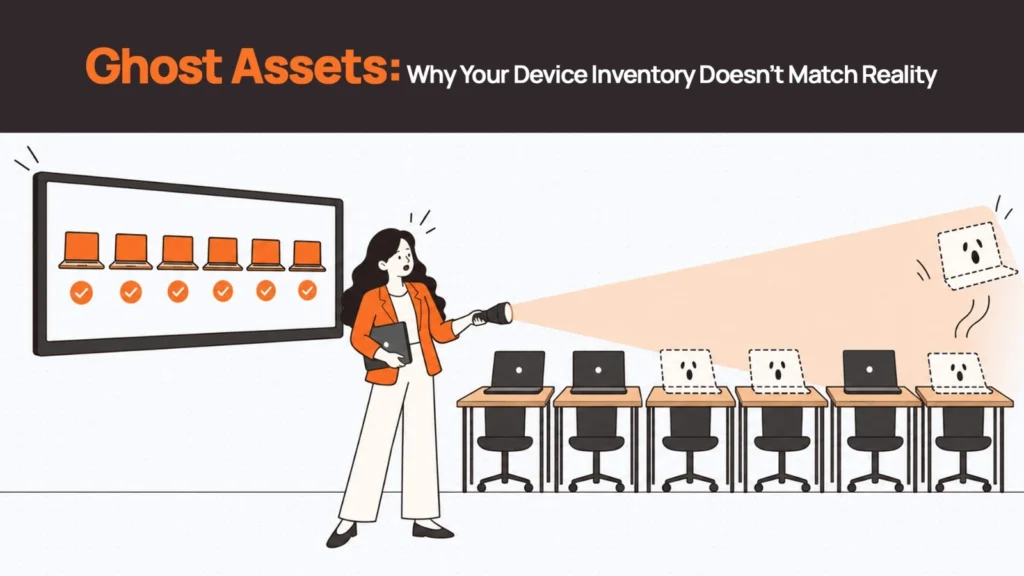
You pull the device inventory before a budget review. The spreadsheet says you have 247 active laptops. Your MDM dashboard says 231 devices are enrolled.
Then someone asks where laptop number 247 actually is.
Nobody knows.
There are devices still assigned to employees who left months ago, serial numbers that nobody can match to a person or location, and laptops marked as active even though they were replaced, recycled or simply disappeared from the process somewhere along the way. These are ghost assets: devices that appear in your inventory as active but either no longer exist or cannot be physically accounted for.
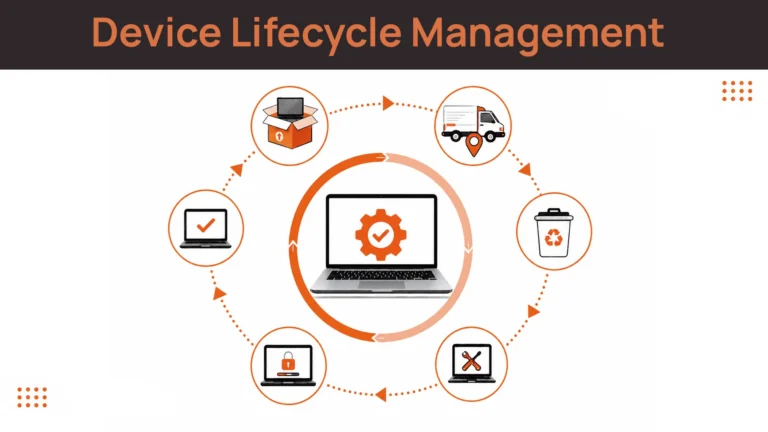
The important part is that ghost assets are rarely caused by one bad spreadsheet update. They are usually the predictable result of a device lifecycle with open ends. An employee leaves and no retrieval happens. A laptop is replaced but the old record stays active. A device is disposed of without formally closing its record.
Over time, the records and reality drift further apart. This post explains the mechanics of how that happens, why the gap compounds rather than self-corrects, and what a structural fix looks like versus a one-off reconciliation.
What Are Ghost Assets in IT?
A ghost asset is a device that exists in your records but cannot be matched to a real, physically accountable device.
The inventory might say:
Laptop: Dell Latitude | Status: Active | Assigned to: Employee who left six months ago | Location: Singapore
But when someone tries to verify the device, there is no evidence that it is still with that employee, sitting in storage or anywhere else the company can account for. That is a ghost asset.
Ghost Assets vs. Shadow IT
Ghost assets and shadow IT are related inventory problems, but they are essentially opposites.
- A ghost asset is in the system but missing from reality.
- Shadow IT is in reality but missing from the system.
A laptop that was officially purchased, assigned to an employee and later disposed of without the asset record being closed becomes a ghost asset. A personal laptop that an employee uses to access company systems without being recorded in the organization’s device inventory is closer to a shadow IT problem.
Both create visibility gaps, but they require different responses. Ghost assets are fundamentally about records that remain open after something has changed in the real world — making them a lifecycle problem as much as an inventory problem.
Five Ways Devices Become Ghost Assets
Ghost assets usually do not appear out of nowhere. They form at specific points in the device lifecycle where something happens physically but the corresponding record is never updated.
1. An Employee Leaves Without Device Retrieval
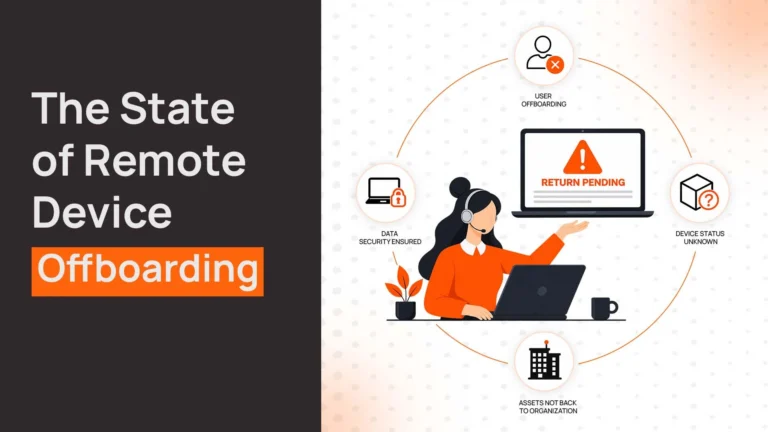
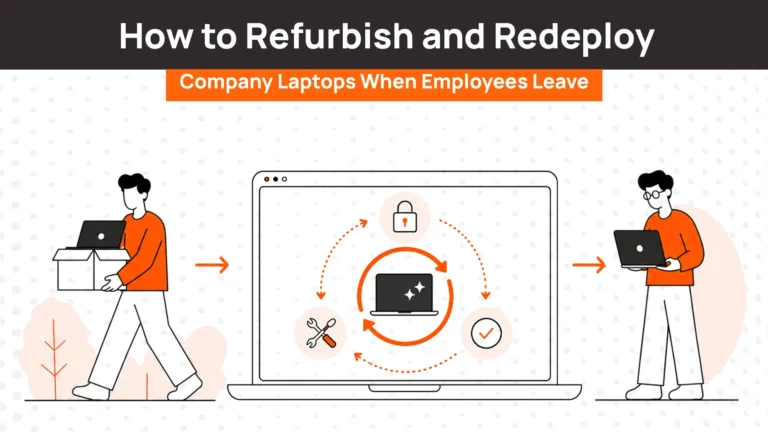
This is one of the most common sources. An employee leaves the company. Their HR record is closed. Their email and application access may be disabled. But the laptop remains assigned to them in the asset inventory.
Perhaps the employee still has it at home. Perhaps it was never shipped back. Perhaps someone assumed another team was handling the return. The inventory still says the device is active and assigned. Six months later, that record is still sitting there.
The longer the retrieval remains unresolved, the less useful the device inventory becomes.
2. A Lost or Stolen Device Is Never Properly Closed
A device may be reported as lost or stolen through a support ticket or security process. But logging an incident and updating the asset record are two different actions. If the ticket is closed without changing the device’s lifecycle status, the inventory can continue to show the laptop as active.
The organization knows the device was lost, but the official inventory does not clearly reflect its final state. The record remains open because the physical event was documented in one system but not carried through to the asset record.
3. A Repair or Replacement Creates a Duplicate Record
IT sends an employee a replacement laptop. The new serial number is added to the employee’s record. But what happened to the original?
If the old device was sent for repair, placed in storage or written off and the original record was never updated, the inventory may now show two active devices associated with one employee. One of them is real. The other has become a ghost. This can happen repeatedly across a growing fleet — a few unresolved replacements can distort the entire inventory.
4. A Device Changes Hands or Locations Without a Formal Update
Employees move. Teams change. Laptops get handed from one person to another. A device may move from an employee in London to a colleague in Manchester, or be transferred between offices or reassigned after a role change.
If the physical transfer happens informally but the inventory record remains unchanged, the system continues to describe the device’s previous state. Eventually, someone searching for the laptop looks at the record and goes to the wrong person or location.
5. End-of-Life Disposal Happens Without Closing the Record
A company may retire an old laptop through recycling, resale, donation or another disposal process. The physical device leaves the organization’s possession. But unless the corresponding inventory record is formally closed, the system may continue to show it as active.
The company no longer owns or controls the physical device, but the inventory says it does. For audit and security purposes, that difference matters.
Related Reads
- Laptop Asset Management Software — The tools and workflows that keep device records and physical reality in sync
- Remote Device Offboarding Guide — The operational steps that prevent ghost assets from forming at employee exit
- Device Lifecycle Management Guide — End-to-end lifecycle process — the structural alternative to reactive reconciliation
- Laptop Redeployment Guide — What happens after a retrieved device is assessed — redeployment vs. retirement
Why the Gap Gets Wider Over Time
Ghost assets are particularly difficult because they are usually quiet failures.
A laptop that fails to arrive during onboarding creates an immediate problem — someone notices, a ticket is raised, the employee needs a device. A laptop that quietly becomes unaccounted for does not necessarily create any immediate disruption.
- The employee may have already left
- The replacement laptop may already be working
- The old device may have been recycled months ago
- Nothing forces someone to revisit the original record
That is why manual inventory processes tend to drift. The events that change a device’s real-world status are often handled by different teams:
- HR knows when someone leaves
- IT knows when a replacement is issued
- Finance may know when equipment is written off
- A logistics provider may know when a device is collected
- A recycling partner may know when the device is processed
The person responsible for maintaining the asset inventory may not automatically receive every one of those updates. The gap between those processes is where ghost assets form.
At a small company with ten laptops in one office, someone may be able to track what happened to each device. At a distributed company with hundreds of devices across multiple countries, memory is no longer an inventory system — and every unresolved lifecycle event gives the inventory another opportunity to become inaccurate.
What Do Ghost Assets Actually Cost?
An inaccurate inventory creates problems well beyond a messy spreadsheet.
Compliance and audit exposure
An auditor or compliance reviewer may ask you to demonstrate where company devices are, who they are assigned to and what happened to devices that were retired. A record showing an active laptop that nobody can locate creates an immediate question.
“Someone probably returned it” is not the same as a documented retrieval. “Finance wrote it off” is not the same as a formal device disposition record.
The more devices your organization cannot account for, the harder it becomes to demonstrate that the inventory reflects reality during a SOC 2, GDPR or ISO 27001 review.
Financial impact
Ghost assets can distort purchasing and refresh decisions. If your inventory says the company owns 500 active laptops but 30 of those devices have already been disposed of or are otherwise unaccounted for, the organization is making budget decisions using an inflated number.
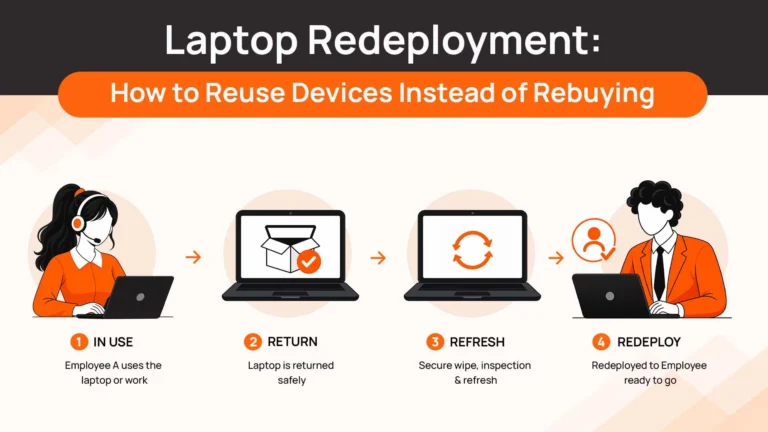
There is another financial problem too. A device that is never recovered cannot be assessed for redeployment. A laptop that could have been securely wiped and issued to another employee may instead be replaced with a newly purchased device — one unresolved retrieval creates both an inventory problem and an unnecessary procurement cost.
Security risk
A ghost asset is also an unresolved security question. The record may say that a device is active and enrolled — but nobody knows where the physical laptop actually is.
- Is it still with a former employee?
- Was it disposed of?
- Was it sold or transferred without a data wipe?
- Were credentials associated with it ever revoked?
The inventory cannot answer those questions if the lifecycle event was never properly closed.
How to Audit Your Current Device Inventory
A reconciliation is often where organizations discover just how far their records have drifted. The first step is to compare systems rather than trusting one source as the complete truth.
Compare MDM records with the asset register
Look for devices that appear in one system but not the other:
- Device exists in MDM but not in the asset register
- Device exists in the asset register but is no longer enrolled in MDM
- Serial numbers do not match between systems
- Assigned users differ across records
- Device status differs between systems
These discrepancies are investigation points, not automatic proof that every device is a ghost. A device might have been recently replaced, temporarily offline or intentionally removed from management. The purpose of the reconciliation is to find the records that require explanation.
Check devices assigned to former employees
Pull the list of employees who have left the organization and compare it with current asset assignments. Any device that remains assigned to a former employee should have a documented explanation:
- Was it retrieved?
- Is it in transit?
- Was it lost or disposed of, and is that on record?
If there is no answer, you have a lifecycle gap that needs to be resolved.
Look for devices with no recent activity
MDM check-ins, login activity and other available signals can help identify devices that may require physical verification. A laptop that has not checked in for several months deserves investigation, particularly if its assigned employee has already left or its recorded location is unclear.
Reconcile the backlog, then fix the process
This is the part many organizations miss. A reconciliation tells you what has already gone wrong. It does not prevent the next batch of ghost assets from appearing.
You can spend a week cleaning the inventory and have the same problem six months later if employee exits, repairs, transfers and disposals still rely on someone remembering to update a spreadsheet. The audit fixes the symptoms. The lifecycle process has to fix the cause.
The Structural Fix: Close the Loop at Every Lifecycle Event
Ghost assets form at predictable moments: an employee leaves, a device is replaced, a laptop is repaired, a device changes owners, an asset is disposed of. The structural solution is to make sure the inventory changes when those events happen.
Connect HR events to device retrieval
Employee exits are one of the clearest examples of where systems need to work together. Compare the typical pattern with a closed-loop alternative:
Without a closed loop:
→ Employee leaves
→ HR closes employee record
→ Someone eventually remembers the laptop (or doesn’t)
With a closed loop:
→ Employee exit recorded in HR system
→ Device retrieval workflow created automatically
→ Device collected and status updated
→ Device inspected and next lifecycle state recorded
The inventory is no longer dependent on someone remembering to make an update weeks later. This is particularly important for remote employees where there may be no office for the employee to drop the laptop at — someone needs to know that the device exists, where it is, who has it and what happens next.
Close the loop at disposal
When a device reaches the end of its useful life, its record should not simply be left in an “active” state. The organization should have a documented process for data erasure and disposition.
Without a closed loop:
→ Device discarded
→ Record remains active indefinitely
With a closed loop:
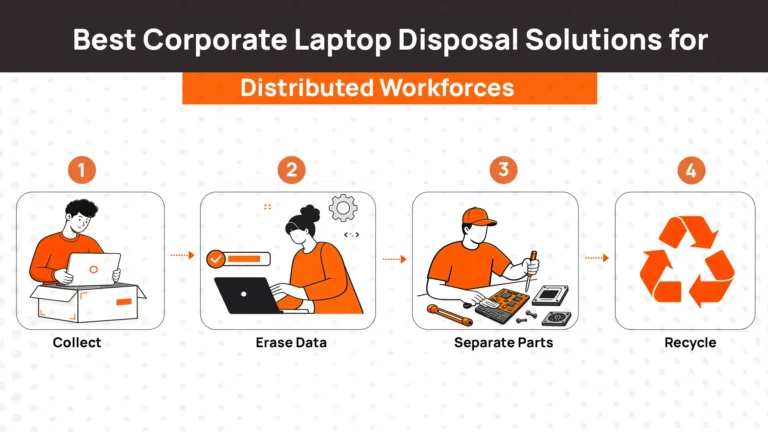
→ Device approved for retirement
→ Data erased with documentation
→ Device disposition recorded
→ Inventory record formally closed
Where certified data wiping is part of that process, the erasure documentation provides evidence that the device was formally processed. The asset record can then be closed with a clear lifecycle outcome.
The goal is simple: every device record should correspond to a real device in a known state — assigned, in transit, under repair, in storage, awaiting redeployment or retired. What matters is that the record reflects what actually happened.
Where Remoasset fits
Remoasset approaches ghost assets as a lifecycle problem rather than an inventory-cleanup problem. When an employee exits, the retrieval workflow can be triggered through HRIS integration — the device is tracked through the retrieval process rather than simply remaining assigned to a former employee. Devices reaching end of life are formally closed out with certified erasure documentation, not left active until someone notices the record.
The objective is to reduce the open ends that create inaccurate records in the first place — so the inventory reflects reality at every stage of the lifecycle, not just after a reconciliation. Remoasset works alongside existing MDM and endpoint management tools, keeping the physical asset records and the management layer in sync rather than replacing either.
Ghost assets are a symptom of a lifecycle with open ends — events that change a device’s status in the real world but not in the record. The fix isn’t a better spreadsheet or a more frequent audit; it’s a process where the record updates when the event happens.
The first reconciliation will surface a backlog that needs to be worked through. That’s unavoidable. But after the backlog is cleared, the structural improvement should mean the same gaps don’t reappear six months later.
Book a Demo with Remoasset to see how procurement, delivery, retrieval and disposal can be tracked through a single lifecycle — so the asset record matches reality at every stage, not just after an audit forces the issue.
FAQs
What are ghost assets in IT?
Ghost assets are devices recorded in an IT inventory as active but that cannot be matched to a real, physically accountable device. Common examples include laptops still assigned to former employees, devices that were disposed of without a record close, and equipment that was replaced but whose original record was never updated. They are sometimes called phantom assets. The term is distinct from shadow IT — ghost assets are over-counted in the system; shadow IT devices are under-counted.
How do devices become ghost assets?
The five most common causes are employee exits without device retrieval, lost or stolen devices not properly closed in the asset register, repair or replacement workflows that create duplicate records, informal device transfers that go unrecorded, and end-of-life disposals that leave the original record active. In each case, a physical event changes the device’s real-world status but the corresponding record is never updated.
How do ghost assets affect compliance audits?
During a compliance review — SOC 2, GDPR, ISO 27001 or similar — auditors may ask for evidence of where devices are, who they are assigned to and what happened to retired equipment. A device record that nobody can account for is an immediate finding. “We think it was returned” is not a disposal record. Ghost assets make it harder to demonstrate that an organization’s device inventory reflects reality.
What is the difference between ghost assets and shadow IT?
Ghost assets are devices that appear in the inventory but cannot be physically located or accounted for — over-counted in the system. Shadow IT refers to devices or software used by employees that are not recorded in any organizational system — under-counted. Both create visibility gaps but require different responses. Ghost assets are addressed through lifecycle closure at exit and disposal; shadow IT is addressed through discovery and policy enforcement.
How do you find ghost assets in your device inventory?
The most effective approach is to cross-reference systems: compare MDM enrollment records with the asset register, filter asset records against HR departure dates, and flag devices with no recent activity signal. Discrepancies between systems are where ghost assets tend to cluster. A one-time reconciliation surfaces the existing backlog; preventing future ghost assets requires addressing the lifecycle processes that allow records to stay open after a physical change.
Can MDM software detect ghost assets?
MDM can help surface candidates for investigation — devices that have stopped checking in, devices enrolled in MDM but absent from the asset register, or devices whose status differs between systems. But MDM alone cannot confirm whether a device’s inventory record is accurate, because MDM tracks management enrollment, not physical location or possession. Asset management that connects physical lifecycle events — retrieval, disposal, reassignment — to the inventory record is what closes the gap MDM alone cannot.