When IT teams search for Fleet alternatives, they’re usually solving one of two different problems and confusing them leads to picking the wrong tool.The first problem is digital: managing what happens inside a device. This means endpoint visibility, security policy enforcement, patch management, software deployment, and compliance monitoring across your fleet.
The second problem is physical: managing how a device reaches, moves between, and returns from employees. This means procurement, local sourcing, employee delivery, coordinated handover, offboarding retrieval, and redeployment across distributed teams and multiple countries.
What is Fleet?
Fleet is an open-source device management platform built around osquery. It gives IT and security teams a centralized way to inventory endpoints, query device data, monitor vulnerabilities, enforce compliance policies, and manage devices across operating systems.
Unlike traditional MDM platforms that center on graphical policy configuration, Fleet takes an API-first and engineering-led approach. Teams can use SQL-based queries to inspect endpoint data, manage configurations through GitOps workflows, and connect device information with security and data tools.
Fleet can support macOS, Windows, Linux, ChromeOS, iOS, and Android devices, although the available management capabilities vary by operating system and plan.
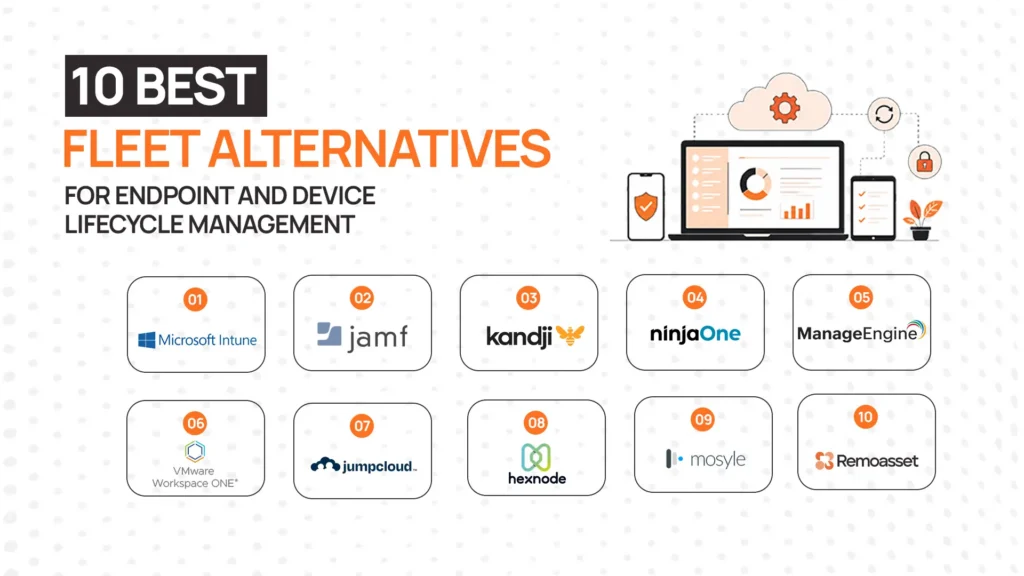
Fleet alternatives at a glance
| Alternative | Best for | Core category | OS / device scope | Global physical logistics | Key strength | Main limitation |
| Remoasset | Global procurement, delivery, and retrieval | Physical IT asset lifecycle | Hardware-agnostic | Yes | End-to-end physical lifecycle management | Does not replace endpoint management or MDM |
| Microsoft Intune | Microsoft-centric environments | UEM / MDM | Windows, macOS, iOS, Android, Linux | No | Deep Microsoft 365 and Azure integration | Less capable for Apple-heavy or Linux-first teams |
| ManageEngine Endpoint Central | Broad endpoint administration | Endpoint management / UEM | Windows, macOS, Linux, iOS, Android, ChromeOS | No | Automated patching, software deployment, remote support | Dense interface; complex for smaller teams |
| Jamf Pro | Apple-first organizations | Apple device management | macOS, iOS, iPadOS, tvOS | No | Deepest Apple MDM on the market | Windows and Android require separate tools |
| Workspace ONE UEM | Large mixed-device enterprises | Enterprise UEM | Windows, macOS, iOS, Android, Linux, ChromeOS | No | Unified enterprise-grade policy enforcement | High complexity and cost for smaller teams |
| Hexnode UEM | Flexible multi-platform management | UEM | Windows, macOS, iOS, Android, Linux, ChromeOS, tvOS | No | Competitive pricing with broad OS coverage | Less depth than Jamf for Apple; less scale than Workspace ONE |
Why companies look for Fleet alternatives
Fleet is not for every team. The reasons companies evaluate alternatives fall into several distinct categories.
1. They need out-of-the-box workflows
Fleet’s open-source, API-first design rewards engineering-minded IT teams comfortable with GitOps, YAML configuration, and SQL queries. Teams that need a configured, GUI-driven platform from day one often find the operational overhead too high.
2. They’re Microsoft or Apple-only environments
Intune is the natural choice for Windows-first organizations already paying for Microsoft 365. Jamf is the established standard for Apple-heavy teams. Both offer deeper ecosystem integration than Fleet within their respective platforms.
3. They need patch management and software deployment
Fleet Premium supports patch management, but teams looking for automated patch scheduling, third-party app deployment, and compliance reporting may find ManageEngine Endpoint Central or NinjaOne easier to operate at scale.
4. They need enterprise UEM capabilities
Workspace ONE and Ivanti Neurons address enterprise-scale policy management, identity federation, and conditional access at a level suited to organizations with tens of thousands of endpoints across regulated industries.
5. Their problem isn’t endpoint management at all.
Some teams searching for Fleet alternatives are actually dealing with fragmented physical device logistics, too many regional vendors, no consistent retrieval process, and no centralized visibility over where devices are between procurement and return. These teams don’t need a different endpoint-management tool. They need a physical lifecycle platform like Remoasset.
This last point is often missed in competitor articles. Fleet manages endpoints digitally. It does not procure laptops, coordinate employee delivery, or retrieve devices during offboarding. If your bottleneck is physical, Fleet was never the right solution and neither is Intune or Jamf.
The best Fleet alternatives in 2026
1. Remoasset
Remoasset is a physical IT device lifecycle platform designed for distributed and globally remote teams. It handles the operational work of getting devices to employees and recovering them during offboarding across multiple countries, from a single point of oversight.
This is a different category from Fleet. Fleet manages what happens inside a device. Remoasset manages what happens to a device across its physical lifecycle.
Why teams choose it
The core use case is simple but operationally painful when it’s broken: companies hiring across multiple countries end up managing a patchwork of local vendors, courier services, storage facilities, and ad-hoc retrieval processes. IT and People Ops teams spend significant time chasing follow-ups, tracking shipments manually, and handling device returns one by one.
Key capabilities
- Buy, rent, or lease laptops across countries with local sourcing options
- Deliver ready-to-use devices directly to employees, wherever they’re located
- Coordinate device handover with scheduling and employee communication
- Retrieve devices during offboarding without relying on complex cross-border returns
- Run local pickups to simplify returns in specific markets
Where it fits better than Fleet
Remoasset addresses the physical operations layer entirely procurement, delivery, retrieval, and redeployment which Fleet does not cover. For companies spending more time coordinating logistics than managing endpoint policies, Remoasset solves the actual bottleneck. It’s also the best Growrk alternative.
Main limitation
Remoasset does not replace endpoint management, MDM, security policy enforcement, or patch management. Teams with active Fleet deployments for security and compliance should assess whether they need to replace Fleet’s digital layer or add a physical lifecycle layer alongside it.
Pricing
For small companies (5-50 teams) there is a pay as you go model, while for bigger teams (>50) the subscription model starts at $1499.
2. Microsoft Intune
Microsoft Intune is Microsoft’s cloud-based unified endpoint management platform, forming the device management layer of the Microsoft 365 security stack. It manages Windows, macOS, iOS, Android, and Linux from a single console and integrates natively with Azure Active Directory, Microsoft Defender, and Conditional Access policies.
Why teams choose it
For organizations already running Microsoft 365 Business Premium or Enterprise E3/E5, Intune Plan 1 is included at no additional licensing cost making it the practical default for Windows-first teams. Windows Autopilot integration enables zero-touch deployment for Windows devices, and the Conditional Access framework allows granular policy enforcement tied to user identity and device compliance state.
Key capabilities
- Windows device management via Microsoft MDM protocol and Autopilot
- Cross-platform MDM for macOS, iOS, Android, and Linux
- Conditional Access policies integrated with Azure AD
- Microsoft Defender integration for endpoint security
- App protection policies for mobile and BYOD scenarios
- Included in most Microsoft 365 enterprise licensing tiers
Where it fits better than Fleet
Intune is the natural choice for organizations standardized on Microsoft 365 and Azure. The licensing economics, native Windows management depth, and Conditional Access integration are advantages that Fleet’s open-source approach doesn’t replicate out of the box.
Where Fleet may still fit better
Teams that need deep endpoint telemetry, osquery-based querying, or Infrastructure-as-Code device management will find Fleet’s approach more flexible. Fleet also has stronger Linux support for engineering-heavy organizations.
- ManageEngine Endpoint Central
ManageEngine Endpoint Central (formerly Desktop Central) is a unified endpoint management platform covering Windows, macOS, Linux, iOS, Android, and ChromeOS from a single console. It combines patch management, software deployment, OS imaging, remote troubleshooting, asset inventory, and mobile device management under one product.
Why teams choose it
Teams that need a wide range of endpoint administration features without switching between tools find Endpoint Central’s breadth valuable. Automated patch deployment for OS and third-party applications is a consistently highlighted strength scheduling, testing, and deploying patches from one console without manual steps. The remote control feature is used heavily by helpdesk teams for troubleshooting across distributed environments.
Key capabilities
- Automated OS and third-party patch management across Windows, Mac, and Linux
- Software deployment and OS imaging from a centralized console
- Remote desktop access and troubleshooting with session recording
- Asset inventory and license tracking
- Mobile device management for iOS and Android
Where it fits better than Fleet
ManageEngine Endpoint Central offers a fully configured, GUI-driven experience that requires no SQL query writing or Git familiarity. For IT teams that need patch management and software deployment running from day one, the operational overhead is significantly lower than Fleet’s setup.
Where Fleet may still fit better
Fleet’s osquery foundation provides significantly deeper, more customizable endpoint telemetry than ManageEngine. For security teams that need real-time SQL-based device querying or GitOps-based configuration management, Fleet’s approach is more powerful.
Pricing: Professional Edition from $795/year; Enterprise at $945/year; UEM Edition at $1,095/year; Security Edition at $1,695/year. All plans require a minimum of 50 endpoints and are billed annually. Cloud deployment available with monthly billing. ManageEngine Endpoint Central pricing →
Best fit: Mid-market and enterprise IT teams managing mixed-OS environments that need patching, software deployment, and remote support without heavy DevOps expertise.
4. Jamf: best for Apple-first organizations
Jamf is the enterprise standard for Apple device management. Jamf Pro handles macOS, iOS, iPadOS, and tvOS from zero-touch enrollment through lifecycle management, integrating with Apple Business Manager and supporting complex configuration profile deployment, app distribution via VPP, and conditional access tied to identity providers like Okta and Azure AD.
Why teams choose it
No other platform matches Jamf’s depth for Apple environments. Smart Groups, Extension Attributes, and the breadth of supported configuration profiles give large organizations precise control over their Mac and iOS fleets. Jamf’s track record over 70,000 organizations using the platform reflects both product maturity and Apple’s own endorsement of Jamf as a preferred MDM partner.
Key capabilities
- Zero-touch macOS deployment via Apple Business Manager
- Jamf Protect for endpoint security and threat detection on Apple devices
- Jamf Connect for SSO and local account password synchronization with cloud identity providers
- VPP-based app distribution for iOS and macOS
Where it fits better than Fleet
For Apple-heavy organizations, Jamf’s configuration depth and ecosystem integration significantly outperform Fleet’s Apple management capabilities. Jamf is the more complete and operationally mature choice for teams standardized on Mac and iOS.
Pricing: Jamf Pro starts at approximately $3.67/device/month. The Business Plan (Pro + Connect + Protect) at approximately $13.65/device/month. Enterprise contracts vary. Jamf pricing →
Best fit: Apple-first organizations, Mac-heavy tech companies, regulated industries with Apple fleets, and teams needing deep macOS security workflows.
5. Workspace ONE UEM
Workspace ONE UEM (now under the Omnissa brand following VMware’s acquisition split) is an enterprise-grade unified endpoint management platform supporting Windows, macOS, iOS, Android, Linux, and ChromeOS. It is commonly deployed alongside Workspace ONE Access for identity and conditional access, and integrates with enterprise security and ITSM tooling at scale.
Why teams choose it
Large enterprises managing tens of thousands of endpoints across multiple operating systems, regulatory environments, and business units need centralized policy enforcement that scales without becoming unmanageable. Workspace ONE’s application management, conditional access, and integration with enterprise identity systems address that challenge. It is a common choice for organizations in regulated industries or those with complex, multi-region device environments.
Key capabilities
- Unified management for Windows, macOS, iOS, Android, Linux, and ChromeOS
- Workspace ONE Access for identity-based conditional access
- Enterprise app catalog and distribution
- Compliance policies with automated remediation
- Integration with carbon4IT, ServiceNow, and enterprise ITSM platforms
- Available as cloud or on-premises
Where it fits better than Fleet
Workspace ONE’s enterprise integrations, identity federation capabilities, and scale make it appropriate for large organizations with complex compliance requirements that Fleet’s open-source model would require significant engineering effort to replicate.
Pricing: Enterprise pricing, contact Omnissa directly. Workspace ONE overview →
Best fit: Large enterprises with mixed OS fleets, complex compliance requirements, and dedicated IT teams.
6. Hexnode UEM
Hexnode UEM, a product of Mitsogo Inc., is a cloud-based unified endpoint management solution supporting Windows, macOS, iOS, Android, Linux, ChromeOS, tvOS, FireOS, and visionOS. It covers device enrollment, policy management, application management, kiosk mode, geofencing, and remote troubleshooting from a centralized console.
Why teams choose it
Hexnode’s competitive per-device pricing makes it accessible for organizations that need multi-platform UEM without committing to enterprise-tier licensing costs. Its kiosk and device-lockdown capabilities are particularly strong, making it useful for purpose-built device deployments in retail, healthcare, and education alongside standard enterprise endpoint management.
Key capabilities
- Device enrollment and policy management across 10+ operating systems
- Kiosk mode with single-app and multi-app lockdown configurations
- Application management with blacklisting, whitelisting, and distribution
- Geofencing and location-based policy enforcement
Where it fits better than Fleet
Hexnode offers a fully managed, GUI-based UEM platform with no infrastructure to deploy or maintain. For teams without Fleet’s DevOps-oriented setup requirements, Hexnode is faster to deploy and easier to administer from day one.
Pricing: Plans start at approximately $2.20/device/month (Pro), with Enterprise at $3.20/device/month and Ultimate at $4.70/device/month. Custom plans available. Hexnode pricing →
Best fit: Organizations managing diverse device types including kiosk or purpose-built deployments, and teams seeking multi-OS UEM at competitive pricing.
Endpoint management vs IT asset lifecycle management
This distinction explains why evaluating Fleet alternatives requires knowing which problem you’re solving first.
| Area | Endpoint management | IT asset lifecycle management |
| Procurement | Not covered | Covered local sourcing, vendor coordination |
| Device configuration | Core function profiles, policies, apps | Not covered |
| Security policy | Core function disk encryption, firewall, compliance | Not covered |
| Software deployment | Core function | Not covered |
| Shipping | Not covered | Covered direct delivery to employees |
| Employee handover | Not covered | Covered scheduling and coordination |
| Inventory visibility | Software and hardware inventory from enrolled devices | Physical location, assignment, and lifecycle state |
| Retrieval | Remote wipe on offboarding | Physical return coordination, local pickups |
| Redeployment | Device re-enrollment | Physical refurbishment and next-employee assignment |
| Disposal | Remote wipe and unenrollment | Physical logistics, certified erasure, documentation |
Distributed teams often need both layers operating together: an MDM or endpoint management platform for digital device control, and a physical lifecycle platform for operational logistics.
Which Fleet alternative is right for your team?
1. Choose Remoasset when physical device operations are the bottleneck
Your IT or People Ops team is spending meaningful time on device logistics: chasing vendors in multiple countries, coordinating shipments manually, handling retrieval requests for departing employees without a consistent process, or dealing with devices that never came back.
Specific signals:
- You’re hiring employees in three or more countries and managing a different vendor per region
- Offboarding retrieval is largely manual and frequently incomplete
- You have no centralized view of where devices are between procurement and return
- IT is coordinating too many follow-ups with couriers, employees, and local vendors
Remoasset doesn’t replace Fleet’s endpoint layer. It replaces the fragmented logistics model alongside whatever endpoint tool you’re using.
2. Choose Microsoft Intune when you run a Microsoft-first environment
You’re standardized on Microsoft 365, Azure AD, and Windows devices. Conditional Access, Defender integration, and included licensing make Intune the practical default. If you’re also managing macOS, consider whether Intune’s Mac management depth is sufficient or whether Jamf is needed alongside it.
3. Choose Jamf when Apple devices dominate your fleet
Your company issues Macs and iPhones. Zero-touch deployment via Apple Business Manager, deep configuration profile support, and Jamf Connect for SSO are capabilities that no other platform matches for Apple-first environments.
4. Choose a UEM platform when you need centralized policies across mixed devices
Your organization manages Windows, macOS, iOS, Android, and possibly Linux from one security and compliance framework. Workspace ONE, Hexnode, and ManageEngine Endpoint Central all address this; the right choice depends on your scale, existing ecosystem, and IT team’s capacity.
5. Keep Fleet when open-source flexibility and endpoint visibility remain the best fit
Your IT or security team is comfortable with GitOps, SQL queries, and API-first administration. You need deep osquery-based endpoint telemetry, customizable compliance policies, or close integration with SIEM and data lake tooling. Fleet’s open-source model and transparent API offer control that commercial platforms don’t match.
Why Remoasset is a strong option for distributed teams
When distributed companies evaluate Fleet alternatives, they often discover the real problem isn’t the endpoint management tool, it’s the collection of fragmented processes sitting underneath it.
A typical distributed IT operation involves several local procurement vendors, a mix of courier relationships, manual employee follow-up for returns, device retrieval handled case by case, regional spreadsheets that no one fully trusts, and IT status updates that require someone to make a phone call to find out.
Remoasset is designed to replace that fragmented model with a consistent operational structure. The outcome is faster and more consistent employee onboarding, reduced manual coordination during offboarding, centralized regional visibility, lower vendor-management overhead.
Manage the physical device lifecycle without managing every vendor, shipment, and return yourself. Explore how Remoasset supports global procurement, delivery, and retrieval
Frequently asked questions
1. What is Fleet?
Fleet (fleetdm.com) is an open-source device management platform built on osquery. It provides real-time endpoint visibility, MDM capabilities for macOS, Windows, iOS, Android, Linux, and ChromeOS, vulnerability detection, compliance policy enforcement, and GitOps-based device configuration management. Fleet Free covers device querying and inventory.
2. What are the best Fleet alternatives?
The best alternative depends on the problem you need to solve. For Microsoft-centric endpoint management, Microsoft Intune. For Apple-first environments, Jamf. For broad endpoint administration at competitive pricing, ManageEngine Endpoint Central.
3. Is Microsoft Intune an alternative to Fleet?
Yes, for organizations managing Windows endpoints within the Microsoft 365 ecosystem. Intune provides MDM, Conditional Access, and endpoint management capabilities that overlap with Fleet Premium. The key difference is approach: Intune is a fully managed commercial product with GUI-driven administration, while Fleet is open-source and API-first.
4. Is Jamf better than Fleet for Apple devices?
For Apple-focused organizations, yes. Jamf Pro’s depth of macOS and iOS management configuration profiles, Smart Groups, Apple Business Manager integration, VPP app distribution significantly exceeds Fleet’s Apple management capabilities. Fleet’s cross-platform strength lies in its unified approach to mixed-OS environments, not in Apple-specific depth.
5. What is the difference between Fleet and Remoasset?
Fleet manages the digital layer of devices: security policies, patch management, endpoint visibility, and compliance. Remoasset manages the physical layer: procuring devices across countries, delivering them to employees, coordinating retrieval during offboarding, and providing centralized oversight of the physical fleet. Fleet does not handle procurement, delivery, or retrieval. Remoasset does not handle endpoint security, patching, or digital policy enforcement.
6. Can Remoasset replace Fleet?
No. Remoasset handles physical device lifecycle operations procurement, delivery, retrieval, and logistics. Fleet handles endpoint management, security visibility, and digital device administration.
7. Can companies use Fleet and Remoasset together?
Yes. For distributed companies that need both digital endpoint management and physical lifecycle operations, Fleet and Remoasset address different parts of the same operational challenge. Fleet manages what happens inside devices. Remoasset manages what happens to devices from local procurement through employee delivery, retrieval during offboarding, and redeployment to the next hire.