You are managing remote employees across fifteen countries. An engineer in Singapore quits. HR sends the offboarding checklist. IT disables accounts. The laptop? Still in his apartment. You email him. He says sure. Three weeks pass. Another email. He is travelling. Six months later, the device is written off.
That scenario is not unusual. Teams without a structured retrieval process routinely find that a third to a half of departing employees delay or fail to return devices on time. The problem is not one missed laptop — it is the pattern. This guide explains how international laptop return and retrieval services solve this, which providers actually work, and how to choose between them.
The Problem with Laptop Retrieval in Remote Teams
Cost of unreturned devices
A missing MacBook is not just the hardware cost. Software licences stay assigned to the device. Data exposure risk persists until the drive is certified-wiped. And replacement hardware is ordered for the next hire because the previous device never came back. Multiply that across even a dozen exits annually and the losses compound fast.
International logistics complexity
Domestic laptop returns are straightforward — a courier label, a box, done. International returns involve customs documentation, regional carrier selection, import and export rules, and local address formats that differ by country. An employee in Brazil cannot just drop a laptop at FedEx. You need local logistics partners who understand Brazilian postal systems and customs procedures. Most IT teams do not have those relationships.
Recovering laptops from employees in hard-to-reach countries
Three failure modes come up repeatedly for distributed teams, and they are separate problems:
- No local courier partnership — the carrier your team uses domestically does not operate in that country, or does not collect from residential addresses.
- Employee in a remote location — the postal infrastructure in parts of Sub-Saharan Africa, Southeast Asia and Central Asia does not reliably support door-to-door collection. Local knowledge matters here.
- Device in a country with limited carrier access — some markets have customs restrictions on outbound electronics that require export documentation your team is not equipped to produce.
A retrieval service that appears on a coverage map is only useful if it can actually collect from a residential address in that country. Ask specifically: do you collect from residential addresses in this market, or does the employee need to take the device to a drop-off point? The answer reveals whether the coverage is real. For the full retrieval workflow, see the laptop retrieval process for remote teams.
Departed employee compliance
Departing employees, particularly those who were terminated rather than resigned, rarely prioritise returning company equipment. They are dealing with job searches, life changes and — in some cases — active resentment. Without systematic follow-up and enforcement, devices disappear. The follow-up cadence matters as much as the initial request.
Security exposure
Every day a laptop sits unreturned is a day sensitive data exists outside your control. Remote wipe through MDM removes data if the device connects to the network — but it cannot wipe a device that is switched off, offline, or never reconnected. Physical recovery and certified data erasure close the security loop.
Manual coordination overhead
Without a retrieval service, someone on your team is researching shipping options, generating labels, tracking packages, following up with employees, and coordinating write-offs with finance. For a team managing device returns across multiple countries, this is hours per departure that IT and HR do not have. The 2026 benchmarks on remote device offboarding overhead quantify this in detail.
Related Reads
Before evaluating providers, these guides cover the surrounding decision and lifecycle context:
- Best Laptop Return Services for Remote Teams (2026) — the domestic-focused counterpart to this post.
- Laptop Retrieval Cost: What Businesses Really Pay — the full cost breakdown, beyond the shipping fee.
- The Remote Device Offboarding Checklist for IT Teams — step-by-step, from exit trigger to closed record.
- Laptop Redeployment: How to Reuse Devices Instead of Rebuying — closing the loop from retrieval back to deployment.
What Is an International Laptop Return and Retrieval Service?
An international laptop return and retrieval service — also called a remote retrieval service, IT asset recovery service, or workplace asset retrieval provider — handles the logistics of recovering IT equipment from remote workers anywhere in the world. Instead of your team managing shipping labels, customs forms and employee follow-up, the service provides end-to-end coordination.
How it works step by step
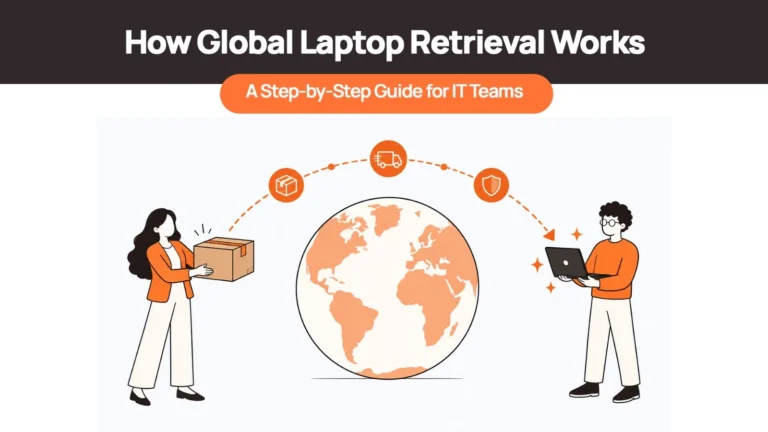
- Request submitted. Your team raises a retrieval request — or it is triggered automatically by an HRIS integration — with the employee’s location and device serial number.
- Return kit dispatched. The service sends a prepaid kit with a padded box, shipping label and clear packing instructions directly to the employee’s address.
- Employee packs and ships. Instructions guide the employee through packing. The prepaid label covers all shipping costs — the employee pays nothing.
- Automated reminders. If the employee delays, the service sends escalating reminder messages at set intervals, without your team chasing manually.
- Real-time tracking. You see exactly where the device is from kit dispatch through to delivery at the receiving facility.
- Device received and processed. Once returned, the device is checked in against its serial number, inspected for condition, and routed to certified data wiping, storage, redeployment or disposal.
What the employee experience looks like
The employee experience during offboarding directly affects how many devices come back. A well-designed retrieval looks like this from the employee’s side: they receive a box at their home address with everything they need — a padded insert, a prepaid label and a one-page instruction sheet. They pack the device, attach the label and drop it at a collection point or hand it to a courier who collects from their door. They receive confirmation when it arrives. No cost to them, no research into which carrier to use, no confusion about where to send it. The alternative — asking a departing employee to find a box, pay for shipping, fill out customs forms and chase a reimbursement — generates delays, damaged devices and non-returns. For context on what happens when the process breaks down, see what happens if a former employee keeps the company laptop.
Why Traditional Shipping Methods Fail for Remote Employee Equipment Returns
- No specialised packaging. Standard courier boxes are not designed for laptops. Employees improvise with newspaper, clothes or whatever is to hand. Devices arrive damaged — or do not arrive at all.
- Employee confusion. ‘Ship it back to us’ sounds simple until the employee asks: which carrier? What address? Who pays customs? How do I pack it? Confusion is the most common cause of delay, and delay is the most common path to a write-off.
- No systematic follow-up. IT sends one email asking for the laptop. The employee ignores it or intends to deal with it later. The follow-up never escalates. Without a structured reminder cadence, non-response becomes non-return.
- International logistics complexity per country. DHL works differently in Germany than in Indonesia. Customs documentation requirements vary by country. Carrier availability changes by region and by the direction of shipment. Your team does not know these details. Retrieval services that operate in a country do.
- No chain of custody for compliance. DIY shipping produces no verifiable record: no confirmation of who packed the device, no certified data erasure, no documentation for auditors. Chain of custody — an unbroken record from collection through erasure to disposition — is what compliance frameworks ask for, and informal shipping cannot provide it.
Managing Employee Device Returns at Scale
A retrieval process that works for ten departures a year breaks under a hundred. Scale introduces three operational decisions that need to be made explicitly before they come up:
- Who owns the trigger? In most teams, retrieval starts when someone in IT or HR remembers to raise it. At scale, that dependency fails. The trigger should be the HRIS exit event — no person required.
- What does escalation look like? Define the reminder cadence in advance: initial request at offboarding, first reminder at five days, second at ten, manager notification at fifteen, final-pay hold referral at twenty. Without a defined path, escalation becomes discretionary and inconsistent.
- What does ‘closed’ look like in the record? A retrieval is not closed when the device is shipped — it is closed when the device is checked in against its serial number, the data erasure certificate is issued and the asset record is updated. The gap between ’employee says they sent it’ and ‘we have confirmed receipt and erasure’ is where compliance exposure lives.
Large-scale laptop returns: bulk exits and 500+ devices
A bulk exit — a layoff, an office closure, a large contractor cohort rolling off — requires simultaneous retrieval across multiple countries rather than sequential individual cases:
- Pre-positioned kit inventory. A good retrieval service can stage return kits in the relevant countries before the exit date, so dispatch is immediate rather than ordered on the day.
- Parallel country coordination. Each country runs its own logistics; results feed into a single dashboard so you see overall recovery rate, not just individual device status.
- Documentation at volume. Chain-of-custody records and erasure certificates need to be generated per device and queryable in bulk for a bulk exit audit. Manual documentation does not scale.
Laptop Retrieval vs Device Lifecycle Management: Which Do You Need?
| Factor | Laptop retrieval services | Device lifecycle management platforms |
| Primary function | Get devices back when employees leave | Manage the entire device journey from purchase to disposal |
| What they handle | Prepaid kits, tracking, certified erasure, chain of custody | Procurement, deployment, tracking, maintenance, retrieval, storage, redeployment, disposal |
| HRIS integration | Limited or none | Native — exits trigger retrieval automatically; new hires trigger procurement |
| Inventory visibility | Device location during return only | Every device, every stage, real-time |
| Best for | Teams with a single operational gap: recovery | Teams losing visibility across assets or spending hours coordinating device logistics |
| When to choose | Your only problem is getting devices back; procurement, deployment and reuse are handled | You manage assets across spreadsheets, face frequent turnover, or need redeployment to reduce costs |
If you need both delivery and retrieval across multiple countries, that is a lifecycle platform, not a standalone retrieval service. A retrieval-only provider can get the device back; it cannot source a replacement for the next hire in that same country, track the device through its useful life, or redeploy it. See laptop lifecycle management and global laptop procurement for the broader picture.
When retrieval is part of a larger onboarding and offboarding workflow
Retrieval is the last step of an offboarding workflow, not a standalone task. The device recovery is triggered by an HR event, tracked through logistics, and the resulting device feeds back into onboarding for the next hire. For teams that want to automate both ends of that loop — provisioning new devices and recovering departing ones — see best tools to automate laptop onboarding and offboarding.
What to Look for in a Laptop Retrieval Service
Global coverage with actual local logistics
A country appearing on a coverage map does not mean the service can collect from a residential address in that country. Ask: do you have local logistics partnerships in this market, or do you ship from a regional hub? The answer determines whether the coverage is operational or aspirational.
Retrieval success rate and follow-up system
Ask for the provider’s documented return rate — what percentage of retrievals result in successful recovery. A structured escalation cadence (automated reminders, manager notification, documented escalation path) is what separates high-recovery services from those that send one kit and hope.
Certified data wiping and compliance documentation
Certified data wiping to a recognised standard such as NIST 800-88, per-device erasure certificates, tamper-evident packaging and a full chain-of-custody record from collection through disposition. These are the evidence documents compliance frameworks ask for. See what a compliant erasure record should contain for the documentation standards in detail.
HRIS automation
Integration with your HR system so terminations trigger retrieval requests automatically. This removes the dependency on someone in IT or HR remembering to act — which is how most missed retrievals happen.
Employee experience
Clear instructions, pre-paid everything, responsive support if the employee has questions. A process that is easy for the employee to follow recovers more devices than one that requires effort from someone who has already mentally left the company.
Pricing model
Per-retrieval pricing suits lower-volume teams with unpredictable departure rates. Subscription pricing suits teams with regular turnover where predictability matters more than variable cost. Confirm what is included at the base price — international shipping, customs documentation and certified erasure are sometimes charged separately.
Post-retrieval handling and end-of-life hardware
A device that comes back is only useful if something happens to it. Ask whether the service includes storage, refurbishment, redeployment, and certified disposal for devices at end of life. A retrieval service that simply accumulates returned devices without routing them back into the fleet or disposing of them compliantly creates a secondary problem. See laptop storage and redeployment services for the post-retrieval options.
Best International Laptop Retrieval Services in 2026
1. Remoasset
Remoasset handles international laptop retrieval as part of full device lifecycle management. The platform covers procurement, deployment, tracking, retrieval, certified data wiping and redeployment globally, with retrieval triggering automatically from HRIS exit events.
- Coverage: 80+ countries with local logistics partnerships.
- Retrieval model: Automated from HRIS exit event. Prepaid return kits, door-to-door collection, real-time tracking through to receipt confirmation.
- Lifecycle support: Procurement, zero-touch deployment, automated tracking, maintenance, retrieval, device storage, certified wiping, redeployment.
- Security: NIST 800-88 certified data wiping, per-device erasure certificates, full chain-of-custody documentation.
- Pricing: Pay-as-you-go or annual subscription — see pricing page.
Best for: Companies managing 50+ devices across multiple countries who need visibility across the full device lifecycle, HRIS-triggered automation and device reuse to reduce procurement costs.
2. Retriever (Hello Retriever)
Retriever offers straightforward laptop and monitor retrieval focused on the US, Canada, UK and major EU markets. Simple web interface, fast kit delivery and basic tracking.
- Coverage: US, Canada, UK, major EU markets.
- Retrieval model: Padded laptop boxes with prepaid labels, automated employee reminders, real-time shipment tracking. Enterprise API for bulk retrievals.
- Lifecycle support: Retrieval only, with optional device refurbishment or recycling.
- Security: Basic tracking, optional refurbishment.
- Pricing: Per-retrieval pricing — check Retriever’s pricing page for current rates.
Best for: US and Europe-focused teams needing simple, reliable retrieval without full lifecycle management. Teams that want pay-per-use pricing without subscription commitments.
3. Workwize
Workwize provides IT asset lifecycle management including retrieval services across major global markets. The subscription-based model covers unlimited retrievals, procurement and disposal.
- Coverage: Major markets across North America, Europe and APAC — verify current country list at Workwize’s site before committing.
- Retrieval model: Zero-touch retrieval with prepaid kits, multi-channel employee communication, HRIS integrations including BambooHR, Workday.
- Lifecycle support: Full lifecycle with redeployment support.
- Security: NIST 800-88 compliant data wiping, compliance certificates.
- Pricing: Subscription model — see Workwize’s pricing page for current rates.
Best for: Mid-size to enterprise companies wanting subscription-based predictability instead of per-device costs.
4. GroWrk
GroWrk specialises in global IT asset logistics with a focus on international complexity, particularly LATAM and APAC markets. Handles deployment, retrieval, storage and recycling as a unified workflow.
- Coverage: 100+ countries including LATAM, APAC and EMEA — verify coverage in your specific markets.
- Retrieval model: Local logistics partnerships, prepaid return kits with real-time tracking, 24/7 platform access.
- Lifecycle support: Full lifecycle including procurement, deployment, storage and certified disposal.
- Security: Certified data wiping, environmental compliance documentation.
- Pricing: Custom enterprise pricing — contact for quote.
Best for: Enterprises with employees in 20+ countries, particularly those with significant LATAM footprints.
5. Allwhere
Allwhere emphasises employee experience throughout the retrieval process — clear communication, straightforward instructions and a process designed not to feel punitive for departing staff.
- Coverage: Global retrieval logistics with strength in North America and Europe.
- Retrieval model: Employee-friendly communication, HRIS integrations including BambooHR, Okta, Justworks.
- Lifecycle support: Retrieval plus basic redeployment support.
- Security: Standard data wiping, shipment tracking.
- Pricing: Custom pricing — contact for quote.
Best for: Companies where employer brand matters through offboarding, and where voluntary compliance from departing employees is generally high.
Comparison Table: Top International Laptop Retrieval Services
| Provider | Global coverage | Retrieval model | Lifecycle support | Security / EoL | Pricing |
| Remoasset | 80+ countries | HRIS-triggered, automated, door-to-door | Full: procurement, deployment, tracking, retrieval, storage, redeployment, disposal | NIST 800-88, per-device certificate, chain of custody; certified EoL disposal | PAYG or annual |
| Retriever | US, Canada, UK, major EU | Per-retrieval kit dispatch | Retrieval only; optional recycling | Basic tracking; optional refurbishment | Per retrieval |
| Workwize | Major N. America, Europe, APAC markets | HRIS-integrated, subscription unlimited | Full lifecycle with redeployment | NIST 800-88, compliance certs | Subscription |
| GroWrk | 100+ countries incl. LATAM, APAC | Local partnerships, real-time tracking | Full lifecycle incl. procurement and disposal | Certified wiping; environmental compliance docs; EoL disposal | Custom / enterprise |
| Allwhere | Global, strongest N. America, Europe | Employee-led, HRIS-integrated | Retrieval plus basic redeployment | Standard wiping, tracking | Custom |
How to Choose the Right Laptop Retrieval Service
| Your situation | Best fit | Avoid | Why |
| Small team, low turnover, one or two countries | Retriever | Full lifecycle platforms | Per-device pricing makes sense at low volume. Lifecycle platforms have implementation overhead that exceeds value here. |
| Startup scaling across a few markets | Workwize or Allwhere | Retrieval-only long-term if you plan to scale | Simple retrieval solves the immediate problem. Switch to a lifecycle platform once procurement and redeployment become the bottleneck. |
| Enterprise, 20+ countries | Remoasset or GroWrk | Retrieval-only vendors | You need full lifecycle control: HRIS automation, multi-country tracking, redeployment and compliance documentation at volume. |
| Security-sensitive or regulated industry | Remoasset, GroWrk or Workwize | Simple retrieval services without certified erasure | Verified data wiping to NIST 800-88, per-device certificates and chain-of-custody records are the evidence compliance reviews ask for. |
| CIO or compliance lead needing an auditable process | Remoasset | Any service without per-device erasure documentation | CIOs need three things: automated triggering so no retrieval is missed, chain-of-custody through certified erasure, and a dashboard showing outstanding devices by country. |
| Sustainability or ESG commitments | Remoasset or GroWrk | Vendors without certified recycling or ITAD | Verify refurbishment and recycling processes. These providers include certified EoL disposal with documentation. |
Stop Chasing Laptops. Start Managing Device Lifecycles.
Most companies past fifty employees managing international teams need a lifecycle platform rather than a standalone retrieval service. The question is not whether to recover devices — it is whether retrieval is the only gap, or whether procurement, deployment and reuse also need to be connected.
Remoasset handles both. When an employee leaves, retrieval triggers automatically through the HRIS integration. The device is tracked from kit dispatch through certified data wiping to redeployment. Every device has a live status visible in the dashboard — not just the ones currently in transit. Beyond retrieval, Remoasset covers in-country procurement, zero-touch deployment, real-time tracking, and regional storage across 80+ countries, on a pay-as-you-go or annual subscription.
Check country coverage for the specific markets your team is in, or book a demo to see the retrieval workflow end to end.
Frequently Asked Questions
What tools or platforms ensure asset recovery during offboarding?
Platforms that integrate with your HRIS trigger retrieval automatically when an exit is recorded. Retrieval-only services handle the logistics once you raise a request. For full automation — triggered retrieval, tracking, certified data wiping and redeployment in one workflow — lifecycle platforms such as Remoasset, Workwize and GroWrk cover the end-to-end process.
Which platform do you recommend for global hardware retrieval?
For teams with employees in fewer than five countries and simple retrieval needs, Retriever offers a straightforward per-retrieval model in the US, Canada, UK and major EU markets. For distributed teams across many countries needing retrieval, tracking, data wiping and redeployment as one system, Remoasset and GroWrk are the stronger options.
What is the best way to track and reclaim devices when employees leave?
Connect your HRIS so a departure automatically triggers a retrieval request. Send the employee a prepaid return kit with clear instructions. Run automated reminders at set intervals until the device is returned. Confirm receipt against the serial number and close the record only once certified erasure is complete. Manual email chasing alone recovers far fewer devices.
What tools integrate hardware recovery with offboarding workflows?
Platforms with native HRIS integrations — BambooHR, Workday, Rippling, ADP — trigger a retrieval kit dispatch the moment an exit is logged. Remoasset, Workwize and GroWrk all support this. For teams wanting onboarding and offboarding automation together, see the guide to the best tools to automate laptop onboarding and offboarding.
What platforms support IT asset return automation?
Lifecycle management platforms automate the full return workflow: the HRIS exit triggers the retrieval, the platform dispatches the kit and reminders, tracks the shipment, confirms receipt and queues the device for erasure and redeployment. Remoasset, Workwize, GroWrk and Allwhere all support this model at different coverage levels.
Are there services that handle laptop returns for companies?
Yes. Dedicated laptop return and retrieval services send a prepaid kit to the employee’s address, manage follow-up reminders, track the shipment and confirm receipt against the device serial. They range from retrieval-only providers charging per device to full lifecycle platforms bundling retrieval with procurement, data wiping and redeployment.
What software should a CIO use to streamline IT asset returns?
CIOs typically need three things: HRIS-triggered automation so no retrieval is missed, chain-of-custody documentation through to certified data erasure, and a dashboard showing outstanding devices by country. Lifecycle platforms such as Remoasset provide all three; retrieval-only services typically cover logistics but not the compliance trail.
Which device lifecycle management platforms support remote device retrieval globally?
Remoasset covers 80+ countries; GroWrk covers 100+ countries including LATAM and APAC; Workwize covers major markets in North America, Europe and APAC. Each offers retrieval as part of a wider lifecycle service. Retrieval-only providers such as Retriever focus on the US, Canada, UK and major EU markets.
What are the best services for managing large-scale laptop returns?
At volume — 500+ devices or bulk exits — requirements change: parallel retrieval across multiple countries, pre-positioned kit inventory, capacity at regional receiving facilities and documentation that scales without manual work. Remoasset and GroWrk are the strongest options at this scale; Workwize also handles enterprise volume on its subscription model.
What are the best tools for managing remote IT asset recovery?
For retrieval only: Retriever (US and EU focus). For retrieval plus certified data wiping and redeployment: Remoasset, Workwize and GroWrk. For full lifecycle including procurement, deployment and retrieval in one platform: Remoasset and GroWrk. Choose based on which countries you hire in and whether retrieval is your only operational gap.