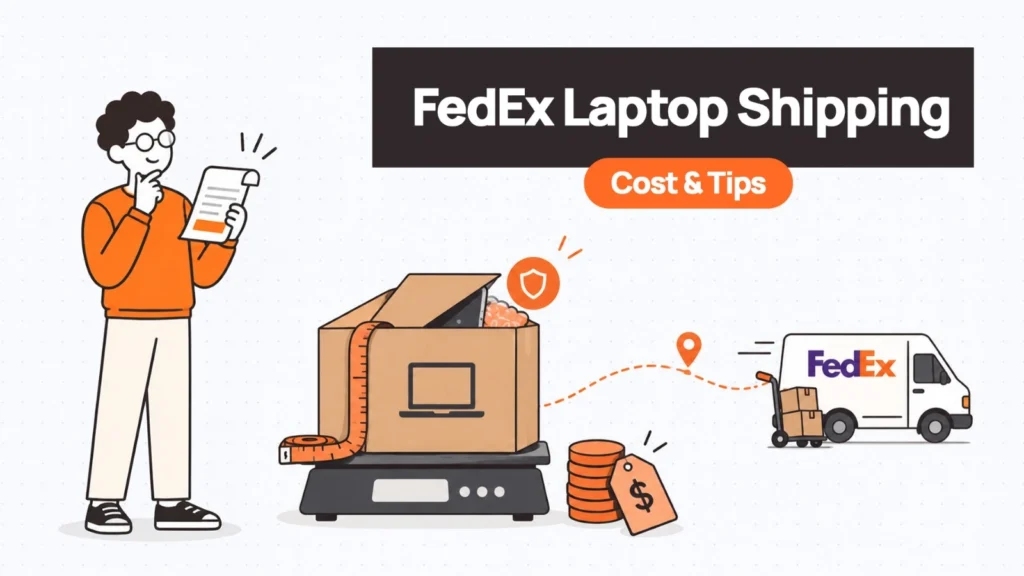
If you need to ship a laptop with FedEx, the first question is usually straightforward:
How much is this actually going to cost?
There is no single FedEx laptop shipping price because the final charge depends on several things at once. Where the laptop is going, how large the package is, its actual weight, its dimensional weight, how quickly it needs to arrive, and whether you declare a value above FedEx’s standard amount can all affect what you pay.
Packaging can affect the price too. A laptop itself may weigh only a few pounds, but putting it inside a much larger box can increase its billable weight because FedEx uses dimensional weight when that is higher than the package’s actual weight.
For a one-off employee shipment, replacement device, or laptop return, understanding these cost drivers can help you get a much more realistic estimate before you book the shipment.
This guide breaks down how FedEx pricing works, what declared value actually means, which service options are worth considering, and how to pack a laptop without paying to ship unnecessary space.
How FedEx Calculates the Cost of Shipping a Laptop
There are four main variables to look at before you ship a laptop with FedEx:
- Distance and destination
- Actual vs. dimensional weight
- Service speed
- Package size and additional charges
Understanding these variables is more useful than looking for one generic “FedEx laptop shipping cost.”
1. Distance affects the price
FedEx uses zone-based pricing for many domestic services, which means the distance between the origin and destination affects the shipping rate.
A laptop traveling a short distance within the same region can cost considerably less than the same package traveling across the country.
This is one reason a shipping quote cannot be based on the laptop alone. The same device, packed in the same box, can have a different shipping cost depending on where it starts and where it needs to go.
For an exact quote, FedEx recommends entering the origin, destination, package details, and service into its rate tools rather than relying on a general estimate.
2. Dimensional weight can matter more than the laptop’s actual weight
This is one of the most important things to understand when shipping laptops.
FedEx charges based on the greater of the actual weight or dimensional weight for applicable shipments. Dimensional weight reflects how much space the package occupies rather than simply how heavy it is.
For U.S., Puerto Rico, and international shipments, FedEx currently calculates dimensional weight using:
Length × Width × Height ÷ 139
Measurements are rounded to the nearest whole inch before calculating the dimensional weight.
For example, imagine your packed laptop box measures: 20″ × 14″ × 8″
The dimensional weight would be: 20 × 14 × 8 ÷ 139 = approximately 16.1 lb
If the actual package weighs only 6 lb, the dimensional weight may be the figure used for rating purposes.
That is why an oversized box can make a surprisingly large difference to your shipping cost.
It can also create a second problem: too much empty space means the laptop has more room to move around during transit.
The goal is therefore not to use the smallest box possible. It is to use appropriately sized packaging that provides enough protection without unnecessarily increasing the package volume.
3. Delivery speed is another major cost lever
FedEx offers different service levels depending on how quickly the laptop needs to arrive.
For domestic U.S. shipments, options can include services such as:
- FedEx Ground for less urgent deliveries
- FedEx Express Saver for faster delivery
- FedEx 2Day when the laptop needs to arrive sooner
- FedEx Standard Overnight or Priority Overnight for urgent next-business-day delivery
The exact service availability and delivery commitment depend on the shipment’s origin, destination, package, and booking details.
The general tradeoff is simple: if the employee can wait another day or two, there may be no reason to pay for overnight delivery.
For a new-hire laptop, for example, shipping it several days before the employee’s start date can be considerably more economical than discovering at the last minute that the device needs overnight delivery.
FedEx Declared Value Isn’t the Same as Insurance
This is one of the most misunderstood parts of shipping an expensive laptop.
FedEx states that if a shipment’s value exceeds $100, the shipper can declare a higher value, subject to applicable limits and terms. If no higher value is declared, FedEx automatically protects the shipment against loss or damage up to $100 under its applicable terms. Adding declared value increases the shipping cost.
But declared value should not automatically be described as traditional shipping insurance.
It is part of FedEx’s liability framework.
That distinction matters when you are shipping a $1,500 or $2,000 laptop.
If you declare the appropriate higher value, you are increasing the amount FedEx may be liable for under the applicable terms and conditions. You are not simply buying a standalone insurance policy that guarantees reimbursement for every type of loss.
For expensive business laptops, review the applicable FedEx terms carefully and consider whether separate third-party shipping insurance is appropriate for your situation.
The important thing is not to assume that the default $100 protection reflects the actual value of the device.
| Key Insight: Declared Value vs. Insurance Declared value raises FedEx’s maximum liability — it is not a traditional insurance policy. For a $1,500+ laptop, consider supplementing with third-party shipping insurance. Always check FedEx’s current Service Guide terms before shipping a high-value device. |
How Much Does It Cost to Ship a Laptop With FedEx?
There is no reliable single number because rates change based on origin, destination, package dimensions, service, account pricing, surcharges, and declared value.
Published examples can still help establish a rough expectation.
For example, the Esevel guide used a 5 lb laptop shipment from New York to Los Angeles to illustrate approximate FedEx pricing, with Express Saver around $61–$63, FedEx 2Day around $75–$77, and First Overnight at approximately $169 or more. Its international example for a 5 lb laptop from the U.S. to the U.K. placed International Economy around $209 and International Priority around $232. These were presented as ballpark figures rather than fixed prices.
Those figures should not be treated as current FedEx quotes.
FedEx rates change, and the actual price for your shipment can differ substantially based on package dimensions, destination ZIP code, account discounts, fuel surcharges, demand surcharges, declared value, and the exact service selected. FedEx publishes current rate changes and standard rates separately.
For that reason, the most useful takeaway is the pricing structure:
Small, light, nearby + slower service = generally lower cost
Large package + long distance + expedited service = generally higher cost
If you need the actual amount for a shipment today, use the current FedEx rate calculator with the packed dimensions rather than estimating from the laptop’s weight alone.
Is FedEx Express One Rate Cheaper for a Laptop?
It can be, but only in the situations where the shipment qualifies.
FedEx One Rate is designed to provide predictable flat-rate pricing for eligible FedEx packaging and expedited U.S. domestic services. FedEx states that One Rate pricing is based on the packaging type, destination zone, and delivery speed rather than the standard retail rate structure.
That can make it useful when you want to know the shipping cost upfront instead of calculating a variable rate based on the package’s billable weight.
There is an important limitation, though:
FedEx One Rate is not an international shipping option.
FedEx currently states that One Rate pricing applies to expedited U.S. domestic package services and cannot be used for international shipments.
So if you’re sending a laptop from one U.S. location to another and the device fits eligible One Rate packaging, it is worth comparing the flat-rate price against standard retail pricing.
For an international laptop shipment, use the applicable international service and rate quote instead.
Which FedEx Service Should You Use?
The right service depends primarily on how urgently the laptop needs to arrive.
| Situation | Service approach to consider |
|---|---|
| Employee can wait several days | FedEx Ground or another standard service |
| Laptop needed within a few business days | Express Saver or comparable service |
| Laptop needed in two business days | FedEx 2Day |
| Urgent replacement | Overnight service |
| U.S. shipment where predictable pricing matters | Compare eligible FedEx One Rate packaging |
| International shipment | Compare applicable FedEx international services |
For a normal new-hire shipment, paying for overnight delivery every time can quickly become an unnecessary operating expense.
If the start date is known a week in advance, shipping the laptop several days earlier may allow you to use a less expensive service.
The exception is when the cost of employee downtime is higher than the additional shipping charge. If a laptop failure has left a critical employee unable to work, paying more for faster delivery may be entirely reasonable.
The shipping decision should therefore consider the cost of waiting, not just the cost of the courier.
| Related Reads |
| → Why You Shouldn’t Ship Laptops Internationally The case for keeping devices in-country rather than crossing customs borders. |
| → Secure Asset Retrieval for Remote Teams Managed retrieval workflows when devices need to come back from employees. |
| → Laptop Procurement for Distributed Teams In-country sourcing as an alternative to cross-border shipping. |
| → Remote Device Offboarding Checklist Step-by-step process for safely recovering devices from departing employees. |
| → Corporate Laptop Disposal What to do with devices after retrieval — responsible disposal and reuse. |
The FedEx Laptop Box Can Simplify Packaging
FedEx specifically recommends its laptop shipping box for laptops and tablets. The packaging is designed for this type of shipment and includes cushioning intended to protect the device during transit.
If you still have the manufacturer’s original packaging and it is in good condition, FedEx also provides guidance for reusing it.
For businesses that only ship a laptop occasionally, using a purpose-made laptop box can be easier than trying to design a packaging solution from whatever boxes happen to be available in the office.
The other advantage is consistency. If a small company ships ten replacement laptops over the year, using a standardized box and packing method reduces the chance that each shipment gets packed differently.
How to Pack a Laptop for FedEx Shipping
Packaging affects both damage risk and shipping cost, so it deserves more attention than simply wrapping the laptop in bubble wrap and putting it in a box.
Option 1: Use the original manufacturer packaging
If you have the original box and its internal protective components are still in good condition, FedEx recommends reusing them.
Inspect the packaging first. If the box or cushioning has been damaged or weakened, replace it rather than assuming it will provide the same protection it did when new. For additional protection, FedEx recommends double-boxing.
Option 2: Use FedEx’s laptop box
For a straightforward one-off shipment, this may be the easiest option. FedEx specifically recommends its laptop box for shipping laptops and tablets, and the packaging is available through FedEx channels.
Option 3: Double-box the laptop
If you’re packing the laptop yourself, double-boxing provides another layer of protection.
FedEx’s current guidance recommends an appropriately sized and sturdy outer box, with at least 3 inches of packing material around the inner package on all six sides when using its double-boxing method. FedEx also recommends the H-taping method and placing the shipping label on the top surface of the outer box.
The basic structure is:
Laptop → protective inner packaging → inner box → cushioning → sturdy outer box
The laptop should not be able to move freely inside the package.
Keep accessories away from the laptop
Chargers, adapters, cables, and other accessories should be wrapped separately so they cannot press against or scratch the laptop during transit. FedEx’s packaging guidance specifically recommends separating accessories from the computer where appropriate.
Seal the box properly
FedEx recommends the H-taping method for sealing the top, bottom, seams, and flaps of the box. Its guidance specifies packing tape at least 2 inches wide and at least three strips for the relevant sealing method.
It may seem excessive for a small laptop box, but the package will be handled repeatedly during transportation. Good sealing is cheap compared with replacing a damaged laptop.
Don’t Forget the Laptop Before It Goes Into the Box
Packaging is only part of the preparation. If the laptop is being sent to a new employee, replacement user, or repair facility, take a few minutes to prepare the device itself.
Back up important data
If the laptop contains data that needs to be preserved, back it up before shipping. Do not assume the device will arrive safely simply because the package is well protected.
Protect sensitive information
If the laptop is being transferred between employees, returned for repair, or sent to another organisation, follow your organisation’s device-security and data-handling process before shipping. Depending on the situation, that may include removing accounts, wiping the device, or confirming that the device is appropriately managed.
Record the serial number
For business shipments, record the laptop’s serial number against the shipping record. That makes it easier to connect the physical package to the company’s asset record and to confirm that the correct device reached the correct recipient.
Keep the tracking number
Do not discard the shipping receipt or tracking information after the package leaves. For company-owned equipment, the tracking number should ideally be connected to the asset or employee record until delivery has been confirmed.
What About International FedEx Laptop Shipping?
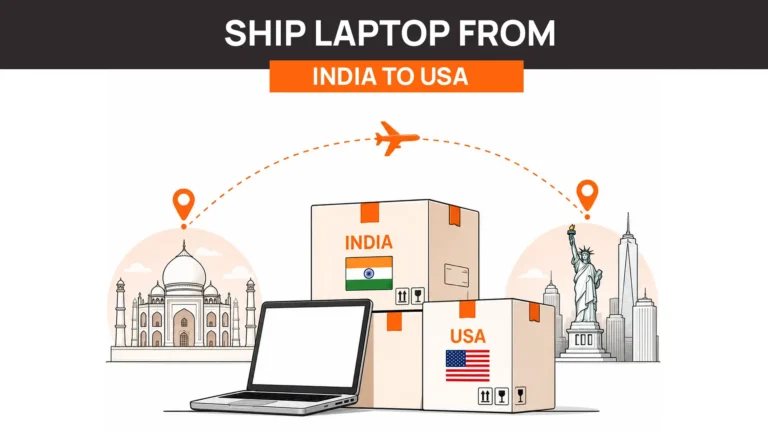
FedEx can be used for international laptop shipments, but the cost calculation becomes more complicated because customs, duties, taxes, documentation, and lithium-battery requirements enter the picture.
The international service you select is only one part of the final cost. You may also need to account for:
- Customs clearance
- Import duties and taxes
- Declared value
- Lithium-battery shipping requirements
- Packaging requirements
- Destination-specific fees
- Potential customs delays
For a detailed explanation of those requirements, see our guide on how to ship a laptop internationally.
The important distinction is that this article is about FedEx pricing mechanics. The international shipping guide covers the regulatory and customs side in greater depth.
Five Ways to Reduce FedEx Laptop Shipping Costs
You don’t necessarily need to choose the cheapest service to reduce shipping costs. Often, small changes to the way you plan the shipment can make a bigger difference.
1. Avoid last-minute overnight shipping
If the employee starts next Monday, don’t wait until Friday afternoon to ship the laptop. Planning ahead gives you more service options.
2. Measure the packed box
Don’t estimate the package size from the laptop itself. Measure the finished package, including the box and protective material. That’s the information you need to understand whether dimensional weight will affect the rate.
3. Avoid oversized packaging
Protection is important, but excess empty space can increase dimensional weight. Use enough cushioning to protect the device without creating an unnecessarily large package.
4. Compare standard rates with One Rate
For eligible U.S. domestic shipments, compare the standard FedEx rate with FedEx One Rate. One Rate can provide more predictable pricing when the shipment fits eligible packaging and service requirements.
5. Compare the cost of shipping with the cost of local sourcing
This is particularly relevant for companies with distributed teams. If a company needs to send a laptop from New York to an employee in London, the shipping cost is only part of the equation. Customs, duties, transit time, and potential delays also matter.
For a recurring international hiring programme, sourcing the laptop locally and routing it through redeployment may be more economical and operationally simpler than shipping every device internationally.
FedEx Laptop Shipping Checklist
Before you hand over the package, check:
- Laptop is backed up if required
- Device has been prepared according to your IT/security process
- Serial number has been recorded
- Battery and shipping requirements have been checked
- Package dimensions have been measured
- Actual package weight has been measured
- Dimensional weight has been considered
- Appropriate FedEx service has been selected
- Declared value has been set appropriately
- Laptop is properly cushioned
- Accessories are separated and secured
- Box is properly sealed
- Shipping label is attached to the top
- Tracking number has been recorded
That final check takes a few minutes, but it can prevent a surprisingly expensive mistake.
When FedEx Makes Sense for Laptop Shipping
FedEx is a practical option when you’re dealing with an individual laptop shipment and need reliable tracking, a defined delivery window, or a convenient drop-off or pickup option.
It is particularly straightforward when the shipment is domestic and you already know the destination, package dimensions, and required delivery date.
The challenge starts when shipping becomes a recurring operational process.
If a company is sending laptops to five employees every month across several countries, someone now has to manage carrier rates, packaging, tracking numbers, customs where applicable, delivery exceptions, returns, and asset records.
At that point, the problem is no longer simply “How much does FedEx charge to ship a laptop?”
It becomes “How do we manage laptop logistics without making every shipment a manual task?”
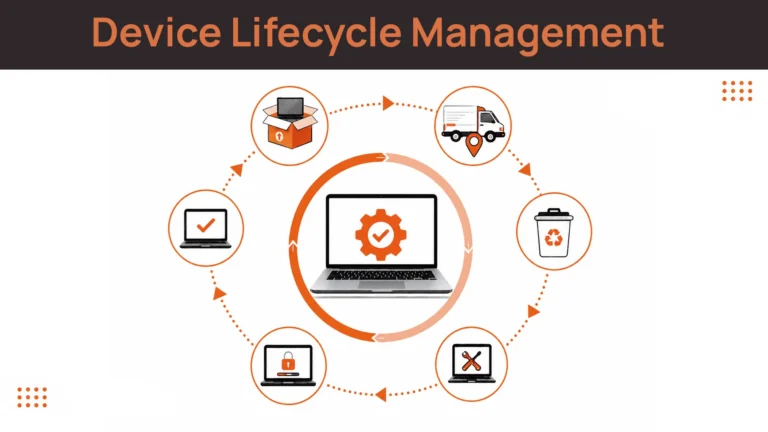
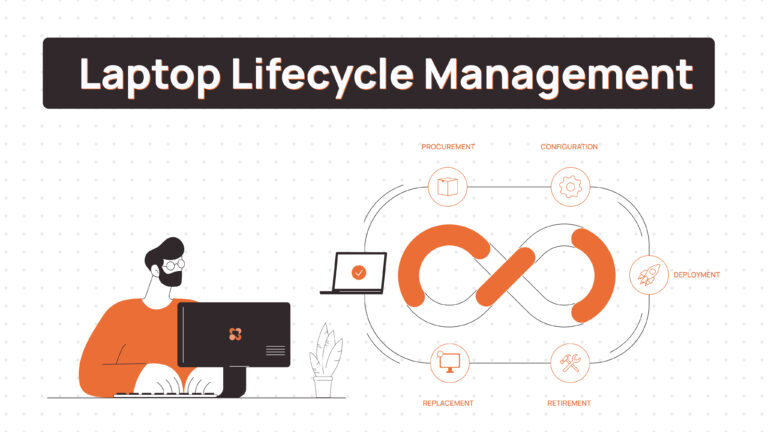
That’s where a structured device lifecycle management process replaces one-off shipping decisions with a repeatable, auditable workflow.
Final Thoughts: Know What You’re Actually Paying For
The cost of shipping a laptop with FedEx comes down to a handful of variables: distance, package dimensions, actual weight, dimensional weight, delivery speed, and declared value.
Once you understand those levers, the price becomes much easier to predict.
For a one-off shipment, that may be all you need. Measure the packed box, choose the appropriate service, protect the laptop properly, declare its value correctly, and keep the tracking information attached to the asset record.
For companies shipping devices regularly, however, becoming an expert in FedEx pricing probably isn’t the best use of the IT team’s time.
Remoasset handles laptop procurement, delivery, and retrieval across 80+ countries — so teams shipping devices regularly don’t have to rebuild the cost calculus every time a laptop needs to move.
Need to ship laptops regularly? Book a Demo with Remoasset to see how device procurement and logistics can be managed as one process instead of a series of one-off shipments.
FedEx rates, services, packaging requirements, surcharges, and declared-value terms can change. Always check the current FedEx rate quote and Service Guide for your specific shipment before booking.