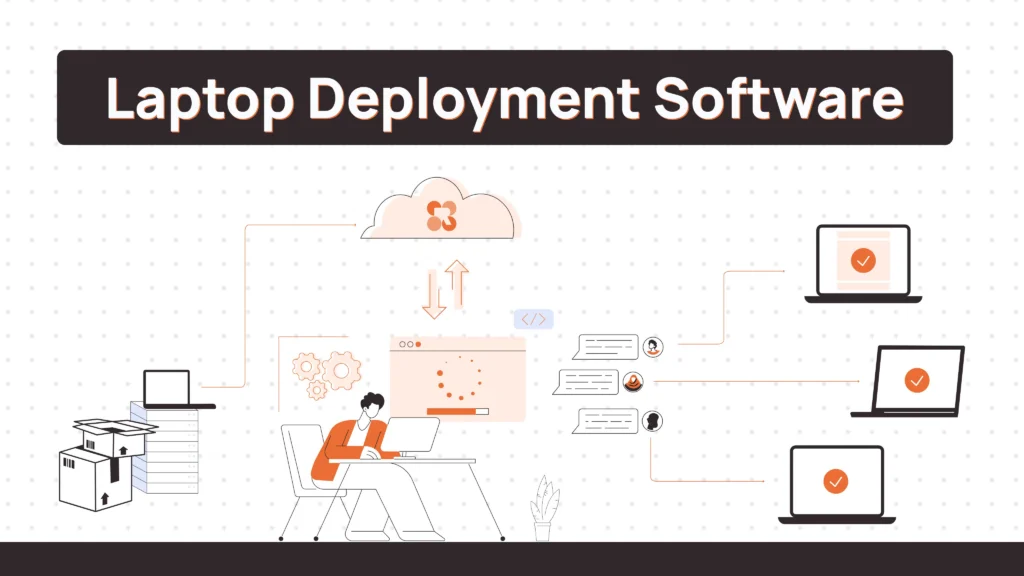
A new hire starts Monday. Their laptop ships Friday. It arrives Tuesday — wrong configuration, no MDM enrollment, and IT is three time zones away.
This is the default state for most IT teams still piecing together deployment through spreadsheets, shipping vendors, and manual provisioning steps. It works at 10 employees. It falls apart at 100. And with global hiring now standard across companies of every size, the gap between what traditional IT workflows can handle and what distributed teams actually need keeps getting wider.
Laptop deployment used to mean imaging a device in a back office and handing it to someone walking in the door. It now means procurement, zero-touch enrollment, international shipping, and eventually retrieval — all across employees in countries your IT team has never visited.
This guide covers the tools built for that reality.
What Is Laptop Deployment Software?
Laptop deployment software refers to platforms and tools that manage the provisioning, configuration, shipping, and tracking of physical devices, primarily laptops, for employees, particularly those working remotely or across distributed locations.
The category covers a spectrum of tools. At one end, MDM platforms like Jamf or Microsoft Intune handle device enrollment, policy enforcement, and remote configuration. At the other end, lifecycle management platforms like Remoasset and Workwize manage the physical journey of a device from procurement through to eventual retrieval and redeployment.
Related Read:
- Best Laptop Retrieval Services
- Laptop Asset Management Software
- Best Laptop as a Service (LaaS) Providers
- Best Laptop Return Services for Remote Teams
- Laptop Inventory Management Software
- Laptop Lifecycle Management: A Practical Guide for Modern IT Teams
What to Look for in Laptop Deployment Software
Not every team needs the same thing. The right features depend on where your bottleneck actually is.
Automation and HRIS integration
If onboarding a new hire still requires a manual IT ticket, you’re creating a dependency that doesn’t scale. Look for platforms that trigger procurement, shipping, and enrollment automatically from your HR system.
Global logistics capability
Shipping laptops internationally isn’t just a logistics problem; it’s a customs, carrier, and regulatory problem. Platforms with established regional networks or local warehouses reduce delivery times and avoid the customs delays that kill day-one experiences for international hires.
MDM compatibility
Zero-touch deployment requires MDM enrollment before the device leaves the warehouse. Verify that your deployment platform integrates with your MDM of choice — or includes MDM natively — before committing.
Lifecycle tracking and audit visibility
Every device should have a traceable record from procurement to disposal. Who has it, where it is, what state it’s in, what’s been done to it. This matters for asset management, budget planning, and compliance audits.
Retrieval workflows
Offboarding is as important as onboarding. Can the platform generate prepaid return labels automatically? Does it track the device through the return journey? Does it initiate data erasure on check-in? Platforms that handle this end of the lifecycle save significant manual coordination.
Redeployment support
Returning hardware needs to re-enter circulation, not sit in a stockroom. The tools that close this loop wiping, assessing, refurbishing, and redeploying are where IT teams recover the most asset value.
Best Laptop Deployment Software in 2026
Here’s a comprehensive list with the best options for different use cases.
1. Remoasset
Remoasset is purpose-built for managing the physical lifecycle of devices for distributed and global teams. It covers the full chain: procurement, deployment, global shipping, tracking, maintenance, retrieval, certified data wiping, refurbishment, and redeployment, from a single dashboard.
Devices are shipped directly to employees globally, with tracking visibility at every step. When an employee leaves, the platform initiates retrieval, manages the return logistics, runs NIST 800-88 certified data erasure, and routes the device back into inventory for the next deployment cycle.
Remoasset doesn’t just manage what’s on the device it manages where the device is and what happens to it across its entire life.
Best for: Remote-first and globally distributed companies that need end-to-end lifecycle management, not just provisioning or MDM.
Strengths: Global device retrieval, HRIS-triggered workflows, certified data erasure (NIST 800-88 + DoD), zero-touch compatible, multi-OS support, refurbishment and redeployment workflows, audit-ready reporting, tamper-proof certificates of erasure.
Limitations: New in the market as compared to other alternatives.
Pricing: Available on request. Schedule a demo →
2. Rippling IT
Rippling connects HR and IT in a way that most platforms only promise. When an employee is hired in Rippling’s HRIS, their device profile, app access, and policies are configured automatically from a single employee record. When they leave, all of it is revoked in one action.
Rippling IT handles MDM across macOS and Windows, app deployment, policy enforcement, and device inventory. The tight HR-IT connection means onboarding and offboarding are genuinely automatic.
Best for: Companies already using or considering Rippling as their HRIS that want IT automation built into the same platform.
Strengths: Deep HR-IT integration, automated provisioning and deprovisioning tied to employee lifecycle, strong policy automation, good multi-OS coverage.
Limitations: Rippling is an HR platform first. Physical logistics like global shipping, device retrieval, refurbishment aren’t part of the product. Companies managing hardware across multiple countries will need separate logistics coverage.
Pricing: Starts at $8/user/month for IT management. See Rippling pricing →
3. Workwize
Workwize is a hardware lifecycle management platform built specifically for globally distributed teams. Procurement, deployment, local warehousing, retrieval, and basic disposal are all managed through a single platform. It operates across 100+ countries with local warehouse networks in key markets, enabling faster regional deployments without international shipping delays.
HRIS integrations automate onboarding and offboarding workflows. Users report up to 70% reduction in manual IT work and consolidation from three or more logistics vendors down to one platform.
Best for: Growing companies with distributed teams across multiple regions that need reliable logistics and a unified hardware management view.
Strengths: Strong global logistics coverage, 100+ country reach, HRIS integration, local warehousing, 40+ device types supported, automated onboarding/offboarding.
Limitations: Certified data erasure depth is limited compared to dedicated ITAD platforms. API expansion was still in progress as of early 2025. Some regions have narrower hardware catalog coverage.
Pricing: Tiered per-user pricing. View Workwize plans →
Related Read: Best Workwize Alternatives & Competitors
4. GroWrk
GroWrk was built for companies hiring in Latin America and other emerging markets where most IT logistics platforms have weak coverage. Local fulfillment networks in Mexico, Colombia, Brazil, Chile, and other markets mean devices actually arrive reliably, within normal lead times.
Device retrieval, basic onboarding workflows, and hardware as a service options are included.
Best for: Distributed teams concentrated in Latin America and emerging markets where regional logistics is the primary operational challenge.
Strengths: Established local networks in LATAM, fast regional delivery, device retrieval, hardware-as-a-service model.
Limitations: Not built for deep MDM configuration, certified erasure, or global-scale deployments beyond its core regional coverage.
Pricing: Available on request. Contact GroWrk →
Read Also: Best Growrk Alternatives & Competitors
5. Kandji
Kandji is a modern Apple MDM platform built for organizations that want fast, consistent zero-touch deployment across Macs, iPhones, and iPads without the complexity of legacy MDM tools.
The platform uses Blueprints to standardize device setup. New devices enrolled through Apple Business Manager automatically receive the right apps, settings, and security policies. There’s no scripting required for most workflows. Kandji also handles patch management, compliance monitoring, and real-time device health across the fleet.
Best for: Mac-heavy teams at tech companies and startups that need fast, clean Apple zero-touch deployment with strong security compliance.
Strengths: Excellent Apple ecosystem depth, fast zero-touch setup via ABM, pre-built compliance frameworks, clean UI, 24/5 support included, 14-day free trial.
Limitations: Apple-only platform. No Windows, Android, or cross-platform MDM. No physical logistics, shipping, retrieval, or redeployment capabilities.
Pricing: Starts at ~$3.20/device/month for macOS MDM; iOS/iPadOS starts at ~$1.60/device/month. Volume discounts apply. See Kandji pricing →
6. Jamf
Jamf is the enterprise standard for Apple device management. It’s the most feature-rich Apple MDM on the market and the platform that large organizations turn to when they need deep customization like Smart Groups, Extension Attributes, complex policy logic, and enterprise-grade compliance reporting.
Jamf Pro handles zero-touch deployment via Apple Business Manager, automated app distribution, patch management, and integration with identity providers like Okta and Azure AD. Jamf Protect adds endpoint security. Jamf Connect handles SSO and password synchronization.
Best for: Large enterprises with complex Apple environments, regulated industries, and organizations that need maximum customization control over device configuration.
Strengths: Deepest Apple MDM feature set available, extensive customization, strong enterprise integrations, proven at scale across 70,000+ organizations.
Limitations: Significant learning curve. Complex to administer without dedicated Jamf expertise. No Windows or Android MDM. No physical logistics or lifecycle management. Enterprise pricing is substantial.
Pricing: Jamf Pro starts at ~$3.67/device/month. Jamf Business bundle (Pro + Connect + Protect) ~$13.65/device/month. Enterprise contracts range widely. See Jamf pricing →
Why Traditional Laptop Provisioning Breaks for Remote Teams
The old model worked in one specific context: everyone showed up to the same building.
IT would image a device, install the required software stack, configure access credentials, hand it to the employee, and done. The whole process happened in one room in a single afternoon.
Remote teams introduced six variables that manual provisioning can’t handle:
Shipping delays and customs complexity
A device heading to Brazil, India, or Kenya faces customs documentation, import duties, and carrier unpredictability that don’t exist when you’re shipping across town. Without a logistics layer, IT teams are manually coordinating with carriers they’ve never used.
No enrollment before delivery
If a device isn’t pre-enrolled in MDM before it leaves the warehouse, it arrives as a blank machine. The employee either waits for IT to walk them through setup remotely, or worse, sets it up themselves without proper policies applied.
Configuration inconsistency
When provisioning is done manually, it’s done differently every time. Apps missing, policies not applied, user accounts misconfigured. The later these issues surface, the more expensive they are to fix.
Zero tracking visibility
Without a system, IT doesn’t know if a device is in transit, sitting in a customs hold, delivered to the wrong address, or sitting in a home office unused. Spreadsheets don’t update themselves.
Retrieval becomes an afterthought
When an employee leaves, getting the device back from another country, from someone who may not be cooperative has no defined process. Devices go missing. Data on them doesn’t.
No path to redeployment
Even when devices are returned, there’s no systematic workflow to assess condition, wipe data, refurbish, and redeploy. Most companies buy new hardware instead of recovering what they already own.
What Zero-Touch Deployment Means
Zero-touch deployment (ZTD) is the process of configuring and deploying a device so that an employee can unbox it, log in, and be fully productive without any manual setup from IT and without the device ever physically passing through an IT office.
The mechanism behind it depends on the operating system.
Apple Business Manager (ABM) allows Apple devices to be pre-assigned to an MDM server at the point of purchase. When the device first boots, it automatically enrolls in the assigned MDM, pulls down configurations, installs apps, and applies policies — all over the air.
Windows Autopilot does the same for Windows devices. Devices are registered to an Azure tenant before shipment. On first boot, Autopilot contacts Microsoft’s enrollment service, identifies the device, and configures it according to the assigned profile — including Intune policies, app deployments, and user settings.
Zero-touch also changes the offboarding equation. When an employee leaves, IT can remotely lock, wipe, and unenroll a device without ever having physical access to it. That capability matters especially when a device is in another country or the employee has already left the organization.
How Modern IT Teams Automate the Full Deployment Workflow
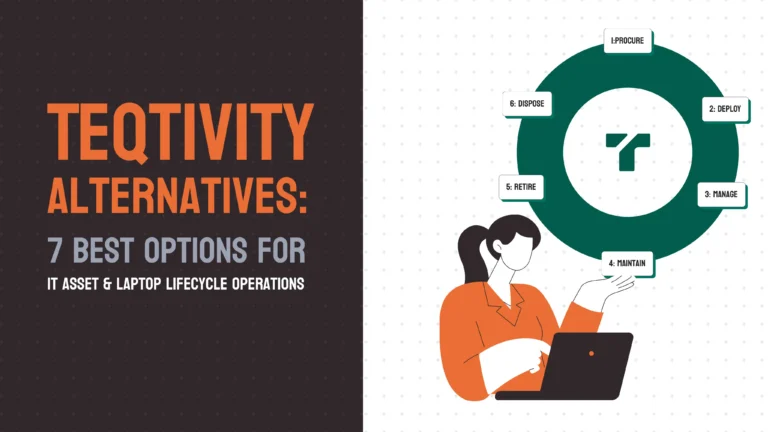
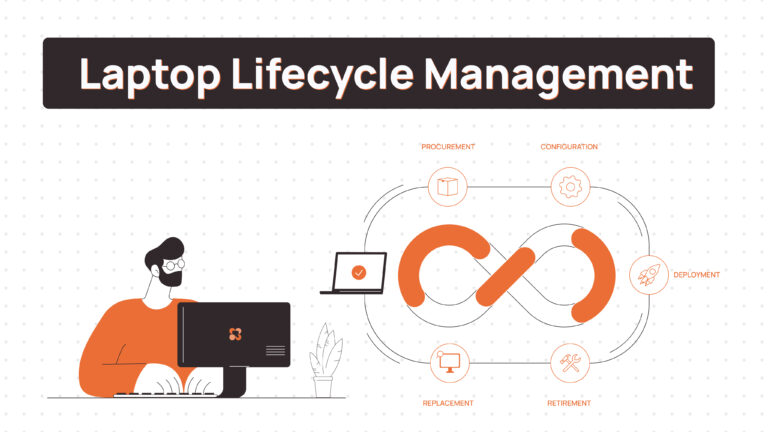
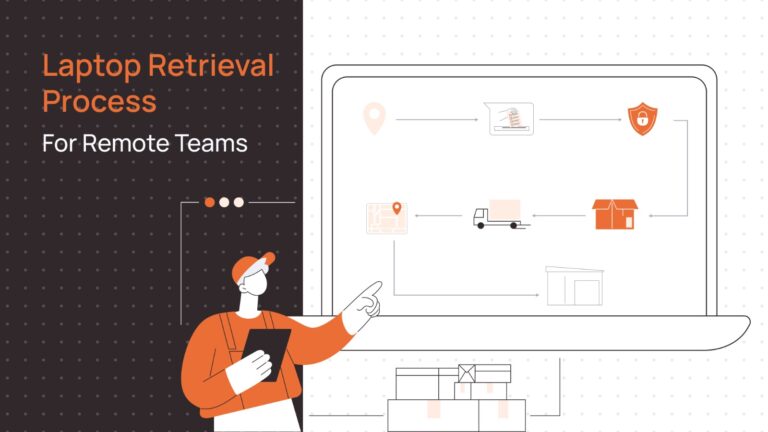
Zero-touch handles configuration. But configuration is one step in a larger chain. Here’s what an end-to-end automated laptop deployment workflow looks like in practice:
1. Procurement
A new hire is added to the HRIS. The platform detects the hire, reads the role and location, and triggers a procurement request from an approved device catalog. No manual PO required.
2. Device Enrollment
Before the device ships, it’s registered in the MDM platform — Apple Business Manager for Macs, Windows Autopilot for Windows machines. Enrollment is automatic on first boot.
3. Pre-Configuration
The device profile is assigned based on role. Apps, VPN settings, security policies, and access credentials are queued. When the device boots, it pulls everything automatically.
4. Shipping
The device ships directly from the warehouse to the employee’s address. For international deployments, a platform with local warehouse networks eliminates customs delays by sourcing hardware regionally.
5. Employee Onboarding
The employee receives a pre-configured device. They sign in, authentication triggers final app installation, and they’re productive within minutes. IT never touched the device.
6. Tracking
The platform maintains a real-time record of device location, status, condition, and assignment. IT has a live view of the entire fleet without manual updates.
7. Maintenance
Patches and OS updates are pushed remotely by the MDM layer. Support tickets connect to the device record. Repairs are tracked against the asset.
8. Retrieval and Redeployment
When an employee offboards, the HRIS triggers a retrieval workflow. Prepaid shipping labels go to the employee. The device returns, gets certified data wiped, assessed, refurbished if needed, and re-enters the deployment pool for the next hire.
That last step is where significant cost recovery lives. A well-run lifecycle program means fewer new hardware purchases every quarter.
Related Read: Best Laptop Recovery Software for Offboarding
Comparison Table for The Best Laptop Deployment Software
| Tool | Zero-Touch Deployment | Global Shipping | MDM Support | Retrieval Workflows | Lifecycle Management | Redeployment | Best Company Size |
| Remoasset | Yes | Yes, Global | Yes, Multi-OS | Yes | Yes Full lifecycle | Yes | Mid-market → Enterprise |
| Rippling IT | Yes | No | Yes,Mac + Win | Limited | Partial | No | SMB → Mid-market |
| Workwize | Yes | Yes, 100+ countries | Basic | Yes | Yes | Partial | SMB → Enterprise |
| GroWrk | Limited | Yes,LATAM focus | Basic | Yes | Partial | Partial | SMB → Mid-market |
| Kandji | Yes, Apple ABM | No | Yes,Apple only | No | No | No | SMB → Enterprise |
| Jamf | Yes, Apple ABM | No | Yes,Apple only | No | No | No | Mid-market → Enterprise |
Simplify Global Laptop Deployment with Remoasset
Most of the platforms in this list handle one part of the deployment problem well. MDM tools configure devices. Logistics platforms ship them. HR software triggers the workflow.
Remoasset is built to handle the whole thing from the moment a hire is confirmed in your HR system to the moment a device is wiped, refurbished, and ready for the next employee. Procurement, zero-touch-compatible deployment, global shipping, real-time tracking, maintenance, retrieval, and certified data erasure are connected in one workflow rather than stitched across multiple vendors.
For IT teams managing remote and global workforces, that’s not a feature advantage it’s an operational one. Less vendor coordination, fewer tools, and a complete audit trail from device procurement to disposal.
Schedule a demo to see how Remoasset works →
FAQ
How does Windows Autopilot work?
Windows Autopilot registers devices to an Azure Active Directory tenant before shipment. When a new device is powered on and connected to the internet, it contacts Microsoft’s enrollment service, identifies itself by hardware hash, and applies the Autopilot profile assigned to it. Hence, joining Intune, applying policies, installing apps, and presenting the employee with a pre-configured setup experience.
How do companies ship laptops to remote employees?
Companies with small, centralized teams typically ship directly from an IT office or third-party vendor. For global or distributed teams, the better approach is working with a platform that has regional warehouse networks or established carrier partnerships per country. Devices can be sourced locally or pre-shipped to regional hubs, eliminating customs delays and reducing lead times. Platforms like Workwize, GroWrk, and Remoasset handle this logistics layer.
What’s the difference between MDM and laptop deployment software?
MDM (Mobile Device Management) manages the software layer of a device — policies, apps, security settings, OS updates. It controls what happens on the device. Laptop deployment software manages the physical layer — procurement, shipping, tracking, retrieval, and lifecycle state. The two are complementary. A proper deployment workflow typically requires both: MDM to configure the device, and a deployment/lifecycle platform to manage its physical journey.
How do IT teams manage laptop retrieval when employees leave?
In mature workflows, retrieval is triggered automatically when an employee is marked as leaving in the HRIS. The platform generates a prepaid shipping label and sends it to the employee with instructions. The device’s return journey is tracked. On arrival, it’s checked in, audited, and queued for data erasure.
What software is best for remote employee onboarding?
For remote employee onboarding specifically, the best platforms combine HRIS integration (to trigger workflows automatically), zero-touch deployment (so devices arrive configured), and global logistics (for international hires). Rippling IT is strong when you want HR and IT in one system. Remoasset is the better fit when global device logistics and lifecycle management are the primary challenges. Workwize is a good option for teams that need 100+ country coverage with local warehousing.
How do companies redeploy returned laptops?
Returned devices go through a defined refurbishment pipeline: condition assessment, certified data erasure, hardware check, any necessary repairs or parts replacement, and finally re-enrollment in MDM for the next deployment. Platforms like Remoasset automate this pipeline so recovered assets re-enter inventory rather than sitting idle or being sent to disposal unnecessarily.
Can zero-touch deployment work for Android devices?
Yes. Android Enterprise, combined with Android Zero-Touch Enrollment, allows Android devices to be registered and pre-configured before reaching the employee. The process is similar to Apple Business Manager: devices are registered in a zero-touch portal, assigned to an EMM/MDM platform, and automatically enroll and configure on first boot. Google’s zero-touch program is supported by most major MDM vendors including Jamf, Intune, and JumpCloud.