Remote work has transformed how organizations manage IT device. When employees leave or relocate, retrieving company devices becomes a critical task. This guide covers the complete remote retrieval process for IT teams managing distributed workforces across the world.
Why Remote Device Retrieval Is a Growing IT Challenge
Remote work has become an essential perk for many companies hiring great talent. This shift has fundamentally changed how IT teams manage company-owned equipment. The retrieval process now impacts security, compliance, and asset management in new ways.
The Geographic Challenge
Remote teams create geographic complexity that didn’t exist before. Devices spread across cities, states, or countries. Traditional in-office returns no longer apply. IT teams need structured retrieval processes that work at scale. Physical distance complicates what was once a simple desk-to-IT handoff. Each location presents unique logistics and coordination requirements.
Financial and Security Risks
Failed retrievals create both financial and security risks. Unreturned devices contain sensitive data and represent capital investment. Each device costs between $800 and $2,000 in hardware alone. Lost devices may contain customer data, intellectual property, or access credentials. Security teams must treat every unreturned device as a potential breach.
The Scale Problem
Industry data shows device return rates average 70-85% without systematic processes. Organizations lose visibility into hardware inventory. Audit compliance becomes difficult when asset records remain incomplete. Spreadsheets and email chains cannot manage hundreds of remote retrievals. IT teams need automated systems to maintain accuracy and accountability.
What Is Remote Device Retrieval?
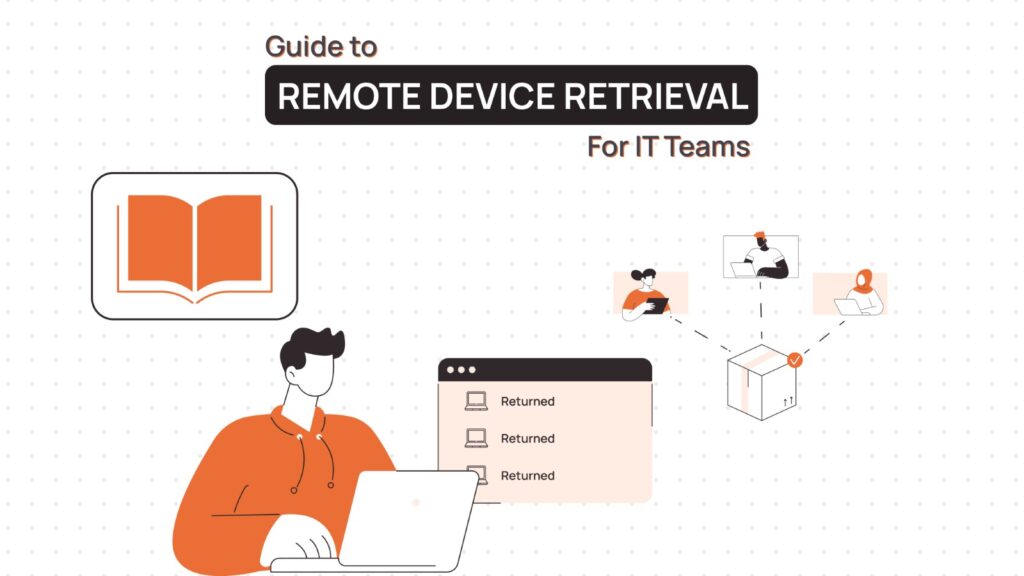
Remote device retrieval is the process of recovering company-owned equipment from distributed employees. This includes laptops, monitors, peripherals, mobile devices, and accessories. The process coordinates logistics, data security, and asset tracking.
Retrieval differs from standard IT offboarding in significant ways. Let’s take a look at the major differences.
Traditional vs. Remote Device Retrieval
| Aspect | Traditional Office Retrieval | Remote Device Retrieval |
| Location | Employee brings device to IT desk | Device ships from employee location |
| Timeline | Same-day return possible | 3-10 days typical transit time |
| Data Security | IT wipes device immediately | Remote wipe before shipping required |
| Verification | Instant serial number check | Verification upon delivery only |
| Cost | No shipping costs | Shipping and packaging expenses |
| Tracking | Physical handoff receipt | Carrier tracking and confirmation |
| Stakeholders | IT and employee only | IT, HR, shipping vendors, security |
| Risk | Minimal loss risk | Transit loss and damage potential |
The remote device retrieval retrieval process must balance speed, cost, and security. Fast retrieval protects data but increases shipping costs. Delayed retrieval reduces urgency but increases security exposure.
Common Challenges in Retrieving Devices from Remote Employees
Remote device retrieval presents obstacles that traditional IT processes never anticipated. Each challenge requires specific solutions and preventive measures.
Geographic and Logistical Complexity
Geographic dispersion complicates logistics in fundamental ways. Employees across multiple time zones require coordinated scheduling. International retrievals face customs regulations and extended transit times. Rural locations may lack convenient shipping access.
Communication Breakdown
Communication gaps delay the retrieval process significantly. Former employees may ignore retrieval requests after departure. Current employees traveling or relocating miss pickup schedules. Clear communication protocols prevent these delays.
Lost Visibility and Accountability
Tracking visibility creates accountability issues across the organization. IT teams lose sight of device locations without real-time updates. Shipping delays or lost packages disrupt inventory records. Automated tracking systems solve this problem.
Data Security Risks in Transit
Data security risks increase dramatically during transit. Devices may contain unwiped confidential information. Lost or stolen shipments expose sensitive data. Remote wipe capabilities reduce this exposure.
Escalating Costs at Scale
Cost management becomes difficult at scale. Expedited shipping inflates retrieval budgets significantly. Multiple failed pickup attempts increase expenses. Bulk retrieval agreements with carriers reduce per-unit costs.
Compliance and Documentation Gaps
Compliance documentation requires careful handling throughout the process. Asset disposal regulations vary by jurisdiction. E-waste laws mandate proper recycling procedures. Incomplete records create audit vulnerabilities.
Step-by-Step Remote Device Retrieval Process
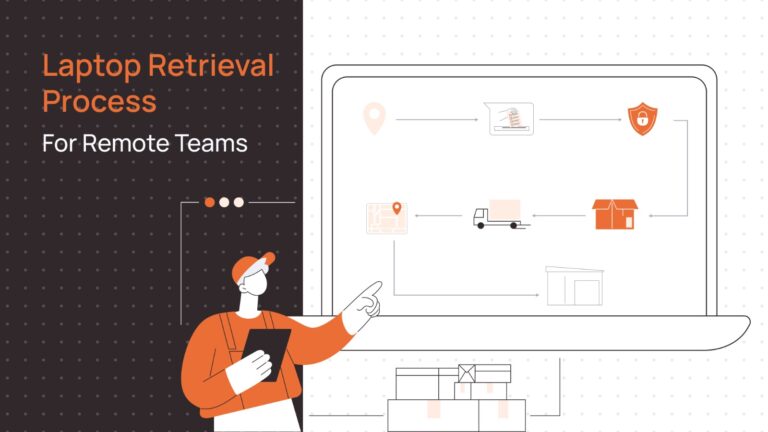
A standardized device retrieval process ensures consistent device recovery across all remote retrievals. This framework applies whether handling single terminations or bulk hardware refreshes.
Triggering Retrieval During Offboarding
Retrieval begins when HR initiates the offboarding workflow. Automated systems should create retrieval tickets immediately. Early notification gives IT teams time to coordinate logistics. Here is a checklist your team could follow:
- Document all assets assigned to the departing employee. Cross-reference against procurement records and inventory systems. Include accessories often forgotten in initial requests.
- Initiate remote security measures before physical retrieval. Disable account access and revoke VPN credentials. Lock devices remotely if mobile device management allows. Schedule data backups if needed.
- High-risk departures require accelerated procedures. Involuntary terminations need immediate remote wipes. Expedited shipping becomes necessary for sensitive roles. Legal teams may need involvement.
Notifying the Employee
Clear communication prevents retrieval delays and confusion. Send detailed instructions to both personal and company email addresses. Include all necessary information in the first message. Essential notification elements include:
- Complete list of items requiring return
- Return deadline with specific date
- Shipping method and prepaid label instructions
- Packaging requirements and recommendations
- Contact information for questions
- Tracking number submission process
Provide data backup guidance before device wipe. Allow time for employees to save personal files. Specify which data types are acceptable to retain. Set clear deadlines for personal data removal.
Follow up if there is no response within 48 hours. Escalate to managers or legal after repeated non-response. Document all communication attempts with timestamps. Use certified mail for formal legal notices.
Choosing the Retrieval Method for Remote Devices
Selection depends on location, urgency, cost, and device sensitivity. Each method offers different tradeoffs.
- Courier services work best for standard remote retrievals. Major carriers like FedEx, UPS, and DHL provide tracking. Transit typically takes 2-5 business days domestically.
- Third-party recovery services handle high-value or sensitive devices. Costs range from $50-200 per device. Services include signature confirmation and GPS tracking.
- Office drop-off applies when employees live near company locations. Require photo ID and signed receipt. This method eliminates shipping costs and delays.
Local couriers serve metropolitan areas cost-effectively. Same-day pickup reduces security exposure time. Verify insurance coverage before use.
Tracking and Confirmation
Real-time visibility prevents devices from disappearing in transit. Implement tracking at every stage of retrieval.
- Capture tracking numbers immediately when employees ship devices. Integrate tracking APIs with asset management systems. Set up automated status monitoring.
- Physical receipt requires inspection and documentation. Verify device serial numbers match asset records. Check for physical damage during transit.
- Update inventory systems within 24 hours of receipt. Mark devices as available for redeployment or decommissioning. Generate reports for finance and compliance teams.
Document exceptions and missing items immediately. Begin recovery procedures for unreturned equipment. Track recovery rates to improve future device retrieval processes.
Methods to Retrieve Remote Devices from Anywhere
Multiple retrieval methods provide flexibility for different situations. Choose based on geography, volume, and urgency. Many organizations use hybrid approaches.
Device-as-a-Service (DaaS) Platforms
DaaS platforms like Remoasset integrate device lifecycle management with automated retrieval workflows. They connect procurement, deployment, and retrieval into streamlined processes.
DaaS retrieval features typically include:
- Automated shipping label generation and delivery
- Integrated carrier tracking across multiple vendors
- Employee self-service portals for returns
- Real-time inventory updates and reporting
- Compliance documentation and audit trails
Costs vary based on device volume and service level. Organizations save time through automation while improving return rates.
Courier-Based Retrieval
National carriers handle most remote device retrieval operations. UPS, FedEx, and DHL offer comprehensive tracking and insurance. Most domestic shipments arrive within 3-5 business days.
Enterprise carrier agreements reduce per-shipment costs significantly. Volume discounts apply when shipping 50+ devices monthly. Include signature requirements for added security.
International retrieval requires customs documentation. Declare devices as returned company property. Research import regulations for specific countries.
Office Drop-Off Models
Local drop-off works when employees live within commuting distance. Designate specific receiving locations and hours. Train reception staff on proper documentation procedures.
Satellite offices can serve as regional collection points. This reduces individual shipping costs. Drop-off eliminates shipping delays and works best for metro areas.
Securing Data Before and After Retrieval
Data security must start before physical devices return. Remote wipe capabilities prevent unauthorized data access. Deploy mobile device management for remote security controls.
Pre-Retrieval Security Measures
Execute remote wipes as soon as offboarding begins. Use MDM solutions Remoasset. Document all wipe actions with timestamps. Backup critical data before wiping devices. Identify files not stored in cloud systems. Verify backup integrity before initiating wipes.
Disk encryption reduces risk for devices in transit. Enable BitLocker, FileVault, or equivalent encryption. Verify encryption status before shipping.
Post-Retrieval Data Sanitization
Physical receipt triggers secondary security measures. Perform factory resets on all returned devices. Run data sanitization software meeting DoD standards. Generate certificates of data destruction.
Remove or destroy storage devices for high-security environments. Use certified e-waste vendors for proper disposal. Maintain destruction certificates for compliance.
Network and Access Controls
Network access control prevents unauthorized usage during retrieval. Revoke device certificates immediately upon offboarding. Block MAC addresses at network level. Disable VPN access and cloud service authentication.
Best Practices to Reduce Device Loss
Prevention reduces device retrieval challenges before they occur. Clear expectations and accountability prevent most losses throughout the device lifecycle.
Clear Ownership and Documentation
Assign ownership clearly in asset management systems. Document device assignments with employee acknowledgment. Require signed agreements for all hardware. Include retrieval obligations while onboarding remote employees.
Regular Audits and Verification
Regular device audits verify inventory accuracy. Quarterly checks confirm employees still possess assigned devices. Audits identify discrepancies before they become losses.
Streamlined Exit Processes
Exit interview checklists prevent forgotten items. Include specific device models and serial numbers. Verify return completion before final paycheck processing. HR and IT coordination ensures accountability.
Convenient Return Experience
Make retrieval convenient for employees. Provide prepaid labels immediately upon termination. Send packaging materials if needed. Clear instructions reduce confusion and delays.
Data-Driven Improvements
Track and analyze loss patterns. Identify departments or roles with higher loss rates. Determine root causes for non-returns. Implement targeted improvements for problem areas.
Insurance Protection
Insurance covers unexpected losses and theft. Verify coverage limits match actual device values. File claims promptly for eligible losses.
How Remoasset Supports Remote Retrieval
Manual retrieval creates problems for distributed IT teams. Tracking spreadsheets and email chains waste time. Remoasset solves this through automated retrieval workflows.
The platform connects to HR systems and triggers retrieval when employees leave. Departing employees get prepaid labels and instructions automatically. Tracking updates appear in real-time dashboards.
The system works with different retrieval methods. Secure asset retrieval coordinates courier pickups, drop-offs, and recovery services. HRIS integration starts workflows immediately after termination. Compliance records are generated automatically.
IT teams see all devices in transit. Alerts flag delays needing attention. Reports show return rates and improvement opportunities. Get a free trial for your team today!
FAQs on Remote Device Retrieval
How long should employees have to return devices?
Standard policies allow 5-10 business days for domestic returns. International employees may need 15-20 business days. Expedite timelines for high-security roles or involuntary terminations. Document specific deadlines in termination communications.
Who pays for return shipping costs?
Most organizations pay return shipping via prepaid labels. Some jurisdictions legally require employer-paid shipping. Calculate shipping costs as standard offboarding expenses. Volume carrier agreements reduce per-device costs significantly.
What happens if an employee refuses to return devices?
Document all retrieval attempts with timestamps and methods. Escalate through manager and HR after initial non-response. The legal department may send formal demand letters. Final paycheck deductions may apply where legally permissible.
Can we deduct device costs from final paychecks?
State and local laws govern paycheck deductions. Many jurisdictions prohibit deducting equipment costs. Consult employment attorneys before implementing deduction policies. Signed equipment agreements strengthen legal positions.
How do we handle damaged devices during return?
Inspect all devices upon receipt and document damage. Determine if damage occurred during normal use or negligence. Most organizations absorb normal wear and tear costs. Seek reimbursement for clear negligence where legally supported.
Should we wipe devices before or after physical retrieval?
Remote wipe immediately upon termination when possible. This protects data during transit and delays. Perform secondary factory reset upon physical receipt. Document both wipe events for compliance records.
What if an employee loses their device before returning?
File a police report for theft or loss documentation. Initiate remote wipe if device is locatable. Document incidents thoroughly in asset management systems. Review insurance coverage for potential reimbursement.
How do we retrieve devices from international employees?
Research customs regulations for each destination country. Declare devices as returned company property. Provide necessary documentation including commercial invoices. Allow extended timelines for international shipping and customs.