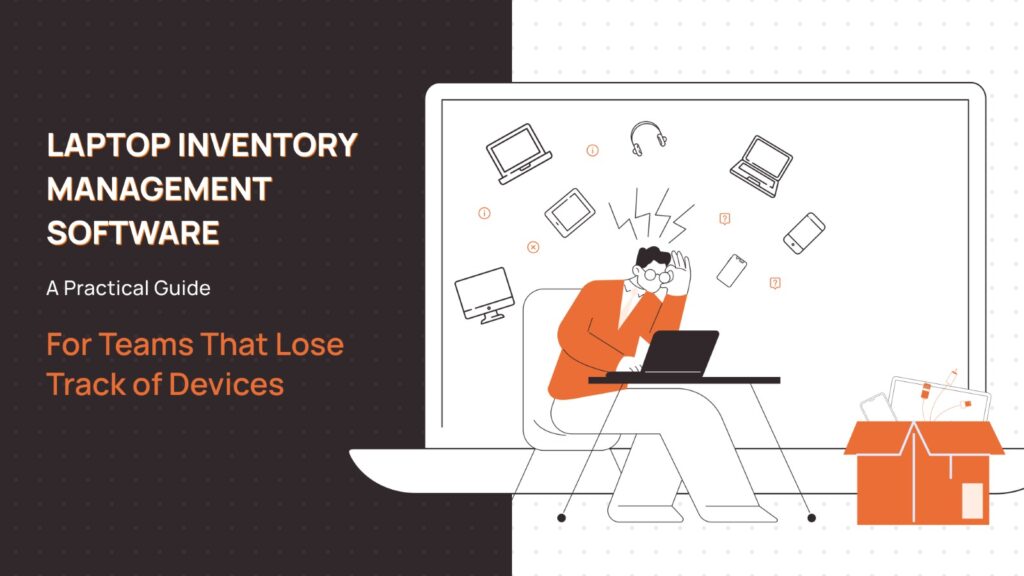
You find out a laptop is missing during an audit. Maybe it’s an offboarding gone sideways: the employee left three months ago, IT marked the ticket closed, but the laptop never came back. It’s sitting in someone’s home office in another state. Or another country.
These aren’t edge cases. They’re what happens when device tracking is treated as an afterthought.
The real issue isn’t that you lost a laptop. It’s that your system gave you no warning it was happening. No one flagged the risk. No one owned the outcome. This is a visibility problem and until you name it that way, you’ll keep solving it with the wrong tools. Problems like these are what laptop inventory management softwares are supposed to solve.
Why Spreadsheets Work… Until They Don’t
Before dismissing spreadsheets, be honest about when they’re the right call. In many cases, you may not even need a laptop inventory management software.
Stage 1 – Under 50 Devices
A shared Google Sheet with asset tag, serial number, assigned user, and purchase date is genuinely sufficient. You can audit it manually. You probably know where every device is. Don’t buy software you don’t need.
Stage 2 – 50–150 Devices
This is where spreadsheets start lying to you. A device gets reassigned and the sheet doesn’t get updated. Someone adds a row in the wrong format. You lose two hours before an audit reconciling what’s in the sheet versus what’s in your MDM. You’re still functional, but you’re starting to feel the friction.
Stage 3 – 150+ Devices
At this scale, a spreadsheet is a liability. Device history gets lost. Refresh planning becomes a guess. Finance wants depreciation data you don’t have. Security asks about a device, and you can’t answer confidently. This is when the cost of bad data starts becoming real money. This is where a laptop inventory management software would come in most handy.
Stage 4 – Distributed Teams
Geography breaks everything. Devices shipped to remote employees in different cities, different countries. Local couriers, international customs, employees who onboard and offboard without ever stepping into an office. A spreadsheet can’t tell you where a device is in transit, what its condition is, or who’s responsible for getting it back.
What Companies Actually Need in Laptop Inventory Management Software
Feature lists are how vendors think. Here’s how IT teams actually think:
“Who has this device, and can I reach them?” Ownership and accountability. You need a clear chain of custody from procurement to offboarding.
“Is this device compliant, and is it a risk?” Security visibility. Unknown or untracked devices are your largest endpoint security exposure. If it’s not in your system, it’s not getting patches, and you don’t know it.
“When do I need to replace this, and what will it cost?” Refresh planning. Most IT teams are reactive here. Good device lifecycle data lets you get ahead of it.
“Can I prove what we have if someone audits us?” Audit readiness. SOC 2, ISO 27001, and basic internal audits all require you to demonstrate control over assets.
“What happens when someone quits?” Offboarding workflow. Device retrieval is operationally expensive. Without a process anchored in a system, things fall through. A laptop inventory management with a retrieval service should be your go-to choice here.
Map your actual pain to one of these before you start evaluating software.
Types of Laptop Inventory Software
Not all tools are solving the same problem. Picking the wrong category is the most common mistake which IT managers can make while choosing an inventory management software for laptops.
Laptop Retrieval Softwares
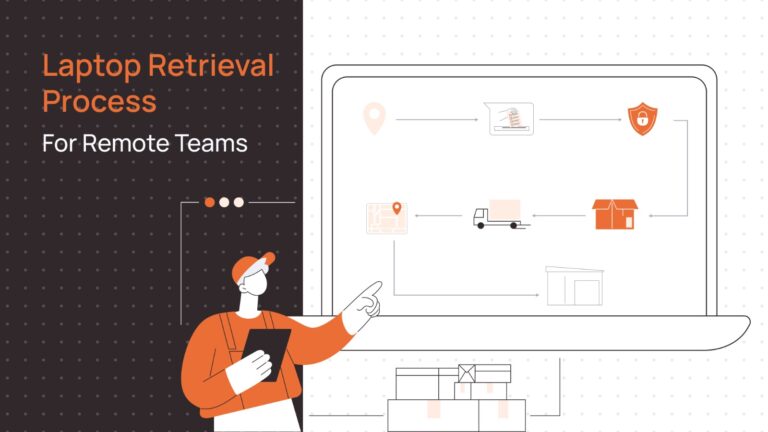
These are purpose-built for getting devices back. They handle shipping logistics, prepaid labels, data wipe coordination, and device condition documentation. They’re not tracking systems, and they don’t give you a real-time view of your fleet. They solve the offboarding and recovery workflow.
When they’re right: You have a distributed workforce, high employee turnover, and you’re losing devices during offboarding.
When they fail: You also need ongoing asset visibility. A retrieval tool won’t replace a proper inventory system.
Laptop Inventory Tracking Softwares
These maintain a real-time record of what you own, who has it, and its current status. Many integrate with MDM platforms and HRIS systems so device assignments update automatically when someone joins or leaves.
When they’re right: You need authoritative records for audits, security reviews, or refresh planning.
When they fail: They don’t solve logistics. Knowing a device needs to come back is different from actually getting it back.
Laptop Lifecycle Management Platforms
These combine tracking, procurement, refresh planning, and sometimes retrieval into a single workflow. They’re designed for teams that want to manage the full device journey — from purchase order to disposal.
When they’re right: You’re operating at scale, dealing with international teams, and need finance and IT working from the same data.
When they fail: They’re heavier to implement and maintain. If you don’t have the operational maturity to use them fully, you’ll pay for features you ignore.
How to Choose Laptop Inventory Software
Choosing the right software for laptop inventory management could be cumbersome, especially for new teams. Ask these questions before talking to any vendor:
What’s your biggest current failure point? Lost devices during offboarding points toward retrieval tooling. Unknown device status points toward tracking. Unplanned refresh costs point toward lifecycle management.
How distributed is your team? Domestic-only and international operations have completely different logistics requirements. Some laptop inventory management softwares handle customs and international shipping coordination; most don’t.
What integrations do you actually need? MDM integration is table stakes. HRIS sync saves significant manual work. Finance system integration matters for depreciation and procurement. Don’t buy a tool that requires manual exports to connect with systems you already run.
What’s your security exposure? If you have devices in the field that aren’t in any system, that’s your first problem to solve. Visibility before optimization.
Do you plan to reuse or redeploy devices? Redeployment workflows like wiping, reassigning etc require different tooling than just tracking. If device reuse is part of your strategy, your software needs to support that chain of custody.
Best Laptop Inventory Management Software for IT Teams
No single tool is best for everyone. Here’s an honest look at the current landscape.
RemoAsset
Best for: IT teams managing distributed or remote workforces who need end-to-end device lifecycle visibility.
Why companies choose it: RemoAsset connects tracking, onboarding logistics, and offboarding retrieval in a single workflow. It’s built for the reality of remote work, where devices ship directly to employees, change hands without IT physically present, and need to be recovered without a central office to return them to. Integration with HRIS systems means asset assignment can stay in sync with your org chart automatically.
Where it struggles: If your team is entirely office-based with a traditional IT setup, the logistics features may be more than you need. It’s most valuable when geography is a real operational variable.
Freshservice
Best for: Mid-sized IT teams already using an ITSM platform.
Why companies choose it: It combines helpdesk and asset management, so IT isn’t context-switching between systems. CMDB integration is solid.
Where it struggles: It’s an IT service management tool with asset tracking built in, not the reverse. Retrieval and logistics aren’t its strength. You’ll need a separate process for offboarding workflows.
Snipe-IT
Best for: Budget-conscious teams with technical staff.
Why companies choose it: Open source, self-hostable, and genuinely functional for tracking. Low cost with no vendor lock-in.
Where it struggles: No managed logistics, no offboarding support, and requires ongoing maintenance if self-hosted. Not built for distributed teams.
Asset Panda
Best for: Operations teams that want flexibility across asset types.
Why companies choose it: Highly configurable with a good mobile app for physical audits. Works across asset types, not just laptops.
Where it struggles: Flexibility creates complexity. Setup takes time, and it’s not purpose-built for IT device lifecycle management.
Jamf / Microsoft Intune
Best for: Companies that need device management, not just inventory.
Why companies choose it: These are the authoritative sources for device compliance, configuration, and security posture. If you run a managed fleet, you’re probably already using one of them.
Where it struggles: MDM is not asset management. It tells you about device state — not ownership history, retrieval workflows, or refresh planning. You’ll likely need a separate system alongside it.
Which One Should You Choose?
No tool fits every situation. Use this table to find your starting point.
| Situation | Device Count | Team Setup | Primary Pain | Recommended Starting Point |
| Just need better records | Under 100 | Office-based | No single source of truth | Snipe-IT or your existing ITSM’s asset module |
| Offboarding is causing real losses | 100–300 | Hybrid or remote | Devices not coming back | RemoAsset or MDM + dedicated retrieval workflow |
| Compliance and audit pressure | 100–300 | Any | Can’t prove asset control | Freshservice or Asset Panda with ITSM integration |
| Distributed team, global shipping | Any size | Fully remote, international | Logistics and chain of custody | RemoAsset |
| Security and device compliance first | Any size | Any | Unmanaged endpoints, patch gaps | Jamf or Intune as foundation, then layer tracking |
| Finance needs depreciation data | 300+ | Any | No lifecycle visibility for planning | Lifecycle management platform with finance integration |
| Scaling fast, need everything connected | 300+ | International, multi-site | Data silos across HR, IT, finance | Remoasset for full lifecycle platform with HRIS and MDM integration |
The honest version: most teams land in two or three of these rows at once. Start with your biggest active failure, basically the thing that cost you time or money last quarter and solve that first. You can layer capability as your operation matures.
The Real Cost of Choosing the Wrong Category
Most teams that switch tools aren’t switching because the first tool was bad. They’re switching because they bought a tracking tool when they needed a lifecycle platform; or a logistics tool when they needed visibility.
The cost isn’t just the software subscription you’re abandoning. It’s the data migration, the retraining, the months of parallel operation while you rebuild confidence in the new system. And the audit you failed in the middle of the transition.
The diagnostic question you should have asked first: are you solving a record-keeping problem, a process problem, or a logistics problem? These are distinct. Tools that claim to do all three usually do one of them well.
When You’re Ready to Move Beyond Tracking
At some point, the goal shifts. You’re not just trying to know where your laptops are, but you’re also trying to reduce the operational overhead of managing them entirely. Proactive refresh scheduling, automated retrieval on offboarding triggers, real-time device status tied to your HR system. That’s where the return on laptop inventory management software investment becomes measurable.
RemoAsset is built with this maturity curve in mind. It’s designed for teams who’ve outgrown spreadsheets, have real distributed complexity, and want their device lifecycle to run as a managed process rather than a series of reactive tickets. If that’s where you are, it’s worth a closer look.