As remote and hybrid teams scale, how to manage company laptops has become a mission-critical responsibility for IT and operations leaders. Laptops are no longer confined to offices. They move across cities, countries, and employees. Yet many companies still rely on spreadsheets and manual processes to manage them.
That gap creates real problems. Devices go missing. Security policies are inconsistently applied. Offboarding is delayed. Replacement costs rise. Industry research consistently shows that IT teams lose track of a significant percentage of devices each year, increasing both financial waste and security exposure.
This guide provides a practical, lifecycle-focused approach to managing company laptops. You’ll learn what laptop management really includes, the most common challenges, step-by-step best practices, essential policies, and how modern automation platforms like RemoAsset simplify laptop management at scale.
What Does “Managing Company Laptops” Include?
Managing company laptops is not just about issuing devices. It is an end-to-end lifecycle process that covers every stage from purchase to secure recovery.
A complete laptop management program includes:
- Device Procurement
Selecting standard laptop models, vendors, and purchase or lease plans. - Device Configuration and deployment
Preparing laptops with security policies, software, and user access before delivery. - Monitoring and maintenance
Tracking device health, warranties, and repairs during use. - Device Asset tracking
Knowing who has which laptop, where it is located, and its current status. - Secure offboarding and recycling
Recovering devices, wiping data, and redeploying or responsibly disposing of hardware.
When any of these stages are weak, the entire system breaks down.
Common Challenges in Managing Company Laptops
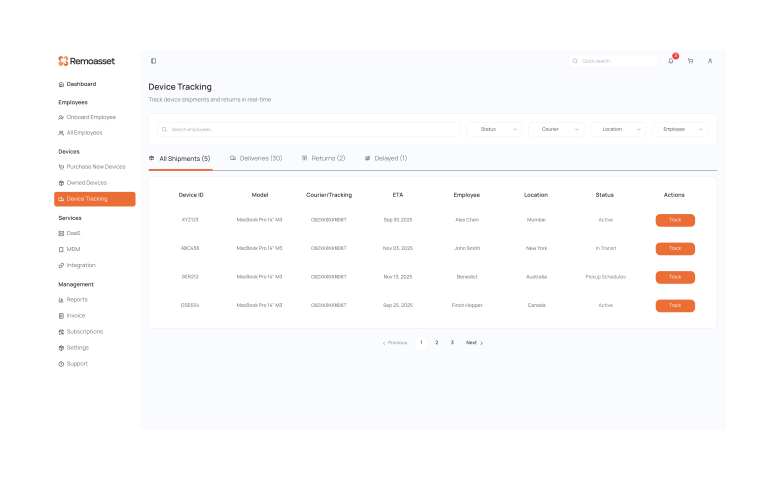
No real-time tracking
Without a live inventory system, laptops become “ghost assets.” Teams don’t know who has them or whether they are still in use.
Security gaps and weak MDM compliance
Devices shipped without proper configuration often lack encryption, endpoint protection, or identity controls.
Manual offboarding delays
When exits happen remotely, laptops are often not returned on time or at all.
Warranty and support inconsistency
Different vendors and regions create confusion around repairs and replacements.
High refresh and replacement costs
Without usage and health data, companies replace laptops too early or too late, increasing costs.
Managing globally distributed laptops
Global teams add complexity:
- Customs duties and import taxes
- Warranty coverage differences by country
- Variable local delivery timelines
- Regional data and compliance requirements
Where RemoAsset helps:
RemoAsset standardises procurement, tracking, deployment, and recovery across regions, replacing fragmented processes with a single automated workflow.
Step-by-Step: How to Manage Company Laptops Properly
Below is a structured workflow optimised for modern hybrid and remote teams.
1. Standardise hardware models
Define a small set of approved laptop models by role. Standardisation reduces support complexity, speeds up onboarding, and simplifies spare inventory.
2. Automate provisioning with pre-configured devices
Laptops should arrive work-ready. Security policies, encryption, MDM, and essential software must be pre-installed before the employee receives the device.
RemoAsset’s Zero-touch provisioning ensures laptops auto-enrol into management systems on first login.
3. Track assets with a digital inventory
Maintain a live inventory that records serial number, user, location, warranty, and lifecycle status.
RemoAsset’s Real-time global tracking replaces spreadsheets with a single source of truth.
Related Read: Laptop Inventory Management Software
4. Enforce security from Day 1
Every laptop should follow zero-trust principles:
- Disk encryption
- Endpoint protection
- Identity and access controls
- Continuous compliance monitoring
5. Refresh and repair based on device health
Use usage and performance data to decide when to repair, redeploy, or replace devices.
6. Automate pickup and secure wipe during offboarding
Offboarding should trigger:
- Scheduled device pickup
- Remote lock or wipe if needed
- Certified data erasure
- Redeployment or recycling
RemoAsset’s Automated recovery workflows reduce lost devices and ensure compliance.
Essential Laptop Management Policies Every Business Needs
Clear policies reduce disputes, risk, and unnecessary cost.
Every organisation should document:
- Ownership and acceptable use rules
Clarify that laptops are company property and define allowed usage.
- Lost or damaged device protocol
Specify reporting timelines and responsibility.
- Data security and encryption requirements
Make encryption and endpoint security mandatory.
- Return deadlines during exit
Define timelines and consequences for non-return.
Policies work best when enforced automatically through systems, not manual follow-ups.
How to Manage Company Laptops for Remote Teams
Remote teams require more than just good intentions. They need the right tools working together.
Core tool categories
- MDM (Mobile Device Management)
For security, compliance, and remote actions like lock or wipe.
- Asset management system
For lifecycle tracking, ownership, and reporting.
- Procurement automation
To ensure laptops are sourced quickly and consistently.
- Offboarding logistics
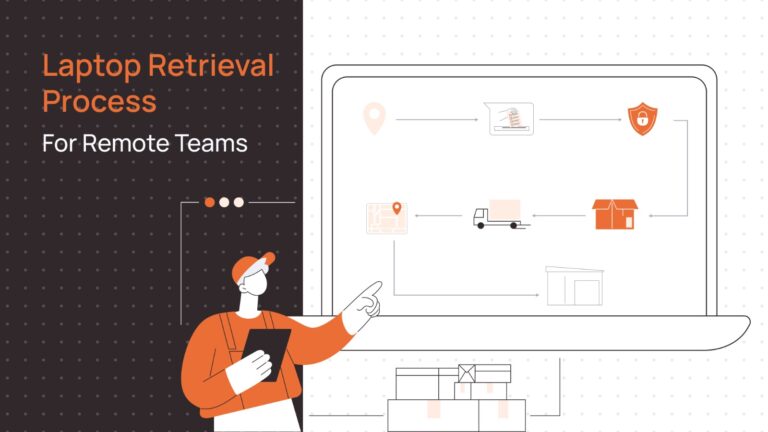
For device pickup, tracking, and recovery.
Managing these separately increases overhead.
RemoAsset advantage:
RemoAsset brings procurement, provisioning, tracking, security, and recovery into a single platform, eliminating tool sprawl and manual coordination.
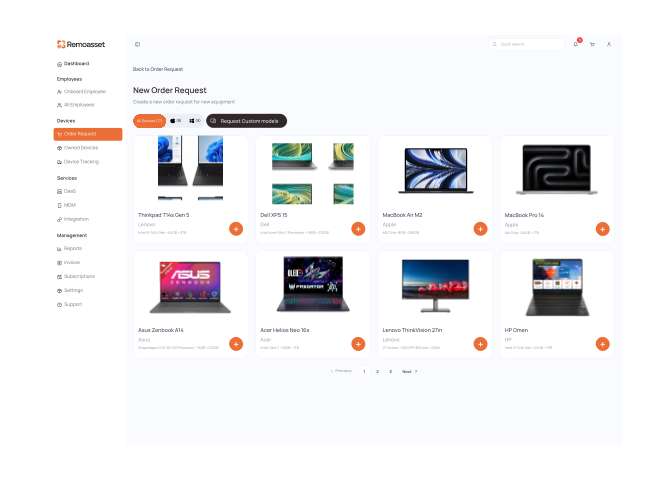
Managing Globally Distributed Laptops
Global laptop fleets introduce challenges that local processes cannot solve.
Customs and taxes
Shipping laptops across borders often triggers delays and unexpected costs.
Warranty differences
A laptop purchased in one country may not be serviceable in another.
Local delivery times
Last-mile logistics vary widely across regions.
Regulatory compliance
Data protection, recycling, and asset handling laws differ by country.
Modern approach:
Local sourcing and regional consolidation reduce delays, costs, and compliance risk. Platforms that support regional procurement simplify global laptop management.
Traditional Laptop Management vs Modern Automated Approach
Many companies still manage laptops reactively. Automation changes the operating model.
| Aspect | Traditional Management | Modern Automated (RemoAsset) |
|---|---|---|
| Speed | Slow and reactive | Fast and proactive |
| Cost | High waste and overspending | Optimised lifecycle costs |
| Compliance | Manual and inconsistent | Built-in enforcement |
| Visibility | Fragmented | Real-time global view |
| IT workload | High ticket volume | Reduced manual effort |
Modern automation shifts IT from chasing devices to optimising systems.
Predictive Laptop Management: The Future of IT Operations
Laptop management is moving beyond reactive tracking.
Health-based refresh cycles
Devices are replaced based on actual performance, not arbitrary timelines.
Automated compliance alerts
Security and policy drift is detected before it becomes a risk.
Downtime prevention
Issues are resolved before they impact employee productivity.
This predictive approach reduces disruption and extends asset value.
Manage Company Laptops Smarter with RemoAsset
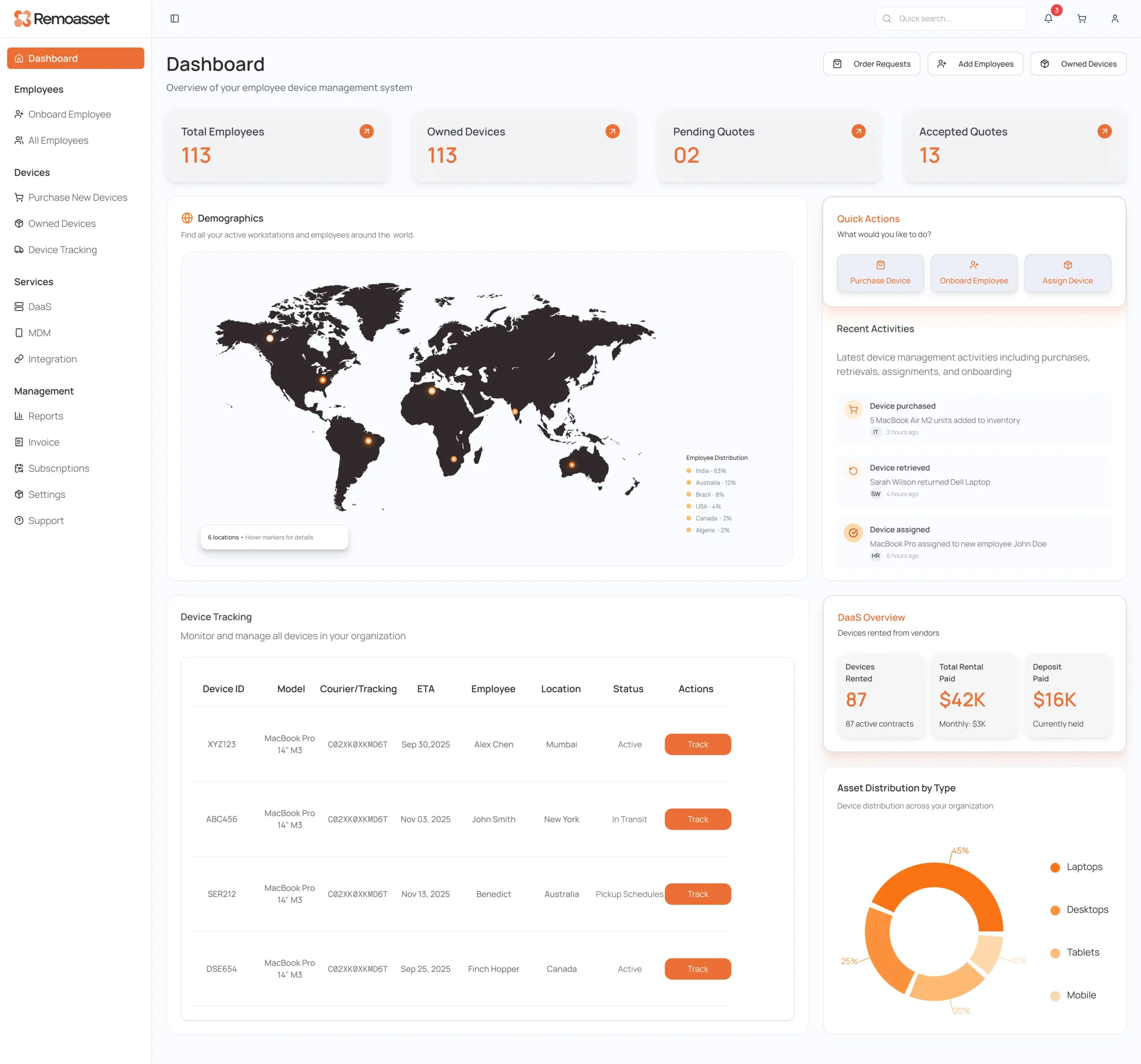
Employee Device Management System
Managing company laptops effectively requires visibility, automation, and consistency across the entire lifecycle.
With RemoAsset, organisations gain:
- Centralised procurement and tracking
- Zero-touch deployment
- Automated pickup and secure data wiping
- Real-time global asset visibility
- Reduced IT workload and lower device loss
Instead of reacting to laptop problems, teams can proactively manage their fleet with confidence.
Book a demo with RemoAsset and take control of company laptop management with a modern, automated approach built for distributed teams.